Automotive Camera System Cable and Connector Selection Guide

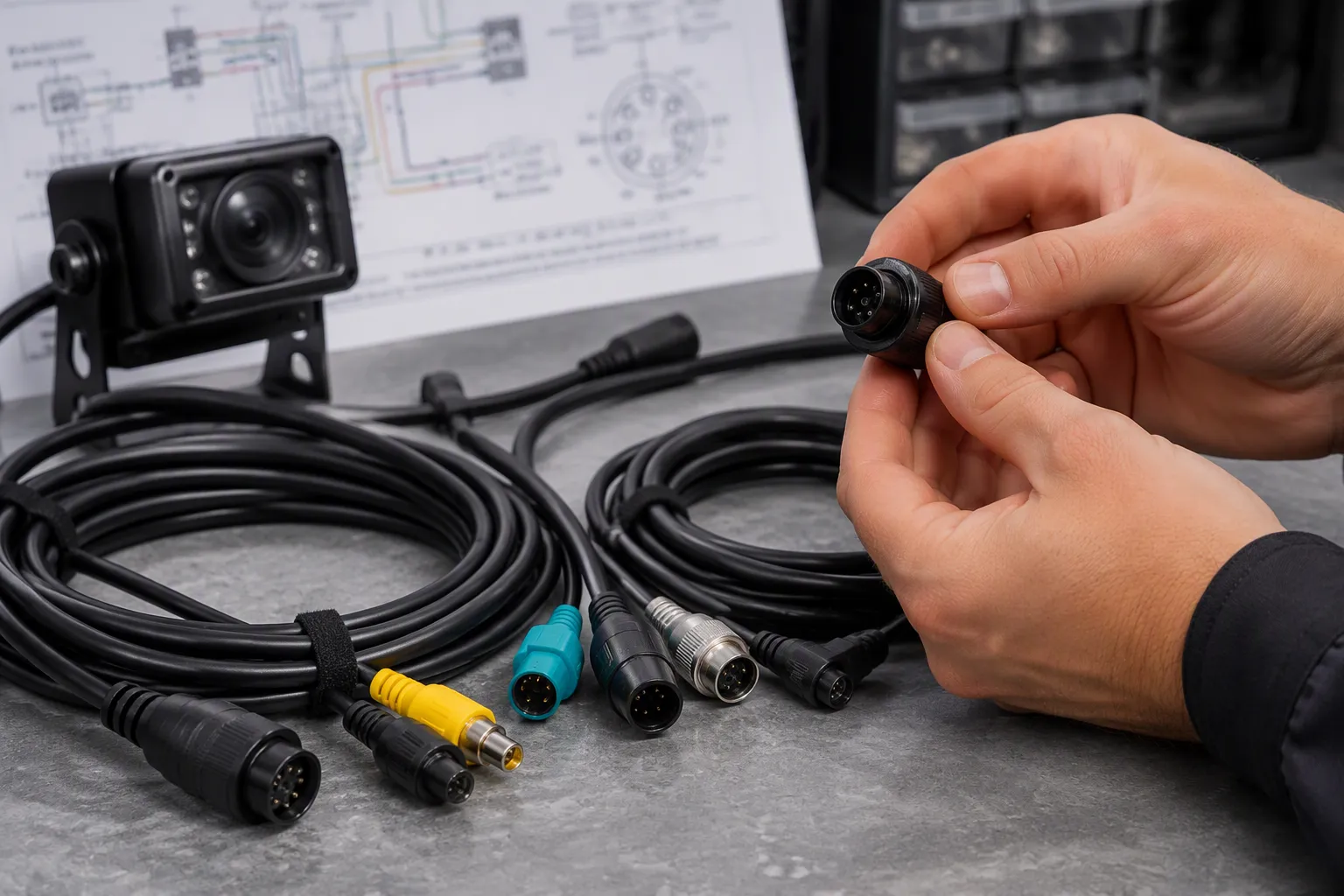
Selection starts with the camera interface and signal type. You then narrow by impedance, data rate, and environmental protection.
TL;DR: Match the connector and cable to the camera interface and signal type first. Then confirm impedance, data rate, shielding, and environmental protection for reliable automotive camera system performance.
This guide covers system anatomy, connector families, interface matching, selection factors, a comparison table, common mistakes, and an installation checklist.
Key Takeaways
Match the connector and cable to your camera's interface and signal type first.
Confirm impedance, data rate, and shielding to keep the video signal strong.
Choose waterproof and vibration-resistant parts for reliable performance.
Avoid common mistakes like wrong pinouts and poor routing.
Use a checklist to plan, install, and test your camera system.
What an Automotive Camera System Includes
An automotive camera system is more than a lens and a screen. It is a chain of parts that must work as one unit. Each link carries the signal forward, and each link can weaken it.
Camera, Cable, Connector, and Display Path
A typical camera module contains four main parts:
PCBA — the electronic core. It holds the image sensor, image signal processor, power management circuits, and communication interfaces. It converts light into electronic signals and processes image data.
Camera lens — sets image clarity and field of view. Lens material, aperture, and FOV affect optical performance and low-light capability.
Connecting cable — carries power and video or control signals between the camera and the recording system, such as a mobile DVR.
Protective housing — shields the internal electronics and optics from damage. Aluminum alloy is common for strength, heat dissipation, and sealing against rain, dust, and debris.
The camera system cable then runs to a display or recorder. Every connector along that path adds a joint. Every joint adds a possible failure point.
This chain appears across vehicle types. ADAS cameras, rear-view and backup cameras, parking cameras, surround-view cameras, and in-cabin camera systems all follow the same basic path. A commercial vehicle camera system adds longer runs and harsher conditions. Truck camera wiring often crosses cab and trailer joints, where flex and vibration test the cable and connector.
Why Each Link Defines the Specification
You cannot choose an automotive camera cable in isolation. The correct choice depends on the camera module, vehicle platform, interface, protocol, and OEM requirements. A backup camera on a passenger car may use a short, simple run. A surround-view setup on a commercial vehicle camera system may need several synchronized feeds. The vehicle camera system sets the demand, and the cable and connector must meet it.
Start with the camera output. Then confirm the display input. The gap between them defines the automotive camera cable system you need. Wiring that ignores this order often fails later, even when each part looks correct on its own.
How Camera Cables Carry Video, Power, and Control
A camera cable is not a single wire. It is a bundle that carries several jobs at once: power, ground, video signal, audio, trigger, and shielding. Each conductor has a role, and each role sets its own requirement for the cable and connector you choose.
Power and ground deliver steady current to the camera module. Video carries the image. A trigger line may tell the camera when to capture. Shielding keeps outside noise away from the signal conductors. On a commercial vehicle camera system, these runs are longer and pass more electrical noise sources. Truck camera wiring often crosses joints that flex, so the bundle must resist movement as well as interference.
Analog vs. Digital Automotive Video Systems
Analog and digital systems put very different signals on the wire. The table below shows the main differences.
Dimension | Digital (LVDS) Video | Analog (CVBS/AHD) Video |
|---|---|---|
Signal on wire | Low-voltage differential digital data | Analog waveform over coax (CVBS) or analog HD-over-coax (AHD) |
Interference susceptibility | Differential reception rejects common-mode noise | Interference appears as image noise, rolling lines, or detail loss |
Transport latency | Low transport delay | Conversion stages can add latency |
Image characteristics | No composite encoding artifacts | CVBS composite baseband has inherent limits |
System integration | Aligns with digital pipelines | Requires analog decoding and A/D conversion |
Harness content | Often video plus control and diagnostics | Usually video-only |
Digital LVDS links send two opposite-polarity signals. Common-mode noise coupled into the cable is largely rejected at the receiver. The small voltage swing and balanced currents also reduce radiated emissions. LVDS behaves as a transmission-line interface at high data rates, so cable quality, shielding, routing, and termination affect signal integrity. This matters over long, interference-prone vehicle harnesses. Digital transport suits HD camera pipelines and digital downstream functions. Analog formats expose interference as visible artifacts.
Signal Type and Protocol as the First Filter
Signal type is your first filter. Confirm whether the camera outputs analog or digital video before you compare any connector. A digital link may support high bandwidth, long reach, robust EMC performance, low latency, and flexible topologies. Exact limits depend on the application, so confirm them with the supplier.
The protocol then narrows the harness content. Digital SerDes links often carry video plus control and diagnostics. Analog paths usually carry video only. Match the automotive camera cable to that content, and verify the vehicle camera system interface before you finalize the wiring.
FAKRA Connectors for Camera and RF
FAKRA is the standard RF interface for automotive camera and antenna links. It carries high-frequency signals on a 50 Ω coaxial line. You will find it on radio antennas, GPS navigation, infotainment, and camera feeds. The same connector family serves the rear camera connector and the RF path, so one platform can share tooling and test fixtures.
LEADSIGN FAKRA Connector Features and Fit
LEADSIGN FAKRA connectors meet the core electrical demands of a vehicle camera connector. The table below lists the published specifications.
Parameter | Specification |
|---|---|
Impedance | 50 Ω |
Frequency range | |
Data rate | Up to 8 Gbps |
Return loss | ≥ 18 dB |
Temperature range | -40 °C to +105 °C |
Mating cycles | ≥ 25 |
Compliance | RoHS, WEEE, ELV |
Confirm the exact frequency rating for your selected connector and cable assembly. Match it to the working frequency of the camera module and the coaxial cable. The build uses copper or copper-alloy conductors with polyethylene insulation and durable plastic housings. See [FAKRA connectors] for the full range.
Coding, Locking, and Waterproof Connector Options
Coding prevents mismating. LEADSIGN offers 13 mechanical and colored codings plus one neutral coding. Primary and secondary locks hold the connection under vibration. A waterproof connector version suits exterior camera mounts and wash-down zones. Check waterproof connector quality against your sealing target, and confirm the connector waterproof design with the supplier for each application.
Choose the connector type to match the harness end. A sealed rear camera connector may need a different housing than an in-cabin link. The right cable jacket and connector pairing protects the signal over the full run.
Mini FAKRA for Compact Multi-Camera Systems
Mini FAKRA shrinks the FAKRA interface for tight spaces. Multi-camera vehicles pack more connectors into less room. A surround-view setup may need four or more camera links in one housing. Mini FAKRA gives you a smaller footprint for each link.
Where Mini FAKRA Fits Best
Mini FAKRA suits compact multi-camera systems. You will find it in surround-view modules, in-cabin camera clusters, and dense sensor nodes. The smaller body saves installation space and frees limited PCB real estate. It also cuts weight versus standard FAKRA, which helps overall efficiency.
The performance context matters here. Mini FAKRA is smaller than standard FAKRA while supporting higher speeds, up to 28 Gbps and 20 GHz. That makes it a strong fit for high-bandwidth digital camera links. Do not assume Mini FAKRA is interchangeable with FAKRA in every application. Confirm the interface, protocol, and OEM requirements before you commit. See [Mini FAKRA connectors] for the available range.
Space, Coding, and Assembly Considerations
Space and assembly drive the choice. The table below summarizes the main advantages over standard FAKRA.
Advantage Category | Mini FAKRA vs. Standard FAKRA |
|---|---|
Space savings | Up to 80% space savings; compact design maximizes limited PCB real estate |
Weight | Reduced weight versus standard FAKRA |
Keying and identification | Up to 12 keying options, each molded in a unique color for fast, reliable assembly |
Terminal and design | Improved terminal interface optimized for automated mass production tooling |
Coding keeps multi-connector builds clean. Each keying option carries its own color, so installers identify the right port at a glance. That speeds assembly and reduces mismating in dense harnesses.
Plan the connector type early. A compact, secure, and waterproof connector design protects exterior camera mounts. Choose a waterproof connector version for wash-down zones. Match the cable jacket and strain relief to the same environment. A small vehicle camera connector still needs full sealing and locking. Verify each connector against your platform requirements with the supplier.
HSD and LVDS Cables for High-Speed Video
Digital camera modules push more data down each link. HSD and LVDS assemblies carry that load. Both serve high-speed video, yet they solve different problems. Your camera interface decides which one fits.
HSD Automotive Cable Construction
HSD stands for High-Speed Data. These assemblies use a nominal 100 Ω differential signal path. A twisted quad construction cancels common-mode noise. Double shielding adds a foil layer plus a braid. That combination blocks external interference and limits coupling between adjacent signal paths.
Attribute | HSD Construction Detail |
|---|---|
Differential impedance | 100 Ω (50 Ω for coax variants) |
Shielding | Double: foil plus braid |
Conductor construction | Twisted quad |
Connector locking | Primary and secondary locks |
Terminal plating | Gold |
Vibration rating | Automotive USCAR-2 |
Shield continuity must hold through the connector and the cable termination. A break at either joint weakens the whole link. Gold-plated terminals resist corrosion and keep contact resistance low. Primary and secondary locks fight vibration, and the design targets the USCAR-2 automotive vibration standard. Some HSD builds use Dacar 535 wire with a 50 Ω impedance and a 360° die-cast shielded connector. That version supports frequencies up to 20 GHz. Confirm the variant your camera module needs. See [HSD automotive cables] for the available range.
LVDS Links for Digital Camera Modules
LVDS sends video as a low-voltage differential signal. The receiver rejects common-mode noise, so the link stays clean in a noisy harness. This makes LVDS a natural fit for digital camera modules and ADAS camera cable runs.
Treat the LVDS link as a transmission line. Cable quality, shielding, routing, and termination all shape signal integrity. Keep the differential pair matched and the shield grounded at the right points. Exact length and rate limits depend on the application, so confirm them with the supplier before you lock the design. Pair the right automotive camera cable with the right connector, and the digital link performs as specified.
Matching the Vehicle Camera Connector to the Interface
A connector only works when it matches the interface on both ends. FAKRA, Mini FAKRA, HSD, and LVDS are not interchangeable in every application. Each family serves a defined signal path. Treat this vehicle camera connector guide as a matching exercise, not a shopping list.
Mapping Camera and Display Interfaces
Start at the camera module. Note its output signal, its mating interface, and its keying. Then check the display or recorder input. The two ends must agree on signal type, impedance, and connector type. A digital camera module will not feed an analog input through a simple adapter.
Build a short interface map for each link in the vehicle camera system. List the camera end, the harness, and the display end. Mark the rear camera connector, the in-cabin link, and any surround-view node. This map exposes mismatches before you order parts. Confirm each interface with the supplier when the datasheet is unclear.
Pinout, Terminal, and Connector Orientation
Pinout errors cause many intermittent faults. A connector pinout and wiring definition must match the camera and display drawings exactly. Check terminal size, plating, and crimp style. Some links use 4-pin, 5-pin, or customized pin designs, so verify the count and the assignment of each position.
Orientation matters too. A straight connector suits open space behind a module. A right-angle connector saves depth in tight housings. Choose the body style that clears nearby parts and keeps the cable bend gentle. Route the cable away from heat and moving parts, and secure the wiring with clips. Confirm the final vehicle camera connectors against the OEM drawing before assembly.
Key Cable Selection Factors: A Connector Selection Guide
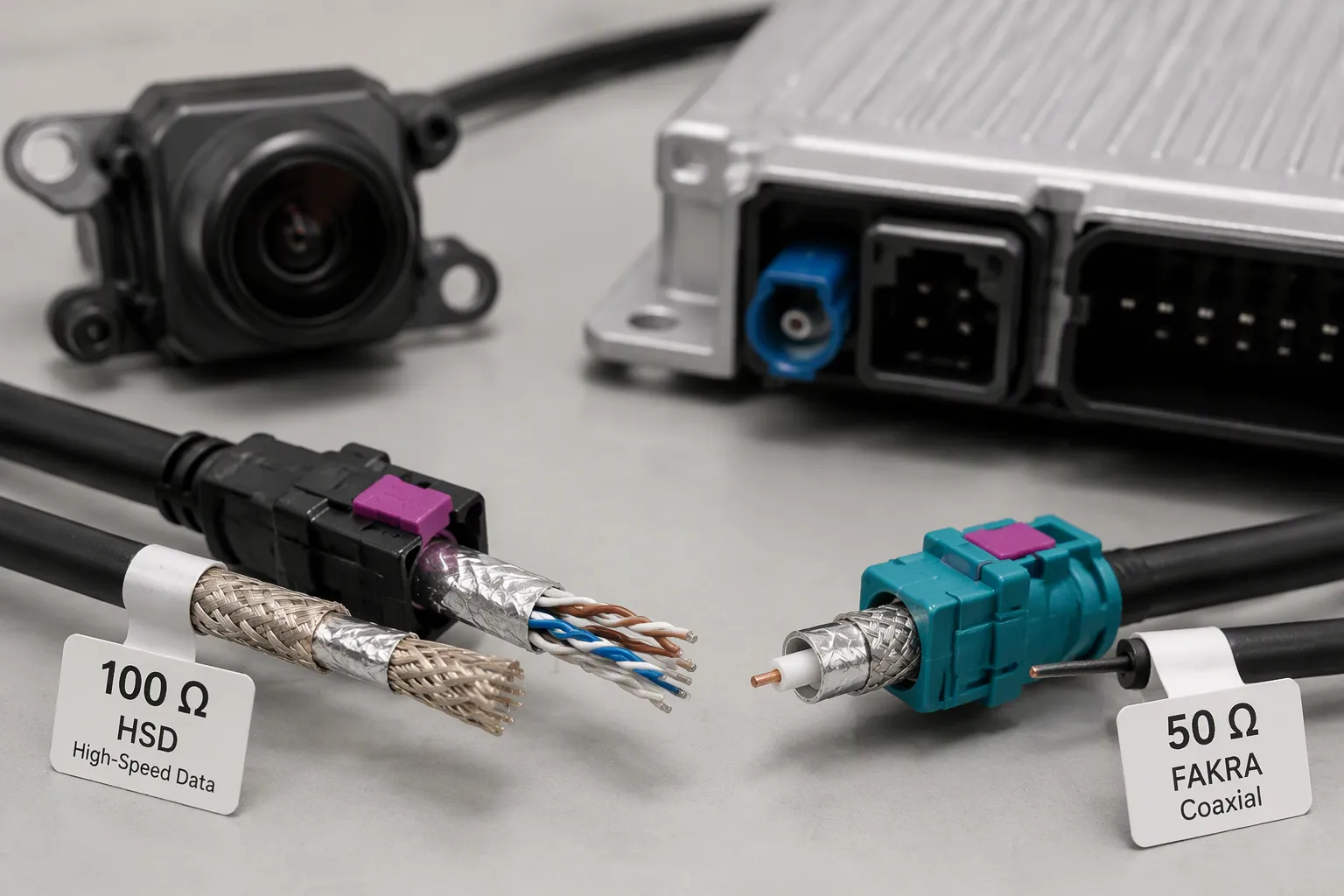
Electrical performance sets the first filter. Mechanical and environmental demands set the second. You need both before you lock a design.
Electrical Factors: Signal, Data Rate, Impedance, Shielding
Impedance matching is the foundation. A 100 Ω differential link (HSD) or a 50 Ω coaxial link (FAKRA) must agree across the connector, cable, termination, and module. One mismatched junction causes return loss and erodes signal integrity. The table below summarizes the electrical checks for your automotive camera cable.
Electrical Factor | Guidance | Why It Matters |
|---|---|---|
Impedance matching | 100 Ω differential (HSD) or 50 Ω coaxial (FAKRA); all parts must agree | A single mismatched junction causes return loss |
Signal and data rate | Validate per link, cable, and assembly length (LVDS, USB, Ethernet, GMSL, FPD-Link, MIPI A-PHY, SerDes) | No universal Gbps figure applies |
Shielding continuity | Keep the shield continuous from camera shell to ECU ground | A broken shield radiates noise into nearby circuits |
Grounding strategy | Validate against the harness layout, not the bench alone | A single-end-grounded cable behaves like a folded monopole |
Cable length and loss budget | Longer runs attenuate high-frequency content; unequalized LVDS reaches about 5 m at 1 Gbps, twinax about 10 m | Length sets the loss budget and shifts shield resonance |
Connector interface matching | Match the part to the module port first (FAKRA = 50 Ω coax, HSD = 100 Ω differential) | Adapters cannot cleanly fix impedance mismatch |
Shielding deserves early attention. A Tier 1 supplier once faced EMI issues in infotainment harnesses linking digital clusters, GPS modules, and rear cameras. The fix combined twisted pair foil shielding for camera feeds, multi-layer braid plus foil for LVDS, over-molded EMI connectors, and 360° shield grounding at the chassis. The harness then passed CISPR 25 Class 5 emissions and immunity tests without design rework.
Build shielding and connector sealing into the design early. Late changes cost time and money during validation.
Mechanical and Environmental Factors
Mechanical choices decide whether the link survives the vehicle. Start with connector coding and key position. Coding prevents mismating in dense harnesses. Next, confirm pinout and terminal configuration against the camera and display drawings. A secure multi-pin connector with the wrong pin assignment fails just as surely as a loose one.
Body style matters too. A straight connector suits open space. A right-angle design saves depth in tight housings. Check the operating temperature against the mounting zone. Confirm vibration, moisture, and abrasion resistance for exterior mounts. A waterproof connector version and a stated waterproof rating protect wash-down areas. The locking mechanism and strain relief hold the joint under vibration. Truck camera wiring and commercial vehicle camera system runs cross more flex points, so these details carry more weight.
Verify wire gauge, insulation, IP ratings, and compliance with ISO, SAE, and DIN EN standards per application. Confirm each item with the supplier before release. Good wiring practice and the right connector type keep signal stability intact over the full service life.
FAKRA vs. Mini FAKRA vs. HSD vs. LVDS
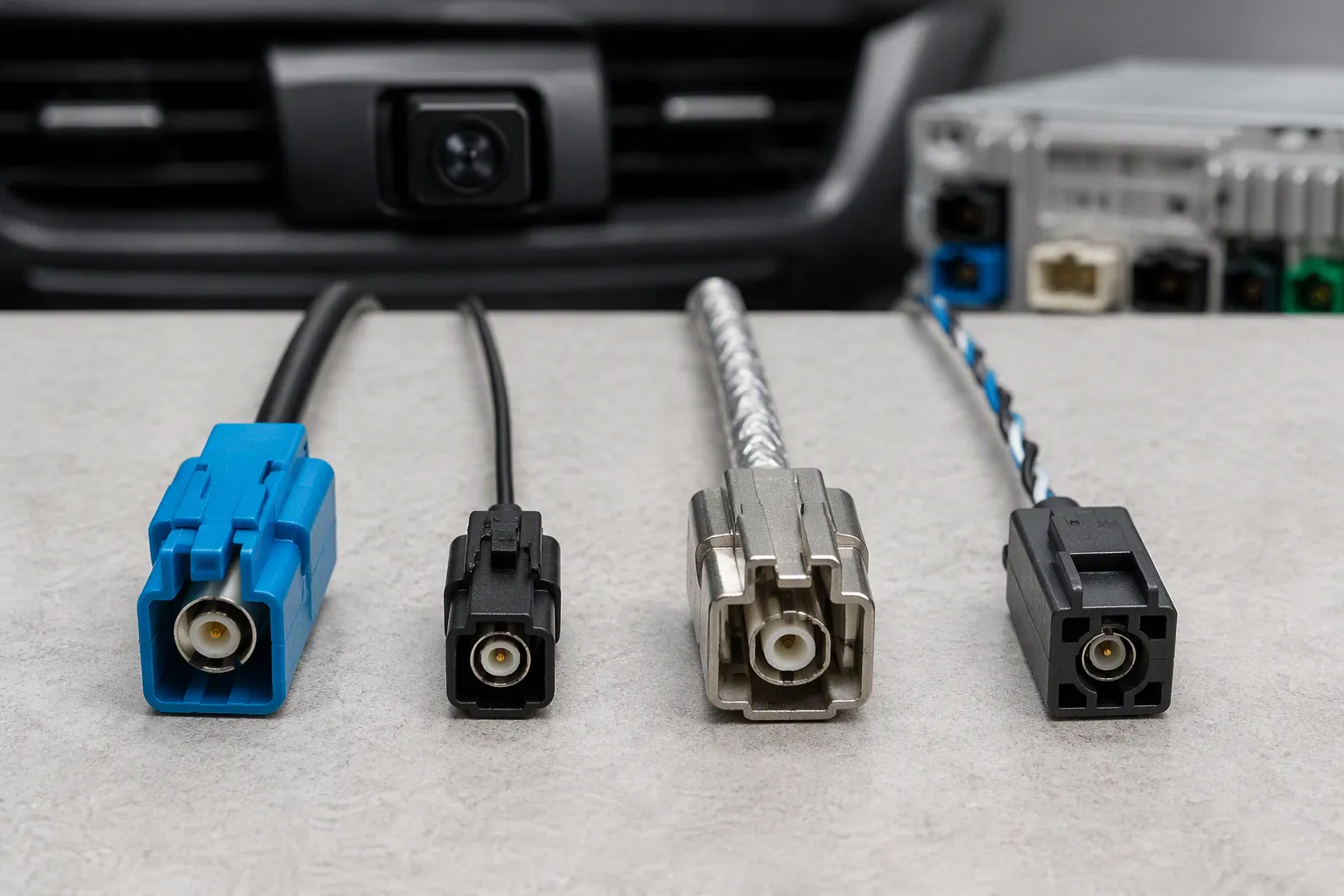
How to Read the Comparison
Read the table below as a map of signal paths, not a ranking. Each family solves a different problem. The first column tells you what the part does. The next columns show fit, compliance, and cost position.
Aspect | FAKRA | Mini FAKRA | HSD | LVDS |
|---|---|---|---|---|
Electrical topology | Coaxial, single-ended RF path | Coaxial, compact RF path | Differential low-voltage signal link | |
Nominal impedance | Commonly 50 ohm | Commonly 50 ohm | Commonly 100 ohm | Defined by the link design |
Performance focus | Signals up to 6 GHz, keying, secure design | Compact size, high-speed digital links | Fast data transfer, noise suppression, small size | Clean differential video transport |
Application fit | GPS, radios, Bluetooth, keyless entry, navigation | Screens, safety systems, USB, Ethernet, LVDS | Digital camera modules and ADAS feeds | |
Compliance | RoHS, WEEE, ELV (LEADSIGN range) | Confirm per part | Confirm per part | Confirm per part |
Cost position | Mature, widely tooled | Compact precision parts | Shielded assembly cost | Depends on link and length |
Treat this connector selection guide as a starting filter. Confirm every cell against your camera module, platform, and OEM drawing before you order.
One distinction matters most. FAKRA connectors are designed for single-ended RF signal transmission using coaxial cables, while HSD connectors are designed for differential, high-speed digital data transmission using shielded twisted quad cables. They serve different purposes and are not interchangeable.
Where Each Option Fits Best
FAKRA fits radio and antenna paths. It handles signals up to 6 GHz and prevents wrong connections through keying. Use it for GPS, radios, Bluetooth, and keyless entry. A compatible coaxial link may also carry serialized camera data when the full channel supports it.
Mini FAKRA fits tight, crowded layouts. Multi-camera vehicles need many links in little space. The compact body saves room and weight. Confirm the interface and protocol before you commit.
HSD fits fast data between car parts. It moves video and control between screens and safety systems. HSD is a physical connector and cable system, not a protocol. It may support LVDS camera links, USB, Ethernet, and IEEE 1394. The protocol name does not replace the need to verify connector code, contact arrangement, cable structure, and electrical test requirements.
LVDS fits digital camera modules. It sends video as a low-voltage differential signal. The receiver rejects common-mode noise, so the link stays clean in a noisy harness. Pair it with the right vehicle camera connector and cable.
Each option earns its place. Match the family to the signal, then confirm the part.
Common Automotive Camera Cable Mistakes
Most intermittent faults in an automotive camera system trace back to a few repeatable errors. Some appear at the specification stage. Others enter during assembly and routing. Both types produce the same symptom: an image that drops, flickers, or fails when the vehicle moves.
Specification Mistakes
A wrong connector tops the list. Similar-looking housings may differ in power, ground, video, and trigger wiring. Mixing suppliers without checking pin definitions invites no image, interference, or short-circuit risk. Confirm the connector coding, key position, and pinout against the camera and display drawings before you order.
Cable length and shielding come next. Long runs, poor shielding, and bad grounding degrade analog video transmission. An undersized shield or a broken ground path lets noise reach the signal. The cable and connector must match the run, the signal, and the environment. Choose an automotive camera cable rated for the distance, and keep the shield continuous from camera shell to ECU ground. On a commercial vehicle camera system, longer harnesses make these choices more critical.
Assembly and Routing Mistakes
Routing decides whether a good design survives. Route the video cable away from abrasion, heat, moisture, moving parts, and sharp edges. Avoid pinch points where seats, hinges, trunk hardware, or trim panels can crush the cable. Use existing wiring paths through body and hatch openings.
Termination and trigger errors follow close behind. A loose contact from vibration produces flicker or temporary signal loss. Poor strain relief at the connector damages inner wires over months. Water ingress at an unsealed joint starts a slow decline toward intermittent behavior, so fit a waterproof connector in exposed zones. Truck camera wiring and commercial vehicle camera systems cross more flex points, which raises the stakes.
Test the reverse trigger before final assembly:
Identify a reliable reverse signal from the reverse-light circuit, a vehicle interface, or the manufacturer-specified source.
Shift into reverse and confirm the display switches.
Repeat the test several times.
A wrong or unstable trigger makes the camera fail to appear or behave inconsistently. Check cable length, connector orientation, tightened locking, and image quality after vibration. These steps catch small issues before they become recurring failures.
Inspection and Installation Checklist
A good install follows a fixed order. You plan the route, gather tools, test the link, and verify the result. This checklist keeps an automotive camera cable job repeatable.
Pre-Installation Checks
Plan the cable route before you touch a panel. Follow undercarpets, vehicle panels, or trim so the cable stays hidden and protected. Keep the run away from heat sources such as the exhaust system. Leave slack on long runs so the cable never sits under tension. Take photos before you start, and confirm each camera model's wiring needs. Some cameras draw power near the radio, while others tap compatible reverse lights.
Gather your tools first. You need screwdrivers, trim removal tools, a drill and bits, a socket wrench set, a wire stripper, a multimeter, electrical tape, crimp connectors, heat shrink tubing, zip ties or cable clips, protective loom tubing, and silicon sealant. Use the multimeter to confirm the positive wire. Splice with crimp connectors or solder and heat shrink, and skip quick splice taps. Fit a waterproof connector in exposed zones, and check its waterproof rating against the mounting area. Seal waterproof cable joints fully. On truck camera wiring, protect hinge points and sharp metal with wire loom.
Post-Installation Verification
Test live video before you tighten anything. Shift into reverse and confirm the camera activates and the monitor shows an image. Check each angle, then replace the trim panels. Confirm the connector seats fully and the lock engages.
Run functionality tests next. Check GPS timestamp accuracy, emergency recording triggers such as sudden braking events, and night vision clarity. Clean lenses monthly with a microfiber cloth, and update firmware to patch security issues. Review the full cable and connector path one last time. A careful check now protects the whole system later.
When to Choose a Custom Camera Cable Assembly
A standard assembly fits a standard route. Many vehicle programs do not have one. A camera may sit behind a badge, a mirror, or a tailgate hinge. The distance to the ECU may be unusual. The housing may leave no room for a stock connector body. In these cases, a custom build is the practical answer.
LEADSIGN supplies custom harness solutions and OEM/ODM services for these programs. You define the link, and the assembly follows your drawing.
Signals That a Standard Assembly Will Not Fit
You need a custom assembly when the signal path does not match an off-the-shelf part. Start with the camera link map. Note the camera location, the target module, the cable route, the signal type, and the space you have. Then list the interface: SerDes, FPD-Link, GMSL, MIPI A-PHY, or LVDS. State whether the link uses coax, shielded twisted pair, or shielded twisted quad.
Next, define the cable and connector details. Give the cable type and impedance, such as 50 Ω coax or 100 Ω shielded differential. Name the connector series for each end, the coding and key position, the lock style, and the cable exit direction. Add the overall length with tolerance, the operating frequency range, and the shielding structure. Include the environmental demands: temperature range, flexibility, UV exposure, and sealing for wet zones. Name any customer or industry standard that applies.
Prototype, Sample, and Volume Considerations
Plan the build in stages. Request samples first and test them on the vehicle. Check insertion and return loss, crosstalk, and shield continuity. Confirm the connector seats and the lock holds under vibration. A sample run catches routing problems before tooling costs grow.
Then scale. Volume orders need stable drawings, fixed terminal and crimp specifications, and a clear test plan. Truck camera wiring often crosses long runs and flex points, so strain relief and bend radius deserve early review. Share your interface, pinout, and environment data with LEADSIGN, and the team can quote a build that fits. See [custom automotive cable assemblies] for the range.
What to Send LEADSIGN for a Quote
A clear quote starts with a clear request. The more detail you send, the faster the team can confirm fit and price. Vague requests slow the process and invite rework later.
Interface, Connector, and Pinout Details
Start with the signal path. Tell LEADSIGN the camera and display interface, the signal type, and the number of conductors. Name the connector type at each end, plus the connector coding and key position. For a FAKRA link, give the code letter and housing color. State plug or jack, and straight or right-angle orientation. Add the pinout and terminal configuration, and note the mating connector at both ends.
The table below lists the inputs that speed up a quote.
Input | What to Specify |
|---|---|
Connector code | FAKRA code letter and housing color |
Connector gender | Plug or jack |
Orientation | Straight or right-angle |
Cable type | RG designation or low-loss construction |
Length | Cable length with tolerance |
Impedance | 50 ohm for FAKRA |
Shielding | Shielding requirement |
Application | GPS, LTE/5G, ADAS, or infotainment |
Mating ends | Mating connector at both ends |
Vehicle info | Vehicle or device information |
Quantity | Sample quantity and annual forecast, listed separately |
Reference | Drawing, sample photo, or original part number |
Packaging | Packaging requirement |
Testing | VSWR, return loss, insertion loss, or continuity |
Routing | Minimum bend radius and routing space for Mini FAKRA |
Cable, Environment, and Testing Requirements
Describe the cable jacket, shielding structure, and any branches or breakout points. List the environmental conditions: temperature range, moisture, vibration, and abrasion. Add the minimum bend radius and the routing space. For truck camera wiring, note the flex points and the extra strain relief you need. State the samples and testing you require, such as VSWR, return loss, insertion loss, or continuity.
Send your drawings, samples, photos, part numbers, or application requirements to LEADSIGN for a custom fakra cable assembly quotation.
Reach the team at info@leadsignauto.com or 86-755-23323415. You can also review the product range at https://www.fakraconnectors.com. A complete request shortens the path from wiring drawing to finished assembly.
Start with the interface and signal type, then confirm impedance, data rate, and environmental protection. That order keeps your automotive camera system build on solid ground.
Use the comparison table to weigh performance, application fit, compliance, and cost. Do not default to one connector family out of habit. Each link in the vehicle camera system has its own job. Match the cable and connector to that job, and confirm the details with your supplier.
Send your interface, pinout, and routing needs to LEADSIGN. The team can recommend a suitable automotive camera cable assembly and quote your wiring project.
FAQ
How do you choose between FAKRA and Mini FAKRA for a camera link?
Start with the space around the camera module. Mini FAKRA saves room in dense multi-camera nodes. Standard FAKRA suits antenna and RF paths with more clearance. Confirm the interface and protocol with your supplier first. The two families are not interchangeable in every application.
Can you use an HSD cable for an analog backup camera?
Usually no. HSD carries shielded differential digital data. An analog backup camera cable carries a single-ended video signal. Match the cable to the camera output before you order parts. Confirm the interface with the supplier when the datasheet is unclear.
What causes an intermittent camera image after installation?
Most faults trace to a loose connector, a pinout error, or a broken shield path. Vibration loosens poor terminations. Water enters unsealed joints. Route the wiring away from heat and moving parts. Check the lock, the pinout, and the shield ground before you blame the camera.
How many mating cycles do LEADSIGN FAKRA connectors handle?
The published rating is at least 25 mating cycles. Treat that figure as a service-life guide, not a target for repeated bench testing. Use a spare connector for test fits. Confirm the rating for your selected part with the supplier.
Does a waterproof connector remove the need for sealed cable joints?
No. A waterproof connector protects one joint. Water can still enter through an unsealed cable joint or a damaged jacket. Seal every exposed joint in wet zones. Confirm the IP rating for the full assembly, not just the connector.
See Also
Improving Vehicle Data Transfer Using Advanced Connectors And Cables
Boosting Automotive Data Transmission Through FAKRA PCB Connectors
Improving Vehicle Communication Systems Using FAKRA PCB Connectors