How Mini FAKRA Connector Coding Prevents Mismating

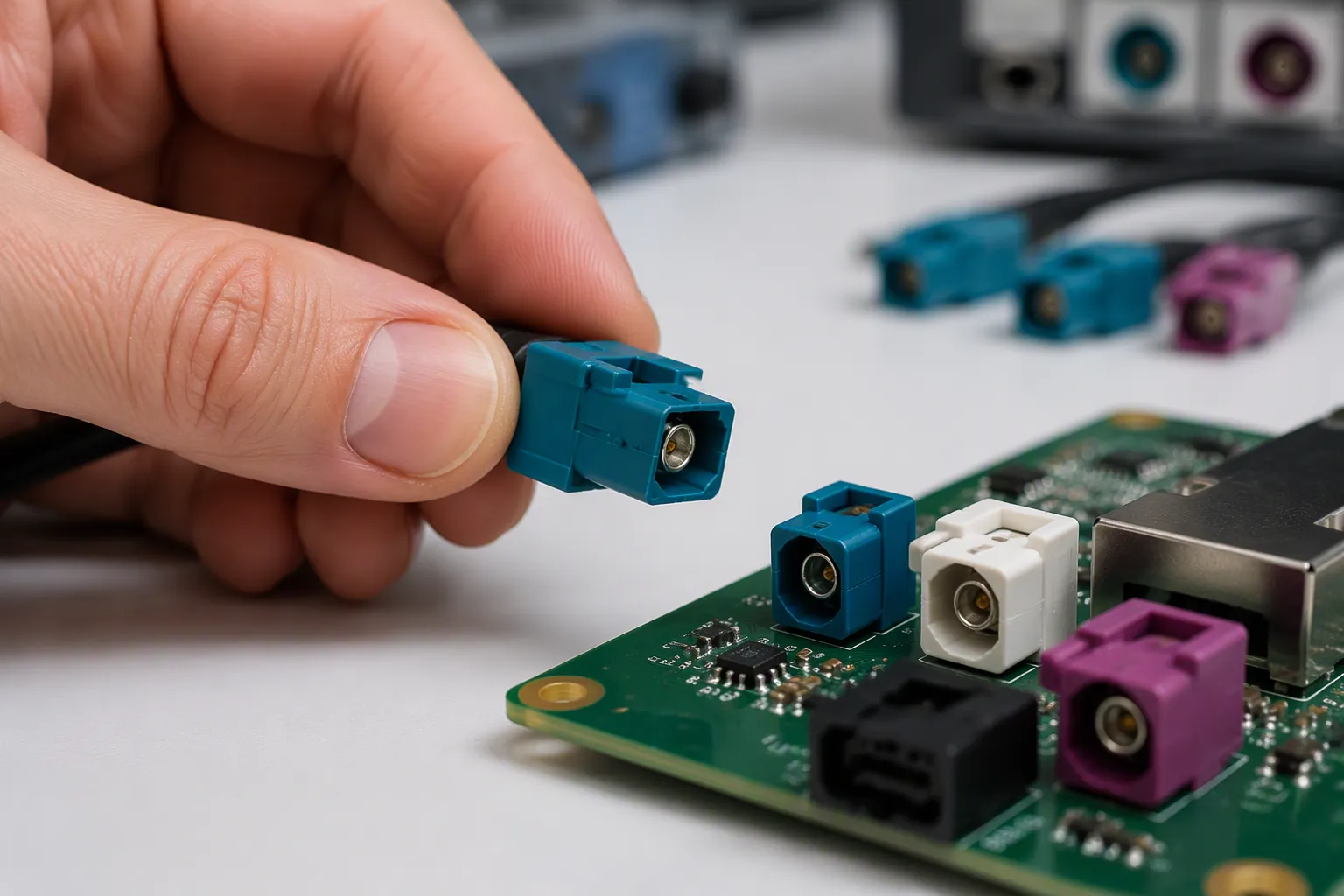
A mini fakra connector uses mechanical keys and color codes to prevent mismating. Coding means the keyed features and color markings built into each housing. Mismating means joining two parts that look compatible but are not. Only a matched pair can fully seat, so a wrong key physically blocks the connection. Color helps you spot the right partner fast. Yet color alone proves nothing. Treat it as an identification aid, not a compatibility guarantee. You must also confirm the mechanical key, the interface, and the product drawing before you mate any pair.
Key Takeaways
Mechanical keys physically block wrong connections. Only matched pairs can fully seat.
Color codes help you find the right partner fast. But color alone does not prove compatibility.
Always check the product drawing before mating. The drawing confirms the key, interface, and part number.
Mini FAKRA and standard FAKRA are not interchangeable. Their sizes, keys, and cable interfaces differ.
Stop if a connector resists insertion. Never force it. Check the code and drawing instead.
Mini FAKRA Connector Basics and Mismating Risks
Where Mini FAKRA Connectors Are Used
Mini FAKRA, also called HFM, is a compact automotive coaxial connector system. These automotive coax connectors serve high-speed links where cameras and sensors send large data volumes to processing units. You will find them in surround-view camera systems, driver assistance cameras, radar sensors, and other modules on high-speed vehicle networks. They also support camera ECUs, domain controllers, GPS and telematics units, and high-bandwidth infotainment.
The table below shows how the two families typically divide their work in a vehicle.
Connector Type | Typical Automotive Systems |
|---|---|
Standard FAKRA | GPS antennas, broadcast radio receivers, satellite radio modules, telematics units |
Mini FAKRA | ADAS camera systems, high-speed data communication links, advanced vehicle sensor networks |
Treat this table as a general guide only. Each mini fakra connector product has its own code, color, and housing configuration. Confirm the exact part number before you design it in.
How Mismating Happens
Incorrect mating rarely comes from one big mistake. It usually comes from small assumptions during selection or assembly. Watch for these ten common causes:
Selecting a connector by color only.
Confusing Mini FAKRA with standard FAKRA.
Confusing a plug with a jack.
Using the wrong mechanical code.
Assuming all blue, black, or violet housings share one function.
Ignoring connector orientation.
Using a universal or neutral code without checking the design.
Assuming similar-looking connectors share an internal interface.
Mixing single-port, dual-port, and quad-port housings.
Ordering a cable without confirming both mating ends.
Coding exists to stop these errors at the interface. The DIN 72594-1 standard applies a Poka-Yoke design:
The plastic housing has specific internal ribs and external slots, so "Keying A" only fits a "Keying A" receptacle, and the mechanical ribs block incorrect connections entirely.
Mismating therefore arises when someone defeats or ignores this keying. A technician who forces a Code A plug into a Code C jack by breaking the plastic ribs destroys the housing and creates a wrong interface. Wrong codes also cross channels and scramble channel mapping. Check the code, the interface family, and the drawing every time.
Mini FAKRA Connector Coding Mechanisms
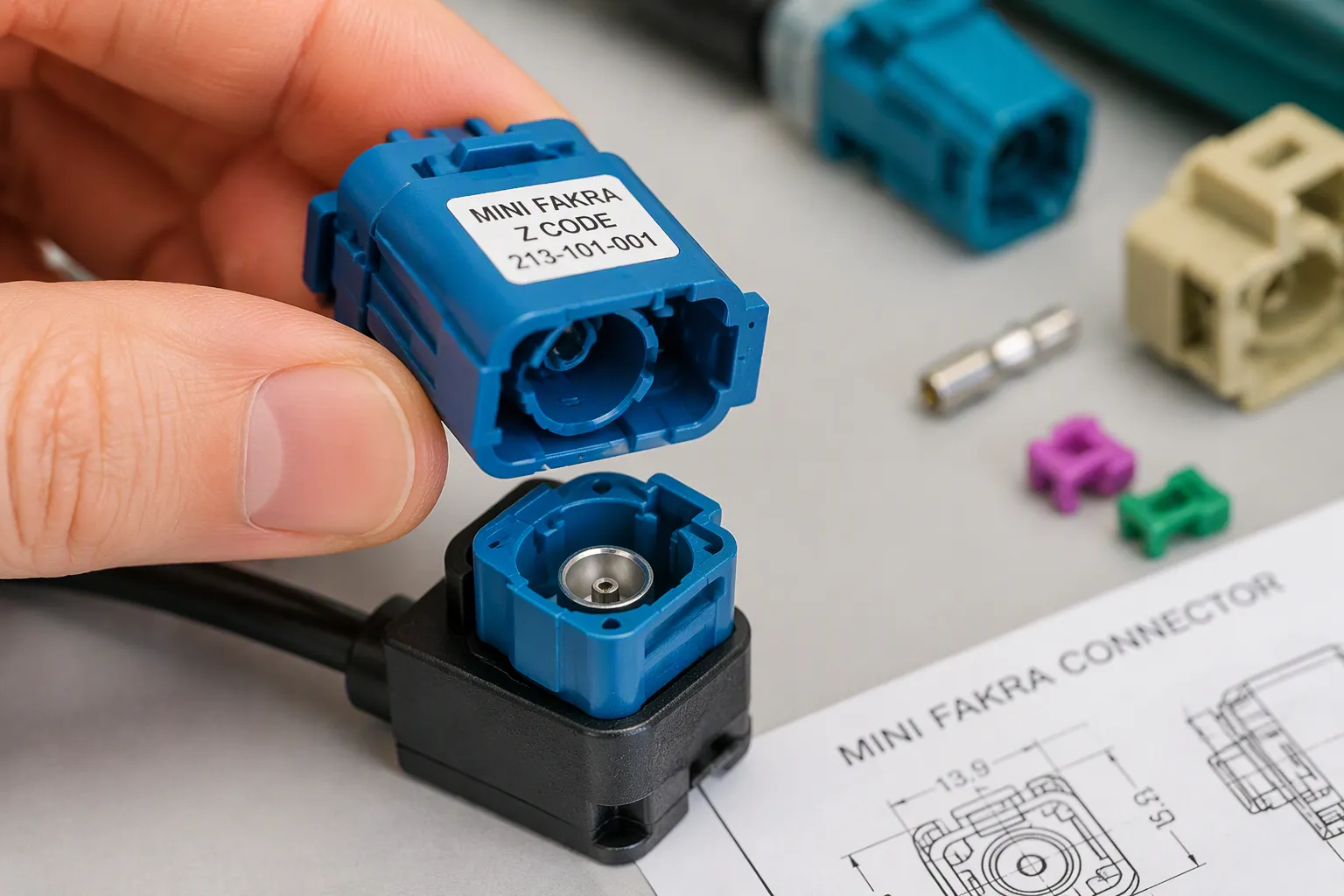
Coding is a system, not a single feature. Several distinct elements work together to prevent mismating, and you should know each one before you select or install a mini fakra connector. Each element answers a different question, and a mismatch in any one of them can block a correct connection or allow a wrong one. The table below separates them.
Element | What It Defines |
|---|---|
Connector color | The visible plastic shade of the housing |
Mechanical code or keying | The rib-and-slot pattern inside the housing |
Plug and jack interface | Which half carries pins and which carries sockets |
Connector gender | The pin or socket role of each half |
Straight vs. right-angle orientation | The cable exit direction |
Primary locking | The main latch that holds the pair together |
Secondary locking or CPA | A backup latch that confirms full seating |
Single, dual, quad ports | How many coaxial lines share one housing |
Color Coding as an Identification Aid
A color-coded housing gives you a fast visual cue. Blue, black, violet, and other shades help you sort parts on a bench or a production line. Color supports colour coding and keying as a first check. It does not confirm compatibility on its own. Two housings can share a shade and still differ in key geometry, gender, or port count. A blue plug from one supplier may not match a blue jack from another. Always match the exact mechanical key, the connector code, the interface gender, the mating device, and the product drawing. Print the code on the housing label too, so the shade never stands alone as your only record. Treat every shade as a hint that still needs a part-number check. Color is an aid. The drawing is the proof.
Mechanical Keying and the Wrong Key Problem
Mechanical keying is the real mismating protection. Ribs and slots form a unique pattern, so only a matched pair can fully seat. This is standardized mechanical coding in practice. A wrong key meets a physical wall. You cannot push past it without damage.
Key codes exist for a reason. Trimming ribs or forcing a connector is never a proper way to mate. That act destroys the coding protection and creates a false connection. A damaged key may still let the parts touch, yet the mating interface is no longer correct. Signal loss, intermittent images, or crossed camera channels often follow.
Consider a common case. A technician grabs a violet plug for a violet jack on a camera module. The colors agree, so the part goes in with a firm push. The rib pattern does not agree. The ribs bind, the latch never clicks, and the camera drops offline after a few miles of vibration. A two-second drawing check would have caught it.
Mechanical keying also separates families. A mechanically keyed Mini FAKRA pair will not accept a standard FAKRA partner, because the mating geometries differ. Never assume a neutral or universal code fits every design. Check the production drawing first. Check the mechanical code against the drawing, confirm the keying direction, and stop at any resistance. A forced fit is a warning sign, not a shortcut. Proper mechanical keying gives you repeatable, error-free assembly and lasting coding protection.
Mini FAKRA vs FAKRA Compatibility
Size, Keying, and Cable Interface
The mini fakra vs fakra question starts with physical size. Standard FAKRA connectors follow ISO 20860-1 and -2, or USCAR-17 and -18. Those bodies are larger than the newer compact designs, such as Rosenberger's HFM. A smaller body changes the board footprint, the cable turn radius, and the space you need behind a camera module.
Keying separates the two families as well. Standard FAKRA uses its own code variants and latch geometry. Mini FAKRA uses a different key pattern. The cable interface also differs, so a cable built for one family will not seat in the other. USCAR calls the new class "mini coax connectors" to keep the names apart, and the upcoming USCAR-49 specification will define testing for that class alone.
Standard FAKRA | Mini FAKRA | |
|---|---|---|
Size | Larger body | Compact body |
Frequency rating | Up to 6 GHz | Up to 20 GHz |
Locking geometry | Z-code variants differ | Different keying |
Environmental specs | Different ratings | Different ratings |
Why They Are Not Interchangeable
The mini fakra vs fakra comparison ends in one clear answer. These are different interface families, and you cannot swap one for the other. Color coding and a similar housing shape prove nothing. Two parts may share a shade and still differ in key position, latch design, or cable exit direction.
The mini fakra vs fakra gap shows up in performance too. Mini FAKRA systems can reach 20 GHz and 28 Gb/s, but that figure belongs to a selected series and assembly design. Confirm the exact mini fakra series and its drawing before you substitute anything. A standard part may not fit the same footprint, and cross-mating risks damage or signal loss.
Use this checklist when you compare the mini fakra vs fakra options:
Do not judge fit by color or housing shape alone.
Verify coding and the mating interface before you order.
Check board layout and housing structure.
Confirm the cable end design and platform requirements.
Validate frequency and data capability for the exact model.
Mechanical keying protects you only when the keying matches the module. Match the matching fakra interface to the device, then confirm the part number. Different interface families demand different drawings, and that rule holds for every mini fakra vs fakra decision you make.
Identification and Installation Best Practices
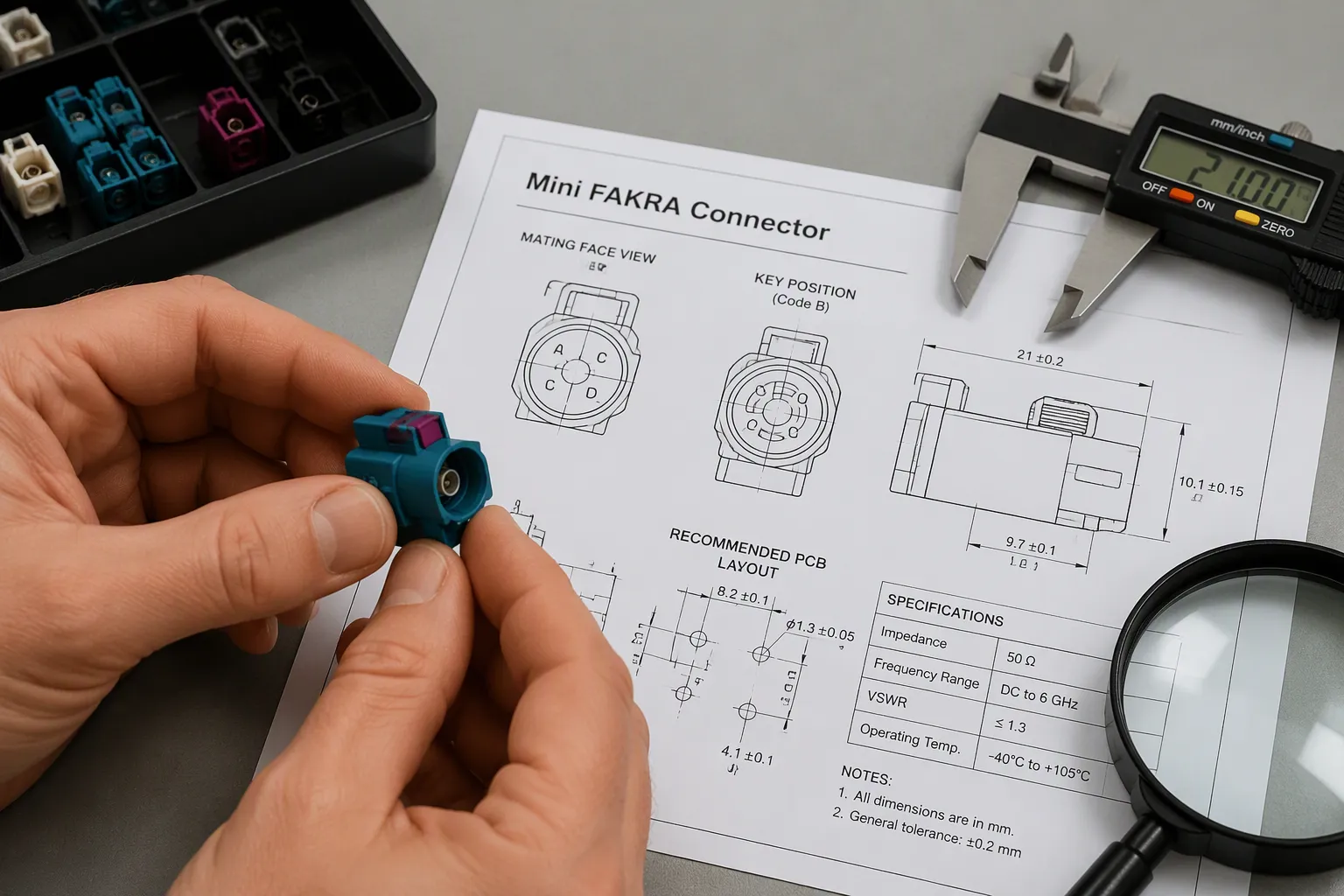
Verify With the Mating Drawing
A mating drawing is your best defense against a wrong connection. It shows the contact arrangement, key position, housing geometry, port spacing, and latch design. It also names the mating side, whether plug or jack, and whether the part mounts on a cable, PCB, panel, or module. Similar housing size, color, or port count alone does not confirm compatibility. The drawing must show these attributes matching before you mate anything.
Follow this ten-step identification process before every build:
Read the part number or marking on the housing.
Confirm the connector family against the ECU and module interfaces.
Check the mechanical code letter against the drawing.
Verify the housing color as a secondary check.
Confirm the plug or jack interface.
Compare the mating face and key profile.
Check the cable exit direction and orientation.
Confirm the camera, ECU, or module interface.
Compare the drawing or an original sample.
Confirm the finished cable assembly before installation.
Beyond physical fit, review connector part numbers, contact genders, coding configurations, locking mechanisms, SerDes chipsets, power delivery, and link budgets. Physical mating alone does not guarantee protocol compatibility.
Selection item | What to verify | Common mistake | Recommended action |
|---|---|---|---|
Connector family | Mini FAKRA vs. standard FAKRA | Judging by look or color | Match the drawing on both ends |
Mechanical code | Letter code and key position | Using a universal code unchecked | Confirm code against the module |
Interface | Plug vs. jack, gender | Mixing the two halves | Read the mating side on the drawing |
Orientation | Straight or right-angle | Ignoring cable exit direction | Check routing space first |
Port count | Single, dual, or quad | Mixing housing configurations | Count independent channels |
Cable type | Matched to connector body | Using the wrong coax | Match connector to specified cable |
Proper Mating and Lock Confirmation
Good installation starts with alignment. Seat the connector without twisting, then push it straight into the mating interface. Never force a mismatched pair. Forcing a Code A plug into a Code C jack by breaking the plastic ribs destroys the housing and the coding protection. Confirm the primary lock clicks, then push the secondary lock or CPA fully flush with the housing. A colored lock that sits proud can vibrate loose. Perform a gentle retention check, and avoid pulling the cable during installation. Respect the bend radius, and inspect the connector after vibration or service work.
A quick multimeter check on the center pin and shield before installation prevents costly rework. Match the connector body to the specified cable type, since a body built for one coax can deform the dielectric of another and compromise impedance.
Build your purchase specification around these items: product family, connector code, housing color, plug or jack, gender, orientation, port count, cable type, finished length, camera and ECU part numbers, application, drawing or original sample, environmental requirements, and quantity with testing requirements. Mechanical keying and keying both protect you only when the key and drawing agree at both ends.
Benefits, Troubleshooting, and Supplier Fit
Error Prevention and Long-Term Reliability
Good coding pays off most on a busy production line. Self-aligning keying makes the correct mate obvious, so operators work faster and make fewer errors. Fixed key positions such as A, B, C, and D variants ensure each connector meets only its intended counterpart. That blocks cross-connection and keeps high-volume mating repeatable. Distinct coding per function also lets technicians match cables to ports quickly in dense systems. Color adds a visual layer on top of the physical restriction.
Assembly aids reinforce the same result. Orientation fixtures hold parts in the correct position, so operators cannot build them backwards. Color-coded components give instant visual cues without extra training. Alignment pins allow only one correct fit. Together these measures cut rework and protect signal integrity over the vehicle's life.
Troubleshooting Common Mating Faults
Start with the physical connection when a fault appears. A connector that will not mate usually carries the wrong code, the wrong family, or a damaged key. A pair that seats but shows no signal often has bent or pushed-back pins from forced mating. An intermittent camera image points to the same cause. A lock that will not engage signals a housing mismatch or debris in the latch. A cable that pulls out during vibration means the primary lock never clicked home.
Work through the list in order. Check the code and color against the drawing. Confirm you have a mini fakra connector, not a standard FAKRA part. Inspect contacts for contamination or bending. Replace any damaged housing rather than forcing it. A single mismatch caught here prevents costly mismatches later in the field.
LEADSIGN (Shenzhen Leadsign Automotive Electronics Co., Ltd.) supplies Mini FAKRA and HFM connector solutions with color-coded and mechanically keyed options, single, dual, and quad configurations where available, and custom cable assemblies. Product examples include Mini FAKRA cable assemblies, the HFM Quad Mini FAKRA connector for 360-degree camera systems, Mini FAKRA PCB connectors, and custom Mini FAKRA cable assemblies. The company offers OEM and ODM support, application-specific matching, and sample or drawing-based development. Confirm the final part number for any specification before you design it in.
Coding combines mechanical keys and color codes, so only compatible Mini FAKRA pairs can mate. Keys block wrong pairs at the interface. Colors guide you to the correct partner. Drawings confirm true compatibility. The result is fewer assembly errors and higher long-term reliability.
Remember that color is an aid, not proof. The part number, key, interface, and mating drawing must all agree before you connect anything.
Connector density and data rates keep rising in modern vehicles. More channels sit in tighter spaces, so a single wrong mate costs more than ever. Coding gives you a simple, reliable safeguard you can trust.
FAQ
Does the housing color confirm a correct match?
No. Color is an identification aid only. Two housings can share a shade and still differ in key geometry, gender, or port count. You must also confirm the mechanical code, the interface, and the product drawing before you mate the pair.
Can a Mini FAKRA plug mate with a standard FAKRA jack?
No. These are different interface families. Their key patterns, latch geometry, and cable interfaces differ. A similar housing shape or a shared color proves nothing. Verify the part number and the mating drawing on both ends before you order or install anything.
What should you do when a connector resists insertion?
Stop. Resistance signals a wrong code, a wrong family, or a damaged key. Never trim ribs or force the parts together. Check the code and color against the drawing, inspect the contacts, and replace any damaged housing instead of pushing harder.
Is a universal or neutral code safe to specify?
Only after you check the production design. A neutral code may fit more than one counterpart, so it removes part of the mismating protection. Confirm the mating device, the key profile, and the drawing before you release that part to a build.
How do you confirm a finished cable assembly before installation?
Compare both ends against the drawing or an original sample. Check the connector code, housing color, plug or jack role, orientation, and port count. Then verify the camera and ECU part numbers. A quick continuity check on the center pin and shield catches most faults early.
See Also
Why Quad Mini Fakra Connectors Matter So Much in Cars
A Complete Guide to Unlocking Mini Fakra Connector Power
How Mini Fakra Connectors Benefit Modern Automotive Systems Greatly
Discovering Key Benefits of Mini Fakra Connectors in Automotive Uses