Automotive Camera System Cable and Connector Selection Guide

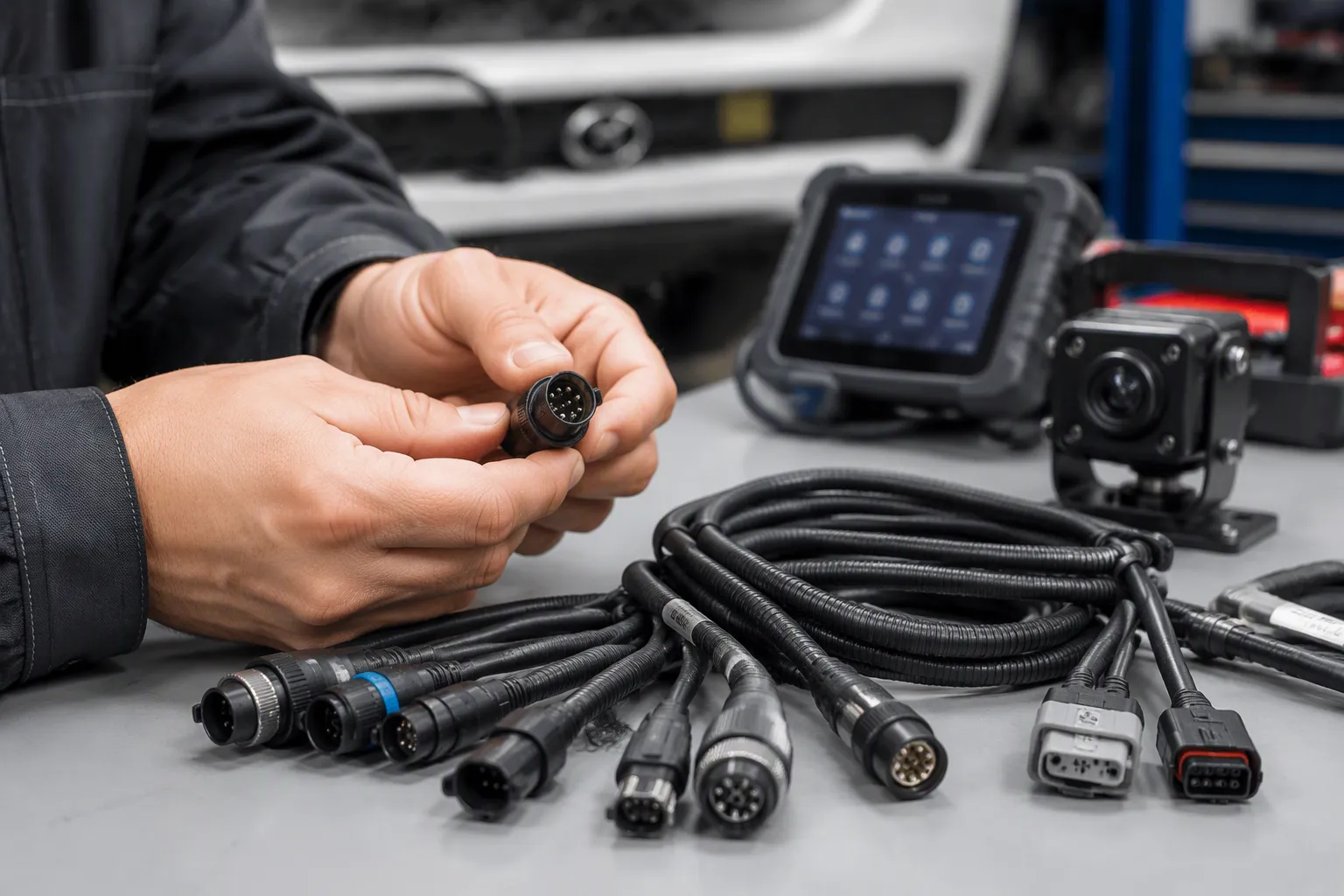
In March 2023, a fleet upfit team retrofitted rear-view cameras on 60 vans. By summer, 14 units showed image dropout. The cause was not the camera. A poorly sealed connector let moisture into the video path.
This shows why cable or connector selection shapes image quality, signal integrity, and long-term vehicle performance. Every cable and connectors choice must survive moisture, vibration, heat, and EMI. It must also match the camera interface, signal type, data rate, impedance, and OEM requirements.
The right answer depends on the application. Confirm unconfirmed specs with the supplier before you commit.
TL;DR: Match the automotive camera cable and connector to the camera interface, signal type, impedance, and data rate first. Then verify sealing, shielding, coding, and temperature for your vehicle environment.
Writer notes — Meta title: Automotive Camera Cable and Connector Selection Guide (57 characters). Meta description: Learn how to select automotive camera cables and connectors by signal type, impedance, data rate, shielding, coding, and sealing for reliable ADAS video. (157 characters)
Key Takeaways
Start with the camera interface and signal type. This first step ensures every other choice matches the link you need to build.
Match impedance and data rate to avoid signal loss. A mismatch can cause noise, dropout, or a blank screen.
Protect the connection from moisture, vibration, and heat. Choose sealed and shielded parts that fit your vehicle's environment.
Use the comparison table to pick the right connector family. FAKRA, Mini FAKRA, and HSD each solve different problems.
Verify the installation with simple checks. Push connectors until they lock, test shield continuity, and watch the live image for problems.
What an Automotive Camera Cable System Includes
A camera sensor outputs parallel video data. A serializer inside the camera module converts that data into a serial high-frequency signal. The deserializer at the ECU rebuilds the image. Any loss along that path shows up as noise, dropout, or a blank screen.
Treat the cable, the connector, and the finished assembly as one system. A premium cable with a poorly shielded connector tip still leaks emissions. A sealed connector on an undersized cable still loses margin over distance. Selection therefore starts at the system level, not at the part level.
Cable, Connector, and Assembly Components
The cable carries the signal. Coaxial constructions suit 50 ohm links, while shielded twisted pair or shielded twisted quad suits 100 ohm differential links. The connector terminates that cable and locks it to the camera or ECU housing. The assembly adds overmolds, seals, strain relief, and labeling.
Automotive connectors in this chain must match impedance at every junction. A mismatch between connector, cable, and termination costs return loss. Skilled builders also keep the shield continuous from camera shell to ECU ground. That continuity supports reliable and efficient electrical connections across the full channel.
Signal Path from Camera to ECU
Automotive camera links may use SerDes, FPD-Link, GMSL, MIPI A-PHY, or LVDS. The image sensor, serializer, and processing unit decide which one applies. One cable path can carry video, control data, diagnostics, and power together.
Length and grounding shape what arrives at the ECU. In automotive EMC setups the harness typically runs 1.7–2 m, commonly 1.8 m per CISPR-25. A single-end-grounded cable behaves like a folded monopole, with primary resonance near a quarter wavelength — roughly 41 MHz for that length. Shield transfer impedance also drives coupling. Halving or doubling it produced 6 dB shifts in common-mode emission in CST simulation. Plan the automotive wiring harness layout with these effects in mind.
Automotive Camera Cable and Connector Selection Criteria
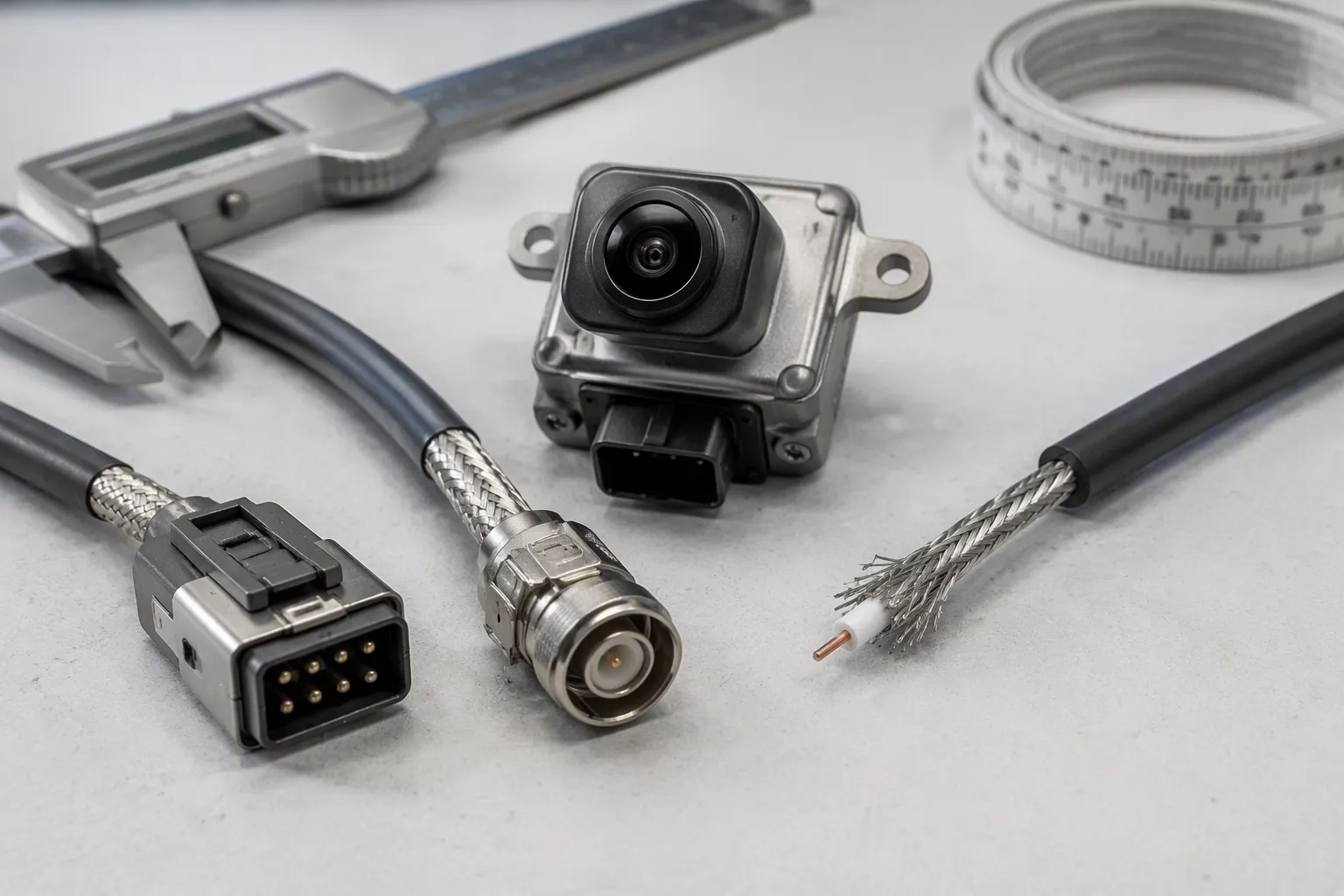
Match every specification to the camera interface before you compare part numbers. Every automotive camera cable decision starts at the module port. A camera port built for a 100 ohm differential path will not accept a 50 ohm coaxial connector, and no adapter fixes that mismatch cleanly. Treat cables and connectors as one channel. Write the interface, impedance, and length on one line before you open a catalog.
Signal Type, Impedance, and Data Rate
Confirm the electrical topology first. HSD systems commonly run 100 ohm shielded differential pairs. FAKRA systems commonly run 50 ohm coaxial paths. The connector, cable, termination, and module impedance must all agree. One mismatched junction costs return loss and erodes signal integrity.
The connector family alone does not define the protocol or data rate. HSD variants may carry LVDS, USB, Ethernet, or IEEE 1394 links depending on the specification. Coaxial FAKRA links may carry RF or serialized camera data. Validate the data rate per link, cable, and assembly length. No universal Gbps figure applies across a family.
Select the connector from the module interface and cable topology. A camera port defined for a 100 ohm differential path points toward HSD or another compatible differential system. A port designed for a coaxial SerDes path may use FAKRA or another compatible automotive coaxial interface.
Cable Length, Shielding, and Grounding
Cable length sets your loss budget. Longer runs attenuate high-frequency content and shift the shield's resonance behavior. Keep the shield continuous from camera shell to ECU ground. Validate grounding strategy against the harness layout, not on a bench alone. Confirm bend radius and strain relief at both ends, because tight bends stress the shield and the center conductor. A long run with a broken shield radiates noise into nearby circuits.
Environmental demands drive the rest of the connector selection. Use this mapping as a starting point, then confirm ratings with the supplier for your application.
Harsh Condition | Required Connector Feature |
|---|---|
Moisture, mud, washdown | IP67 or higher rating to prevent short circuits and corrosion |
Extreme temperatures (−40°C to >121°C) | Materials tolerant of thermal expansion and contraction |
Vibration and mechanical shock | Vibration-resistant locking, secondary locks, wedge locks |
Corrosion and chemical exposure | Corrosion-resistant plating and sealed housings |
Dust and debris | Sealed connectors with gaskets |
System fit | Correct size, ample pins, matching amperage and voltage ratings |
Coding and keying prevent wrong mating during service. Choose the color code that matches the vehicle harness plan. Decide between straight and right-angle orientations based on routing space behind the camera. Right-angle bodies save depth; straight bodies suit open runs. Confirm operating temperature against the mounting zone, since camera housings near glass or engine heat run hotter than cabin air. Specify mating and locking requirements early. Secondary locks and wedge locks resist vibration loosening. Sealed cable exits and strain relief protect the termination. These details keep signal transmission stable over years of service. Document the chosen coding in the harness drawing so later service replacements match. Confirm the mating cycle count against your service plan, since repeated reconnects wear plating. A disciplined selection process here prevents repeat failures.
FAKRA Connectors for Camera and RF Applications
FAKRA is a 50 Ω interface rated from DC to 6 GHz, with VSWR ≤ 1.30 typical. It operates from −40 °C to +105 °C and handles ≥25 mating cycles. The family offers 13 mechanical and colored codings plus one neutral coding, and it complies with RoHS, WEEE, and ELV.
FAKRA Specifications and Coding System
Check these core ratings against your camera or RF link before you specify a part number.
Parameter | Standard Specification | Note |
|---|---|---|
Impedance | 50 Ω | Standard RF impedance |
Frequency range | DC to 6.0 GHz | Supports 5G and ADAS sensors |
VSWR | ≤ 1.30 (typical) | Low signal reflection |
Operating temperature | −40 °C to +105 °C | High-temp plastics available |
Mating cycles | ≥ 25 cycles | Suited to factory assembly |
Retention force | > 110 N | Resists accidental pull-outs |
Two standards govern the interface. DIN 72594-1 sets the basic dimensions, housing geometry, mechanical keying, and color codes for global interoperability. USCAR-18 adds North American performance and validation requirements, including mating force, retention force, and vibration testing.
The coding system blocks wrong connections. Internal ribs and external slots mean a given keying mates only with its matching receptacle. Each keyway carries a standardized RAL color, so factories worldwide match housings exactly and assembly errors drop.
Waterproof and Locking Options
Moisture and vibration cause most field failures in camera links. Sealed FAKRA models rated IP67 resist rain, humidity, and liquid exposure, and an IPX9K variant is available for high-pressure wash areas. For panel-mount use, an M16 threaded front-lock nut gives a firm, vibration-proof install on dashboards and enclosures.
A latch locking mechanism paired with integrated cable retention keeps mated pairs stable under vibration. This positive-locking mechanism, together with secondary locks, protects the connection over years of service. Choose shielded connectors when the harness runs near motors or antennas.
LEADSIGN supplies FAKRA connectors and cable assemblies in cable, PCB, and panel configurations, including waterproof versions. Review the [FAKRA connectors] range, then confirm coding, orientation, and sealing with the supplier for your automotive application.
Mini FAKRA for Compact Multi-Camera Systems
A central ADAS compute unit may accept inputs from roughly 8 to 12 surrounding sensors. Standard interconnects consume too much PCB edge space at that port count. Miniature multi-port connectors become mandatory at this density.
Where Mini FAKRA Fits Best
Mini FAKRA suits multi-camera ADAS and high-density ECU layouts. Dual-position designs route two coax channels through one housing. Multi-port blocks in single, dual, and quad configurations handle four or more RF links, such as surround-view, telematics, and multi-band antenna feeds.
Standard FAKRA still fits rear cameras, long-distance camera runs, and infotainment links. The choice comes down to port density at the module, not to one family being better overall. A hybrid breakout cable shows the middle path. It pairs a Mini FAKRA end at the compute module with a standard sealed FAKRA connection at the camera. Review the [Mini FAKRA connectors] range and confirm the mating interface on both ends.
Space and Routing Considerations
Selected families were engineered to shrink the connector footprint by roughly 80% while boosting data transmission capacity. That figure applies to specific product families, so designers should verify the exact model.
That space gain lets you fit multi-port headers on a congested ADAS ECU without sacrificing PCB real estate. The trade-off is routing discipline. Mini FAKRA still requires 50-ohm coax, and a mismatched cable raises loss and weakens the shield.
Keep clips from compressing the jacket. Respect the minimum bend radius at service loops. Route away from heat sources and sharp edges. Verify part numbers and drawings before mating, because a compact mini port will not accept a standard FAKRA plug, and the reverse also fails. Check the coding on every automotive harness drawing so these connectors mate correctly during service.
HSD and LVDS Cables for High-Speed Video
HSD links carry 100 Ω ±10% controlled-impedance twisted-pair wiring. That impedance target separates them from the 50 Ω coaxial world of FAKRA. You cannot swap one family for the other without breaking the channel.
FAKRA connectors serve RF and coaxial camera paths. HSD and LVDS serve differential video and bidirectional data. Match the family to the module port before you compare part numbers.
HSD Cable Assemblies and Shielding
A shielded HSD assembly protects camera data transmission from alternator, ignition coil, and inverter noise. Crimp quality matters as much as shield coverage. A loose crimp opens the shield path and lets EMI into the pair.
Consideration | Key requirement | When it matters most |
|---|---|---|
Impedance | 100 Ω ±10% controlled-impedance twisted pair | LVDS video or bidirectional signals above 500 Mbps |
FAKRA code | Match code to pin assignment and mating direction | Infotainment links; a mismatched code may fit but invert the signal |
Shielding and crimp | Fully shielded connector with quality crimp termination | Under-hood or trunk installs near EMI sources |
Compatibility | Not interchangeable with generic 4-pin JST/Molex parts | Any application |
Bandwidth | Typically up to 3 Gbps; use HSD+2/HSD+4 above 4 Gbps | High-resolution video links |
Connect the shield to a low-impedance ground path. Single-end grounding cuts ground loops while keeping EMI protection. Choose foil shielding for moderate-noise areas and braided or foil-braided shields for high-EMI spaces. Avoid pure foil in flexing runs, because it tears. Review the [HSD automotive cables] range and confirm the shield rating against your harness route.
LVDS Signal Integrity over Cable Length
Cable length limits LVDS signal integrity through skin-effect attenuation and dielectric loss. Un-equalized links typically reach about 5 m at 1 Gbps over shielded twisted pair. Twinax construction stretches that to roughly 10 m at 1 Gbps and about 5 m at 2 Gbps.
Transmitter pre-emphasis and receiver equalization extend usable length by roughly 50–100% over the un-equalized maximum. At the edge of your budget, specify the cable's insertion loss at the operating Nyquist frequency instead of trusting physical length alone. This practice keeps high-speed data communication stable across the run.
Matching the Connector to the Camera Interface
Start with the camera interface, not the catalog. The module port defines the protocol, impedance, and pinout. Your connector choice must follow that definition. Reverse the order and you will chase adapters that never fully restore signal integrity.
Interface and Protocol Checkpoints
Confirm the protocol before you compare housings. A module that follows the USB-IF USB Video Class standard runs driver-free across Linux, Windows, macOS, and Android. Verify this in the datasheet, or check the host log with dmesg | grep -i uvc. Pair the camera USB version with the host port. USB 2.0 carries 480 Mbps for low-resolution or low-frame-rate video. USB 3.0 and 3.1 carry 5 and 10 Gbps for 4K at 60 FPS. Backward compatibility throttles the link to the slower side, so match both ends.
Respect the physical limits of the link. USB 2.0 runs to 5 m and USB 3.0 to 3 m. Shielded cables and active extenders protect long runs. Check the host controller bandwidth for multi-camera setups, and use a dedicated hub where needed. Compressed formats such as MJPEG or H.264 help fit the budget on USB 2.0.
OEM Requirements and Compliance
OEM-specific requirements decide the final part. Each vehicle program sets its own coding, sealing class, and validation plan. Ask for the harness drawing and the approved connector list before you quote. A part that passes bench tests can still fail a program gate.
Reference the standards that apply to your link. ISO and SAE standards cover automotive environmental and EMC validation. DIN EN standards govern interface dimensions for RF families. AEC-Q100 applies to automotive-grade ICs, and FCC or CE covers EMC. Cite only the standards named in your program documents. Never claim a certification you cannot show on paper.
Connector Comparison: FAKRA vs Mini FAKRA vs HSD/LVDS
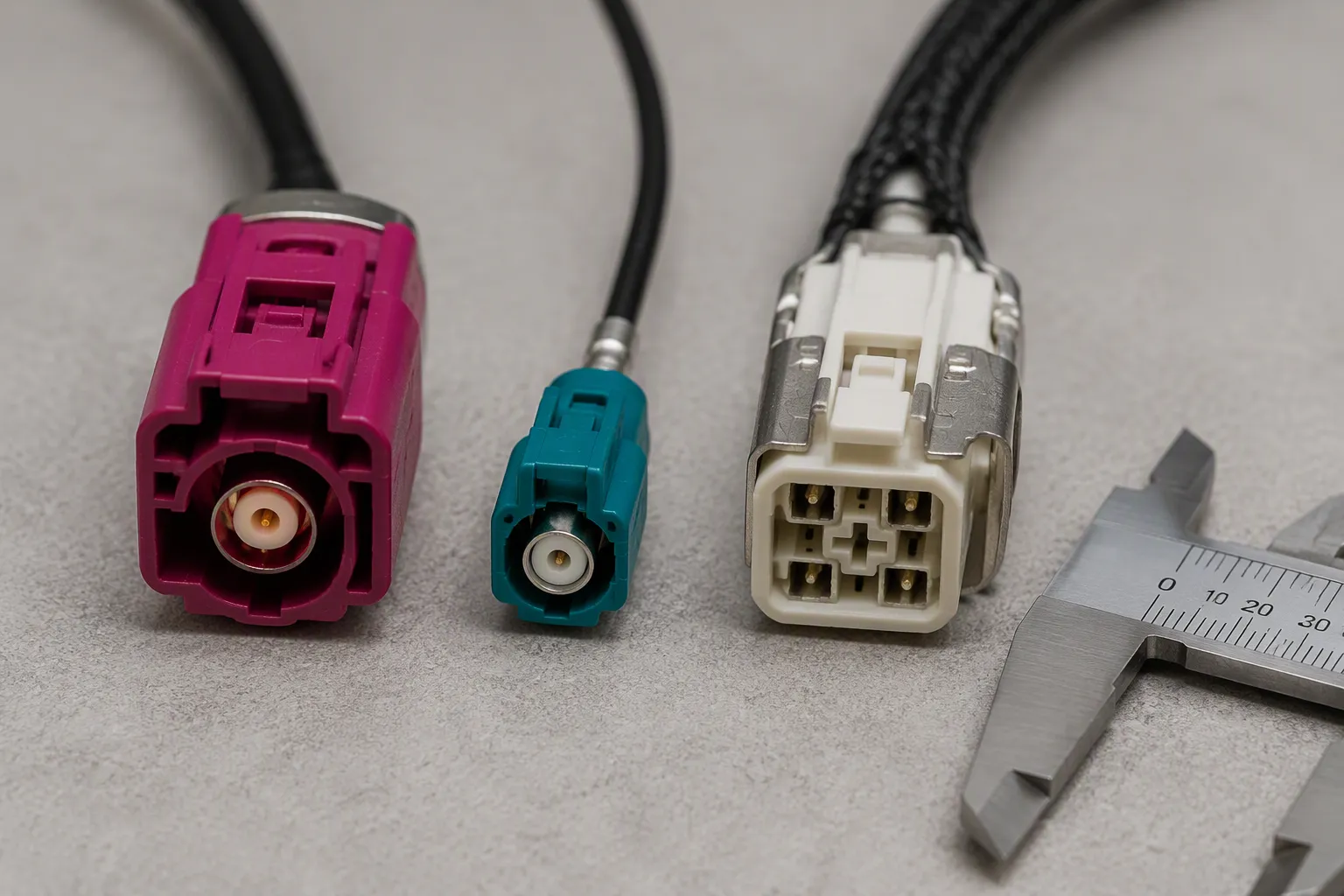
Three families dominate camera links, and each one solves a different problem. The table below puts them side by side. Use it to shortlist a family, then confirm the exact part with your supplier.
Comparison Table Guidance
Feature | FAKRA | Mini FAKRA | HSD/LVDS |
|---|---|---|---|
Signal structure | Coaxial, single-ended | High-speed coaxial | Shielded differential |
Impedance | 50 Ω | 50 Ω | 100 Ω differential |
Frequency capability | Up to 6 GHz | Up to 20 GHz (some series) | About 2 GHz (series-dependent) |
Data capability | Up to 8 Gbps | Up to 28 Gbps (some series) | About 1.6 Gbps (traditional products) |
Size | Relatively large | Up to 80% smaller than standard FAKRA | Medium |
Coding | Color plus mechanical coding | Mechanical coding, color keying retained | Mechanical coding |
Coupling | Push-on locking | Push-on locking | Push-on locking |
Common cable types | RG174, RG316, automotive coax | High-frequency automotive coax | Shielded twisted pair or star quad |
Best-fit application | GPS, radio, cellular, V2X, analog camera video | 4K cameras, ADAS ECUs, radar, displays | LVDS, GVIF, USB, Ethernet, digital camera video |
Some cells vary by series. Treat any figure marked series-dependent as a starting point, and confirm it with the supplier before you lock a part number.
Reading the Table for Your Application
Start with the dominant constraint. A single rear camera on a coaxial port points toward FAKRA. A 360-degree camera system or an ADAS domain controller needs many high-speed channels in limited board space, so Mini FAKRA fits better. An LVDS center display or an automotive USB port runs a 100 Ω differential pair, which points toward HSD.
Then check the protocol. Mini FAKRA series support APIX, ASA-ML, Ethernet, FPD-Link III/IV, GMSL 2/3, GVIF, HDBase-T, MIPI A-PHY, and PCIe. HSD carries LVDS, GVIF, USB, and Ethernet. FAKRA carries RF and coaxial camera paths. Match the protocol to the module port before you compare housings.
Next, weigh the physical factors. Count the ports at the ECU. Mini FAKRA housings stack into 2-port, 4-port, or larger blocks, and that modularity trims harness weight. Check the coding on every position, because a mismatched key will not mate. Confirm the cable type against the impedance target. A 50 Ω coax on a 100 Ω differential port breaks the channel.
Finally, validate the environment. Camera links must survive temperature swings, vibration, moisture, and chemical exposure over years of service. Programs often reference USCAR-20 and ISO 16750 for these stresses. Use those requirements to weight sealing, locking, and panel space when you finalize the selection. Good cables and connectors share one trait: every rating matches the link they serve.
Common Connector Selection Mistakes
A mismatched keyway causes more camera link failures than a defective camera does. The connector still mates, so the fault hides until the image drops. Most of these errors trace back to the selection stage, not the assembly line.
Pinout, Coding, and Keying Errors
FAKRA uses 13 distinct mechanical and colored codes to block cross-connection between RF channels. Each code maps to a defined circuit, and the color makes the mapping visible at a glance.
Code | Color | Application |
|---|---|---|
A | Black | Analog radio (no supply voltage) |
C | Signal blue | GPS / navigation |
D | Claret violet | GSM telephone |
E | Leaf green | TV |
Z | Water blue | Neutral / universal |
Two habits prevent most coding faults. First, assign a distinct keying color or mechanical key to each circuit variant on a multi-pin connector. Second, never substitute a generic SMB part in a FAKRA application. The automotive housing dimensions and keying differ, and that swap guarantees a field failure.
Watch for related traps. HSD connectors also use the neutral Z-code, so a mismatched code risks cross-connection on camera-to-head-unit links. Mini FAKRA keeps the same color mapping in a denser body. A platform cannot swap from FAKRA to Mini FAKRA without redesigning the PCB footprint and harness, so plan that move at the architecture phase.
Rely on physical keying, not labels or operator judgment. Connectors that look different may still mate. Choose distinct, durable keying features that physically block an incompatible plug, and standardize the scheme so assembly stays simple.
Shielding, Sealing, and Strain Relief Errors
A broken shield path turns the cable into an antenna. Keep the shield continuous from camera shell to ECU ground, and terminate it with a quality crimp. Specify shielded connectors for any run near motors, inverters, or antennas. This protects signal integrity across the full channel.
Sealing errors follow a similar pattern. A connector rated for the cabin will not survive a washdown zone or a wheel-well mount. Match the seal class to the mounting location, and confirm the rating with the supplier.
Strain relief deserves equal attention. A tight bend at the connector body stresses the termination and the jacket. Respect the minimum bend radius, add service loops, and secure the harness with clips. Treat cables and connectors as one assembly during selection, and these failures disappear.
Custom Automotive Cable Assemblies with LEADSIGN
LEADSIGN builds customized automotive cable and connector assemblies. The range covers FAKRA, Mini FAKRA, HSD, LVDS, USB, coaxial cables, and custom harnesses. A custom build removes the guesswork from your automotive camera cable selection. You specify the link, and the supplier builds the assembly to match it.
Information Buyers Should Provide
A clear input package speeds up any custom build. Give the supplier enough detail to quote the exact part, not an approximation. The list below covers the core inputs for a camera link.
Input | What to Specify |
|---|---|
Connector code | FAKRA code letter and housing color |
Connector gender | Plug or jack |
Orientation | Straight or right-angle |
Cable type | RG designation or low-loss construction |
Length | Cable length with tolerance |
Impedance | 50 ohm for FAKRA |
Shielding | Shielding requirement |
Application | GPS, LTE/5G, ADAS, or infotainment |
Mating ends | Mating connector at both ends |
Vehicle info | Vehicle or device information |
Quantity | Sample quantity and annual forecast, listed separately |
Reference | Drawing, sample photo, or original part number |
Packaging | Packaging requirement |
Testing | VSWR, return loss, insertion loss, or continuity |
Routing | Minimum bend radius and routing space for Mini FAKRA |
Send your drawings, samples, photos, part numbers, or application requirements to LEADSIGN for a custom fakra cable assembly quotation.
Quotation and Lead-Time Inputs
Cost, minimum order quantity, and lead time are configuration-specific. They depend on connector procurement, cable construction, circuit count, termination style, overmolding, branch complexity, documentation, inspection needs, and quantity. A transparent RFQ separates prototype needs from recurring production requirements. It also flags any approval that could affect the schedule, so you can compare offers on scope rather than headline price.
Confirm the quote against the latest drawing, BOM, and pin-to-pin table. List every interface and mark parts that need your approval before substitution. State cable construction, dimensions, branches, protection, and labels. Define the inspection and test evidence you require instead of assuming a generic regime. Record open interface, material, or compatibility questions as "RFQ confirmation required." The build then moves through engineering review, technical clarification, material sourcing, tooling, sample production, first-article inspection, your approval, production planning, batch manufacturing, and testing before shipment.
Review the [custom automotive cable assemblies] range, then send your inputs to info@leadsignauto.com.
Installation and Inspection Checklist
A clean bench test proves little about a finished vehicle install. Most camera link faults appear after routing, clipping, and mating in the real harness. Run the checks below at both stages, and record the results on the build sheet.
Pre-Installation Checks
Inspect each assembly before it enters the vehicle. Verify the connector code and color against the harness drawing, and confirm the mating half matches. Check the housing for cracks, bent terminals, or damaged seals. A deformed keyway will mate with force, so reject the part instead of forcing it.
Plan the route before you pull cable. Confirm the minimum bend radius at every clip and service loop. Identify heat sources, sharp edges, and moving parts along the path. Verify that the chosen seal class matches the mounting zone, such as an IP67 rating for a wheel-well or washdown location. Match the wiring harness drawing to the physical layout, and flag any branch that lacks strain relief.
Post-Installation Verification
After mating, push each connector until you hear or feel the primary lock engage. Then confirm the secondary lock or wedge lock sits fully seated. Tug gently on the housing to prove retention. Check that the seal compresses evenly and no gap shows at the interface.
Verify bend radius and strain relief along the full run. Clips should hold the cable without compressing the jacket. Next, confirm shield continuity from camera shell to ECU ground with a meter. Run a continuity check on every circuit, then power the system and inspect the live image for noise, dropout, or color shift. A stable image across a vibration test gives you the strongest proof of signal integrity. Log every result, and recheck any connector you reseated.
Start your selection with the camera interface and signal type. Then match impedance, data rate, cable length, shielding, coding, sealing, and vibration resistance to the connector and cable. This order keeps every decision anchored to the link you must build.
Reliable automotive camera system performance comes from one integrated assembly, not from separate parts. Treat the cable and connector as a single channel. The correct choice always depends on the application, so confirm open specs with your supplier.
Contact LEADSIGN at info@leadsignauto.com for a suitable automotive camera cable assembly or quotation. Review your current installations against the checklist above.
FAQ
Can one connector family cover every camera link on a vehicle?
No. Each family serves a defined electrical role. FAKRA suits 50 Ω coaxial paths, while HSD suits 100 Ω differential video. Match the part to the module port first. Confirm the interface with your supplier before you lock a part number.
How do I choose between FAKRA and Mini FAKRA for an ADAS ECU?
Count the camera ports at the module. Mini FAKRA packs multiple 50 Ω channels into a smaller housing, so it fits dense multi-camera layouts. Standard FAKRA still works well for single rear cameras and longer runs. Verify the mating interface on both ends.
What cable length can I expect from an LVDS camera link?
Un-equalized LVDS links typically reach about 5 m at 1 Gbps over shielded twisted pair. Twinax construction stretches that to roughly 10 m at 1 Gbps. Transmitter pre-emphasis and receiver equalization add roughly 50–100% more usable length. Check insertion loss at your operating frequency.
Which checks catch a bad camera connection after installation?
Push each connector until the primary lock engages, then seat the secondary lock. Tug gently to prove retention. Confirm shield continuity from camera shell to ECU ground. Power the system and watch the live image for noise or dropout. Log every result on the build sheet.
Do FAKRA connectors survive heat and repeated service?
FAKRA operates from −40 °C to +105 °C and handles at least 25 mating cycles. That range covers most cabin and body mounts. Confirm the rating for hot zones near glass or engine heat. Choose sealed versions for moisture exposure. Verify coding and orientation with the supplier.
See Also
Improving Automotive Data Transfer Using Advanced Connectors and Cables
Boosting Automotive Data Transmission Using FAKRA PCB Connectors
Improving Automotive Communication Systems with FAKRA PCB Connectors
A Complete Guide to Ford FAKRA Connectors for Vehicles
Why FAKRA Connectors Are Essential in Automotive Applications Today