Automotive Backup Camera Cable and Connector Guide

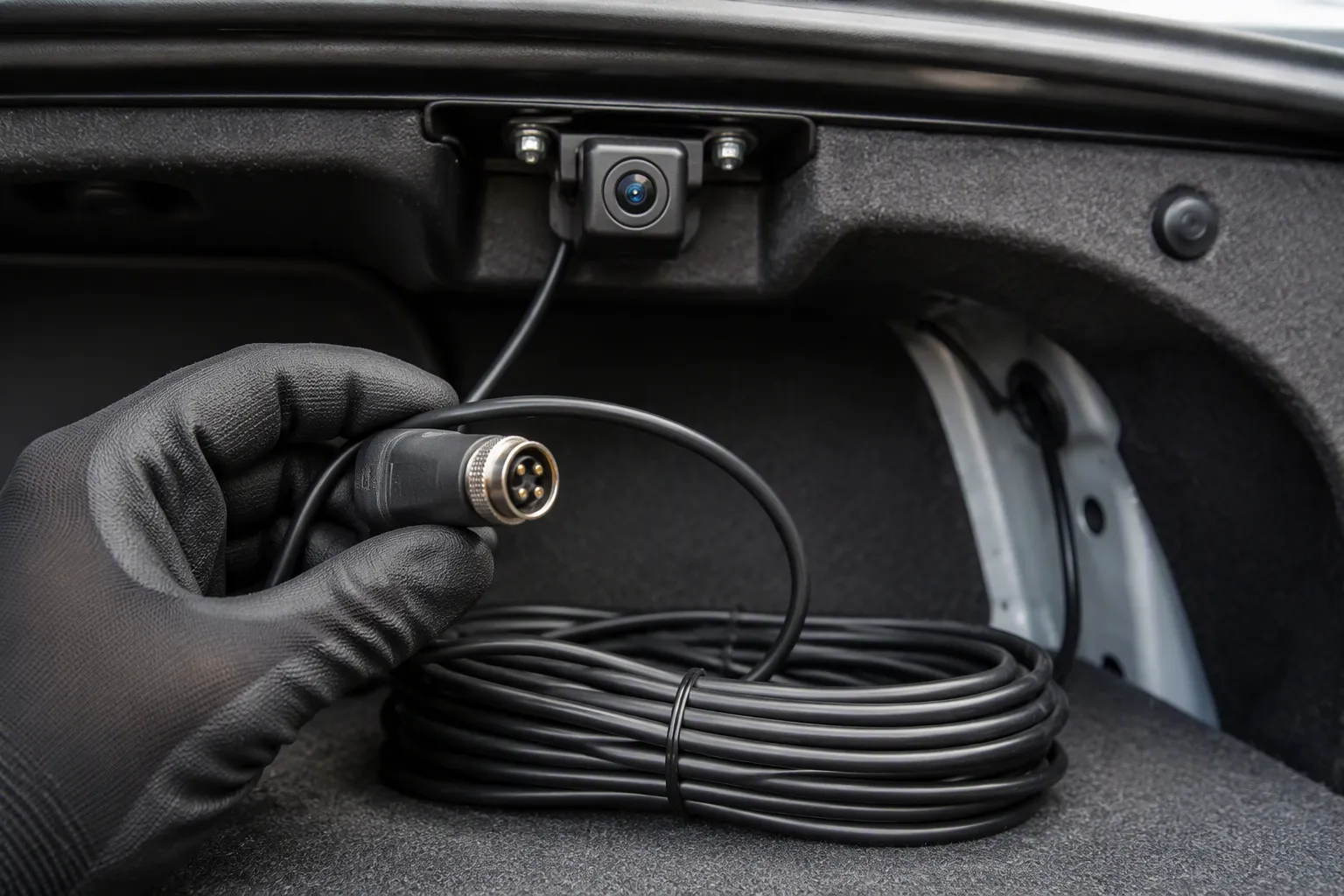
You finish the install, shift into reverse, and the screen stays black. Or the image flickers, rolls, or tears. These faults rarely come from a dead camera. The usual cause is a mismatch between the cable and connector and the camera signal type or display interface.
Selection depends on the vehicle platform, camera module, display system, interface, and OEM requirements. No single part fits every build.
TL;DR: Analog systems often use RCA or 4-pin wiring, while digital systems need FAKRA, Mini FAKRA, HSD, or LVDS assemblies. Match signal type, interface, length, shielding, and routing to your platform.
This guide serves installers, technicians, engineers, and buyers who specify an automotive backup camera cable.
Key Takeaways
Match the cable and connector to your camera's signal type. Analog and digital systems use different parts.
Check the connector code and keying before you order. A mismatched connector will not fit or work.
Route cables away from heat and sharp edges. Protect them with wire loom or split tubing.
Test the camera image before you put panels back. A quick test saves hours of rework.
Choose a custom cable assembly when a standard part does not meet your needs. One part number reduces failure points.
What Is an Automotive Backup Camera Cable?
An automotive backup camera cable is the assembly that carries video, power, and ground between the camera module and the display. Its construction varies by assembly design. Some assemblies combine coaxial video with separate power leads. Others use one multi-conductor jacket with a drain wire. The jacket protects the inner layers from abrasion, heat, and moisture.
Signal, Power, and Shield Conductors
A typical analog assembly separates three conductor roles. The table below shows one common configuration.
Conductor Role | Configuration |
|---|---|
Signal conductor | Solid copper center conductor carrying the video signal |
Shield conductor | 95% copper braided shield acting as a second conductor, grounded at both ends to block electromagnetic interference |
Power conductors | Two 18-gauge wires (red = positive, black = negative) molded alongside the coax |
In this layout, the red wire feeds the camera from a reverse, ignition, or RAP accessory circuit. The black wire returns to a ground terminal or bare metal. The video cable center conductor carries the picture to the radio input. The shield connects to the RCA braid as video negative. A damaged shield or a missing drain wire lets noise into the video path. Check each conductor role before you crimp a terminal.
Analog vs. Digital Video Systems
Analog and digital systems do not share one connector or protocol. Analog CVBS delivers standard-definition video at low cost. It is prone to interference. Analog HD (AHD) raises quality to 720p or 1080p with moderate noise immunity. Digital LVDS uses differential signaling over twisted pairs at 1.2V–1.8V. It offers excellent noise immunity and stable transmission beyond 10 m.
Your choice shapes the whole wiring plan. A wired backup camera avoids the static and signal drops common to wireless links. Digital wireless links beat analog ones, yet heavy RF congestion near airports or dense urban networks can still cause occasional interference. Confirm the camera signal type before you order any assembly. Match the connector to that signal type, and your image stays stable.
How the Cable Connects Camera, Harness, and Display
The connection chain runs from the camera module through the vehicle harness to the display or head unit. Each link must match the next. A weak link breaks the whole path. A backup camera system follows this chain. Think of the chain as three stages: camera, harness, and display. Each stage has its own connector and signal requirement. A fault at any stage shows up as a black screen, a flicker, or a distorted image.
Camera-to-Harness Path
The camera lens captures the image. A trigger wire, often 12V from the reverse-light circuit, wakes the camera and signals the display to switch. The video signal then travels along a wiring harness toward the front of the vehicle. This first stage sets the signal type for everything downstream. An analog camera sends an analog signal. A digital camera sends a digital stream. The harness carries that signal with minimal loss.
On many vehicles, the signal passes through a control module. That module may overlay guidelines on the image. Some platforms route the signal over the vehicle network or CAN bus instead of a dedicated video cable. Confirm the path for your platform before you order parts. A camera built for one path may not work on another. Check the camera output and the harness input as a pair.
Harness-to-Display Path
An interface module often connects behind the factory radio. It plugs in between the factory connectors without cutting wires. An option harness can supply power and ground to the camera, which avoids a separate fuse box run. You click plugs together once the radio is accessible. This keeps the factory wiring intact and speeds up the install.
The final video connection must match the display input. Check the display camera in video connector type before you mate anything. A correct cable carries video to the display with a stable image. A mismatched connector leaves you with a black screen. Verify the pinout and keying at both ends before final assembly. Test the image before you reinstall trim panels. A quick bench test saves time later.
Backup Camera Wiring Diagram Overview
A backup camera wiring diagram maps three circuits: power, video and reverse trigger. Get these three right and the image appears on demand. Get one wrong and you chase a fault through the whole harness.
Power, Video and Reverse Trigger Connections
Start with camera supply and ground. The camera needs a stable positive feed and a clean return to bare metal. A 4-pin connector often carries power, ground, and video in one shell. Confirm the camera voltage before you connect it to a 12-volt circuit.
The video path carries the picture to the display. Keep this conductor away from noisy power runs where the layout allows.
The reverse trigger tells the display when to switch. You tap the reverse-light supply with a wire tap connector. That signal feeds the display reverse/back trigger lead. Some harnesses also use a red wire on the rca cable to carry this trigger forward. Label every leg of the wiring before you close a panel. A clear camera wiring diagram on paper prevents crossed connections later.
RCA Cable and 4-Pin Adapters
Many analog systems use an rca cable routed along interior panels, under carpet trim, headliners, or door sills. The rca connector at each end carries the composite video signal. Yellow rca connectors usually mark the video channel. A 4-pin extension cable may adapt to phono/rca plus power at the front. This lets one cable run serve both video and camera power.
Watch the interface match closely. One installer connected a tailgate camera with rca output to a monitor that used RV-style 4-pin ports. The camera had power, and an rca-to-4-pin adapter was fitted, yet no video appeared. The likely cause was protocol mismatch, not wiring.
Connecting the wires is the least of the concerns when matching up video interfaces. The camera has to speak the same video language as the monitor, and the lack of any identification of the protocol (signal type) used on the monitor's input usually means it is proprietary. There are several video standards, many not mutually compatible, plus proprietary 'standards.'
This backup camera wiring overview applies to single-camera builds. A dual backup camera wiring diagram adds a second video leg and often a selector or split-screen input. The power, ground, and trigger logic stays the same. Secure every cable to existing harnesses with tape or zip ties. Leave slack at moving points, and keep the rca connection clear of sharp edges. A tidy route protects the video cable and simplifies the next service visit.
Connector Types for Automotive Backup Camera Systems
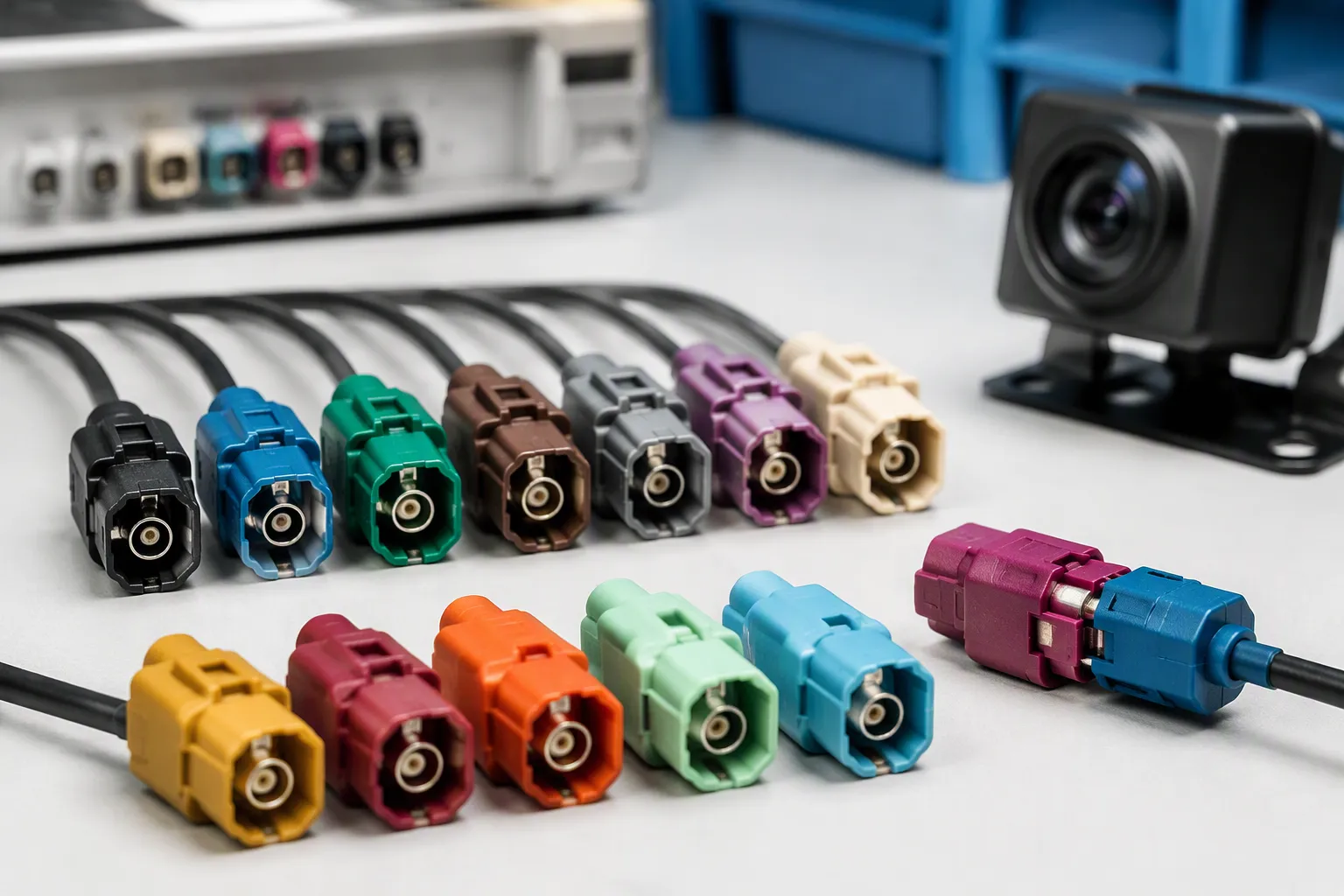
The connector at each end of the cable decides whether the video signal reaches the display intact. Two families dominate camera and RF-related applications: standard FAKRA and the smaller Mini FAKRA. Each family has its own housing, keying, and mating geometry. Neither one substitutes for the other in every build.
FAKRA Connectors
FAKRA is a variation of the SMB coaxial interface. The German automotive committee standardized it under ISO 20860 and SAE/USCAR 18. A plastic shell surrounds a keyed metal housing, and the shell color marks the application. That color code keeps similar-looking links from mating by mistake during assembly. The keyed housing also blocks a coded plug from seating in the wrong receptacle.
Standard FAKRA coding includes 13 mechanically keyed versions, labeled A through N with certain letters omitted, plus Code Z as a neutral coding. Match the code to the physical keying on the mating side.
Code | Color | Typical Application |
|---|---|---|
A | Black | Radio |
B | White/Cream | Radio with phantom supply |
C | Blue | GPS / Navigation |
D | Bordeaux Violet | Cellular / GSM |
E | Green | TV / RF applications |
F | Brown | TV / Satellite applications |
G | Gray | Remote keyless entry |
H | Violet | GPS / Telematics |
I | Beige | Auxiliary automotive applications |
K | Curry | Satellite radio |
L | Carmine Red | Application dependent |
M | Orange | Keyless entry / TPMS |
N | Pastel Green | Application dependent |
Z | Water Blue | Neutral / universal coding |
Application matching matters. A GPS navigation link, for example, must use Code C (Blue). A mismatched code forces the plug or blocks it entirely. If you are in the R&D stage or unsure of the required keying, Code Z (Water Blue) is a universal code that mates with any mechanical key from A to N. Treat Code Z as a flexibility option, not a universal replacement. For production harnesses, use it only when the project drawing calls for it and the mating connector matches.
Standard FAKRA connectors operate up to 6 GHz. They suit GPS antennas, radio and satellite receivers, and telematics links. Choose [FAKRA connectors] when your camera or RF link follows an established platform interface. Confirm the interface before you commit to a harness design.
Mini FAKRA Connectors
Mini FAKRA (HFM) connectors are up to 80% smaller than standard FAKRA connectors. That size drop matters on compact camera modules and dense harness layouts. Mini FAKRA supports data rates up to 28 Gb/s, with Type A reaching up to 20 Gb/s. The interface packs several RF ports into one compact housing, so a single module can serve multiple links. Thinner coax pairs with the smaller housing, which eases routing through tight body cavities.
Both families use a 50 ohm coaxial interface. They are not directly interchangeable, however. Different mechanical interfaces and housing designs require matching cable assemblies and mating connectors. Mini FAKRA is increasingly adopted in new architectures that need high density, such as ADAS cameras, sensors, and high-speed data links. Traditional FAKRA remains in established RF systems.
Check the mating side before you order. Confirm the housing code, the coax pairing, and the interface type. A correct match keeps the backup camera image stable. Review [Mini FAKRA connectors] for compact multi-camera builds, and confirm the wiring plan against the project drawing. Label each plug position before final assembly.
HSD and LVDS Cables for Digital Video
Digital camera systems need a different signal path than analog ones. HSD and LVDS assemblies carry high-speed serial video between the camera and the display module. HSD (High-Speed Data) is a shielded, controlled-impedance interconnect standard built for LVDS and similar serial protocols. It uses a FAKRA-compliant housing and defines pin functions such as TX+, TX−, RX+, and RX−. A generic 4-pin connector typically lacks these requirements.
High-Speed Digital Video Applications
You will find HSD and LVDS assemblies in rear-view cameras, surround-view modules, and ADAS sensor links. These systems send video as a differential serial stream rather than a composite analog signal. The camera module, the harness, and the display ECU must all speak the same protocol. Confirm the interface on both ends before you order a video cable.
A digital link also carries bidirectional data on some platforms. That traffic shares the same twisted pair as the video. Review [HSD automotive cables] when your project drawing calls for a shielded digital link. Match the assembly to the camera output and the display input as a pair.
Shielding and Impedance Needs
Impedance and shielding requirements depend on the application. Confirm them with the supplier before you release a drawing. The table below summarizes common HSD requirements.
Requirement | Specification |
|---|---|
Impedance | 100 Ω ±10%, controlled-impedance twisted pair |
Shielding | Fully shielded connector with quality crimp termination |
Shield type | Foil for moderate-noise areas; braided or foil-braided for high-EMI spaces |
Grounding | Low-impedance ground path; single-end grounding reduces ground loops |
HSD mandates 100 Ω differential impedance and 360° shielding — requirements that generic 4-pin connectors typically do not meet.
Keep the shield continuous from the camera shell to the ECU ground. Match impedance at every junction, including the connector and the termination. A mismatch at one point causes return loss and a degraded image. Route the cable away from noisy power wiring where the layout allows.
Key Factors When Choosing a Backup Camera Cable
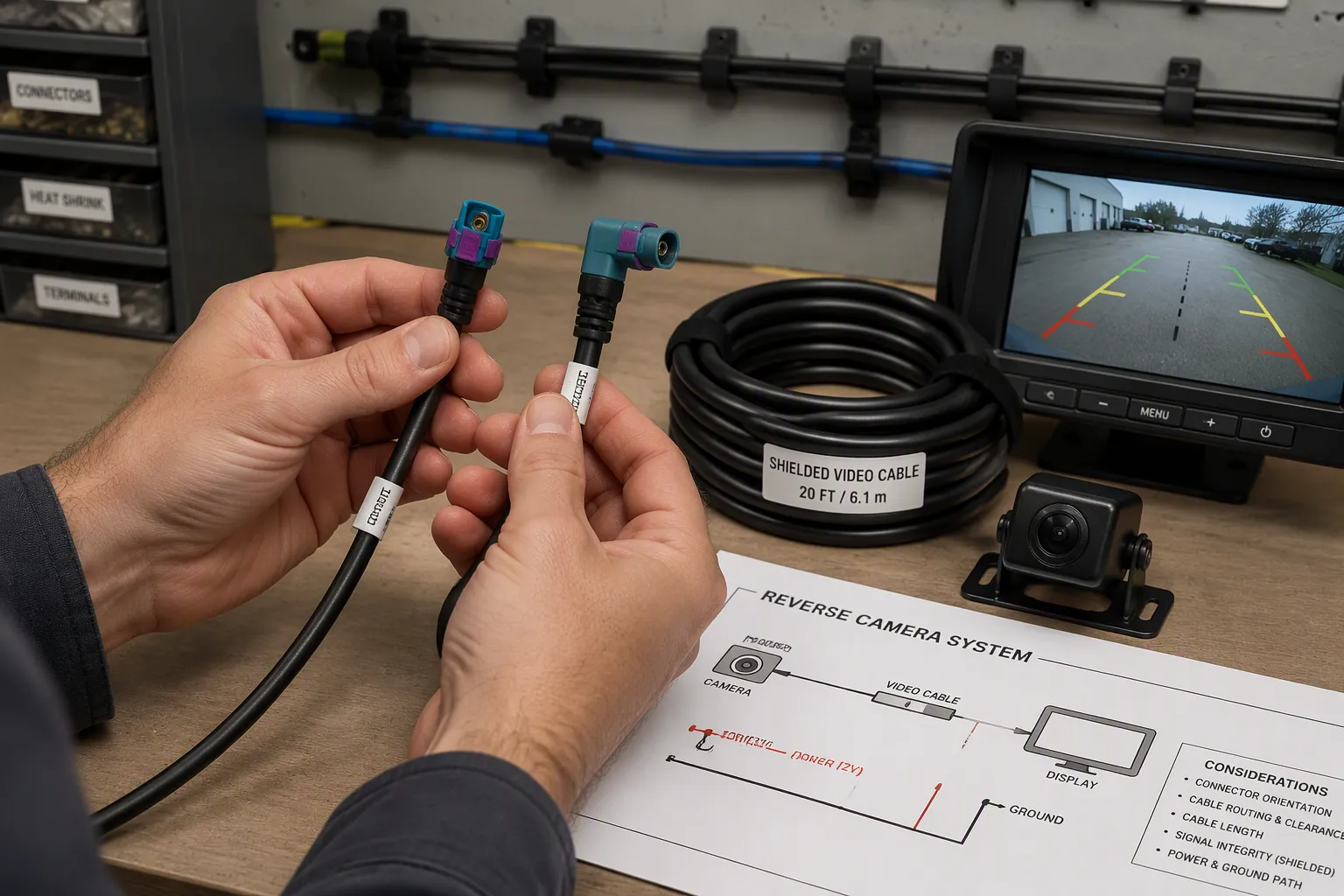
No single cable fits every vehicle. You must match the assembly to the camera, the display, and the route it will travel. Each factor below can make or break the image. Check them in order before you release a drawing or place an order.
Signal Type, Interface, and Length
Start with the camera signal type. An analog camera sends composite video. A digital camera sends a serial stream. These two signals need different conductors, different connectors, and different termination methods. Confirm the signal type on the camera datasheet first.
Next, match the video interface and protocol at both ends. The camera output and the display input must speak the same language. A connector that fits physically can still fail if the protocol differs. This mismatch is a common cause of a black screen after install.
Cable length affects signal quality. Longer runs lose more signal and pick up more noise. The acceptable length depends on the application. Ask your supplier to confirm the supported run for your signal type before you finalize the harness.
Impedance and shielding protect the video path. Coaxial links follow a defined impedance, and digital links use a controlled differential impedance. Keep the shield continuous from the camera shell to the display ground. Route the video cable away from noisy power circuits where the layout allows. Separation between power and signal reduces electromagnetic interference.
Connector coding and keying prevent wrong mating. Match the color code and key position to the project drawing. A coded plug will not seat in the wrong receptacle, which protects the circuit during assembly.
Choose straight or right-angle orientation based on clearance behind the camera and the radio. A right-angle plug saves space in tight cavities. A straight plug suits open routes with room to bend.
Environment, Routing, and Locking
The route decides how long the assembly lasts. Heat, moisture, abrasion, and vibration all attack the cable over time. Plan the path before you order parts.
Keep cables away from heat sources like exhaust systems. Use wire loom or split tubing wherever the cable passes through hinge points or near sharp metal edges. These two habits prevent most routing damage.
The table below summarizes the main environmental factors and how to handle each one.
Environmental Factor | Routing Consideration |
|---|---|
Moisture and weather | Weatherproof all exterior cable connections; keep cables shielded from moisture for long-term reliability. |
Abrasion and sharp edges | Protect the cable at hinge points and sharp metal edges using wire loom or split tubing. |
Heat | Route cables away from heat sources such as exhaust systems. |
Wireless interference in extreme weather | Heavy rain, snow, or electrical storms can interfere with wireless transmission; quality systems mitigate but do not eliminate this. |
Weather immunity of wired systems | Wired systems transmit consistently regardless of weather, storms, or other environmental interference. |
Operating temperature depends on the application. Confirm the jacket material and temperature range with your supplier for engine-bay or exterior runs. Vibration and flexing matter at tailgate and liftgate hinges. Choose a jacket that resists abrasion and repeated bending at those points.
Locking and strain relief keep the connector seated. A positive lock resists vibration pull-out. Strain relief keeps bending force off the terminals. Both features matter on any automotive backup camera wiring that crosses a moving panel.
Treat every factor as a system. A correct connector on a poorly routed cable still fails. A well-routed cable with the wrong interface still shows no image. Confirm each item against the project drawing, and note "depending on the application" wherever a spec is not yet fixed.
Connector and Cable Comparison Table
Four assembly families cover most backup camera builds. Each one fits a different signal path and space budget. The table below compares them side by side. Use it as a starting point, then confirm every detail against your project drawing.
Assembly Family | Interface Basis | Typical Fit | Key Selection Notes |
|---|---|---|---|
FAKRA | Keyed coaxial interface, standardized under ISO 20860 and SAE/USCAR 18 | Analog and RF-related camera links on established platforms | Operates up to 6 GHz; color-coded shells (A through N, plus neutral Code Z) prevent wrong mating |
Mini FAKRA | Compact keyed coaxial interface (HFM) | Dense multi-camera modules and tight harness layouts | Up to 80% smaller than standard FAKRA; supports data rates up to 28 Gb/s, with Type A reaching up to 20 Gb/s |
HSD | Shielded, controlled-impedance interconnect with a FAKRA-compliant housing | High-speed digital video between camera and display ECU | Built for 100 Ω ±10% differential impedance and 360° shielding; carries TX/RX pairs |
LVDS cable assembly | Differential serial video over twisted pairs | Digital camera links that follow an LVDS protocol | Needs controlled impedance and continuous shielding; match the protocol at both ends |
Read the table by signal type first. An analog camera points you toward FAKRA or Mini FAKRA. A digital camera points you toward HSD or LVDS. Then check space. Mini FAKRA earns its place where the module is small and the route is crowded. Standard FAKRA remains a solid fit on platforms that already use it.
No family wins everywhere. Each one solves a specific problem well. A correct cable choice starts with the camera output and the display input. Confirm both before you order, and verify the connector coding on the mating side. A quick check of the wiring plan now prevents a black screen later.
Common Causes of Cable Failure
Most backup camera faults trace back to the cable path, not the camera itself. You can group the causes into two families: errors at the connector and termination, and damage from routing or the environment. Learn to spot both, and you will diagnose failures faster.
Connector and Termination Errors
A loose connector is a common culprit. Vibration and motion gradually loosen the mating surfaces over time. The result is millisecond power drops while driving, which show up as intermittent operation. Moisture-driven corrosion at the tailgate, bumper, or reverse-light harness raises resistance and creates unstable voltage.
Poor workmanship causes many failures that appear weeks or months after installation. Cheap pierce-type tap connectors cut through wire insulation and leave a built-in fault. Low-quality splices and cheap adapters behave the same way. Exposed connectors without dielectric grease, boots, or heat-shrink let water in. Insufficient strain relief lets small problems grow into recurring failures.
Error Type | Cause | Consequence |
|---|---|---|
Loose connectors | Vibration and motion | Millisecond power drops while driving |
Corrosion | Moisture at tailgate, bumper, or reverse-light harness | Higher resistance, unstable voltage |
Pierced insulation | Cheap pierce-type tap connectors | Intermittent faults weeks or months later |
Poor splicing | Low-quality splices instead of solder or quality crimps | Unreliable connections |
Inadequate weatherproofing | No grease, boots, or heat-shrink | Water ingress and long-term decline |
Cheap adapters | Low-quality parts in the path | Faults that surface later |
Insufficient strain relief | Wires not relieved or routed away from heat and pinch points | Recurring failures |
Routing and Environmental Damage
Routing mistakes damage the cable before the jacket ever shows wear. A cable through a tailgate hinge flexes repeatedly, and internal strands break first. The image drops out when the hatch moves. Lines run near high-current power cables, motors, or other interference sources pick up noise. Poor shielding, a damaged cable, or a wrong video format degrades the signal further.
The environment adds its own stress. Pressure washing, rain, dust, vibration, and temperature changes raise failure odds, especially on commercial and outdoor vehicles. Water enters through the lens seal, rear housing, cable exit, or connector. UV, freeze/thaw cycles, road salt, and high heat degrade housings and seals. Replace crushed, sharply bent, corroded, or water-exposed cable with suitable shielded cable. Check your wiring route against these risks before final assembly.
Installation and Inspection Checklist
A backup camera only performs as well as its weakest connection. Work through the steps below in order, and test at each stage before you close a panel.
Remove the trunk or hatch trim, or open the taillight access panel, to reach the reverse-light wiring.
Confirm the correct reverse-light wire. Do not rely on color alone.
Connect the camera power lead to the reverse-light positive on a basic analog install.
Attach the ground lead to clean chassis metal or a factory ground point.
Plug the camera video output into the long RCA extension cable.
Route that cable from rear to dash along factory wire paths such as door sills, kick panels, and under-carpet edges. Avoid sharp edges and moving hardware, and take care through hatch boots to avoid pinching.
Connect the reverse trigger wire so the display switches automatically in reverse.
Test with the vehicle in reverse before you secure anything permanently.
Treat this sequence as your diy install guide for a single-camera build. A tidy route protects the cable and simplifies the next service visit.
Inspection goes beyond a working image. Verify camera power at the connector with a meter, then confirm stable voltage under load. Check that every connector seats fully and locks. Inspect shielding integrity along the full run, and look for crushed or sharply bent sections. Respect the bend radius at hinge points and tight cavities. Confirm seals at exterior connections, and add dielectric grease where the application calls for it. Check strain relief so bending force stays off the terminals. Finish with a live video test in daylight and in low light. Watch for a flickering screen, a delayed switch, or a distorted image. Any of these points to a fault you can fix now rather than later.
When to Choose a Custom Cable Assembly
A standard cable fits many common builds. You can buy an off-the-shelf assembly when the camera output, the display input, and the connector coding all match a catalog part. This path saves time on a simple retrofit. It also works well when the route length and the jacket material suit the vehicle. Check the drawing against the part before you order. A standard cable fails when one link in the chain does not match.
A custom assembly becomes the better choice in several situations. Your camera module may use a connector code that no catalog part offers. The route may need a specific length, a branch point, or a right-angle plug behind a tight panel. A digital camera link may demand controlled impedance and continuous shielding that a generic part does not provide. Fleet builds with repeated installs also benefit from one consistent assembly. In each case, a custom build removes the adapter stack and the extra joints that invite faults.
LEADSIGN supplies customized automotive cable and connector assemblies for these projects. The team builds each assembly to your drawing, your connector coding, and your routing plan. You get one part number for the whole run instead of a chain of adapters. That approach simplifies the automotive backup camera install and reduces the points where a connection can fail.
Start with your project requirements, not a catalog page. List the camera signal type, the display interface, the connector code, and the route. Send that list with a sample or a drawing. Review [custom automotive cable assemblies] when a standard part cannot meet the drawing. A short review of your cable and wiring plan now prevents a mismatch later. Contact LEADSIGN with your specifications, and the team will confirm a suitable assembly and a quotation.
Information Buyers Should Provide to LEADSIGN
A clear specification shortens the quote cycle and prevents a wrong build. Give the team the full picture of your vehicle, your camera, and your display. Start with the vehicle type, cab layout, operating voltage, and the planned monitor location. State how many cameras you need now, plus room for future expansion.
The table below covers the technical details that shape the assembly.
Item | What to Specify |
|---|---|
Signal type | CVBS, AHD, another analog format, or a vehicle-specific digital interface |
Resolution and video standard | Camera output resolution, plus PAL, NTSC, or automatic detection |
Connector type, coding or key position, and pin assignment | |
Cable length | Route length with slack for articulation and service access |
Jacket and terminals | Required jacket material and terminal requirements |
Branches | Breakout points and branch lengths |
Environment | Weather exposure, vibration, and operating temperature |
Connectors deserve extra care. BNC, RCA, aviation connectors, and OEM plugs are not interchangeable without correct wiring and pin assignment. Send photos of the camera and monitor labels, the existing connectors, and the approximate cable route. Note the required views and whether you need a new kit, a replacement monitor, or extra cameras.
Also confirm power details: monitor input voltage, camera power source, ignition control, fuse protection, and grounding. For trigger inputs, state the reverse, turn-signal, door, or alarm signals and their priority. Mention trailer connections and any support needs, such as warranty terms, replacement-part availability, installation documentation, and technical support. Finally, state the samples and testing you require before production.
Testing Your Installation
Test the whole system before you hide any cable. A fault found now costs minutes. A fault found after trim reassembly costs hours.
Video and Trigger Response
Start with camera power. Record the voltage, polarity, and current draw at the camera connector. Confirm an approved power source and a clean ground before you splice anything. Then find the reverse trigger wire with a meter. Remove the reverse light bulb and probe each of the two wires.
Remove the reverse light bulb.
Use a voltmeter to probe each of the two wires.
Only one wire will read positive voltage. That wire is the reverse trigger wire to use.
The thin red lead alongside the rca carries the reverse signal, not video. Connect it to the head unit's REVERSE/BACK lead when the display requires it. Plug the video lead into the dedicated camera input, enable that input in the menu, and select the correct signal format. CVBS and AHD are not interchangeable.
Symptom: the camera works in reverse, but in forward gear the monitor stays on and shows a blue screen. Cause: the reverse trigger wire was not connected to the monitor. Once connected, the monitor turns on and off with gear selection.
Night and Weather Checks
Repeat the video test in low light. Watch for a grainy image, a delayed switch, or a flickering screen. Check the display response in forward gear too. The screen should return to its normal view once you leave reverse.
Then inspect the wiring at every exterior joint. Confirm seals at the camera housing and the tailgate boot. Spray water on the connections and recheck the image. Look for moisture inside the connector shells. A dry joint now prevents a corroded one later.
Troubleshooting Common Problems
Most backup camera faults fall into two groups. The screen shows no image or a flickering image. Or the display fails to switch when you shift into reverse. Both problems usually trace back to the wiring path, not the camera lens.
No Video or Flickering Screen
Check camera power first. Probe the connector with a meter and confirm stable voltage under load. A loose ground or a corroded terminal causes voltage drops. Those drops show up as flicker or a blank screen.
Next, inspect the video path. A damaged rca cable or a poor shield connection lets noise into the signal. Confirm the display input matches the camera format. A CVBS camera will not show a picture on an AHD-only input. Compare your setup against the backup camera wiring diagram for your platform. Trace each leg from camera to display, and look for crushed sections or loose plugs.
Camera Not Switching in Reverse
The display needs a reverse trigger signal to switch inputs. Tap the reverse-light circuit and confirm the signal reaches the head unit. Probe the wire with the vehicle in reverse. Only one wire at the reverse light reads positive voltage.
A missing or misplaced trigger wire leaves the screen on its normal view. Check the connection at the display harness. Some installers skip this step on a dual backup camera wiring diagram and lose the automatic switch. Verify the camera wiring diagram for your build, then retest. Confirm the trigger lead seats fully, and repeat the gear test before you close the trim.
A reliable automotive backup camera starts with the right parts. Match the cable and connector to the camera signal type and the display interface. Verify power first, then protect every routing point from heat, moisture, and sharp edges. Test the backup camera image before final assembly. Selection always depends on the vehicle platform and OEM requirements, so confirm each detail against your project drawing. A clean wiring plan prevents most faults. Small checks at each stage save hours of rework later, and they keep the image stable for years. When a standard part cannot meet your drawing, contact LEADSIGN for a suitable assembly or a quotation.
FAQ
How do you tell whether a backup camera is analog or digital?
Check the camera datasheet and the display input label. Analog cameras output CVBS or AHD over a coaxial or RCA link. Digital cameras send a serial stream over a shielded differential pair. A physical connector match does not prove protocol compatibility. Confirm the signal type on both ends before you order a cable.
Does the FAKRA shell color matter when you order a replacement cable?
Yes. The color marks the mechanical keying, and the keying follows codes A through N under ISO 20860 and SAE/USCAR 18. A mismatched code will not seat in the receptacle. Match the code on the mating side, or confirm with your supplier whether a neutral Code Z plug suits your build.
Is there a maximum cable length for a backup camera run?
No single limit applies to every system. Acceptable length depends on the signal type, the impedance, and the shielding. Longer runs lose more signal and pick up more noise. Ask your supplier to confirm the supported run for your camera and display pair before you finalize the harness.
When should you order a custom assembly instead of a standard cable?
Order a custom assembly when no catalog part matches your connector code, route length, or branch layout. A digital link that needs controlled impedance and continuous shielding also points to a custom build. One consistent part number removes adapter stacks and the extra joints that invite faults.
See Also
A Complete Guide to Ford Fakra Connectors Explained
Optimizing Automotive Data Transmission Using Advanced Connectors and Cables
How FAKRA PCB Connectors Enhance Automotive Data Transmission Systems
Why Fakra Automotive Connectors Matter in Modern Vehicles Today