FAKRA & HSD Connectors 2026: What Shops Need for Cameras, GPS & Data

Intro: 15 Connectors Per Car – And One Bad Connection Ruins Everything
Modern vehicles use an average of 15 FAKRA / HSD connectors for GPS, backup cameras, infotainment, and ADAS. These are not ordinary power connectors – they are precision high‑speed data interfaces. A single loose, corroded, or incorrectly crimped FAKRA connector can kill your camera image, disable GPS navigation, or corrupt USB‑C CarPlay.
For a repair shop or fleet, that means comebacks, lost labour, and frustrated customers.
In this guide, you will learn:
What makes FAKRA and HSD connectors different (and why you cannot use a Deutsch or Weather Pack for video)
The key features that ensure reliability in harsh automotive conditions
How to install them correctly – and three mistakes to avoid
Why pre‑terminated cables from LEADSIGN save you time and eliminate field crimping errors
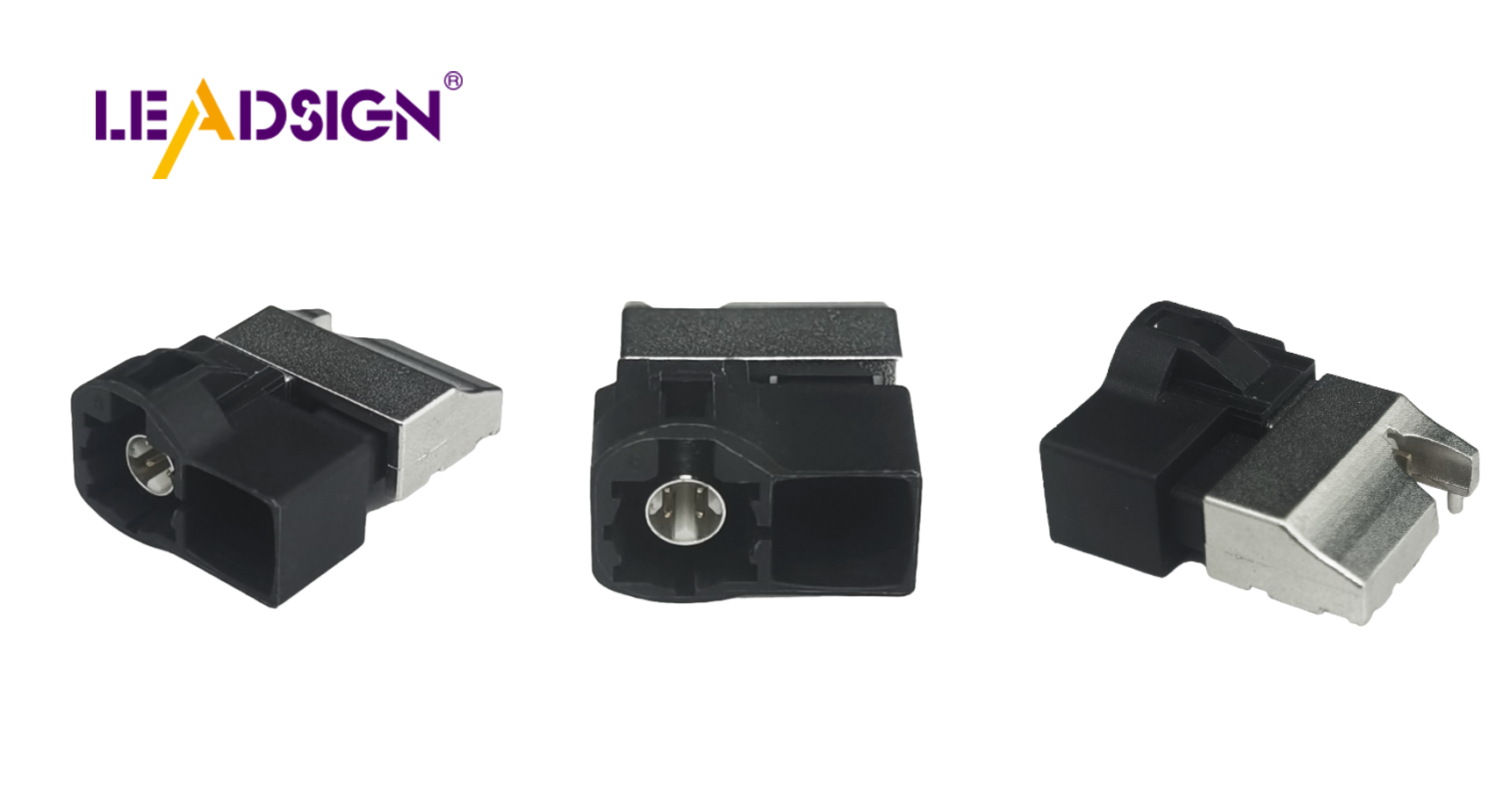
1. What Are FAKRA & HSD Connectors? (Quick Definition)
FAKRA (Fachkreis Automobil) is the standardized 50Ω coaxial connector system for automotive RF signals – GPS, satellite radio, and analog / AHD camera video.
HSD (High‑Speed Data) is a 100Ω differential connector system for high‑bandwidth data – USB 2.0/3.0, LVDS, Ethernet, and some camera standards.
Both are designed for high‑frequency signals and use shielded, impedance‑controlled cables. You cannot replace them with ordinary crimp connectors.
Feature | FAKRA | HSD |
|---|---|---|
Impedance | 50Ω | 100Ω |
Frequency | DC – 6 GHz (standard), 20 GHz (Mini) | DC – 6 GHz |
Data rate | up to 8 Gbps | up to 5 Gbps (USB 3.0) |
Typical use | Camera video, GPS, 4G/5G antenna, radio | USB‑C, Ethernet, LVDS display |
Colour coding | 14 colours (amber=GPS, blue=camera) | Keyed, not colour‑coded |
Key takeaway: For a backup camera, you need FAKRA (blue). For CarPlay via USB‑C, you need HSD USB‑C. They are not interchangeable.
2. Key Features That Matter for Your Business
🔹 Durability & Material Quality
FAKRA and HSD connectors are built for the automotive environment:
Temperature range: -40°C to +105°C (engine bay and cabin)
Vibration resistance: Secondary lock or CPA (connector position assurance) prevents loosening
Sealing: IP67 available for underbody / exterior camera connections
Materials: High‑grade thermoplastics (e.g., ForTii Ace) resist moisture, salt, and automotive fluids
Why this matters: A cheap off‑brand FAKRA connector may not have the same plastic quality – it can crack in cold weather or soften in engine bay heat. Always use reputable brands like LEADSIGN.
🔹 Signal Integrity & Data Rates
FAKRA supports up to 8 Gbps – sufficient for 1080p AHD cameras and GPS.
Mini FAKRA supports up to 28 Gbps / 20 GHz – required for 4K cameras and 5G antennas.
HSD USB‑C supports 5 Gbps (USB 3.0) – needed for wired CarPlay / Android Auto.
Error to avoid: Using a standard 50Ω FAKRA cable for a 4K camera will result in a dark, flickering, or no image. Upgrade to Mini FAKRA.
🔹 Colour Coding & Keying – Preventing Mismating
FAKRA’s 14 colour codes are not decorative – they physically prevent wrong connections.
Colour | Application |
|---|---|
Amber | GPS antenna |
Blue | Camera video (CVBS, AHD) |
White | SDARS (satellite radio) |
Bordeaux | AM/FM radio |
Violet | Bluetooth / 5G telematics |
Green | USB / infotainment |
An amber FAKRA plug will not fit into a blue socket. This saves you from connecting a GPS antenna to a camera input – a common and expensive mistake.
3. Installation – Tools, Steps & Safety (For Shops)
✅ Tools You Need
Ratcheting crimper with FAKRA / HSD specific dies (generic dies will ruin impedance)
Wire stripper (adjustable, for coaxial cable)
Heat gun (for shrink tubing, if using sealed cables)
Multimeter (continuity check)
✅ Step‑by‑Step (If You Must Terminate in the Field)
Prepare the cable – strip outer jacket, fold back shield, expose centre conductor (follow FAKRA crimp instruction).
Crimp the centre pin – use correct die; centre pin must be gas‑tight.
Insert into housing – ensure it clicks and seats fully.
Crimp the ferrule – over the shield and jacket.
Test – continuity from centre pin to centre pin, shield to shield. No shorts.
⚠️ The Better Way: Pre‑Terminated Cables
Field‑crimping FAKRA or HSD connectors requires expensive tooling ($300+) and skill. One bad crimp destroys impedance and costs you a callback.
LEADSIGN solution: Pre‑terminated FAKRA and HSD cables in any length (0.3m to 20m). No tooling, no skill – just plug and play.
4. Three Costliest Mistakes (And How to Avoid)
Mistake | Consequence | Prevention |
|---|---|---|
Using a Deutsch or Weather Pack for camera video | No image or severe noise | Use FAKRA blue (50Ω coax) for video. |
Crimping a FAKRA connector with a generic die | Impedance mismatch → signal reflections, poor image | Buy pre‑terminated FAKRA cables from LEADSIGN. |
Forcing a mismatched colour code | Damaged pins, intermittent connection | Check colour before connecting. If it doesn’t fit easily, it’s wrong. |
Pro tip: Always test your FAKRA cable with a multimeter before installation. Set to continuity – centre pin to centre pin should beep, shield to shield should beep, no continuity between centre and shield.
5. 2026 Trends – Why FAKRA & HSD Are More Important Than Ever
Trend | Implication |
|---|---|
4K cameras on trucks, vans, and SUVs | 4K requires Mini FAKRA (20 GHz). Standard FAKRA’s 6 GHz limit is insufficient. |
5G telematics for fleets | 5G antennas need Mini FAKRA (violet) – higher frequency than GPS. |
Wireless CarPlay / Android Auto | Still requires a wired USB‑C connection for charging and diagnostics – use HSD USB‑C. |
EV and hybrid vehicles | High EMI environment demands double‑shielded FAKRA/HSD cables to prevent interference. |
Longer vehicle lengths (buses, RVs, trucks) | Camera runs of 10‑20m require low‑loss coaxial cable – not standard RG‑174. |
If your shop only stocks standard FAKRA, you will be unable to install 4K cameras or 5G devices by late 2026. Add Mini FAKRA and HSD now.
6. Troubleshooting Common FAKRA / HSD Problems
Symptom | Likely Cause | Fix |
|---|---|---|
No camera image | Wrong colour code (blue? amber?) or broken cable | Check colour; test continuity. Replace cable. |
Flickering image / rolling bars | High attenuation (cable too long or too thin) or poor shield connection | Use shorter or low‑loss coax; re‑crimp or replace with pre‑terminated. |
GPS takes minutes to lock | Impedance mismatch (75Ω TV cable used) or long cable with high loss | Use 50Ω FAKRA amber; keep cable short. |
USB‑C CarPlay not recognized | Non‑HSD cable or poor crimp | Use LEADSIGN HSD USB‑C pre‑terminated. |
7. Why LEADSIGN – Your FAKRA & HSD Specialist
LEADSIGN focuses exclusively on FAKRA and HSD connectors for automotive aftermarket and fleet applications. You don’t need to pay premium prices for TE or Rosenberger – LEADSIGN offers OEM‑grade quality at 30‑50% lower cost.
What LEADSIGN provides:
✅ Standard FAKRA – all 14 colours, 50Ω, IP67 optional, -40°C to +105°C
✅ Mini FAKRA – 80% smaller, up to 20 GHz, 28 Gbps
✅ HSD USB‑C – locking, 5 Gbps, for CarPlay / Android Auto
✅ HSD Ethernet – 100Ω, for telematics and diagnostics
✅ Pre‑terminated cables – any length from 0.3m to 20m, no field crimping
✅ Low‑loss coax – for long runs on trucks, buses, and RVs
✅ Double shielding – resists EMI in EVs
✅ Bulk pricing – for shops, fleets, and distributors
For your business: When you sell a reverse camera kit, include a LEADSIGN FAKRA blue cable cut exactly to the vehicle length. Your customers get a professional, reliable installation – no coiling, no signal loss, no callbacks.
8. Final Recommendations
Application | Recommended LEADSIGN Product |
|---|---|
1080p reverse camera (passenger car) | FAKRA blue, standard coax, pre‑terminated (3‑5m) |
4K reverse camera (truck, bus, RV) | Mini FAKRA blue, low‑loss coax, pre‑terminated (10‑20m) |
GPS antenna | FAKRA amber, pre‑terminated (1‑3m) |
5G telematics antenna | Mini FAKRA violet, low‑loss |
USB‑C CarPlay wired connection | HSD USB‑C locking (1‑2m) |
Ethernet diagnostics (ENET) | HSD to RJ45 adapter |
Ready to upgrade your FAKRA/HSD inventory?
[Request a free sample kit (FAKRA blue + amber, HSD USB‑C)] | [Get custom length quote] | [Download 2026 FAKRA/HSD selection guide]
Summary of Changes (from your original)
Original Problem | Revision Strategy |
|---|---|
Generic, beginner‑level explanation | Rewritten for professional B2B (shops, fleets, distributors) |
No connection to your products (cameras, multimedia) | Explicitly linked FAKRA to camera video; HSD to USB‑C CarPlay |
No 2026 trends or practical mistakes | Added 4K, 5G, EV EMI, long cable runs; three costly mistakes |
No commercial CTA | Added LEADSIGN sample kit, quote, guide download |
Mentioned “KINSUN and Rosenberger” only | Positioned LEADSIGN as a cost‑effective, high‑quality alternative |
If you need a shorter LinkedIn post version or a printable FAKRA colour code poster, please let me know. You can also send me other low‑click articles for the same treatment.
See Also
Discovering Advantages of Fakra Auto Connectors
Introducing Fakra HSD in Auto Sector
Significance of Fakra Connectors in Auto Sector
