How to Select an Automotive HSD USB Cable Assembly

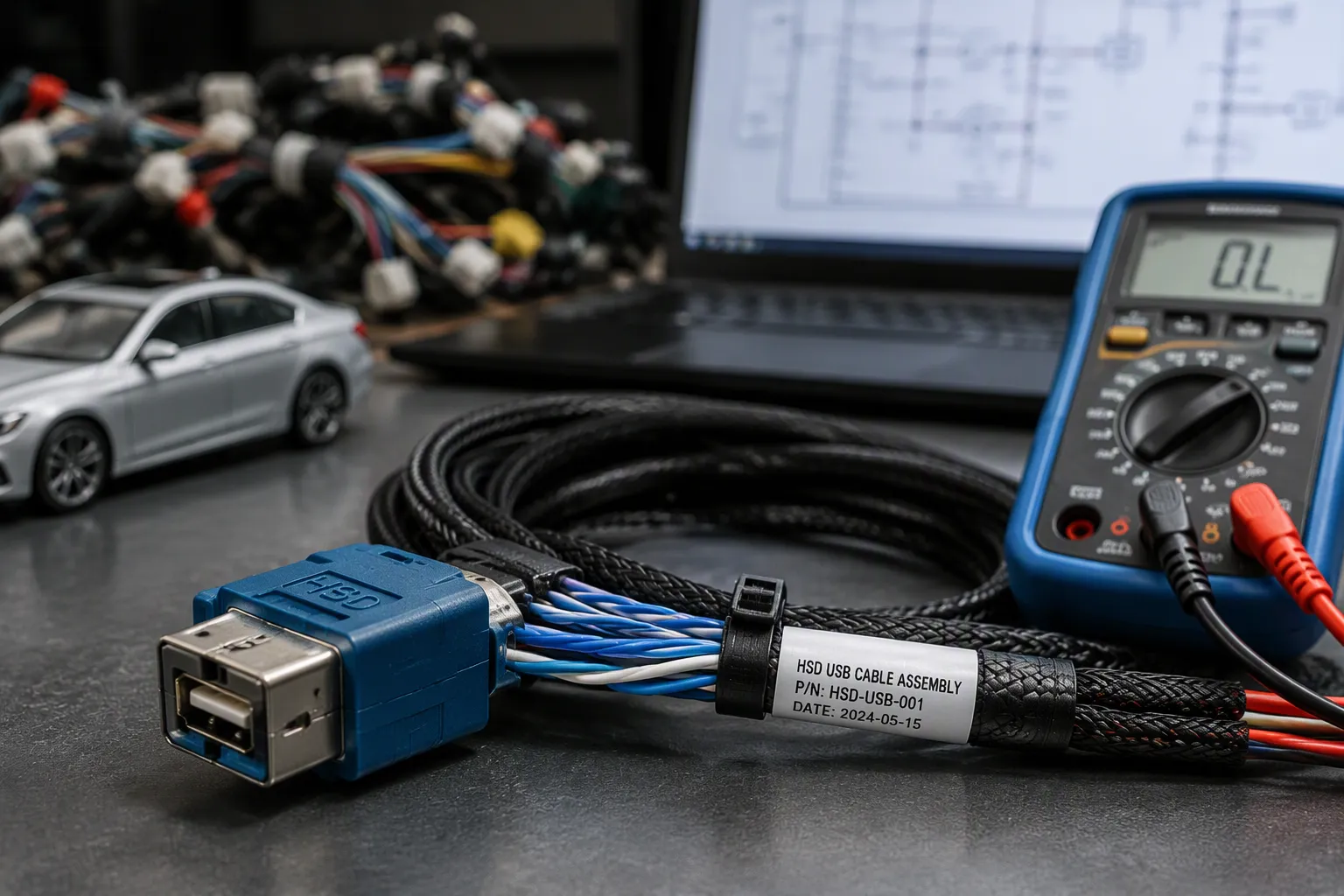
Start with the link, not the connector. Confirm both end devices, the module port, signal type, cable length, and installation space before you compare any parts. This approach saves time and prevents mismatches.
HSD and USB are not automatically interchangeable. Your hsd usb cable must match the vehicle-side connector, pinout, USB interface, protocol, power requirements, and module design. A wrong assumption here leads to costly rework.
This hsd cable for usb guide gives engineers, purchasing teams, harness suppliers, and installers a step-by-step method. You will learn to verify automotive compatibility, check the pinout, and confirm every interface detail. A final checklist and troubleshooting reference help you avoid common errors.
Key Takeaways
Start by identifying both end devices and the signal type. This step prevents mismatches and saves time.
HSD and USB cables are not interchangeable. Match the connector code, pinout, and USB interface exactly.
Verify the pinout and protocol with your module supplier. A wrong pinout causes devices to charge but not transfer data.
Keep cable runs short and shield them well. This protects signal quality and reduces interference.
Confirm temperature, sealing, and testing requirements before you order. Request samples and documentation for verification.
Start With The Link And Cable Type
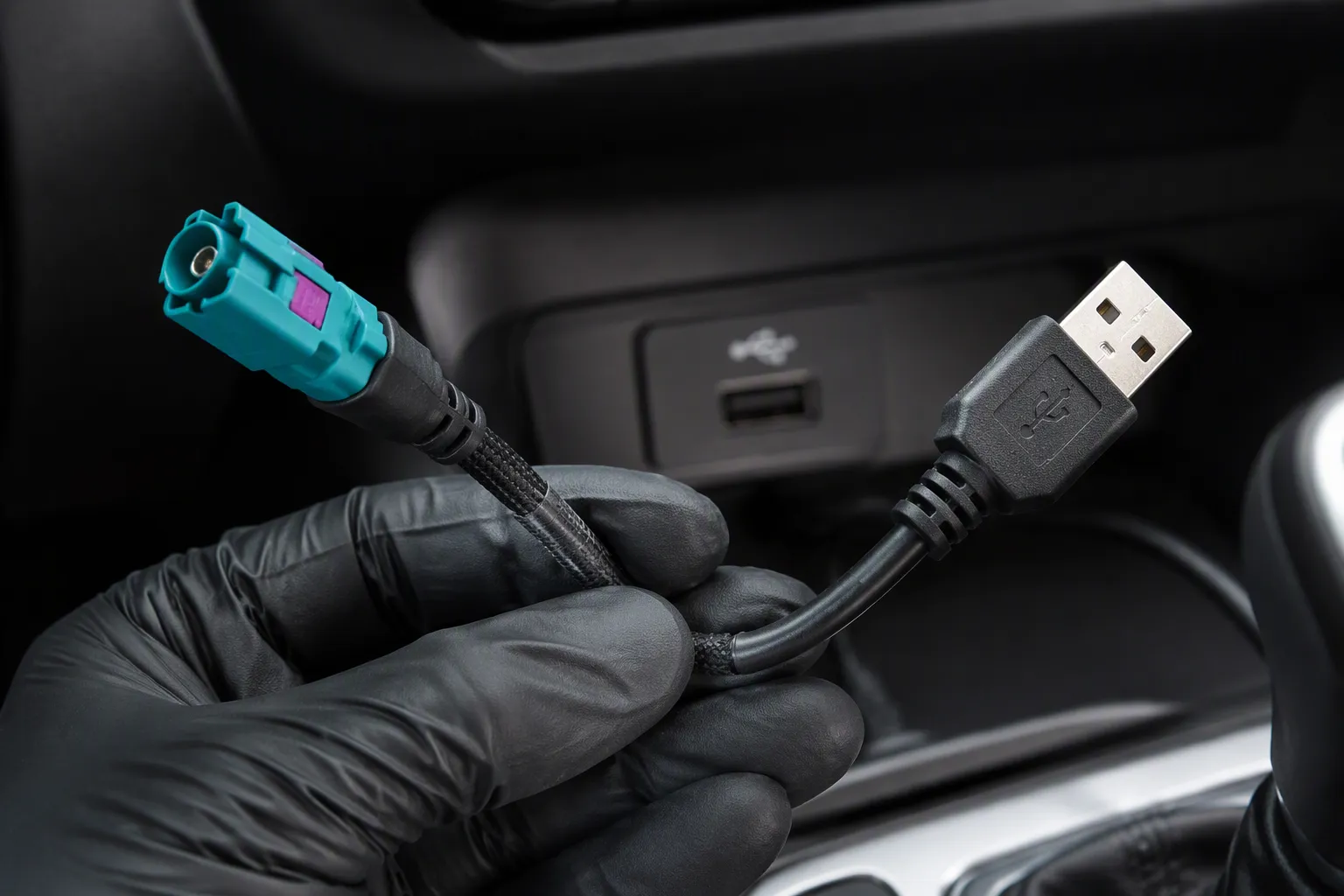
Your first decision is the cable family. Three families look similar at the shell, yet each carries a different signal. Choose the wrong one and no amount of careful connector matching will recover the link.
HSD-To-USB Cables Vs LVDS And FAKRA
HSD-to-USB cables carry USB data between an infotainment module and a dashboard port, media device, smartphone interface, or diagnostic device. HSD LVDS cables carry differential display and camera data. FAKRA coaxial cables carry RF signals such as GPS, radio, and cellular antennas. The table below shows why these families stay separate in your drawings.
Feature | FAKRA | HSD |
|---|---|---|
Purpose | RF signal transmission | High-speed digital data transmission |
Signal type | Single-ended (coaxial) | High-speed differential (shielded twisted quad) |
Impedance | 50 Ohm | 100 Ohm |
Typical use | GPS, radio, cellular, analog camera video | USB, Ethernet, DisplayPort, LVDS, digital camera video |
Bandwidth | Up to 6 GHz | Higher data rates |
FAKRA and HSD are not interchangeable. The cable structure and signal type differ, so list the two families separately on every harness drawing.
Typical automotive use cases for an hsd usb cable include an OEM head unit with an internal USB input port, a glovebox or center console interface, a rear-seat entertainment display, an ECU that exposes USB for firmware updates or diagnostics, and an aftermarket head unit that needs native USB connectivity. A short, shielded passive hsd-to-usb cable with a verified pinout suits firmware updates well. Third-party display integration needs attention to the grounding scheme. Factory USB restoration calls for a cable that matches the OEM pin code and length.
When A Standard USB Cable Falls Short
A consumer USB cable cannot serve this link. The vehicle side expects an HSD shell, a coded housing, and a defined pinout. The HSD connector and the cable assembly work as one matched system, so you must select both together for compatibility. Treat the connector code, the cable structure, and the termination as a single part number.
Some links need more than a straight wire. Passive hsd-to-usb cables suit short runs with a clean signal path. Active hsd-to-usb adapters add electronics for longer runs or signal conditioning. Confirm which type your module design supports before you order.
Finally, keep the family names straight in your documentation. HSD connectors serve USB, Ethernet, LVDS, and camera data. FAKRA connectors serve RF links. HSD cable assemblies built for USB will not carry an antenna signal, and FAKRA assemblies will not carry USB data. Check the link type first, then move to the interface details in the next section.
Match The HSD USB Cable Interface
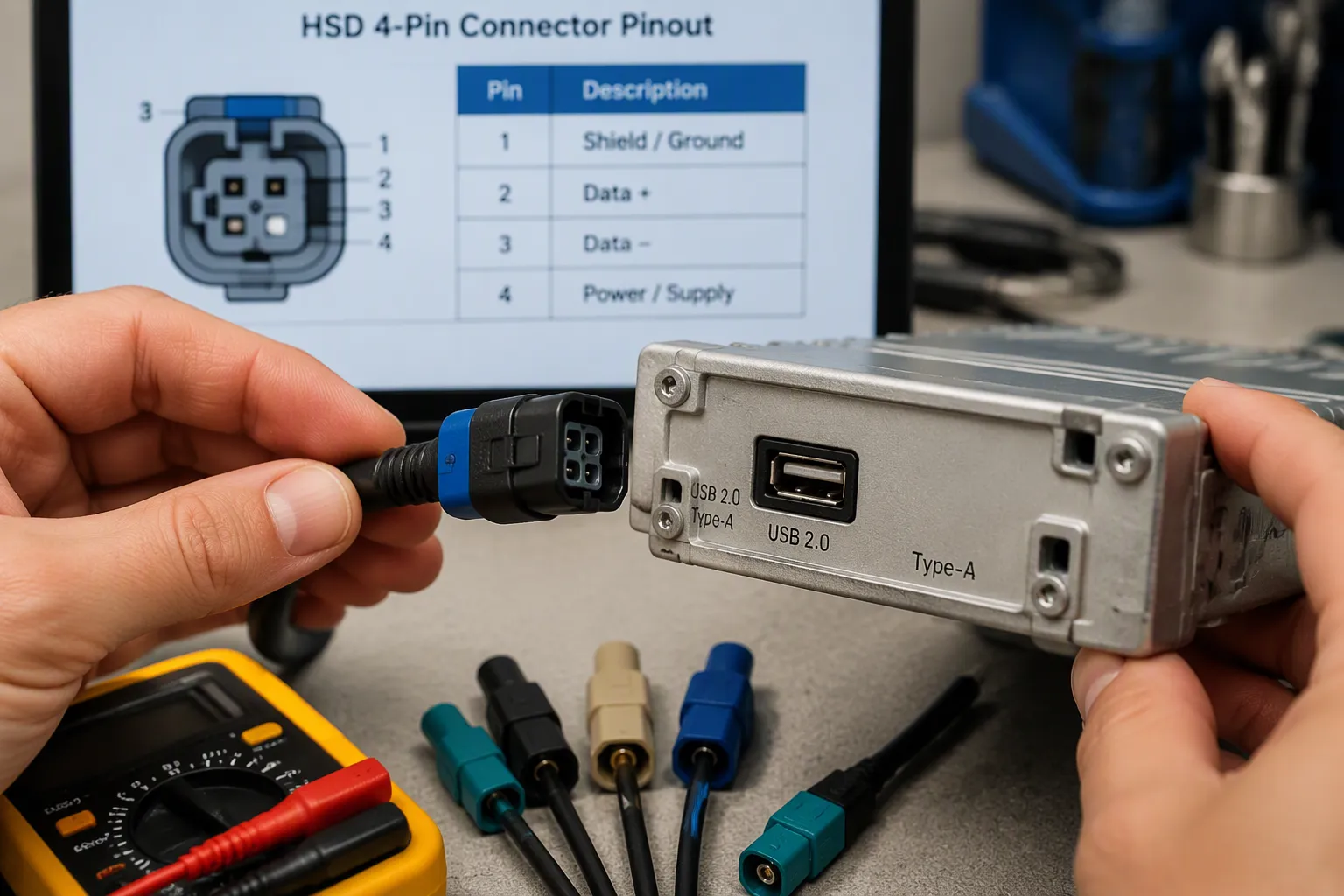
The link type is settled. Now you match the interface. Every detail on this page decides whether the assembly mates and communicates.
HSD 4 Pin Z Code And Color Coding
The HSD 4 pin z code defines the housing keying and the color band on the shell. Code Z typically carries a blue band. Code H carries a different color and a different keyway. The code prevents you from plugging a USB assembly into a display port on the same module. Read the code on the vehicle-side receptacle before you order. A 4-pin hsd cable with the wrong code will not seat, and force will damage the housing.
Check connector gender and the mating interface next. Most automotive modules expose a female receptacle, so your hsd usb cable needs a male plug. Confirm the locking feature and the panel cutout too. These hsd connectors follow a defined keying system, and the shell must align before the terminals engage.
USB To HSD Cable Pinout And Protocol
The device end needs the right USB connector. Common options include usb 2.0 type-a female and Mini-B USB. A usb to hsd cable carries four active lines: power, ground, and the differential data pair. The hsd pinout guides from your module supplier define which cavity holds each line. Never assume a standard arrangement. Ask for the documented pinout and verify the final pinout against the module drawing.
Protocol matters as much as wiring. The module expects USB 2.0 signaling, and the cable must preserve the differential pair without swaps. A crossed pair produces a device that charges but never enumerates. Passive hsd-to-usb cables suit short runs. Longer runs may need an active adapter, depending on the module design.
The table below compares common configurations. Use it to shortlist, then confirm each row against the actual part number.
Configuration | Device End | Typical Use | Key Check |
|---|---|---|---|
HSD Z Code to USB 2.0 Type-A | usb 2.0 type-a female | Head unit, diagnostic port | Code Z, pinout |
HSD Z Code to Mini-B USB | Mini-B USB | Legacy media, camera module | Code Z, pinout |
HSD H Code to Mini-B USB | Mini-B USB | Specific module families | Code H, pinout |
HSD LVDS cable | Display or camera | Video links | Not USB |
Standard consumer USB cable | Type-A or Mini-B | Bench testing only | No HSD shell |
LEADSIGN supplies the HSD Z Code to USB 2.0 Type-A cable assembly, the HSD Z Code to Mini-B USB cable assembly, and the HSD H Code to Mini-B USB cable assembly. The company also offers HSL/HSD connector solutions for USB, display, rear-seat, camera, and automotive data applications. One example is an hsd male-to-usb-a female assembly for a dashboard port. Treat these hsd cables for usb as starting points, then confirm the hsd to usb cable against your module drawing. A verified pinout at this stage prevents most field failures.
Check Impedance And Shielding
Differential Impedance And Signal Integrity
Impedance mismatch degrades the USB signal before you ever notice it in the field. Selected HSD product families use 100-ohm impedance, and selected product pages list a DC to 6 GHz frequency range. Treat these figures as applying to selected product configurations only. Confirm the electrical and environmental specification with LEADSIGN for your exact part number.
The 100 ohm differential impedance must hold along the whole assembly, not just at the connector. A 100 ohm shielded twisted pair cable keeps that 100 ohm differential path stable from the module port to the device end. Any transition that breaks the geometry, such as a poorly terminated tail or a crushed bend, disturbs the impedance and adds reflections. Ask your supplier for the impedance profile of the finished assembly, then compare it against the module requirement. This check protects signal integrity on every automotive link you build.
Shielding And Electromagnetic Compatibility
A vehicle cabin is an electrically noisy place. Motors, power converters, and infotainment displays all radiate energy. A shielded hsd cable controls where that energy goes. The shield blocks outside interference from reaching the data pair, and it keeps the USB signal from radiating outward. Shield termination matters as much as the shield itself. A shield that stops short of the shell, or that bonds at one end only, leaves a gap for interference to enter.
Insertion loss rises with frequency and with cable length. Poor shielding compounds the problem, because noise adds to the loss budget and shrinks your margin. Choose hsd cables for usb with a continuous shield and a solid 360-degree shield termination at both ends. Verify that the hsd connectors bond the shield to the shell, and check the pinout drawing for the drain wire or foil connection. This discipline keeps electromagnetic compatibility predictable across dashboards, center consoles, and rear-seat runs.
Choose The HSD To USB Cable Length And Routing
Length, Insertion Loss, And Bend Radius
Measure the actual route before you pick a length. Run a tape along the path from the module port to the device end, through every clip point and grommet. Add slack for service loops, then round up to the nearest stocked length. A cable that arrives short forces a reroute. A cable that arrives long coils behind the dashboard and invites interference.
Insertion loss grows with length, so keep every run as short as the installation allows. Longer runs shrink your signal margin and may push you toward an active adapter. Confirm the loss budget with LEADSIGN for your exact part number. Respect the minimum bend radius at every corner. A tight bend crushes the dielectric, distorts the 100 ohm differential impedance, and adds reflections. Route around sharp edges and heat sources, and secure the cable with clips that do not compress the jacket.
Straight Or Right-Angle And Strain Relief
Connector orientation decides how the cable leaves the port. A straight plug needs clear space behind the module. A right-angle plug turns the cable along the panel and suits tight dashboards, center consoles, and rear-seat units. Check the keyway direction on the right-angle shell, because the cable exits in one fixed direction. Match that direction to your routing before you order.
Strain relief protects the termination from vibration and pull. Support the cable close to each hsd connector with a clip or tie, and leave a small service loop at the device end. Confirm that the shield termination stays intact after bending. Custom cable types, connector types, and cable lengths may be available depending on the product, so ask LEADSIGN about hsd-to-usb cables built to your route. Treat every hsd usb cable as a routed part, not a generic accessory. A verified pinout and a clean route keep the link stable in service.
Confirm Environment, Customization, And Testing
Temperature, Vibration, And Sealing
Check the environment before you commit to a part number. Selected HSD product pages list a temperature range of -40 °C to +105 °C, depending on the exact part number. Confirm this figure with LEADSIGN for your configuration.
Product Category | Operating Temperature Range |
|---|---|
HSD Connectors | -40 °C to +105 °C |
Vibration and moisture decide the rest. An automotive-grade hsd connector must hold contact under constant road vibration. A sealed hsd connector adds protection where dust and splash are present. For exterior and engine-bay locations, IP67 is the baseline sealing standard when mated and installed as specified. IP6K9K applies to direct engine mounting and commercial vehicle duty. Ask LEADSIGN which sealing level your sealed hsd cable assembly actually carries.
OEM/ODM Support And Traceability
Customization often decides the final fit. LEADSIGN maintains a dedicated R&D team for OEM and ODM work. Options include custom cable lengths, braid or foil shielding, jacket materials, and custom pinouts. Straight, right-angle, and custom-molded variants are available. Request samples and documentation before volume orders, and confirm traceability for each lot.
Troubleshooting starts with the link, not the cable. A USB device may go undetected because the port is charge-only or the module lacks the required protocol. A device that charges but will not transfer data usually points to a pinout mismatch or a data line fault. Intermittent connection often traces to a loose latch, a bent pin, or a bend beyond the design limit. Poor shielding, excessive length, and the wrong HSD code all produce the same symptom. Remember that no hsd cables for usb can correct a vehicle-side pinout, protocol, or software incompatibility.
Before you order, confirm these points:
Link type and end devices
HSD code, color, and gender
USB connector type and verified pinout
Impedance, shielding, and length
Temperature, sealing, and mating cycles
Samples, documentation, and traceability
The selection sequence repeats on every project. Start with the link and cable type. Match the HSD USB cable interface and pinout. Verify impedance and shielding. Choose length and routing. Then confirm environment, customization, and testing.
Starting from link requirements prevents costly mismatches. Many failures trace to treating HSD as a coaxial connector or assuming mechanical mating equals electrical compatibility. A cable cannot fix vehicle-side protocol or software issues.
Confirm electrical and environmental specifications with LEADSIGN before volume orders. Request samples and documentation. Verify the wiring diagram against your module drawing. This discipline keeps every automotive link reliable.
FAQ
Can you plug a standard USB cable into an HSD port?
No. An HSD port expects a coded HSD shell and a defined pinout. A consumer USB plug will not seat, and forcing it damages the housing. You need an assembly built for the vehicle-side connector.
How do you confirm the correct HSD code before ordering?
Read the code and color band on the vehicle-side receptacle, then match them on the assembly drawing. Code Z and Code H use different keyways. Verify the final pinout against the module documentation before you commit.
Does a longer HSD USB cable reduce signal quality?
Yes. Insertion loss rises with length, and your signal margin shrinks. Keep each run as short as the route allows. Confirm the loss budget with LEADSIGN for your exact part number.
When do you need an active adapter instead of a passive cable?
Choose an active adapter for long runs or when the module needs signal conditioning. Passive cables suit short runs with a clean path. Confirm which type your module design supports before ordering.
Can a cable fix a device that still will not connect?
No. A cable assembly cannot correct a vehicle-side pinout, protocol, or software incompatibility. If the port is charge-only or the module lacks the required protocol, no cable will resolve it.
See Also
Improving Vehicle Performance Using HSD to USB 2.0 Cables
Why HSD Cable Assemblies Matter in Today's Modern Technology
Improving Automotive HSD Systems Through Added USB Connectivity
Why HSD Connectors Are Essential in the Automotive Industry
Understanding the Fundamentals of HSD Connectors in Automotive Industry