Why Your Car Camera Video Is Flickering: FAKRA and HSD Cable Troubleshooting

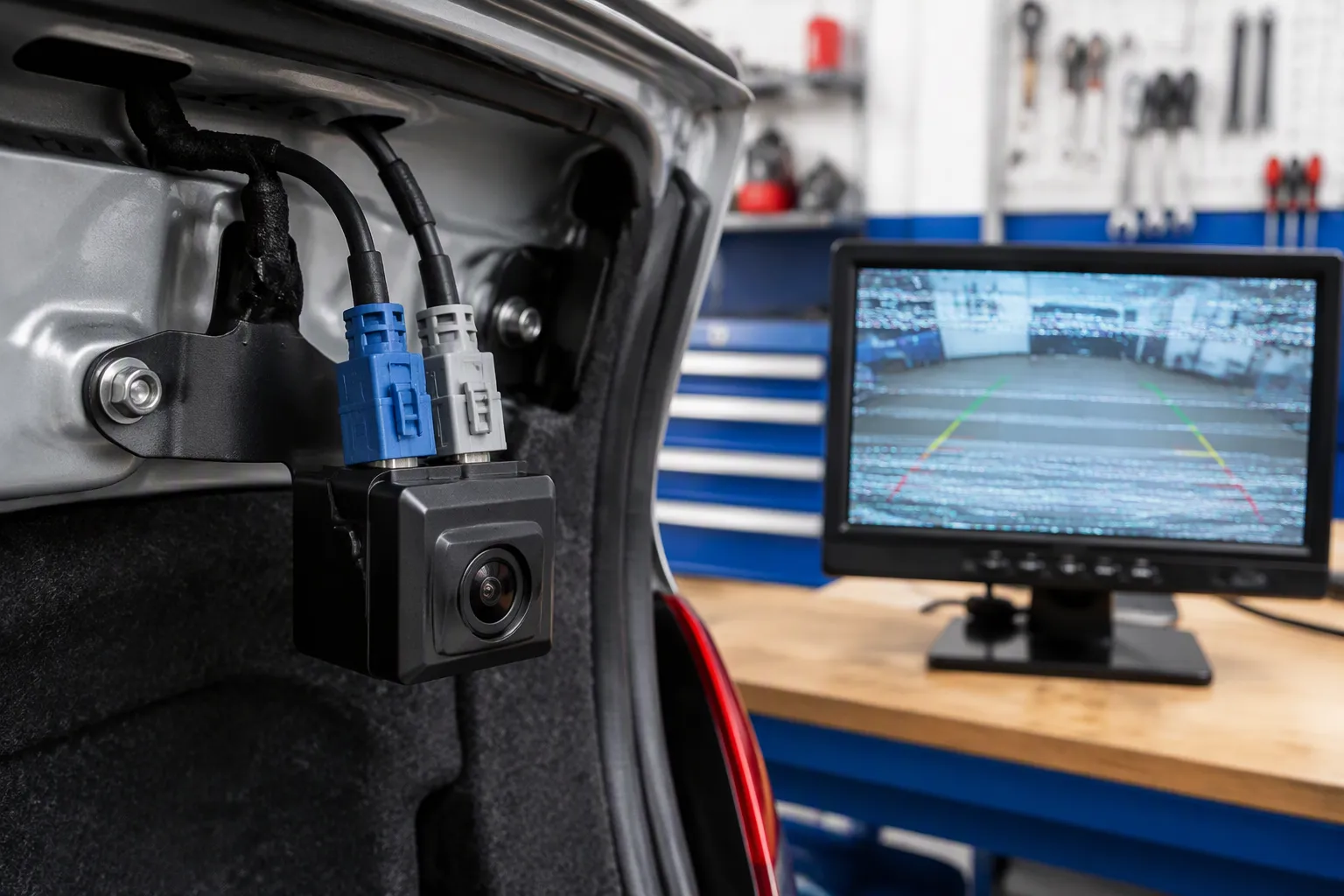
Your backup or dash camera image flickers, rolls, or cuts to black — often only after the engine starts. That pattern points to three usual suspects: power and ground noise, a loose or damaged fakra or hsd connection, or a cable run crushed during install. You can separate them. A symptom-to-cause map ties each behavior to its likely source. A five-step isolation process confirms power, connector, and shield one at a time. Fixes follow by root cause, so you replace only what failed. Most backup camera issues and backup camera problems end at a connector or a ground, not a dead camera. Check camera video at idle, then inspect the FAKRA cable shell.
Key Takeaways
Note when the flicker happens: engine on, over bumps, or in reverse. This pattern points to the cause.
Test power and ground first. A stable 12V feed and a clean ground prevent many flicker issues.
Inspect FAKRA and HSD connectors for damage. Push each plug until it clicks and the lock engages.
Match cable impedance to the system: 50Ω for FAKRA, 100Ω for HSD. Mismatches cause reflections and flicker.
Fix only the confirmed root cause. Most flicker cases end at a connector, shield, or ground—not a dead camera.
Backup Camera Issues: Symptom-to-Cause Map
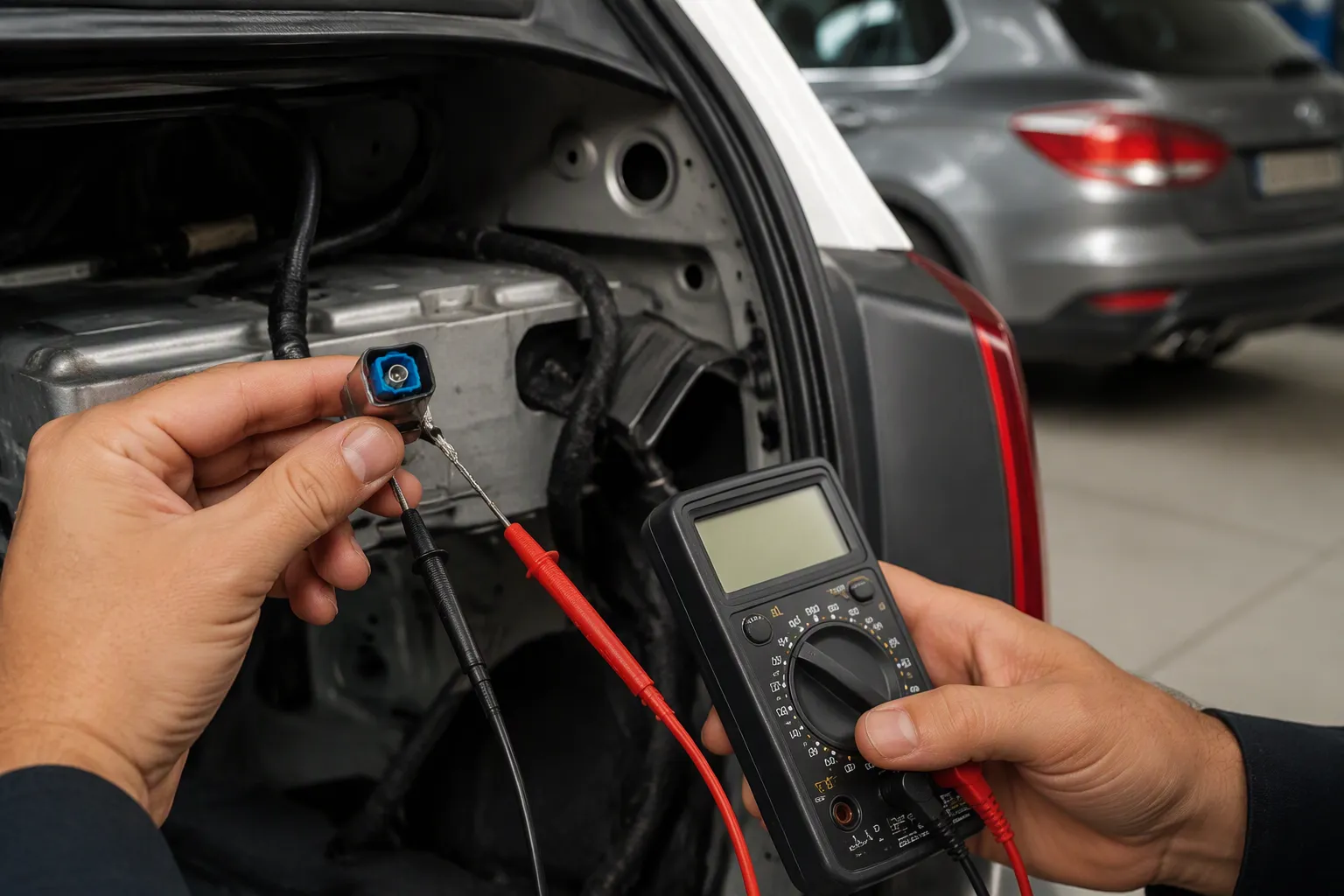
Start with the pattern, not the parts. When the picture fails, note the exact conditions: engine on or off, in reverse or in drive, steady or bumpy road. That pattern narrows the list of backup camera issues fast. The table below maps the five most common behaviors to their likely source and your first move.
Symptom | Probable Cause | Recommended Action |
|---|---|---|
Flicker or rolling lines only with the engine running, shifting with RPM | Alternator ripple or a ground loop between camera ground and video shield | Measure AC ripple at the battery; simplify to one clean ground |
Flicker or scrambled picture over bumps | Loose or unlatched connector, or a damaged cable run | Inspect the fakra or hsd housing and locking tabs; flex the harness by hand |
Black-and-white video or missing color | Signal format mismatch between camera and display | Confirm the camera output format matches the display input |
"No signal" screen | Power loss or a physical connection fault | Check fuses, 12V at the camera end, and connector seating |
Intermittent dropout | Shield continuity failure or water ingress at the exterior connector | Test shield continuity; inspect the connector for corrosion |
Flicker Only With Engine Running
An alternator makes AC internally and rectifies it to DC. Weak rectification leaves AC ripple riding on the DC supply. That ripple leaks into the camera power feed or its video ground and shows up as a flickering image / rolling bars that change with engine speed. You can measure it: set a multimeter to AC volts across the battery terminals at roughly 1,500 rpm. Readings above about 50 mV, and in some cases up to 100 mV, suggest excessive ripple.
Ground loops cause the same engine-on flicker. Multiple ground paths between camera and display create a voltage difference that injects noise into the shield. PWM noise on the reverse-light circuit is another contributor. Many vehicles dim or pulse that circuit, so a camera powered directly from it may show flickering on and off only in reverse. Treat that wire as a trigger and let a relay switch a steady fused feed. CAN bus interference also matters. Route the camera cable away from CAN bus wiring and cross high-current harnesses at about 90 degrees when you cannot avoid them.
Constant Flicker or Black Screen
A steady fault points to the connection or the cable, not the charging system. A dark, flickering, or no image condition often traces to a bent center pin, a cracked dielectric, or a shield braid that was never crimped inside the connector. Water ingress at the exterior camera connector produces the same result after rain or a car wash. A no camera image on a flickering display can also come from a blown fuse, a software glitch in the infotainment unit, or a failed monitor. Swap the camera or the display to isolate which end failed before you replace a cable. Most backup camera problems end at a connector, a ground, or a shield — confirm each one in turn.
FAKRA vs. HSD in Camera Links
Analog cameras often use FAKRA or RCA. HD digital cameras with LVDS links typically require HSD. The two families are not interchangeable. FAKRA is primarily a 50Ω coaxial interface. HSD is a nominal 100Ω differential interface. Their electrical structures differ, so one cannot directly replace the other. Impedance and ratings depend on the specific part number and cable assembly. Confirm the final part number with LEADSIGN before you order.
Selection factor | FAKRA | HSD |
|---|---|---|
Primary signal type | RF or compatible coaxial data link | High-speed differential data |
Nominal impedance | 50Ω | 100Ω differential |
Typical uses | GNSS, radio, antennas, selected SerDes camera links | Compatible cameras, displays, LVDS links |
Directly interchangeable | No | No |
50Ω FAKRA and Analog Cameras
Standard FAKRA connectors use a 50Ω coaxial structure. A 75Ω variant also exists for legacy analog links such as CVBS backup cameras. Many standard parts reach about 6 GHz, so verify the exact datasheet. LEADSIGN's FAKRA line is rated 50Ω, DC to 6 GHz, with primary and secondary locks and waterproof versions available. That makes it a practical automotive-grade fakra cable option for compatible analog and serialized links.
A damaged braided shield or an impedance mismatch degrades the video signal. A 75Ω cable in a 50Ω system causes reflections. Reflections appear as ghosting, rolling bars, or flicker. Choose a standard 50Ω fakra cable for a 50Ω channel.
Use only with matched impedance (50Ω or 100Ω) – mixing impedances causes signal reflections. Every additional connector and adapter adds signal loss (typically 0.5-1 dB each).
100Ω HSD and LVDS Digital Cameras
HSD carries high-speed differential data over four shielded signal contacts. Compatible LVDS cameras, surround-view, and driver-monitoring links use it. Match the HSD impedance to the camera and ECU. Keep the run short and the bend radius generous.
Many installers mix fakra and hsd connectors by mistake. They also fit fakra-style coaxial connectors onto a differential port. Both errors cause dropout. Select a low‑loss coaxial cable or shielded differential cable that matches the channel.
Common FAKRA / HSD Problems Behind Flicker
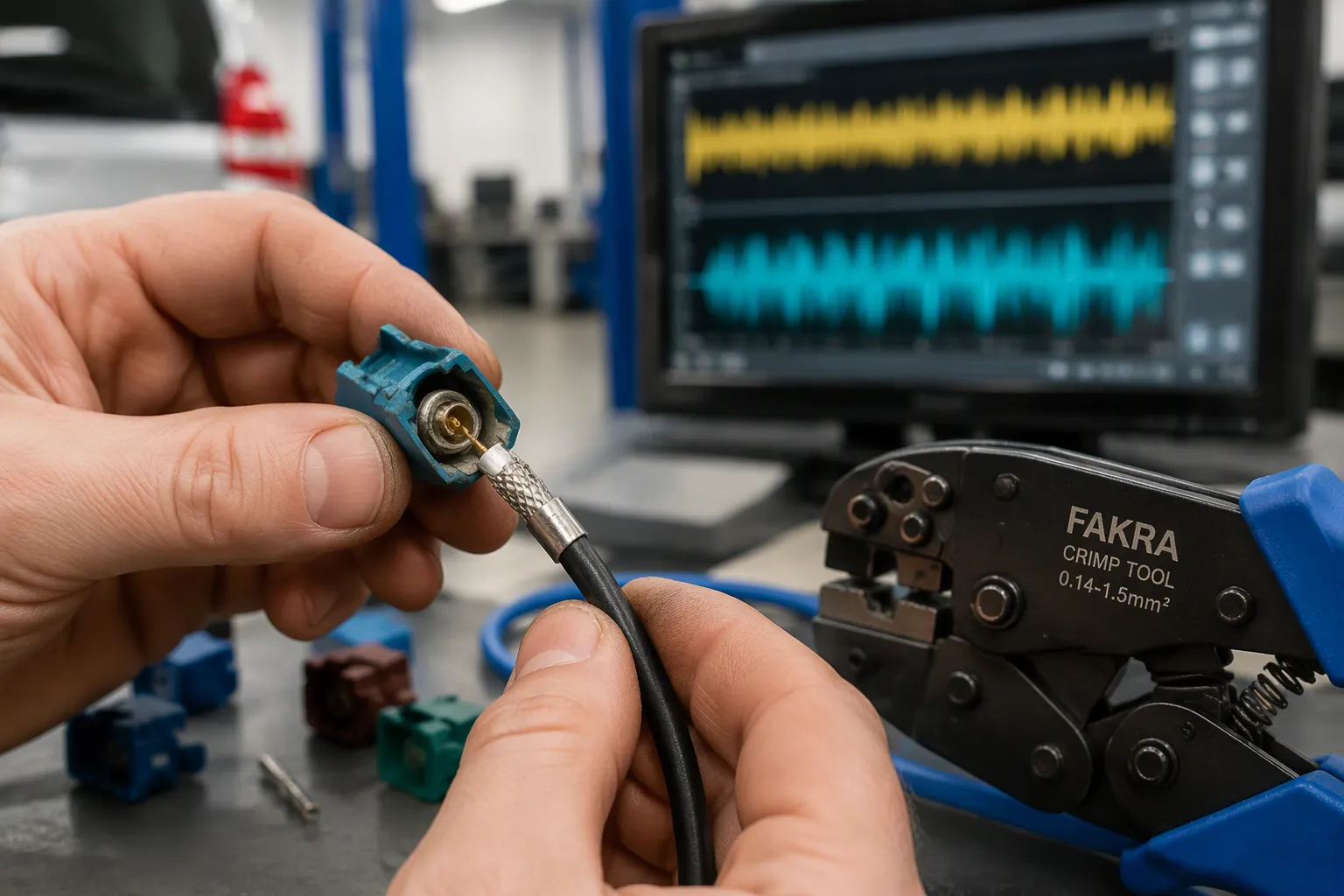
Six faults account for most camera video failures in the bay. Each one leaves a distinct trace, so you can match the symptom to the cause before you touch a tool. A loose, corroded, or incorrectly crimped fakra connector usually shows an intermittent connection that comes and goes with vibration. A poor shield connection produces rolling bars or ghosting. Water ingress at the exterior camera connector brings corrosion and dropout after rain. These common fakra / hsd problems rarely kill the camera itself.
Shield, Crimp, and Impedance Faults
Shield continuity fails when the braid never seats inside the connector body. Field termination depends on a FAKRA-specific crimp tool, such as the TE Connectivity 1013674-1. Generic crimpers damage the shell or the contacts, and that damage breaks shield continuity. A poor crimp also leaves a loose terminal with high resistance, which shows up as flicker or a dead signal. Spread the cable pair too far apart during termination, and you distort the geometry along the 100-ohm differential path, so even a correct hsd part can degrade.
Impedance mismatch is quieter. A 75Ω cable in a 50Ω fakra system still passes a continuity test, yet reflections return as ghosting or flicker. Poor-quality RCA adapters, wire splices, and bent center pins add loss and intermittent faults on top of that. Check the cable type against the channel before you blame the camera.
Locks, Bend Radius, and Water Ingress
An unlatched connector is the easiest fault to find and the easiest to miss. The primary lock clicks, the secondary lock secures it, and a missing secondary lock lets the plug walk out under vibration. Wiggle the powered connector: if the camera video flickers, the connector is faulty. A cracked housing invites water ingress, and corrosion follows as green or white powder on the terminals.
Bending deserves equal respect. A common rule sets the minimum bend radius at five times the cable outer diameter for a single bend, measured from the cable center. Route the fakra cable and each hsd run with a gentle curve at the connector exit.
Bending a high-frequency Star Quad cable too sharply deforms its internal geometry, dropping characteristic impedance from the nominal 100Ω to 80Ω or lower and reflecting signal energy back to the source.
IP ratings depend on the specific part number and assembly, so confirm the exterior connector rating with LEADSIGN. Loose or corroded connectors and poor-quality adapters round out the list of backup camera problems worth checking first.
Five-Step FAKRA and HSD Diagnosis
Work the fault in order. Each step removes one suspect, so you never replace a part on a guess. The sequence below moves from the easiest swap to the most detailed meter test.
Isolate, Inspect, and Power-Check
Isolate the fault. Swap the camera with a known-good unit, then swap the display. If the picture returns, the camera or screen failed. If the fault stays, the cable or connector is the cause.
Inspect the hardware. Look at the fakra and hsd connectors for a cracked housing, a bent center pin, or a locking tab that will not click. Push each plug fully home and listen for the primary lock.
Check power at the camera end. Back-probe the supply with the engine running. You want a stable 12V with no dip when you shift into reverse. A feed that sags under load points to a ground or relay fault, not the fakra cable.
Test continuity and resistance. Set your multimeter to ohms and check the center conductor end to end. A reading far above the expected value means high resistance. A short to ground means a crushed cable.
Verify the shield. Measure from the connector metal shell to the cable braid. You should see no continuity between centre and shield, and full continuity along the braid itself. A failed braid lets noise into the camera video.
Continuity, Resistance, and Shield Test
Three special cases deserve their own logic. A camera that works sometimes but fails over bumps is a vibration fault. Flex the harness by hand while you watch the screen. A flicker that follows your hand confirms a loose fakra or hsd plug or a broken strand inside the cable.
Black-and-white video or missing color signals a format mismatch. The camera output and the display input disagree. Check the interface spec before you touch the wiring.
A "No Signal" screen means power or a physical break. Confirm 12V at the camera, then reseat every fakra and hsd connection in the chain. Most backup camera issues of this type end at a fuse, a ground, or an unseated plug.
Keep a written record of each reading. That log turns a repeat visit into a five-minute check, and it tells you which fakra or hsd part to order.
Fixes by Root Cause and Prevention
Power, Ground, and Noise Fixes
Fix the power path before you touch a connector. Run a dedicated fused feed from a clean source, and ground the camera at the chassis near the camera. Do not ground the black wire at both ends when the RCA cable already carries ground between camera and display. That double ground forms a loop, and the loop acts as an antenna for radio interference. Break the loop instead of adding another 0V wire.
Test | Method | Expected / Fix |
|---|---|---|
Voltage under load | Measure volts at camera power pin while in reverse | ~12–14 V; brief drops cause flicker |
Ground continuity | Continuity tester between camera ground and chassis | Near 0 Ω; high resistance = bad ground |
Wiring wiggle test | Wiggle harness at hinge while in reverse | Flicker indicates broken conductor |
Route the fakra cable and every hsd run away from power and CAN wiring. Cross high-current harnesses at about 90 degrees. Add a ferrite where noise persists. Check the tailgate wiring harness at the hinge, since flex fatigue breaks conductors there. Confirm both ends of the reverse trigger wire are connected, and power-cycle the head unit to clear transient errors.
Connector and Cable Fixes for Fresh Installs
For a fresh install, start with pre‑terminated fakra and hsd cables from a controlled assembly line. Hand termination invites shield failure. If you must terminate in the field, use dedicated tooling for field‑crimping fakra or hsd connectors, and follow the maker's strip and crimp values.
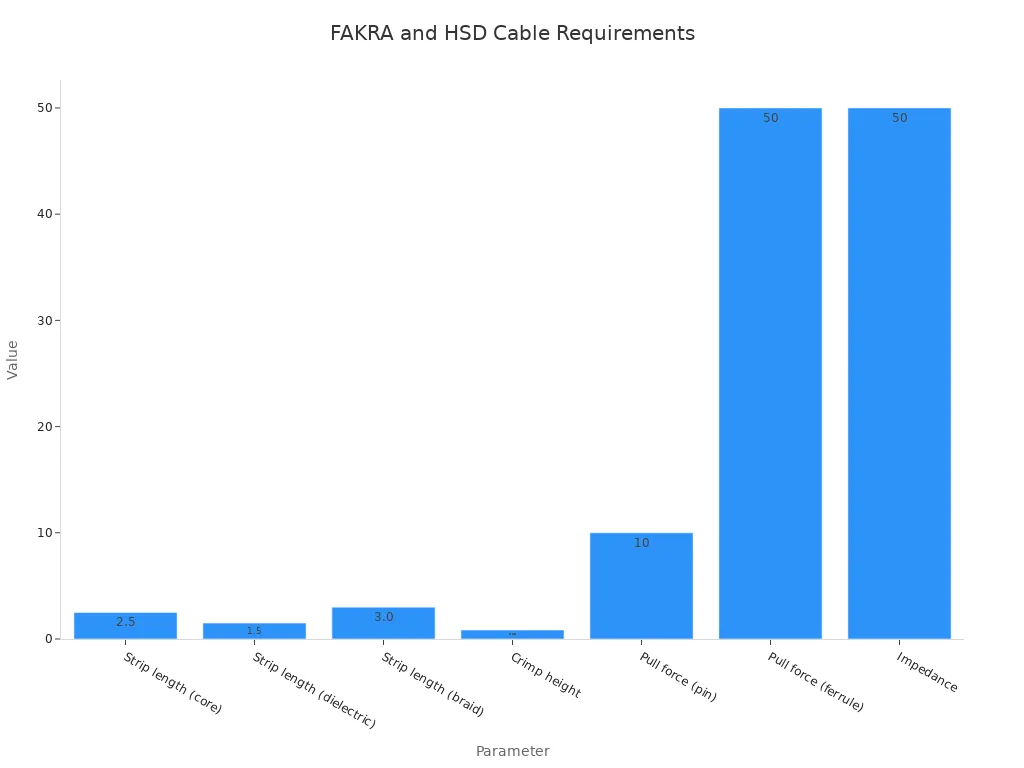
Push each plug until the primary lock clicks, then seat the secondary lock flush. Never force a mismatched code. Keep a generous bend radius at the connector exit, and specify IP67 exterior connectors where the part number supports it.
A correct purchase spec lists connector family and code (for example, Z-code), cable type such as RG174 or RG316, impedance (50Ω or 100Ω), camera and display interface, finished length with tolerance, and environmental rating. LEADSIGN supplies high-quality fakra and hsd cable assemblies, custom lengths with quality crimping, IP67 exterior camera cables, and OEM/ODM support. Confirm your camera video spec at https://www.fakraconnectors.com or info@leadsignauto.com.
Start with timing. Note when the flicker appears — engine on, over bumps, or in reverse. That pattern tells you where to look. Three beats guide the diagnosis: confirm the timing, isolate the stage, then fix the cause. Test power and ground first, then the connector, then the cable. Fix only the root cause you confirm.
Work in this order:
Clean power and ground.
Reroute cable away from noise.
Most flicker cases trace to a connection, shield, or noise fault — not a dead camera. Confirm your part number with LEADSIGN to get the right fakra or hsd assembly.
FAQ
How do I tell a power fault from a cable fault?
Watch the pattern. Flicker that changes with engine speed points to power or ground noise. Flicker that follows bumps or a wiggle test points to the cable or the fakra plug. Swap the camera or display to confirm which end failed before you order parts.
Can I use a 75Ω cable in a 50Ω fakra system?
No. The mismatch causes reflections, and reflections show up as ghosting, rolling bars, or flicker. A continuity test still passes, so the fault hides. Match the cable impedance to the channel, and confirm the part number with LEADSIGN before you buy.
What causes flicker only over bumps?
Vibration works a loose plug or a broken strand. Push each connector until the primary lock clicks, then seat the secondary lock. Flex the harness by hand while you watch the screen. A picture that follows your hand confirms the fault sits in the fakra connection or the cable run.
When should I replace the cable instead of the connector?
Replace the cable when the shield braid fails a continuity test, when the dielectric is crushed, or when corrosion reaches the pins. Reseat or replace a loose plug first. If the fault survives a known-good fakra plug and a stable 12V feed, fit a new hsd or coaxial assembly.
What should I confirm before ordering a replacement?
List the connector family and code, the cable type and impedance, the camera and display interface, the finished length, and the environmental rating. Ratings depend on the specific part number and assembly. Send the list to info@leadsignauto.com or check https://www.fakraconnectors.com for confirmation.
See Also
Understanding Fakra Cables: A Complete And Detailed Guide
Explaining Fakra HSD LVDS Four Pin Connectors Clearly
Introducing Fakra HSD Technology Within The Automotive Industry Sector
Why Fakra Connectors Matter Greatly In Honda Vehicles Today
Improving Automotive Data Transmission Using FAKRA PCB Connectors Effectively