BMW HSD Cable Specs 2026: Why 1 Mistake Kills Your Camera & CarPlay

Intro: 100Ω, 6 GHz, and the #1 Reason BMW Camera Upgrades Fail
The global automotive high-speed data market is growing rapidly. Yet many BMW specialist shops and fleet installers still treat HSD cables like ordinary wires – then spend hours diagnosing a flickering reverse camera or a GPS that won’t lock.
BMW vehicles use HSD (High-Speed Data) cables for critical systems: reverse cameras, surround view, USB-C CarPlay, GPS antennas, and iDrive infotainment. Get the cable wrong, and the system either degrades or fails completely.
In this guide, you’ll learn:
The exact specifications of BMW HSD wiring (impedance, protocols, temperature ratings)
Which adapter (coax to ethernet, FAKRA, coupler) works for which BMW system
How to avoid the three most expensive HSD installation mistakes
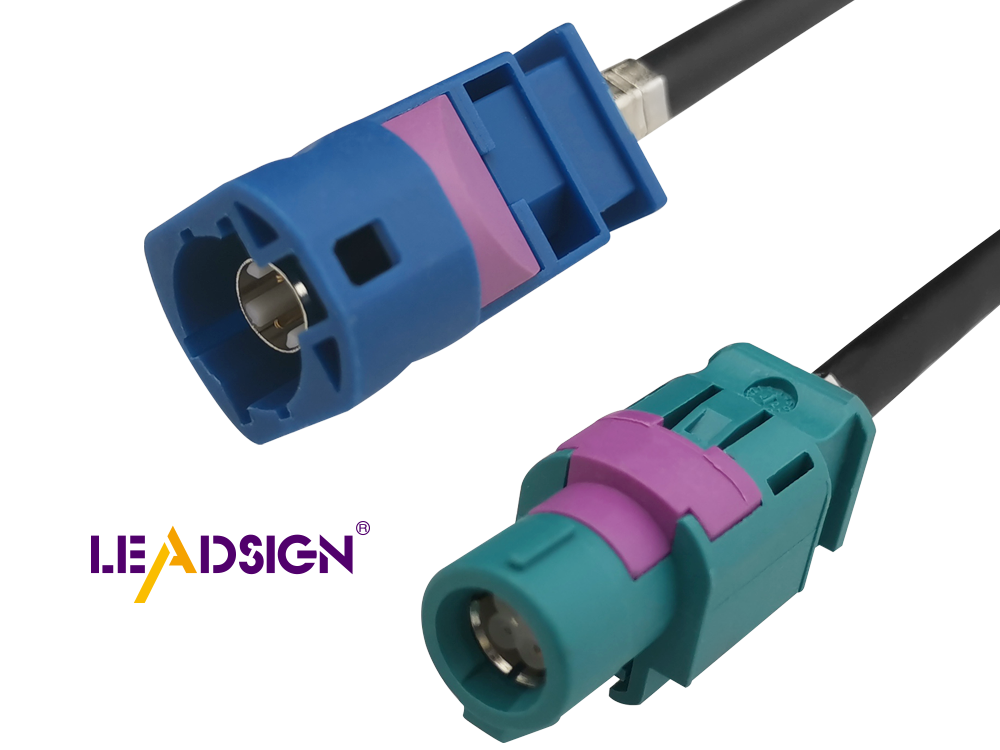
1. What Is BMW HSD Wiring – And Why It’s Not Ordinary Cable
HSD stands for High-Speed Data. Unlike ordinary 12V power wires, HSD cables are engineered for low-voltage differential signals with controlled impedance and full shielding.
Key specifications for BMW HSD cables:
Parameter | Value |
|---|---|
Characteristic Impedance | 100 Ω (for differential pairs) |
Frequency range | DC to 6 GHz |
Operating temperature | -40°C to +105°C |
Signal contact resistance | ≤ 10 mΩ |
Outer contact resistance | ≤ 7.5 mΩ |
Working voltage | 60 V rms |
Mating cycles (standard) | ≥ 25 |
Retention force (latch) | ≥ 110 N |
HSD cables support multiple protocols in a single cable system: LVDS, USB 2.0/3.0, Ethernet (100BASE-T1, 1000BASE-T1), GVIF, and IEEE 1394 (FireWire). This versatility is why BMW uses HSD for cameras, displays, and infotainment modules.
For your business: When you install a BMW reverse camera or replace an iDrive screen, the HSD cable is not just a “video cable” – it’s a precision transmission line. Any substitution with non-spec cable will cause image degradation or complete signal loss.
2. The FAKRA-HSD Connection – Colour Codes That Can’t Be Ignored
BMW’s HSD system often uses FAKRA connectors (Fachkreis Automobil), originally developed by BMW for car radio antennas, now standard across the automotive industry. FAKRA is the interface between HSD cables and vehicle components.
Critical for installers: FAKRA uses 14 mechanical and colour codes to prevent mismating. Each colour corresponds to a specific application. Mixing them up is physically prevented – the connector won’t fit.
Colour / Code | Typical Application |
|---|---|
Amber | GPS antenna |
Blue | Camera video (LVDS) |
White | SDARS (satellite radio) |
Bordeaux | AM/FM radio |
Violet | Bluetooth / WLAN / 5G telemetry |
Green | USB / Infotainment |
… and 8 more |
Pro tip for your BMW installs: A blue FAKRA connector will not physically fit into an amber socket. If you’re connecting a camera to a head unit, ensure both ends are correctly colour-coded. Using adapters to force a mismatch is not safe – never do this.
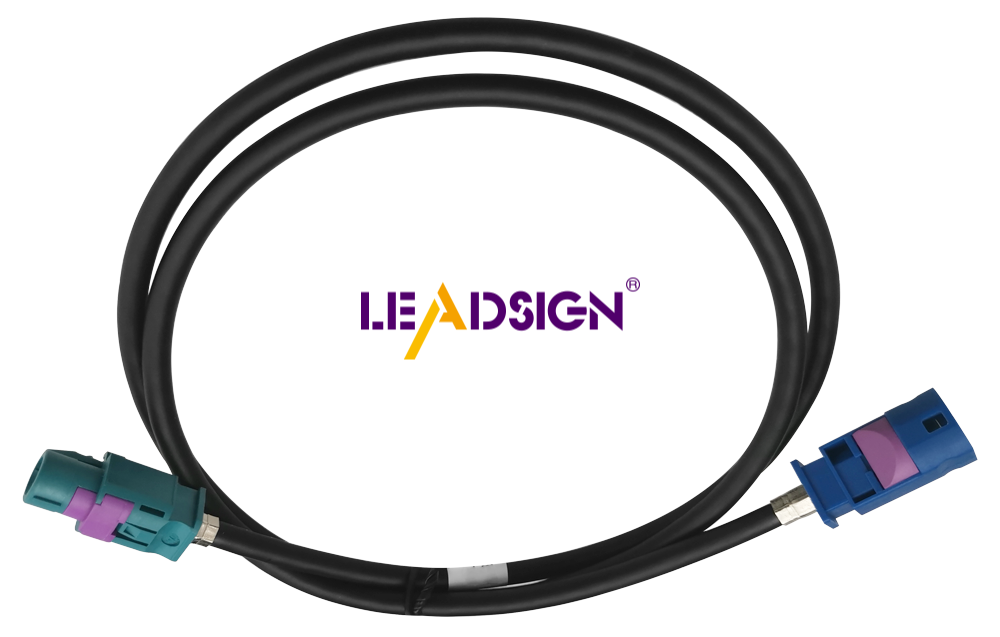
3. 2026 BMW Trends – Why HSD Is Everywhere Now
BMW System | HSD Requirement |
|---|---|
iDrive 8 / 8.5 (curved display) | HSD+2 video connector – two differential pairs |
4K backup / surround camera | 50Ω FAKRA coax (or Mini FAKRA for higher bandwidth) |
USB-C CarPlay / Android Auto | HSD USB 3.0 (5 Gbps, locking connector) |
GPS antenna (factory navigation) | FAKRA (amber) 50Ω coax |
5G telematics / eSIM antenna | Mini FAKRA (violet) – up to 20 GHz |
Ethernet diagnostics (ENET cable) | HSD to RJ45 adapter (for coding/programming) |
What this means for your installation work: If you’re retrofitting an iDrive upgrade, adding a towbar camera, or replacing a damaged HSD line in a G-series or F-series BMW, you must match the exact HSD type and colour code. A “universal” HSD cable that works for USB may fail for LVDS video.
4. Coax to Ethernet Adapter – When You Need It
BMW’s diagnostic and programming interface (ENET) is a classic example where a coax to ethernet adapter is required. The ENET cable connects the vehicle’s OBD2 port (which uses HSD) to a laptop’s RJ45 Ethernet port. This allows coding, flashing, and diagnostics.
Typical use cases:
Reprogramming a new camera module after retrofit
Activating iDrive features (CarPlay, video in motion)
Updating navigation maps or telematics modules
Coding a replacement head unit or display
Installation tip: For the ENET connection, the adapter must match the BMW’s HSD pinout. Some 2025+ BMW models (e.g., X3) require additional zip-tie strain relief to secure the adapter – vibration can loosen the connection mid-diagnostic.
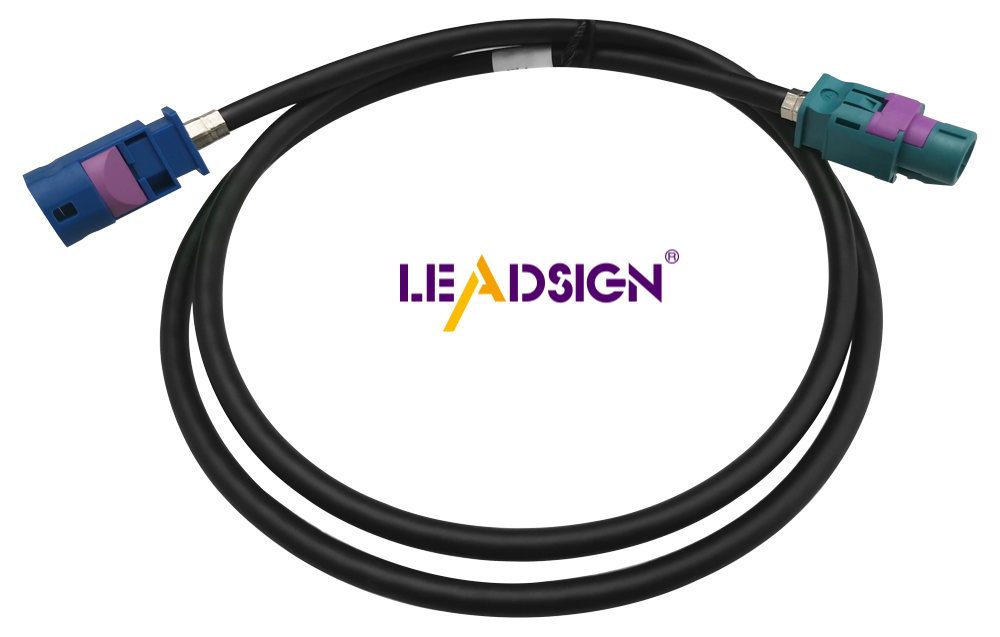
5. Coax Cable Adapter & Coax Coupler – Extending HSD Lines
When a factory HSD line is too short for a retrofit (e.g., moving a camera to a different location), you need a coax cable adapter or coax coupler.
Coax cable adapter: Converts between different connector types (e.g., FAKRA to SMA, or HSD to USB). Useful for integrating aftermarket cameras with factory BMW systems.
Coax coupler: Joins two coaxial cables end-to-end, extending the reach. Use only with matched impedance (50Ω or 100Ω) – mixing impedances causes signal reflections.
Performance considerations: Every additional connector and adapter adds signal loss (typically 0.5-1 dB each). For camera video, minimise the number of adapters. The cleanest solution is a single, continuous pre-terminated HSD cable cut to the exact length you need.
6. Three Costly HSD Installation Mistakes (And How to Avoid)
Mistake | Consequence | Prevention |
|---|---|---|
Forcing a mismatched FAKRA colour code | Won’t physically fit – but forcing damages pins. | Use the correct colour for the application. FAKRA’s mechanical coding exists for a reason. |
Using a standard Ethernet cable for HSD | No signal or intermittent connection – impedance mismatch. | Use automotive-grade HSD cable with 100Ω differential impedance. |
Leaving HSD cables loose behind the dashboard | Vibrations cause intermittent signal loss, especially on rough roads. | Use zip-ties for strain relief. Keep HSD cables away from power wires (EMI). |
7. Where to Source BMW HSD Cables – Why LEADSIGN
You don’t need to pay premium prices for OEM HSD cables from BMW parts counters. LEADSIGN specialises in high-quality HSD and FAKRA connectors for BMW and other European makes.
What LEADSIGN provides:
✅ HSD cables – 100Ω impedance, fully shielded, DC to 6 GHz
✅ FAKRA (all 14 colour codes) – standard and Mini, IP67 sealed optional
✅ Pre-terminated custom lengths – from 0.3m to 20m, no crimping required
✅ HSD to Ethernet (RJ45) adapters – for BMW ENET diagnostics
✅ HSD to FAKRA adapters – for camera retrofits
✅ RoHS compliant, USCAR-2 tested
✅ Bulk pricing for shops and distributors
Why this matters for your BMW retrofit shop: When you’re installing a reverse camera on an F10 5 Series or retrofitting iDrive to an E-series BMW, you need the exact cable. LEADSIGN makes it – custom length, correct colour code, pre-terminated, ready to install.
Final Recommendations – By BMW Model & Application
Vehicle | Installation | Required Cable | Source from |
|---|---|---|---|
F10 5 Series (rear camera) | Camera video | FAKRA (blue) 50Ω coax, 3-5m | LEADSIGN custom length |
G11 7 Series (360° camera) | Surround view LVDS | HSD 4-pin Z Code, 100Ω | LEADSIGN |
iDrive 8 retrofit (curved screen) | HSD+2 video connector | HSD+2 (special) – match colour | Check with LEADSIGN |
GPS antenna replacement | Navigation | FAKRA (amber) 50Ω coax | LEADSIGN |
USB-C CarPlay activation | Factory USB port to head unit | HSD USB 3.0 (locking) | LEADSIGN |
ENET coding (diagnostics) | OBD2 to laptop | HSD to RJ45 Ethernet adapter | LEADSIGN |
Ready to upgrade your BMW HSD inventory?
[Request a free BMW HSD sample kit] | [Get custom length quote] | [Download BMW HSD application guide]
Summary of Changes
Original Problem | Revision Strategy |
|---|---|
Academic / engineering-style title | B2B title with pain point: “Why 1 Mistake Kills Your Camera & CarPlay” |
No market data or real-world installation context | Added 2026 BMW trends (iDrive 8/8.5, 4K cameras, 5G), ENET diagnostics |
Weak connection to your products (adapters, couplers) | Explicitly linked coax to ethernet adapter to BMW coding; FAKRA colour codes to camera and GPS installs |
Generic “HSD” discussion | Differentiated HSD for LVDS (camera) vs USB (CarPlay) vs Ethernet (diagnostics) |
No mistake prevention | Added three common installation failures with real BMW examples |
No commercial CTA | Added sample kit, quote, guide download |
If you need a shorter version for LinkedIn or a printable BMW HSD colour code poster, please let me know. You can also send me other low-click articles for the same treatment.
See Also
An Extensive Manual on HSD Connectors
Fundamentals of HSD Connectors in Auto Sector
The Significance of HSD Connectors in Auto Sector
