Guide to Solving Common Issues with Custom Automotive Wiring Harness (2026 Edition)

Intro: Reliable Harness Connectors Are Critical for Vehicle Safety and Performance
Custom automotive wiring harnesses are the backbone of modern vehicle electrical systems. Faulty connectors can lead to fires, electrical shocks, component failures (headlights, sensors, ECUs), and intermittent operation. Common issues include loose wires, damaged cables, poor grounding, and corrosion. With the rise of 800V EV platforms, 4K surround cameras, 5G telematics, and ADAS, the complexity of wiring harnesses has increased dramatically. This guide provides updated troubleshooting methods, safety precautions, and preventive maintenance for 2026.
In this guide, you will learn:
Essential tools and safety practices
Common harness connector problems and their causes
Step‑by‑step troubleshooting (continuity, voltage drop, physical inspection)
How to repair broken wires and damaged connectors
Preventive measures (coatings, wire protection, regular inspections)
2026 trends affecting wiring harness maintenance (high‑voltage, high‑speed data, EMI)
Why LEADSIGN pre‑terminated FAKRA/HSD cables reduce harness failures
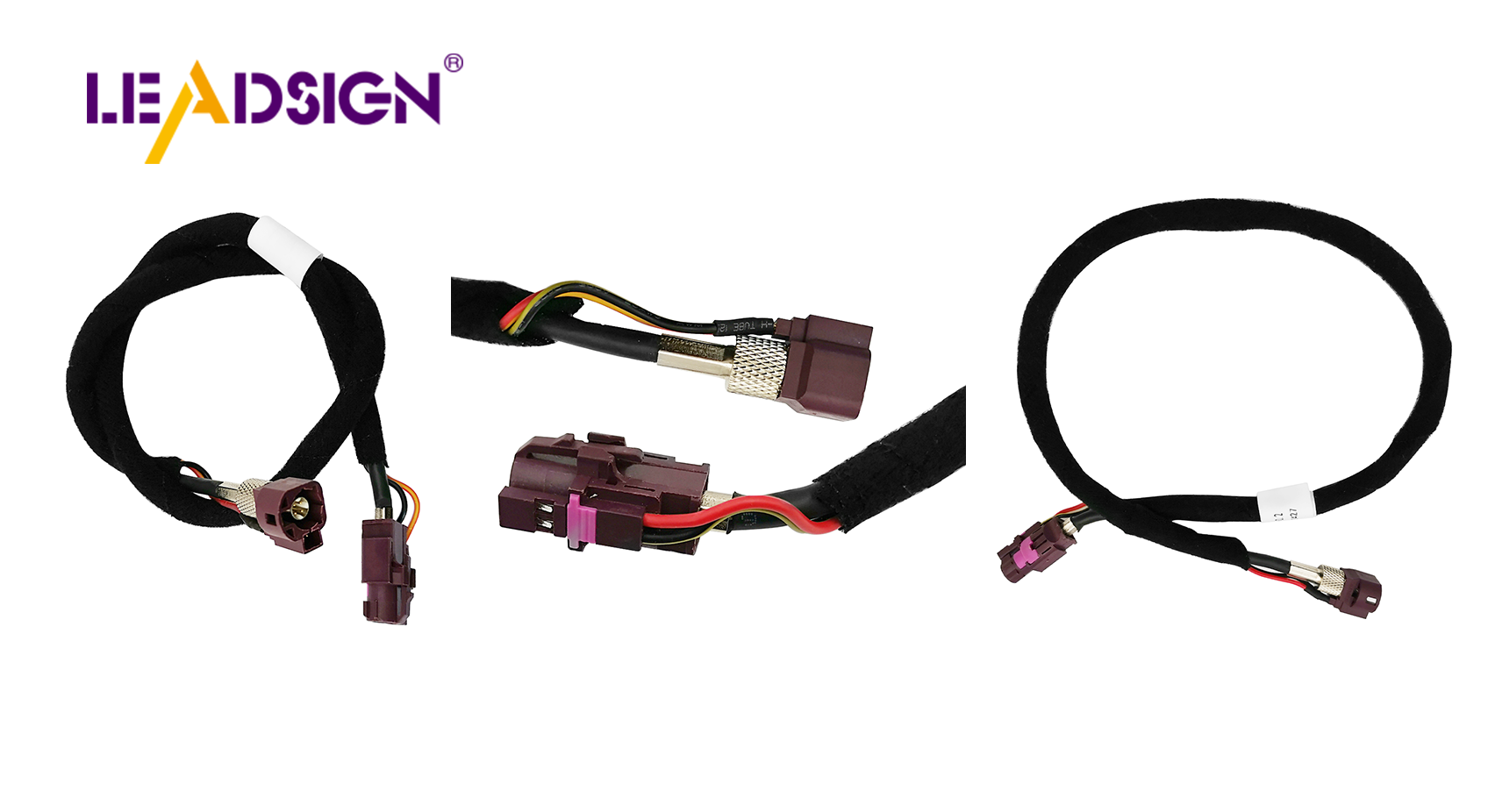
1. Tools & Safety Precautions for 2026
✅ Essential Tools
Tool | Purpose |
|---|---|
Multimeter (digital, auto‑ranging) | Measure voltage, continuity, resistance, voltage drop |
12V test light | Quick power detection (simple circuits) |
Jumper wires with alligator clips | Temporary connections; choose fused versions for safety |
Continuity tester | Checking wire integrity (beep mode) |
Wire strippers, crimpers, heat gun | Repair and splicing |
Depinning tool | Removing terminals from connector housings without damage |
Magnifying glass / headlamp | Inspecting small pins (Mini FAKRA, HSD) |
Thermal camera (optional) | Detecting hot spots from high resistance |
✅ Safety Precautions (2026 Update)
Disconnect the battery (negative first) before any harness work. For EVs, follow high‑voltage (orange) lockout/tagout procedures – never touch orange HV cables unless certified.
Keep work area dry and free of flammable materials.
Use insulated tools to prevent short circuits.
Wear safety glasses when cutting or crimping.
Check tools for damage – frayed cords or cracked insulation can cause shocks.
For FAKRA/HSD data lines, avoid field crimping – use pre‑terminated cables to maintain impedance and prevent signal loss.
2. Common Problems with Auto Harness Connectors (2026)
Problem | Typical cause | Symptom |
|---|---|---|
Broken wires | Vibration, chafing against metal, thermal cycling | Circuit dead or intermittent (e.g., headlight flicker) |
Voltage drop | Undersized wire, poor crimp, corroded terminal | Dim lights, slow motors, module under‑voltage codes |
Short circuit | Exposed wire touching ground or another wire | Blown fuse, melted insulation, burning smell |
Corrosion (green/white powder) | Water ingress, unsealed connectors, road salt | High resistance, intermittent failure, eventual open circuit |
Bent / pushed‑back pins | Forced mismating (especially FAKRA colour codes) | No contact, intermittent signal |
EMI / noise (data lines) | Poor shielding, proximity to high‑power cables (EV inverters) | Camera image noise, GPS dropouts, Ethernet errors |
Pro tip for 2026: With 800V EVs, inspect low‑voltage data connectors (FAKRA, HSD) for EMI damage – double‑shielded cables are now recommended for camera and sensor lines.
3. Step‑by‑Step Troubleshooting Process
🔹 Testing Continuity (Check for Broken Wires)
Disconnect battery.
Disconnect both ends of the harness section.
Set multimeter to continuity (beep) mode.
Place one probe on one end of the wire, the other probe on the opposite end.
A beep or near‑0Ω reading means good continuity. No beep = broken wire.
Repeat for each conductor.
🔹 Finding Voltage Drop Problems
Reconnect battery and power the circuit.
Set multimeter to DC volts (low range, e.g., 2V or 20V).
Probe across the connection (e.g., from wire before connector to terminal after connector) while circuit is loaded.
Acceptable drop: <0.2V for power circuits, <0.1V for grounds.
High voltage drop indicates corrosion, loose terminal, or undersized wire.
🔹 Inspecting Connectors for Corrosion, Bent Pins, or Loose Wires
Visual: Look for green/white powder on terminals, discolouration, melted plastic.
Pins: Use magnifying glass – check for bent, recessed, or missing pins.
Loose wires: Gently tug each wire at the back of the connector – should not move.
Seals: Check silicone grommets for tears or hardening.
🔹 Finding and Fixing Broken Wires in the Harness
Locate the break using continuity test or visual inspection.
Disconnect battery.
Cut out the damaged section.
Strip 5‑8 mm of insulation from both ends.
Use a heat‑shrink butt connector (adhesive‑lined for moisture protection) or solder + heat‑shrink.
Crimp or solder, then shrink tubing.
Test continuity before reassembling.
For data wires (FAKRA/HSD): Do not splice – replace the entire pre‑terminated cable from LEADSIGN.
4. Preventing Problems with Auto Harness Connectors (2026 Practices)
🔹 Adding Coatings to Stop Corrosion
Dielectric grease: Apply to rubber seals and grommets – not to electrical contacts.
Reapply every 2‑3 years or after pressure washing.
For exposed terminals (rare), use anti‑corrosion spray (e.g., CRC Marine Corrosion Inhibitor).
🔹 Keeping Wires Safe from Damage
Use split loom tubing or braided sleeving for abrasion protection.
Secure harness with cable ties every 15‑25 cm – not too tight.
Avoid routing near exhaust, sharp edges, or moving parts.
For engine bay and underbody, use cross‑linked (XLPE) wire insulation – not PVC.
🔹 Regular Inspection Schedule (2026)
Frequency | Action |
|---|---|
Every 6 months / 20,000 km | Visual inspection of exterior connectors, ground points, cable ties. |
Annually | Clean exposed connectors, apply dielectric grease to seals. |
After off‑road use or pressure washing | Check underbody connectors for water ingress. |
When a camera, GPS, or sensor fails | Test the data cable first – replace pre‑terminated LEADSIGN cable if suspect. |
5. 2026 Trends Affecting Wiring Harness Maintenance
Trend | Implication |
|---|---|
800V EV platforms | High‑voltage (orange) harnesses – do not touch. Low‑voltage data lines need extra EMI shielding. |
4K / 8K cameras | Mini FAKRA (20 GHz) cables are more sensitive – replace entire cable if damaged; do not attempt field splice. |
5G telematics | Antenna cables (Mini FAKRA violet) are low‑loss – any connector damage degrades signal; use pre‑terminated. |
Automotive Ethernet (1000BASE‑T1, 10BASE‑T1S) | HSD connectors must be replaced pre‑terminated – field repair impossible. |
Pre‑terminated data cables | Shops increasingly use LEADSIGN pre‑terminated FAKRA/HSD cables to eliminate field‑crimp errors. |
What this means for your shop: Stock pre‑terminated FAKRA and HSD cables in common lengths – they reduce diagnostic time and prevent impedance mismatch failures.
6. Why LEADSIGN – Pre‑Terminated Cables Simplify Harness Repairs
Many harness problems originate from field‑crimped FAKRA or HSD connectors. LEADSIGN pre‑terminated cables eliminate these variables.
What LEADSIGN offers for 2026:
✅ FAKRA (standard & Mini) – all 14 colours, 50Ω, up to 20 GHz, IP67 optional
✅ HSD (USB‑C, Ethernet, LVDS) – 100Ω, locking, up to 5 Gbps
✅ Pre‑terminated cables – any length 0.3m – 20m, no field crimping
✅ Low‑loss, double‑shielded coax – for long runs and EV EMI environments
✅ Bulk pricing – for shops, fleets, and distributors
For your business: When a camera, GPS, or USB‑C line fails, replace the entire pre‑terminated LEADSIGN cable – faster, more reliable, and no callback.
Final Recommendations – 2026 Harness Maintenance Checklist
Task | Frequency | Tool / material |
|---|---|---|
Visual inspection (cracks, corrosion, loose ties) | Every 6 months | Magnifying glass, LED light |
Clean connectors (contact cleaner) | Annually or after water exposure | Contact cleaner, soft brush |
Apply dielectric grease to seals | Annually | Dielectric grease, syringe |
Pull test on critical power connectors | Every service | Hand (5‑10 lbs) |
Replace damaged FAKRA/HSD cables | Immediately | LEADSIGN pre‑terminated cable |
Remember: A systematic approach to harness maintenance prevents costly breakdowns and extends vehicle life.
Ready to simplify your custom harness repairs with pre‑terminated data cables?
See Also
Understanding Ford Fakra Connectors: A Comprehensive Overview
Fundamentals of HSD Connectors for Automotive Applications
Enhancing Data Transmission in Vehicles: Connectors and Cables
