Proven Methods to Maintain Custom Wire and Cable Systems – Professional Guide for Fleets & Shops (2026)

Intro: One Neglected Cable Can Take Down an Entire System
Battery cables corrode. Data cables (FAKRA, HSD) develop internal breaks from vibration. Connectors loosen. If you wait until a backup camera flickers or a GPS loses signal, you’re already facing a callback and lost trust. The good news is that most cable failures are preventable with a simple, regular maintenance routine.
In this guide, you will learn:
How to inspect cables like a pro (visual, mechanical, electrical)
Step‑by‑step cleaning and lubrication procedures
Proper handling and storage to prevent damage
When to replace vs. repair
2026 trends that make cable maintenance more critical (4K cameras, 5G, EVs)
Why pre‑terminated LEADSIGN FAKRA/HSD cables reduce maintenance headaches
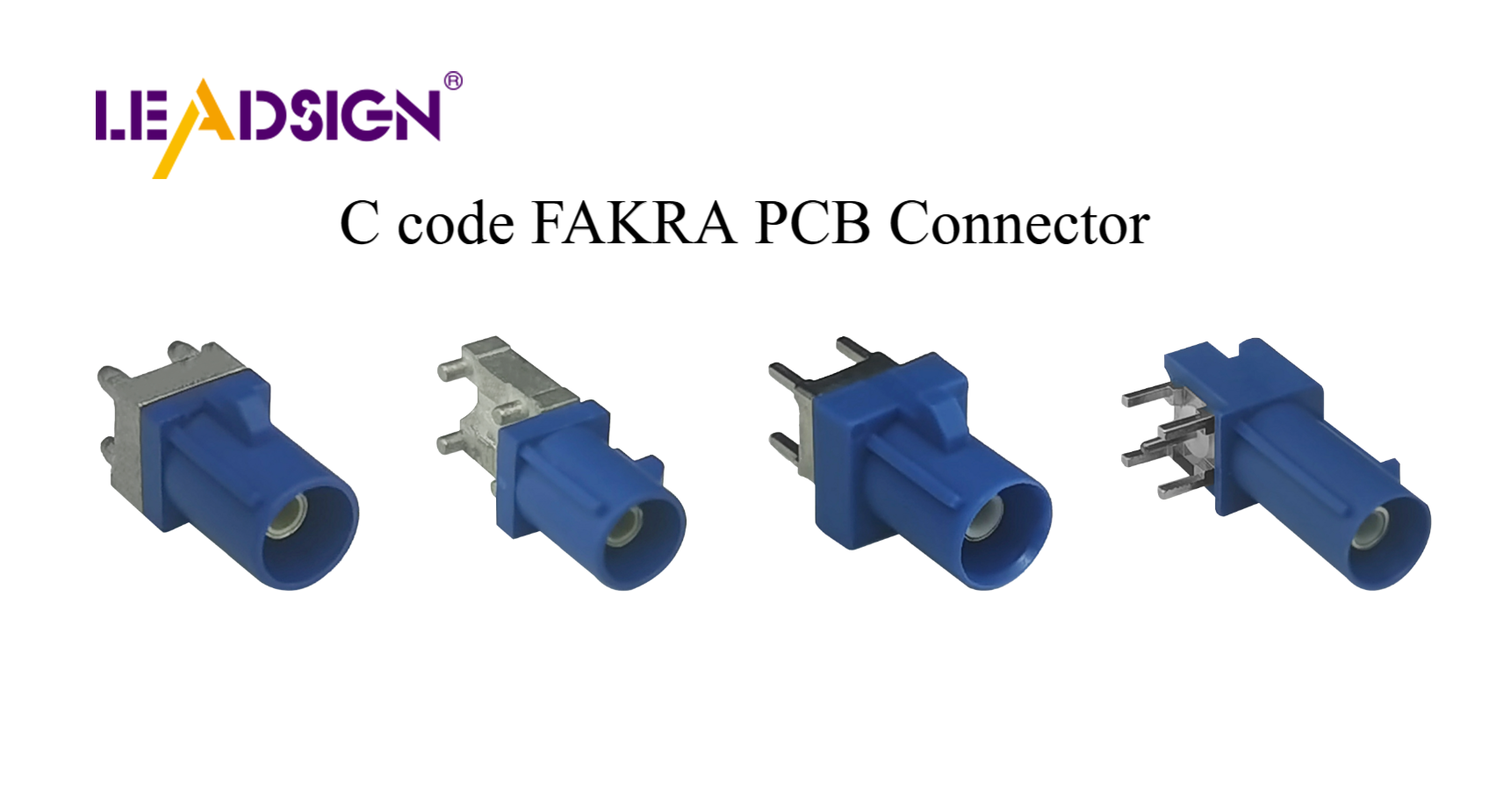
1. Regular Inspection – Catch Problems Early
Perform a thorough inspection every 6 months or 20,000 km (more often for off‑road or high‑vibration vehicles).
What to check | Signs of trouble | Action |
|---|---|---|
Insulation / jacket | Cracks, cuts, brittleness, discolouration | Replace cable |
Connector terminals | Corrosion (green/white powder), bent pins | Clean or replace |
Cable ends (strain relief) | Wire pulled out of crimp, cracked backshell | Re‑terminate or replace |
Battery cables | White/blue crust at terminal, loose clamp | Clean, tighten, or replace |
FAKRA / HSD cables | Flickering camera, slow GPS lock, USB disconnect | Replace entire pre‑terminated cable |
Pro tip: Use a bright LED light and a magnifying glass – many cracks and corrosion spots are too small to see with the naked eye.
2. Cleaning – Step‑by‑Step Professional Procedure
✅ Tools & Materials
Electrical contact cleaner (non‑conductive, plastic‑safe)
Soft brush (dedicated connector brush or clean toothbrush)
Compressed air (can or regulated shop air)
Lint‑free cloth
Dielectric grease (for seals only – not electrical contacts)
✅ Cleaning Steps (for power & signal cables)
Disconnect battery (negative first) – safety first.
Separate connector – inspect both halves.
Blow out loose debris with compressed air.
Spray contact cleaner on terminals and pins.
Gently brush – remove oxidation, light corrosion.
Blow dry with compressed air – ensure no residue remains.
Apply dielectric grease – only to rubber seals and grommets, not to the electrical contact surfaces.
Reconnect – push until click, engage secondary lock.
Test – power on, check function (light, camera, sensor).
For FAKRA / HSD (data cables): Do not attempt to clean internal coaxial contacts. If a FAKRA connector shows corrosion or bent centre pin, replace the entire pre‑terminated cable from LEADSIGN.
3. Lubrication – Reduce Friction and Prevent Corrosion
Lubrication is essential for mechanical cables (e.g., throttle, parking brake, speedometer) and for connector seals to prevent water ingress.
Cable type | Lubricant | Application method |
|---|---|---|
Control cables (throttle, clutch, brake) | Motorcycle cable lube (with injector tool) | Lubricate inner wire; work cable back and forth |
Parking brake (exposed) | Red marine grease (corrosion‑resistant) | Light coat on exposed metal; wipe excess |
Connector seals (Deutsch, Weather Pack, FAKRA) | Dielectric grease (silicone‑based) | Small amount on rubber grommet before mating |
Speedometer cable (mechanical) | Light oil or graphite | Disconnect, lubricate inner core, reinstall |
Important: Never use WD‑40 on electrical connectors or seals – it attacks plastics and leaves conductive residue.
4. Proper Handling & Storage – Prevent Mechanical Damage
🔹 Handling Do’s and Don’ts
Do | Don’t |
|---|---|
Grasp the connector body when unplugging. | Pull on the cable – stretches internal conductors. |
Use a pick tool to release stuck latches. | Pry with a screwdriver – cracks housing. |
Support the cable when disconnecting. | Bend cable sharply at connector back. |
Route cables away from sharp edges and heat. | Zip‑tie too tight – crushes insulation. |
🔹 Storage Tips (for spare cables and harnesses)
Dry, cool place – avoid humidity (accelerates corrosion) and direct sunlight (UV degrades plastic).
Coil loosely – no tight bends, no kinks.
Use organisers – cable reels or labelled bins prevent tangling.
No heavy items on top – crushing damages internal conductors.
For FAKRA/HSD cables, keep dust caps on connectors.
Pro tip for fleets: Store pre‑terminated LEADSIGN FAKRA cables in common lengths (1m, 3m, 5m, 10m) in sealed plastic bags with a silica gel pack.
5. Replacement Guidelines – When to Repair vs. Replace
Condition | Action | Why |
|---|---|---|
Light surface corrosion | Clean (as above) | Restores function. |
Deep pitting on terminals | Replace terminal or whole connector | Pitting increases resistance; will fail again. |
Cracked jacket / insulation (interior cable) | Repair with adhesive heat‑shrink | Quick fix for non‑critical circuit. |
Cracked jacket (exterior / underbody) | Replace cable | Water will enter; corrosion guaranteed. |
Bent centre pin (FAKRA) | Replace entire pre‑terminated cable | Centre pin cannot be reliably straightened. |
Melted or burned cable | Replace cable and find root cause | Overload or short; unsafe to reuse. |
Battery cable with corrosion inside (green copper) | Replace cable | Corrosion wicks inside; future failure. |
For FAKRA/HSD data cables: Field repair is nearly impossible. Replace with a new LEADSIGN pre‑terminated cable – it’s faster and eliminates impedance mismatch.
6. 2026 Trends – Why Cable Maintenance Is More Critical Than Ever
Trend | Maintenance implication |
|---|---|
4K cameras on trucks and buses | Mini FAKRA cables are thinner and more fragile. Any kink or bend near connector can cause signal loss. Inspect carefully. |
5G telematics antennas | Antenna cables have very low loss; even minor corrosion at connector changes impedance. Replace at first sign of white/green. |
EV / hybrid | High‑voltage cables (orange) – do not touch. Low‑voltage data lines (FAKRA/HSD) are sensitive to EMI; keep them away from power cables. |
Pre‑terminated cables | Shops increasingly replace entire cables instead of cleaning terminals – faster, more reliable. Stock LEADSIGN pre‑terminated FAKRA/HSD. |
Fleet standardisation | Use colour‑coded FAKRA (blue=camera, amber=GPS) to simplify inspection and replacement. |
7. Manufacturer Guidelines – Why They Matter
Always follow the cable and connector manufacturer’s maintenance recommendations. These include:
Approved cleaning solvents (avoid acetone, brake cleaner).
Dielectric grease type (silicone‑based only).
Torque specs for screw‑type connectors.
Mating cycle limits (usually ≥25 for automotive connectors).
Temperature and chemical exposure limits.
Where to find instructions:
Product datasheet (download from manufacturer website)
Vehicle service manual (for OEM harnesses)
LEADSIGN provides full datasheets with every FAKRA/HSD cable – including test reports for impedance, insertion loss, and VSWR.
8. Why LEADSIGN – Pre‑Terminated Cables Simplify Maintenance
Most cable failures come from field‑crimped connectors or damaged terminals. LEADSIGN pre‑terminated FAKRA and HSD cables eliminate these problems.
What LEADSIGN offers:
✅ FAKRA (standard & Mini) – all 14 colours, 50Ω, up to 20 GHz
✅ HSD (USB‑C, Ethernet, LVDS) – 100Ω, locking, up to 5 Gbps
✅ Pre‑terminated – factory‑crimped, impedance‑tested, ready to install
✅ Custom lengths (0.3m – 20m) – no coiling, no excess
✅ Low‑loss, double‑shielded coax – for long runs and EV EMI
✅ IP67 sealing – for underbody and exterior
✅ Bulk pricing – for shops, fleets, and distributors
For your business: Instead of cleaning or repairing a corroded FAKRA connector, simply replace the entire pre‑terminated LEADSIGN cable. Faster, more reliable, and no callback.
Final Recommendations – Cable Maintenance Workflow
Frequency | Task |
|---|---|
Every 6 months / 20,000 km | Visual inspection + continuity test. Clean and apply dielectric grease to seals. |
After off‑road use or pressure washing | Inspect underbody cables; dry connectors; re‑grease seals. |
When a camera, GPS, or USB fails | Test the cable first – replace with LEADSIGN pre‑terminated before blaming the device. |
During any harness repair | Replace any cable with cracks, corrosion, or missing primary lock. |
Remember: A 10‑minute cable inspection can save a 2‑hour diagnostic and a costly callback.
Ready to simplify your cable maintenance and reduce callbacks?
See Also
Enhancing Vehicle Data Flow With Superior Connectors And Cables
Why HSD Cable Assemblies Are Crucial For Today’s Tech
Exploring The Flexibility And Advantages Of FAKRA Connectors
