What Is a Mini FAKRA Connector and Why It Matters for Compact Automotive Camera Systems

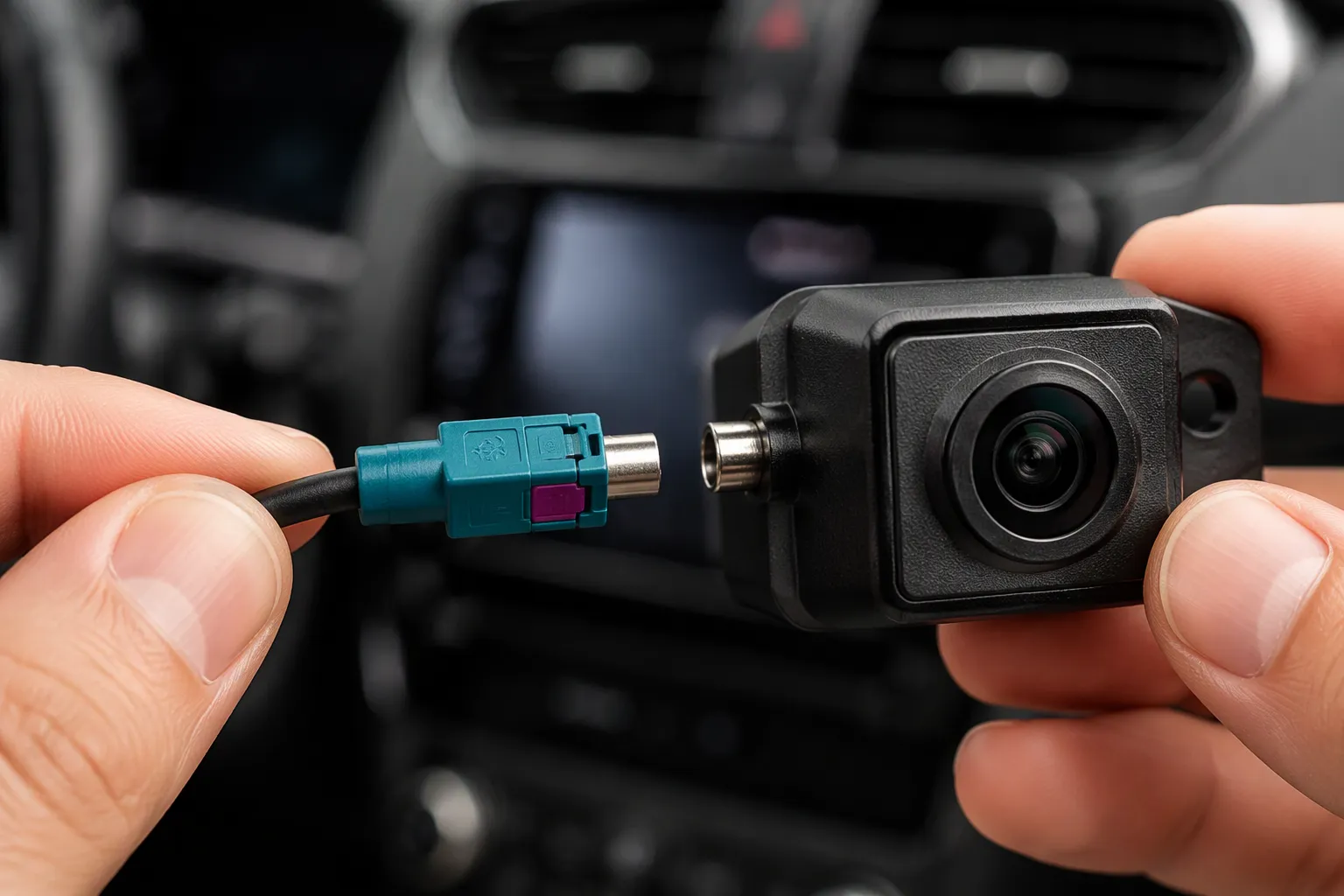
A Mini FAKRA connector, also called HFM (High-Speed FAKRA-Mini), is a compact 50 Ω coaxial connector built for high-speed automotive data links. It matters for compact camera systems for three reasons: it saves installation space, it carries far higher bandwidth than legacy FAKRA for modern camera resolutions, and it adds rugged color-coded keying that blocks mismating. Typical HFM designs reach up to 20 GHz and save up to 80% of installation space, yet specifications vary by exact part number and cable assembly. Engineers should confirm final drawings and part numbers with the supplier before design freeze.
Key Takeaways
Mini FAKRA connectors save up to 80% of installation space compared to standard FAKRA connectors.
Mini FAKRA connectors support high-speed data up to 28 Gbps and frequencies up to 20 GHz for modern camera systems.
Color-coded and mechanically keyed designs prevent mismating in multi-port camera ECUs.
Mini FAKRA connectors are not compatible with standard FAKRA connectors, so always use matching parts.
Always confirm final specifications and part numbers with the supplier before design freeze.
What Is a Mini FAKRA Connector?
Definition and HFM Naming
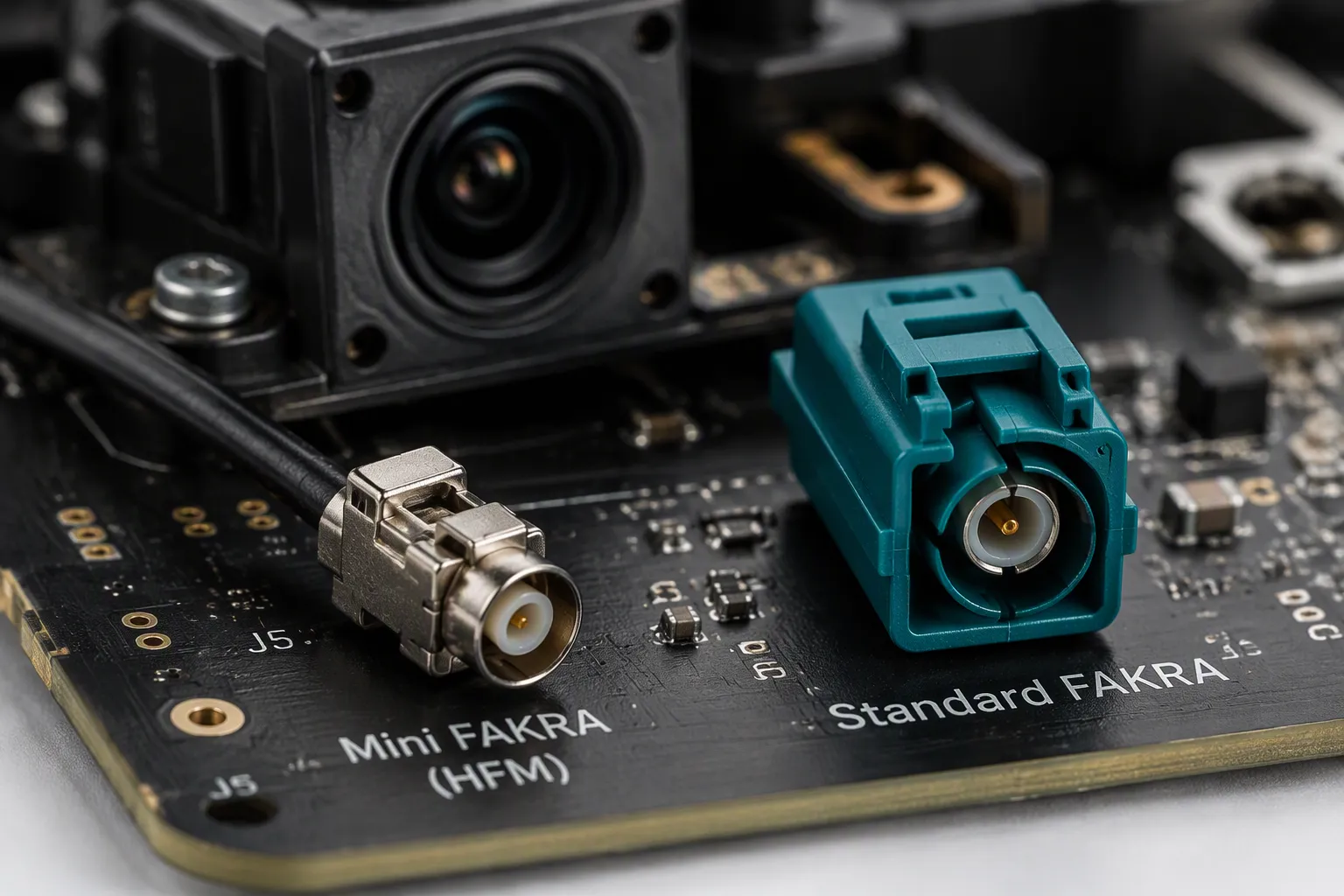
A Mini FAKRA connector is a next-generation 50 Ω automotive coaxial connector. The industry also calls it HFM, short for High-Speed FAKRA-Mini. The name signals its role: it keeps the FAKRA family's keyed, rugged mating concept and shrinks the housing for dense camera and sensor layouts. Engineers specify this mini fakra connector where standard FAKRA ports consume too much board or harness space.
The 50 Ω impedance matches the coaxial cable and transmission lines used in automotive camera links. A consistent impedance along the path limits signal reflections. The HFM label appears across connector series, cable assemblies, and PCB headers. Product families offer cable connectors in straight and right-angle styles, PCB connectors in straight and right-angle styles, and finished cable assemblies. The modular design supports single, dual, and quad port configurations. Exact dimensions, plating, and coding options differ between these families. Some suppliers use Mini FAKRA and HFM interchangeably, while others reserve HFM for a specific interface standard. Buyers should confirm which naming convention the supplier follows before comparing quotes. Specifications vary by exact part number and cable assembly, so a generic datasheet cannot substitute for the supplier's drawing.
Core Specifications at a Glance
Selected HFM and Mini FAKRA connector systems are specified for frequencies up to 20 GHz and data rates up to 28 Gbps. These figures are not universal defaults. Actual performance depends on the connector series, cable type, assembly length, termination quality, coding, mating interface, installation space, and environmental requirements. The rated limits apply only when the connector, mating side, and cable assembly are correctly matched.
Parameter | Specification |
|---|---|
Frequency range | Up to 20 GHz |
Data rate | Up to 28 Gbps |
Current | 1.0 A |
Supported protocols | APIX, ASA-ML, Ethernet, FPD-Link III/IV, GMSL 2/3, GVIF, HDBase-T, MIPI A-PHY, PCIe |
The HFM interconnect system enables high-speed data transmission up to 28 Gbps and frequencies up to 20 GHz, which is essential for ADAS, autonomous driving, and modern infotainment features.
The protocol list matters for camera design. A single HFM link can carry the serialized output of a modern image sensor to a domain controller. Designers should match the chosen protocol to the connector series and cable assembly, then confirm the combination with the supplier. The 1.0 A current rating covers the power carried alongside the high-speed pair in many camera links, yet designers should verify the power budget against the exact assembly.
A datasheet may list a frequency limit for the connector alone. The cable assembly, by contrast, can reduce the usable bandwidth. Ask the supplier for the rating of the finished assembly, not just the connector. Each row in the table deserves a separate question during sourcing. Which cable type does the data rate assume? Does the current rating apply to all contacts or one? The answers shape the final part number. Specifications vary by exact part number and cable assembly, and no generic rating replaces the final drawing.
Why Space Is at a Premium in Modern Vehicles
Camera Density and ECU Constraints
Modern vehicles carry more cameras than ever. A single ADAS package may include a front camera, a rear camera, side cameras, and cabin monitoring cameras. Each camera needs its own high-speed link back to a processing unit. The 360-degree surroand-view system alone can add four or more camera feeds.
These feeds converge at the camera ECU or domain controller. That box must handle more ports, more processing power, and more heat, yet the available board area and harness space keep shrinking. Designers face a tight constraint: fit more high-speed links into less room. Every millimeter on the PCB and in the harness matters.
How Mini FAKRA Connector Design Saves Space
The mini fakra connector addresses this constraint directly. Its housing is smaller than a standard FAKRA housing, so it frees board space and reduces harness bulk. The table below shows a typical height comparison.
Metric | Standard FAKRA | Mini FAKRA | Space Saved |
|---|---|---|---|
Connector height | ~24 mm | ~13 mm |
|
Overall package size | Baseline | — | Claimed up to 80% smaller |
Mini FAKRA is described as the miniaturized version of FAKRA, retaining the same 50 Ω impedance and color coding while being packaged roughly 80% smaller — a design change highlighted as especially valuable where space behind infotainment units is limited.
These figures vary by exact part number and cable assembly. Designers should confirm the actual dimensions on the supplier drawing. The modular design also helps. Single, dual, and quad port configurations let engineers match port count to available space instead of reserving room for unused ports.
Color Coding and Mechanical Keying
Preventing Mismating in Multi-Port Camera Systems
A surroand-view camera ECU may present four or more high-speed ports in a row. The housings look nearly identical. A technician who plugs a front-camera cable into a rear-camera port creates a fault that can take hours to trace. Color coding and mechanical keying solve this problem at the connector interface.
Each code pairs a housing color with a molded keyway pattern. The keyway blocks a wrong plug from seating in a wrong jack. The color gives the installer a fast visual check before any mating force is applied. Together, the two features turn a potential misconnection into an obvious mismatch. Designers should assign codes port by port during harness layout, not after the harness drawing is released.
Choosing Z-Code vs. Specific Color Codes
A neutral Z-code suits designs where only one high-speed link exists, or where the harness routes to a single dedicated port. It also fits prototype builds and bench setups where flexibility matters more than foolproofing. The neutral code accepts a broader range of mating plugs, which simplifies early engineering work.
Application-specific color codes fit production camera systems with several identical ports. Assign a distinct code to each camera position, such as front, rear, left, and right. This practice protects assembly quality on the line and speeds up service in the field. The same logic applies to interior display links that share an ECU with camera feeds.
Coding conventions differ between suppliers and product families. A color that means "rear camera" in one catalog may carry a different meaning in another. Engineers should confirm the code, keyway pattern, and mating compatibility with the supplier before releasing the drawing. Specifications vary by exact part number and cable assembly.
Mini FAKRA Connector vs. Standard FAKRA
Size, Frequency, and Bandwidth Differences
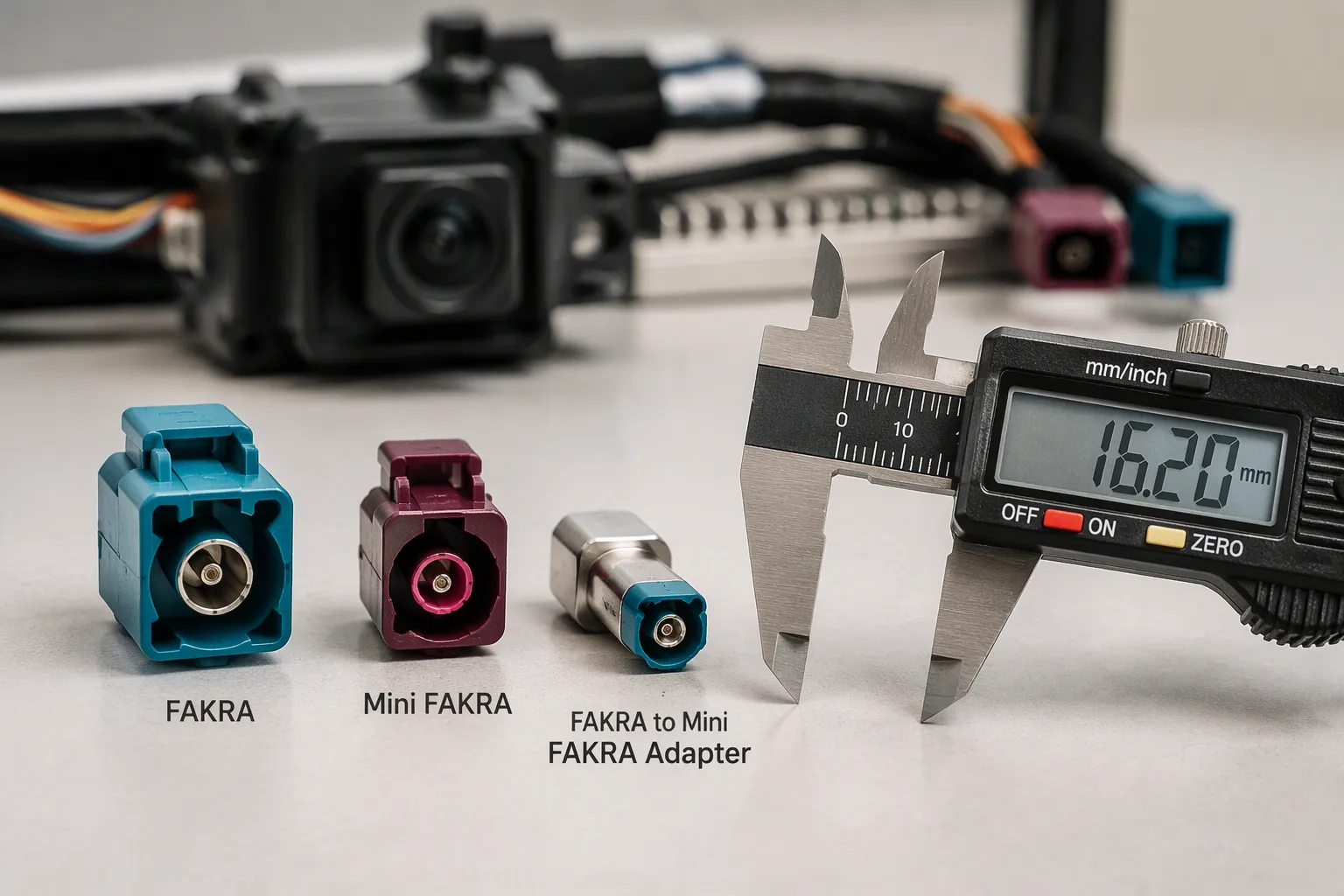
The two connector families share a 50 Ω impedance and a keyed mating concept. They differ in footprint, bandwidth, and the links each one serves best. The table below summarizes the practical differences.
Feature | Standard FAKRA | Mini FAKRA (HFM) | Typical Application |
|---|---|---|---|
Connector height | ~24 mm | ~13 mm | Dense camera ECUs, slim housings |
Space savings | Baseline | Up to 80% smaller | Space-limited board and harness areas |
Frequency range | Lower-bandwidth links | Up to 20 GHz | High-speed camera and sensor data |
Data rate | Legacy camera feeds | Up to 28 Gbps | 4K/8K camera links, ADAS fusion |
Port configurations | Single and multi-port | Single, dual, quad | Multi-camera domain controllers |
Standard FAKRA remains the right fit for many legacy links and lower-bandwidth camera feeds. It offers a mature interface, broad availability, and proven field history. Designers who upgrade a platform gradually can keep standard FAKRA on unchanged links and reserve the mini fakra connector for new high-speed runs. This mixed approach limits redesign scope.
Bandwidth drives the choice on new designs. Higher data rates support 4K and 8K camera links, yet the usable rate depends on the connector series, cable type, and assembly length. Specifications vary by exact part number and cable assembly. Engineers should request the rated performance of the finished assembly, not the connector alone.
Mechanical Compatibility and Adapter Needs
The two interfaces are not directly interchangeable. A standard FAKRA plug will not seat in a Mini FAKRA jack, and the reverse also fails. The housings differ in size, and the keyways differ in pattern. Adapters exist for bench testing and retrofit work, but an adapter adds a mating interface and consumes space. Production harnesses should use the correct connector family end to end.
Forcing a mismatched pair causes damage. The larger plug can bend the smaller jack's center contact or crack the housing. A damaged port on a domain controller may require board-level repair. Installers should check the housing size and color code before applying any mating force.
Selection follows the port, not the cable in hand. Read the ECU drawing, confirm the connector code, and order the matching assembly. A neutral Z-code helps during prototyping, while production builds benefit from position-specific codes. Confirm the code and keyway with the supplier before release. Specifications vary by exact part number and cable assembly, so the final drawing governs compatibility.
Key Applications in Camera Systems
ADAS and Surroand-View Cameras
Advanced driver assistance systems rely on cameras that produce large raw data streams. A forward camera feed can run at approximately 1.5–3 Gbps, and a six-HD-camera setup can produce roughly 1.5 Gbps per camera. A vehicle with six cameras, four ultrasonic sensors, and two radars can generate 40+ GB of raw sensor data per hour of driving. These rates climb as resolution rises.
Camera Role | Typical Resolution | Notes |
|---|---|---|
Rearview / basic functions | 1–2 MP | Entry-level detail |
Front-facing (LKA, AEB, TSR) | 4–8 MP | Main ADAS forward camera |
High-end ADAS / Level 3+ | 8+ MP | Long-range small-object detection |
Future front-facing | 12–16 MP | Expected to become standard |
Surroand-view (360°) | 4–6 cameras (front, rear, side mirrors) | Bird's-eye view generation |
A 360-degree surroand-view system adds four to six cameras aroand the body. Each feed needs a shielded high-speed link back to the processing unit. The mini fakra connector fits these links because its small housing suits mirror, bumper, and grille locations where space is tight.
Camera ECUs, Domain Controllers, and Infotainment
Camera ECUs and domain controllers collect many high-speed feeds in one box. A single controller may receive front, rear, side, and cabin camera links at the same time. Board area and port spacing limit how many standard FAKRA jacks fit on the panel. Mini FAKRA connectors are a strong candidate here, because several links converge at one space-limited ECU and the smaller housing frees room for more ports.
High-bandwidth infotainment systems also carry camera and video data. Rear-seat entertainment and display links benefit from compact, keyed connections that resist mismating during service. Designers should confirm port count, coding, and cable assembly ratings with the supplier before release.
Selection Checklist and LEADSIGN Support
Specifying a Mini FAKRA Assembly
A correct purchase specification starts with the connector interface. Buyers should list complete part numbers for both the controller side and the camera side, plus contact genders, coding configurations, locking mechanisms, channel count, and installation space. Appearance alone does not prove interchangeability.
Cable length follows the actual installation distance. Common options include 0.15 m, 0.5 m, 1 m, and 2 m. The specification should also account for connector installation depth, bending radius, retention locations, and maintenance clearance. RF performance deserves its own line items: target VSWR (for example, ≤1.80), insertion loss, return loss, shielding, and link margin against the chosen SerDes chipset and data rate. Mechanical and environmental requirements belong in the same document, such as an operating range of −40°C to +105°C, cable retention force of at least 110N, vibration resistance, and dielectric withstand voltage of 800VRMS. Channel assignment should be verified for all four channels individually, so no camera reaches the wrong controller port.
Troubleshooting Signal Loss and Mismating
Video drops often trace back to a connector family mismatch. A standard FAKRA cable will not seat correctly in a Mini FAKRA port, and the reverse also fails. The link may appear connected while the center contact sits poorly, which produces intermittent signal loss. Forcing a larger plug into a smaller jack can bend the center contact or crack the housing, and a damaged port on a domain controller may need board-level repair.
Installers should confirm the part number and drawing before ordering. A neutral Z-code helps during prototyping, while production builds benefit from position-specific codes. LEADSIGN supplies Mini FAKRA and HFM connector solutions, color-coded and mechanically keyed connectors, and single, dual, and quad port configurations. The company also builds custom Mini FAKRA cable assemblies from samples or drawings and offers OEM/ODM support. Buyers can reach the team at info@leadsignauto.com or visit https://www.fakraconnectors.com. Specifications vary by exact part number and cable assembly, so the final drawing governs each order.
The mini fakra connector earns its place in compact camera systems by solving three problems at once. Its smaller housing frees board and harness space where camera links converge. Its high-speed design carries modern camera data, with ratings up to 20 GHz and 28 Gbps on selected part numbers. Its color-coded, mechanically keyed interface blocks mismating across multi-port ECUs.
Engineers should treat the drawing as the final authority. Confirm the connector family, coding, port count, cable type, and finished length with the supplier before design freeze. Validate the completed assembly in the installed system.
LEADSIGN offers Mini FAKRA and HFM connectors, keyed housings, single, dual, and quad port configurations, custom cable assemblies from samples or drawings, and OEM/ODM support. Contact info@leadsignauto.com or visit https://www.fakraconnectors.com for samples.
FAQ
Is Mini FAKRA the same as HFM?
HFM stands for High-Speed FAKRA-Mini, and the industry uses it as another name for the Mini FAKRA connector. Some suppliers reserve the HFM label for a specific interface standard. Buyers should confirm which naming convention a supplier follows before comparing quotes or cross-referencing drawings.
Can a standard FAKRA cable plug into a Mini FAKRA port?
No. The two interfaces differ in housing size and keyway pattern, so neither plug seats in the other jack. Adapters exist for bench testing and retrofit work. Production harnesses should use one connector family end to end, and installers should never force a mismatched pair.
When should a design use a Z-code instead of a color code?
A neutral Z-code fits single-link designs, prototypes, and bench setups where flexibility matters. Production systems with several identical ports benefit from position-specific color codes, such as front, rear, left, and right. Engineers should confirm the code and keyway with the supplier before release.
Does a higher frequency rating guarantee the full data rate in a finished assembly?
No. The cable type, assembly length, and termination quality all affect usable bandwidth. A connector rated to 20 GHz may support less in a long finished assembly. Engineers should request the rated performance of the complete assembly, not the connector alone.
See Also
Why Quad Mini Fakra Connectors Matter So Much In Cars
Discovering The Benefits Of Mini Fakra Connectors In Vehicles
Revealing The Benefits Of Mini Fakra Connectors In Car Systems
Benefits Of High-Speed FAKRA-Mini Connectors For Automotive Manufacturers
How Mini FAKRA Connectors Maximize Space Efficiency In Vehicles