What Is an HSD Z Code Extension Cable for Rear-View Cameras

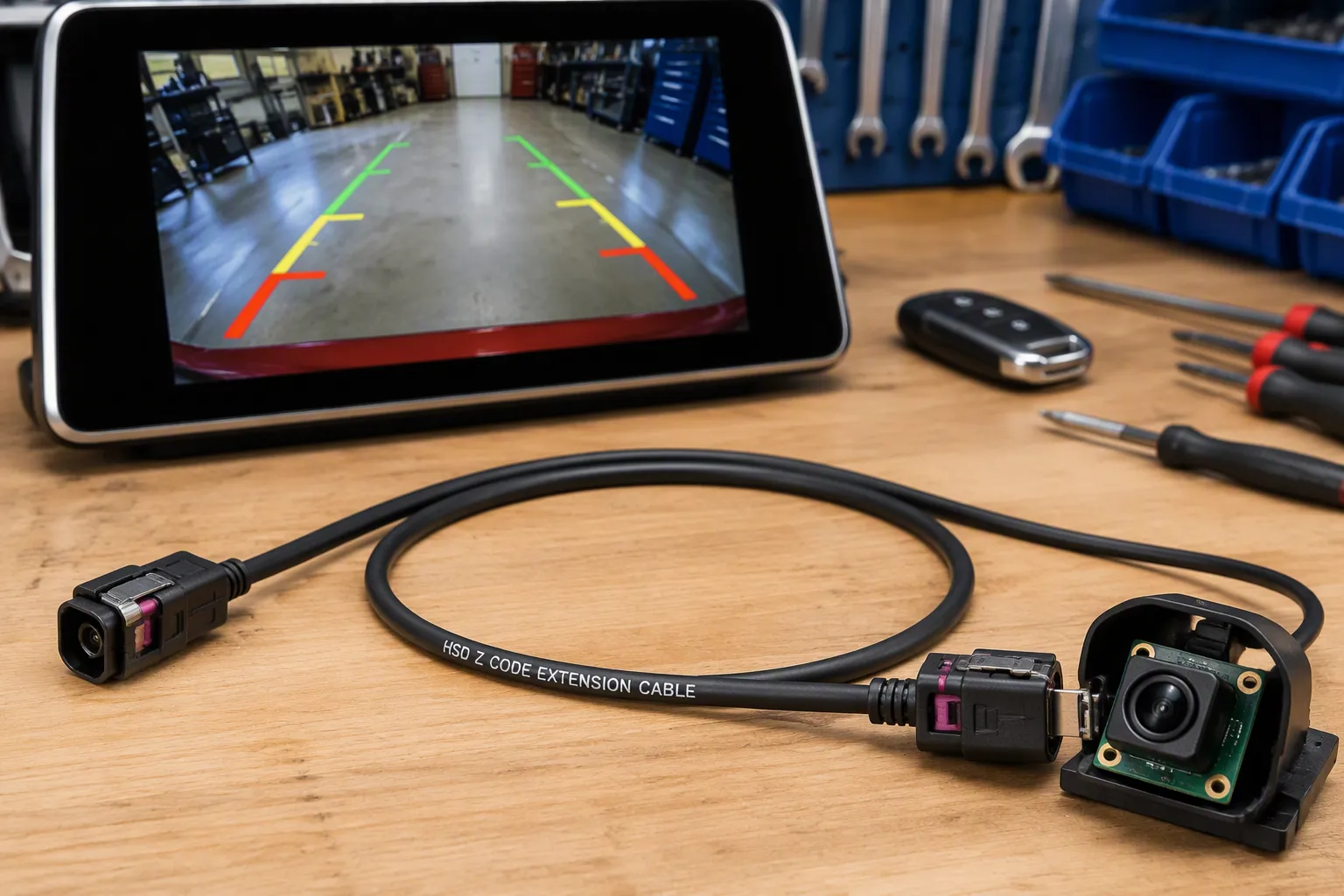
You relocate a rear-view camera during a tailgate upgrade. The factory harness runs short, and the connector points the wrong way for your new routing path. An HSD extension cable solves this problem. This guide explains what an HSD Z Code extension cable is, how it works, and what you must verify before ordering. Routing through a tailgate demands travel clearance and a supported service loop. Check the path with the tailgate moving through its full range, not just when closed. A right-angle connector or pigtail reduces stress in tight spaces.
TL;DR: An HSD Z Code extension cable extends high-speed differential links between a rearview camera and head unit. Confirm HSD coding, connector gender, orientation, cable length, 100-ohm impedance, shielding, and routing path before ordering.
Key Takeaways
An HSD Z Code extension cable extends your rear-view camera link when the factory harness is too short.
You must match the HSD code, connector gender, and orientation to your camera and head unit.
HSD cables use 100-ohm impedance for clear video; FAKRA cables use 50-ohm for radio signals.
Check cable length, bend radius, and shielding to keep your video signal strong.
Before ordering, confirm all specifications with a drawing, photo, or sample to avoid mistakes.
What Is an HSD Z Code Cable for Rear-View Cameras?
The HSD connector system is a high-speed data connector system built for 100-ohm differential signals. You will find it in rear-view camera links, LVDS displays, infotainment, USB, and Ethernet. An hsd high-speed data connector locks firmly. This high-speed data connector system supports several protocols. An HSD z code cable uses these connectors to extend a video link.
HSD Extension Cable Basics and Camera Signal Transmission
An HSD extension cable sits between the factory harness and the head unit. It carries low-voltage video from the camera. The signal path must stay balanced. Rearview video transmission depends on a clean differential pair. Any mismatch creates jitter or noise on the screen.
The cable maintains conductor spacing to hold 100-ohm impedance. The shield blocks ignition noise. A male-to-female extension preserves the original connection. Some suppliers offer a usb to hsd z code male 4 pin connector variant. Standard 4-pin hsd connectors carry one differential pair plus ground. Confirm the application before using any variant.
Keep the cable away from high-current wiring. Route along the factory path when possible. The cable construction and termination quality determine performance.
Function of Z Coding in HSD Connectors
HSD coding prevents mismating. The shell keys allow only the correct connector to mate. The neutral code z keying sits between other codes. It lets one receptacle serve multiple applications.
The hsd code z marking appears on the plug housing. Do not trust color alone. Check the hsd z key slot and pin layout. The function of z coding is to align the connector before contacts touch. Mating the wrong code can bend pins.
HSD coding does not guarantee a signal type. It only ensures mechanical fit. Pair the hsd connector and cable assembly with a known vehicle and display model. The hsd z code cable must match both the video source side and the head unit side. Confirm compatibility with a drawing, photo, part number, or sample. A same-looking part may carry a different code. The hsd coding on the plug face is the final check before you order an hsd z code cable.
Why Rear-View Camera Systems Use HSD Cable Assemblies
A rear-view camera sends low-voltage video across a vehicle. You need that signal to stay clean. The shielded HSD design makes this link reliable. It preserves a balanced differential path. The shield rejects electrical noise. The housing locks securely. Choose HSD for 100-ohm differential interfaces.
LVDS Camera Cable Stability and 100-Ohm Differential Impedance
An LVDS link uses a low-voltage differential signal. The swing is 350 mV across a 100-ohm termination. The common-mode offset is 1.2 V. Every link component must perform consistently. HSD maintains 100Ω ±10% differential impedance. This reduces return loss and insertion loss. An impedance mismatch creates reflections and data errors.
Skew matters too. It is the timing mismatch between positive and negative signals. It shrinks the signal eye opening. Errors appear at the receiver. HSD assemblies in rear-view cameras carry 1080p video at roughly 1.5 Gbps. Impedance and skew control are critical. The hsd connector and cable assembly must perform without variation.
A shielded hsd cable keeps the pair balanced. The hsd high-speed data connector uses a four-pin symmetrical structure. Its full shield stops mechanical noise. It delivers clean, low-latency HD serial data. This design supports high-resolution video for an in-vehicle camera. The hsd cable assembly forms a shielded twisted quad automotive camera display link. The high-speed data connector system supports USB and Ethernet.
Shielding and Automotive Camera Cable Reliability
Full-length shielding improves signal integrity. It reduces the effects of EMI. The quad shield blocks ignition noise. Right-angle headers with a rear-side closed shield add ruggedness. They also boost EMI protection. Motors and solenoids create noise. That environment does not harm hsd connectors and cable assemblies.
Do not confuse HSD with FAKRA. They are not interchangeable.
Feature | FAKRA | HSD |
|---|---|---|
Signal type | Coaxial | Differential |
Impedance | 50 Ohm | 100 Ohm |
Typical use | GPS, RF | Ethernet, USB, LVDS |
FAKRA carries single-ended RF signals at 50 ohms. HSD carries differential digital data at 100 ohms. Choose the correct part for your vehicle, camera, and head unit. Do not guess based on photos.
How to Choose the Correct HSD Z Code Cable
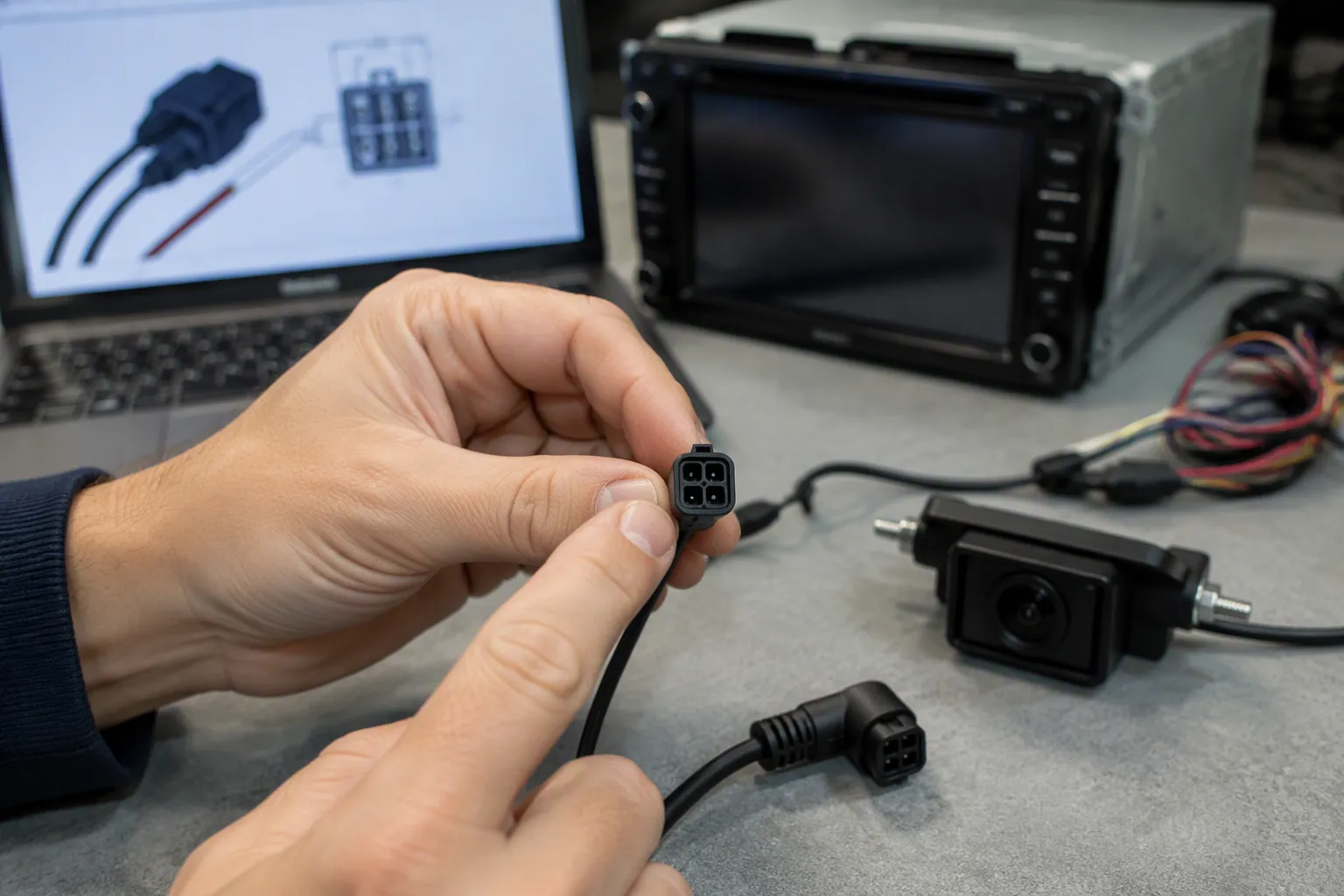
Selecting the right cable starts with matching both ends of the connection. The hsd connector on the camera side must mate with the cable. The head unit side needs the same attention. Gender, housing angle, and coding all play a role. Get one wrong, and the cable will not fit or will not lock.
Confirm HSD 4 Pin Z Code Female Orientation
The hsd 4 pin z code female connector is a common configuration for rear-view camera links. You must confirm the gender on both the camera and the display module. A female housing on the cable mates with a male header on the device. Some cameras use a male connector instead. Check the mating face before you order.
Orientation matters just as much. A straight housing points directly out from the device. A right-angle housing turns the cable path ninety degrees. Tight spaces behind a head unit often need a right-angle exit. A tailgate camera may need a straight connector with a service loop.
The hsd code z marking tells you the keying. This neutral code z keying allows the connector to mate with multiple receptacles. Do not assume the code alone guarantees fit. The hsd code, connector gender, and orientation must all match. Verify the hsd code z on the plug face against your device drawing.
A 4 pin z code female connector carries one differential pair plus ground. Confirm the pin count and layout. Some applications use a different pin arrangement. A photo or sample removes doubt. The hsd z cable you choose must match the physical interface first.
Cable Length, Bend Radius, and Routing Path
Cable routing affects signal integrity as much as the connector does. Sharp bends, uncontrolled clamp loads, and hot surfaces degrade performance. Keep the cable away from sharp edges. Separate camera lines from high-voltage harnesses. Avoid long parallel runs beside noisy power devices.
Bend radius is critical near termination points. Doors, liftgates, and steering-column areas flex the cable repeatedly. Excessive flexing degrades conductor stability or shield continuity over time. Respect the minimum bend radius. Do not compress the cable under trim or brackets. Review the harness exit angle and strain relief.
Shielding protects the differential pair from interference. Shield type, coverage, and termination quality influence emissions and immunity. Confirm the shield termination method at both ends. Verify shield performance after assembly. Check connector shell bonding and grounding continuity.
Connector transitions can introduce impedance discontinuities and loss comparable to bulk cable. Review these transitions as carefully as the bulk cable. Check complete channel loss, not cable loss alone. A bench inspection may pass while vehicle-level conditions fail. Validate performance after temperature, vibration, and bending exposure. Include vehicle-level EMC testing, not only component tests.
The hsd z code cable must maintain nominal 100-ohm differential impedance. Protocol and required data rate shape your selection. Insertion loss over the operating range matters. Differential-to-common-mode conversion and shield continuity affect the link. Cable construction and length, minimum bend radius, and termination quality all contribute. The hsd coding ensures mechanical fit, but electrical performance depends on the full assembly.
HSD Extension Cable vs Custom HSD Camera Cable Assembly
You face a choice when factory wiring falls short. An extension cable adds length to an existing run. A custom assembly replaces the entire cable with a new design. Each option fits different situations.
When an Extension Cable Is Enough for a Backup Camera
An hsd extension cable works well when the original harness is intact. The connectors match your camera and head unit. You only need more length. This simple addition solves the problem without replacing the whole run.
A backup camera upgrade often needs just a few extra feet. The factory cable reaches most of the way. An extension bridges the gap. You keep the original connectors on both devices. The link stays balanced with proper shielding.
Check the signal path before you order. The existing cable must carry clean video. Adding an hsd extension cable introduces one more connection point. Each junction can affect impedance. Confirm the extension matches the original cable specifications.
When to Order a Custom HSD Cable Assembly
A custom hsd cable assembly solves problems an extension cannot fix. Your camera may use a different connector gender. The head unit may need a right-angle exit. A split to multiple displays requires a custom design. These situations demand a built-to-order solution.
Order a custom assembly when the connector, orientation, or cable length must match a specific vehicle. Some installations need a shielded hsd connector and cable assembly with exact bend radius control. Others require a splitter for dual camera feeds. A standard extension cannot meet these needs.
Review our HSD cable assembly category for standard options. Our HSD LVDS cable category covers video-specific designs. Both hsd connectors and cable assemblies can be customized for your project. Send drawings, samples, or photos to confirm the correct build.
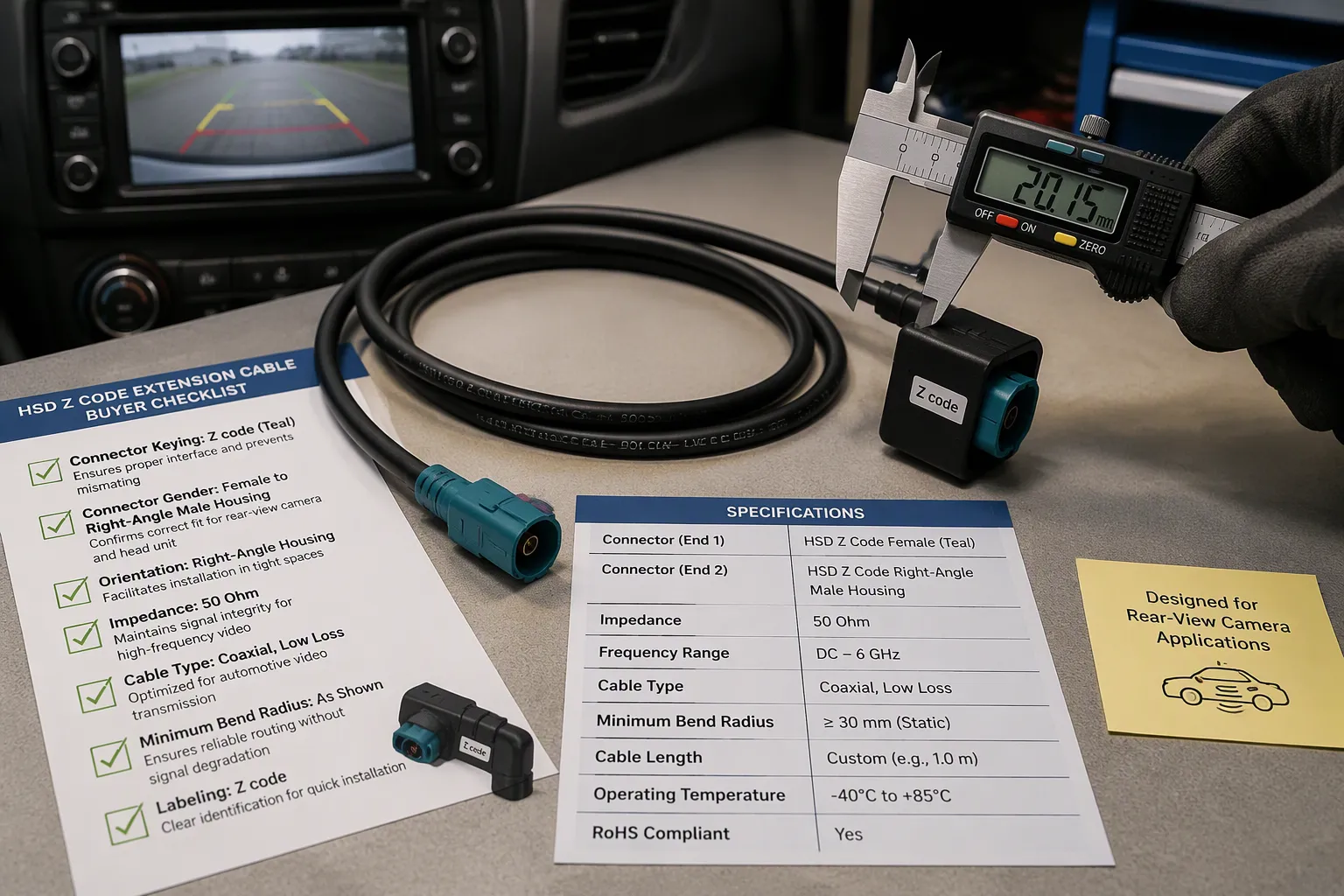
Buyer Checklist for HSD Z Code Rear-View Camera Cables
Common Mistakes When Selecting a Backup Camera Cable
Many buyers order the wrong cable because they trust a photo alone. A connector may look identical but carry a different keying profile. The hsd coding prevents mismating only when you match the correct code. Always verify the code letter against a drawing or sample.
Another common error involves gender confusion. You must check whether the camera side uses a male or female housing. The head unit side may differ. A mismatched gender stops the connection before you start.
Some buyers ignore orientation. A straight connector will not fit behind a tight head unit. A right-angle housing solves clearance problems. Measure your routing space before you order.
Buyers also overlook impedance. An HSD connector uses 100-ohm differential signaling. A FAKRA connector uses 50-ohm coaxial signaling. Mixing these systems causes signal loss. Confirm your system impedance first.
Finally, many buyers skip the bend radius check. Tight bends damage the cable internally. Continuity tests may pass while signal quality drops. Respect the minimum bend radius during installation.
Specifications to Confirm Before Ordering
Use this table to organize your requirements before you contact a supplier.
Specification Item | What to Confirm | Why It Matters | Example |
|---|---|---|---|
HSD code | Code letter on the plug face | Mechanical keying prevents mismating | Z code |
Connector gender | Male or female on each end | Ensures correct mating with devices | Female to female |
Straight/right-angle orientation | Housing exit direction | Fits routing space and clearance | Right-angle for tight spaces |
Cable length | Finished length plus tolerance | Prevents tension or excess slack | 1 m, 3 m, 5 m, or custom |
100-ohm differential impedance | System impedance requirement | Signal integrity depends on correct impedance | 100 ohm |
Shielding | Braided, foil, or combination | Protects against EMI and RFI | Fully shielded |
Bend radius | Minimum bend during installation | Prevents internal geometry damage | Minimum bend radius |
Camera signal/application | Video type and protocol | Determines cable and connector requirements | LVDS camera link |
Mating camera | Camera model and connector | Ensures physical and electrical fit | BMW 360 camera |
Head unit/display module | Model and connector type | Confirms compatibility at the display end | NBT head unit |
Routing path | Path through the vehicle | Affects length and bend requirements | Tailgate to glovebox |
Testing requirement | Continuity, impedance, or signal test | Verifies performance after assembly | Continuity and impedance check |
The hsd code, connector gender, and orientation must all match your devices. A 4 pin z code female connector is common for camera links. Confirm the pin count and layout with a photo or sample.
Here is your ordering checklist:
HSD code
Connector gender
Straight or right-angle orientation
Cable length
100-ohm differential impedance
Shielding requirement
Rear-view camera application
Signal type if known
Camera model
Head unit or display module model
Routing path
Bend radius limitation
Drawing, sample photo, or part number
Quantity
Testing requirement
Review our FAKRA HSD cable category for related options. You can also contact us with your project details. Send drawings, samples, or photos to confirm the correct hsd cable assembly for your rear-view camera system.
An HSD Z Code extension cable extends rear-view camera links with a shielded, high-speed differential design. You get stable video transmission, interference resistance, secure connector mating, and flexible routing options. Use this hsd extension cable to extend an OEM camera harness, upgrade a head unit, or replace a damaged cable section. Before ordering, confirm the hsd z code cable matches your camera and display connectors. Verify gender, orientation, cable length, impedance, and shielding. Send LEADSIGN your drawings, samples, connector photos, camera models, head unit models, or routing requirements. Their team supports HSD Z Code extension cable and custom HSD camera cable projects.
FAQ
What is an HSD extension cable used for in rear-view cameras?
An HSD extension cable adds length to a rear-view camera link. You use it when the factory harness runs short after relocating a camera or upgrading a head unit. The cable carries high-speed differential video between the camera and display. It maintains 100-ohm impedance and shielding to protect signal quality.
Is HSD the same as FAKRA?
No. HSD and FAKRA serve different purposes. FAKRA carries single-ended RF signals at 50 ohms for GPS and radio. HSD carries differential digital data at 100 ohms for camera links, USB, and Ethernet. You cannot interchange them. Check your system impedance before ordering either connector type.
Can an HSD Z code cable extend a backup camera connection?
Yes, when the connectors match. An HSD Z code cable extends a backup camera link if the coding, gender, and orientation fit both the camera and head unit. Z code is a neutral keying option. Confirm compatibility with a drawing, photo, part number, or sample before you order.
What information is needed to order a custom HSD camera cable?
You need the HSD code, connector gender, straight or right-angle orientation, cable length, and impedance requirement. Provide the camera model, head unit model, routing path, and bend radius limits. Send a drawing, sample photo, or part number. State your testing requirement. These details ensure the cable matches your rear-view camera system.
See Also
Discovering Key Benefits Of HSD Connectors For Automotive Camera Systems
Boosting Vehicle Performance Using HSD To USB 2.0 Cables
Why LVDS/GVIF Cables Are Crucial For Vehicle Information Systems