50-Ohm FAKRA Antenna Adapter Selection Guide

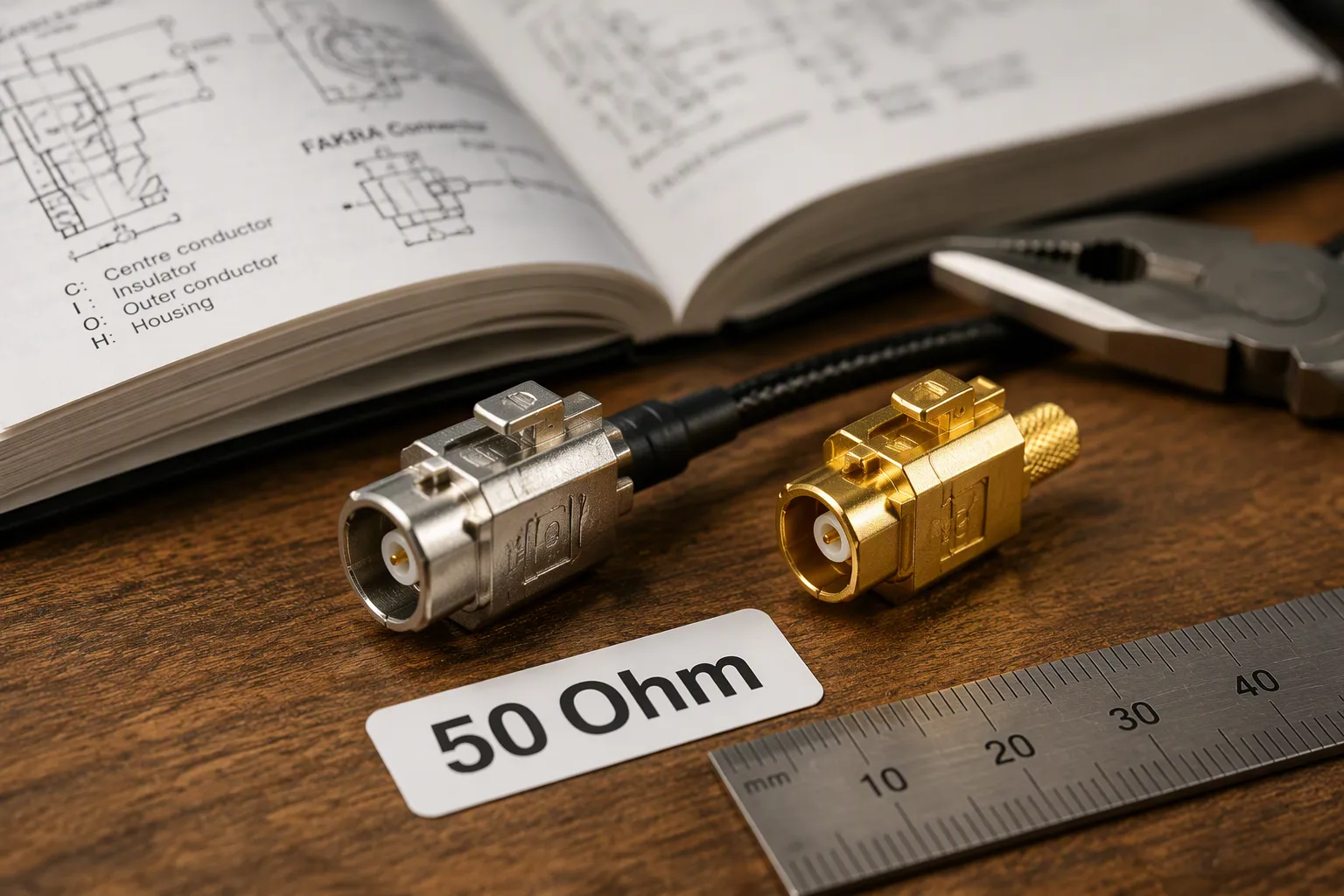
A 50-Ohm FAKRA antenna adapter connects automotive RF devices with different interfaces, such as an aftermarket radio and a factory antenna. These adapters carry GPS, LTE, AM/FM, and telematics signals through your vehicle.
Impedance matching keeps signals strong. A 50-ohm system needs every part to share that same value. Mismatched impedance causes reflections and weakens your signal.
This fakra connector selection guide gives you a step-by-step process for choosing the right adapter. You will learn about impedance, interface combination, connector code, gender, orientation, cable type, frequency range, and common mistakes. Use this decision guide before you order any fakra adapter.
Key Takeaways
Always confirm 50-ohm impedance on both sides to prevent signal loss.
Match the interface combination, such as FAKRA to SMA or FAKRA to SMB.
Choose the correct connector code and gender for a proper fit.
Verify cable type, length, and environmental ratings for reliable performance.
What Is a 50-Ohm FAKRA Connector
FAKRA Connector Basics
FAKRA is the standard RF interface for automotive systems. The name comes from the German term for the working group that created it:
FAKRA stands for the German phrase 'Fachkreis Automobil' (Automobile Working Group). It was originally developed by a committee of German automobile manufacturers who sought a universal, high-performance interface for radio frequency signals.
A team from BMW, Huber-Suhner, and Rosenberger designed the first fakra connector for antenna connections. The design solved a real problem. Every car brand used different plugs, so suppliers needed one universal fakra connector. Today, you find fakra connectors in GPS navigation, infotainment, telematics, and camera systems. LEADSIGN offers a full FAKRA product line as an example of a compliant 50-Ohm solution.
Most fakra connectors use a 50 ω nominal impedance. A standardized 50 ω coaxial rf interface keeps your signal path predictable. This fakra connector also uses a color-coded housing system. That coding prevents you from plugging the wrong cable into the wrong port.
Why 50-Ohm Impedance Matters
Your antenna, cable, adapter, and module must all share the same impedance. A 50 ohm impedance across the whole link prevents return loss and signal reflection. When one part breaks that chain, your GPS lock weakens and your LTE signal drops. AM/FM reception also picks up noise.
FAKRA connectors must maintain 50 ±2 Ω across the full frequency range. Manufacturers verify this through VSWR ≤1.3:1 at 6 GHz. A 50 ohm coax design also supports clean power transfer from the antenna to the receiver. This consistency matters most at higher frequencies, where small mismatches grow into large losses.
Think of the signal path as a chain. Every link must match. A 50 ohms adapter in a matched system works well. A 75-ohm adapter in that same system creates reflections. Those reflections waste signal energy and degrade performance. You may not notice the problem at first. Over time, a weak link shortens the effective range of your antenna.
Step 1: Confirm 50-Ohm Impedance
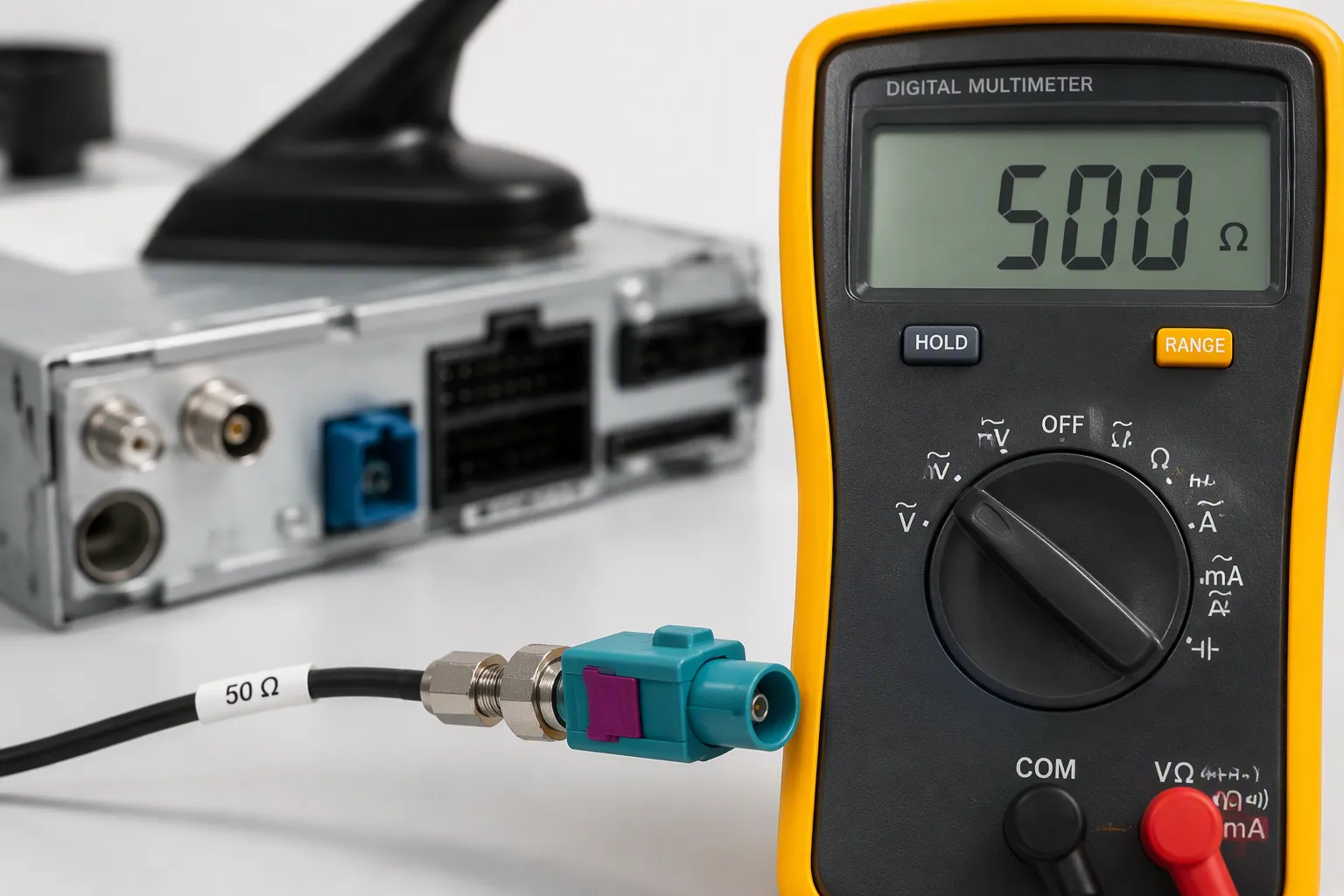
Before you order any fakra antenna adapter, confirm the impedance of your system. Every part in the signal chain must match. Your antenna, cable, adapter, and module all need the same impedance value. For nearly all automotive RF applications, that value is 50 ohms. Most fakra connectors use 50 ohms as the standard value.
Check Your System's Impedance
Start by finding the impedance rating of your antenna, module, or aftermarket device. Look on the product label, in the user manual, or on the manufacturer's website. A typical automotive antenna module lists its input or output impedance as 50 ω. An aftermarket radio also specifies its input impedance. A fakra connector on a vehicle-side cable is almost always 50 ω by design. Many OEM antennas have a sticker near the connector that prints the impedance value. The housing color does not tell you the impedance. You must read the specification. The unit for impedance is the ohm.
If you are retrofitting a new infotainment system, the device manual lists the antenna input impedance. Most aftermarket units use 50 ohms. But always confirm. Some older modules still use a different value. A quick check saves time and money.
If you are buying an adapter to connect a factory antenna to an aftermarket radio, check both sides. The antenna output is normally a standardized 50 ω coaxial rf interface. The radio input is also 50 Ω. An adapter that maintains that impedance keeps the signal path clean. An adapter that mismatches the impedance causes the problems described in the next section.
What does "good impedance match" mean in numbers? The FAKRA standard under USCAR sets a clear limit:
According to the FAKRA standard specifications under USCAR, the VSWR (Return Loss) for 50-Ohm impedance match is 1.6 max, equivalent to -13 dB return loss, over the frequency range 3-6 GHz.
A return-loss of -13 dB means about 5% of the signal power reflects back. The rest passes through. Better connectors exceed that minimum. LEADSIGN fakra connectors maintain 50 Ω impedance with return loss ≥ 18 dB. That level supports cleaner signal transfer. A -18 dB return loss reflects less than 2% of the signal power. For your GPS and LTE signals, that difference matters.
How do you verify impedance before ordering? Check the adapter product page. Look for "impedance: 50 Ω" or "50 ohm system" in the specifications. If the listing does not state the impedance, ask the supplier. Do not assume it is 50 ohms just because it is a fakra connector.
Risks of Impedance Mismatch
Mixing impedances creates problems. A 75-ohm adapter in a 50 ohm system causes signal reflections. These reflections bounce back toward the source and degrade the signal. The result is a weaker GPS lock, dropped LTE connections, and noisy AM/FM reception. The system does not fail completely, but performance drops.
The effect gets worse at higher frequencies. A GPS signal at 1.575 GHz is more sensitive to mismatch than an AM broadcast at 600 kHz. An LTE band 13 signal at around 700 MHz can lose several dB of power from a small mismatch. That lost power means fewer bars and slower data. For telematics, a weak signal can cause failed updates.
For AM/FM reception, the effect is less dramatic but still noticeable. You hear more static, and the effective range of the radio decreases.
Return loss quantifies this mismatch. When you break the 50 Ω chain with a wrong adapter, return loss drops below acceptable levels. The signal does not reach the receiver cleanly. In extreme cases, the reflected power can damage a transmitter. In automotive systems, a damaged transmitter means a full module replacement.
The most common mistake is buying a cheap third-party adapter without checking the impedance. Some adapters designed for video use 75 ohms. Plugging a 75-ohm fakra connector into a 50-ohm system is a direct cause of poor performance. The connector may fit mechanically but fails electrically.
Always match the impedance. Your system needs a 50 Ω adapter. Do not mix in a 75-ohm part. The few cents saved will cost you in signal quality. Use the specification sheet to confirm every adapter you buy.
Step 2: Match the Interface Combination
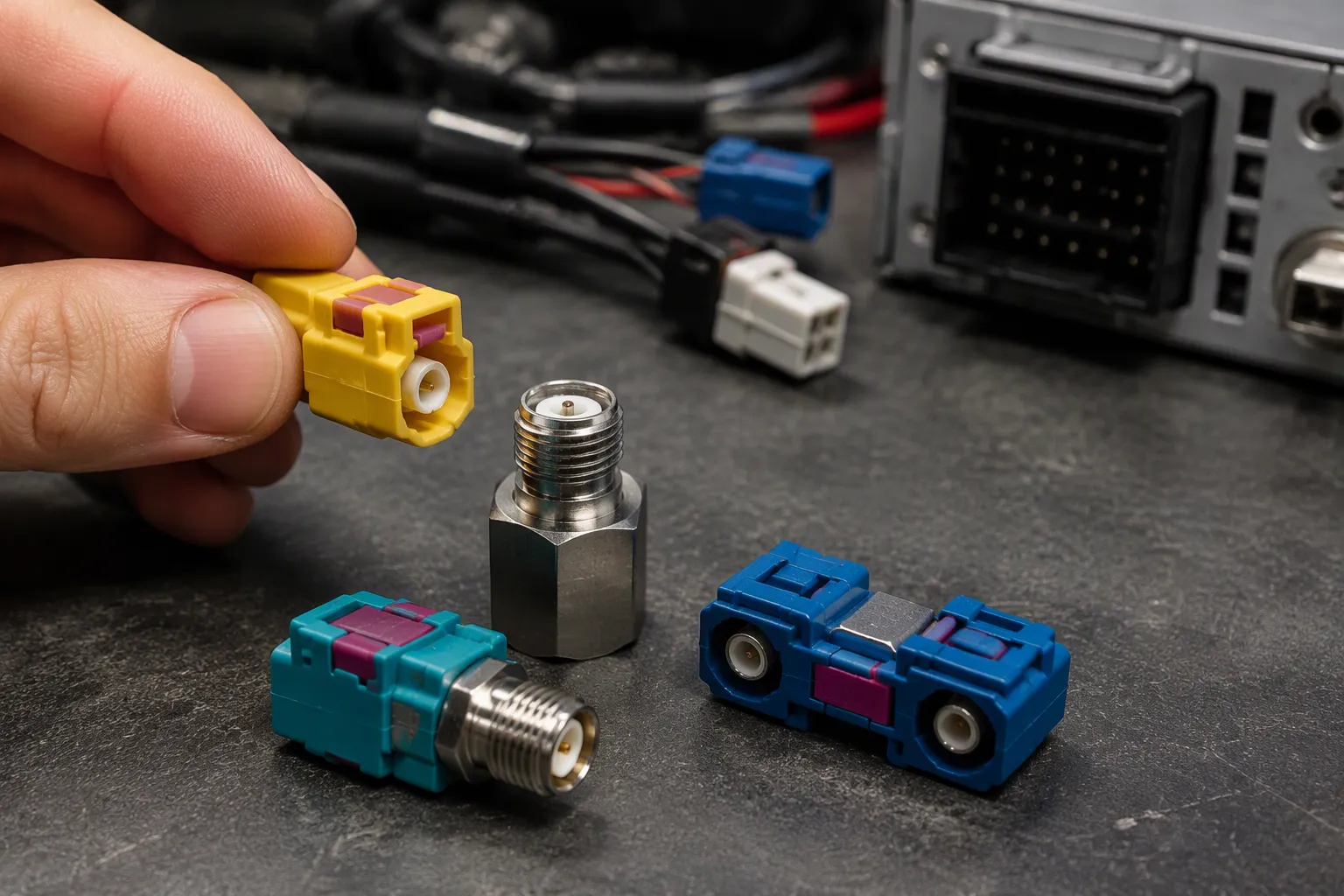
Your adapter must bridge the two different RF interfaces in your setup. One side connects to your antenna or vehicle-side cable. The other side connects to your module, radio, or aftermarket device. If those two interfaces do not match, you need an adapter that joins them. This step helps you identify the correct combination before you order.
FAKRA to SMA and SMB
Aftermarket radios often use an SMA input. Factory antennas almost always use a fakra connector. A fakra to SMA adapter solves this mismatch. You plug the fakra side into the vehicle harness and screw the SMA side onto the radio. This combination is common when you replace a factory head unit with an aftermarket model.
Cameras and some telematics modules use an SMB interface. An SMB connection is smaller than SMA and uses a snap-on design. A fakra to SMB adapter lets you connect a factory camera cable to a new display or recording device. The same logic applies here. Match the vehicle side to the device side.
Some setups need the reverse direction. You may have an SMA antenna and a fakra radio input. Adapters work in both directions as long as the impedance stays at 50 ohm. Always confirm the impedance of both interfaces before you buy.
FAKRA to FAKRA Adapters
Not every installation needs a different interface. Sometimes you stay within the same connector family. A fakra to fakra adapter handles two jobs: extension and gender conversion.
Extension adapters add length to an existing cable run. You use one when the factory cable is too short to reach your new device. Gender conversion adapters change a male plug into a female jack, or the reverse. You need this when both ends of your connection use the same gender.
These adapters keep the signal path clean because both sides share the same interface standard. You do not introduce a new connector type. You simply extend or convert what you already have.
LEADSIGN offers a coaxial adapter lineup with multiple interface combinations. Their range includes fakra to SMA, fakra to SMB, and fakra to fakra options. This variety means you can find the right adapter for most automotive RF setups. The fakra connectors in their lineup maintain 50 Ω impedance and return loss ≥ 18 dB. That performance supports clean signal transfer across GPS, LTE, and AM/FM bands.
When you shop for a fakra antenna adapter, check the product description for the exact interface pair. A listing that says "fakra to SMA" tells you both ends. A listing that only says "fakra adapter" does not. Ask the supplier for the full specification if the interface combination is unclear. This small step prevents a wrong order and a wasted installation.
Step 3: Choose the Right Connector Code
The fakra connector system uses a coding scheme to prevent mismating. You have 14 coding options total: 13 mechanically keyed variants plus one neutral Z coding.
The standard FAKRA system includes 13 mechanically keyed and color-coded variants plus one neutral Z coding, giving 14 coding options in total.
Each variant uses a keyed housing with a specific color and a mechanical keyway shape. These two features create a keyed rf interface. They stop you from plugging a GPS connector into an LTE port by accident.
When Z-Code Works
The Z-code is the neutral option. It has no keyway and no housing color. A Z-code fakra connector mates with any other Z-code connector without restriction. This makes it the universal choice for aftermarket adapters.
You use a Z-code when the mating interface on your vehicle or device is also neutral. For example, many aftermarket radios use a neutral fakra input for GPS. A Z-code connector on your adapter works perfectly in that case. You do not need a specific color code. All standard fakra connectors maintain 50 ohm impedance across every coding variant.
But Z-code only works when both sides of the connection are neutral. If one side has a keyed housing and mating half, you must match that code. You cannot force a Z-code plug into a keyed jack. The keyway physically blocks insertion.
When a Specific Code Is Needed
Vehicle-side connectors are almost always keyed. The keyed housing prevents cross-connection between GPS, LTE, and AM/FM signals. Automakers assign specific codes by function. You must match that code on your adapter.
The specific code appears as a housing color and a mechanical keyway shape. For European vehicles, code C with Signal Blue housing (RAL 5005) is common for GPS telematics or navigation. Code H uses Heather Violet (RAL 4003) and also carries GPS signals. These examples show how automotive manufacturers assign codes by function.
FAKRA Code | RAL No. | Housing Color | Europe Application Reference |
|---|---|---|---|
C | 5005 | Signal Blue | GPS telematics or navigation |
H | 4003 | Heather Violet | GPS telematics and navigation |
Inspect the existing connector before you order. Look at the housing color. Note the keyway position. Compare it to the standard code chart. Then order an adapter with the matching code. A mismatch means the adapter will not plug in.
The fakra connectors from LEADSIGN are available in all 14 standard codes. You can order Z-code for neutral applications or a specific code for a keyed vehicle interface. This variety ensures you get a proper mechanical fit every time.
Step 4: Select Gender and Orientation
Male, Female, Plug, and Jack
You must match the gender of your adapter to the gender of your existing connector. The terms sound simple, but the naming confuses many buyers. A plug is male and contains a center pin. A jack is female and contains a center receptacle. This rule applies to every fakra connector in your setup.
Term | Gender | Center Contact |
|---|---|---|
Plug | Male | Contains a center pin |
Jack | Female | Contains a center receptacle |
Look at your vehicle-side cable before you order. Does it end in a pin or a receptacle? A pin means you need a jack on your adapter. A receptacle means you need a plug. Many fakra connectors use a male housing with a female center contact, so check the contact itself, not just the shell. This step prevents a return and a second shipping wait.
Straight vs. Right FAKRA Connector
Space decides this choice more than performance does. A right fakra connector turns the cable 90 degrees at the mating point. That bend saves room behind dashboards, inside mirror housings, and near tight module bays. Installers reach for a right fakra connector when a straight plug would hit a panel or kink the cable. The right-angle body also protects the cable from sharp bends that damage the center conductor over time.
A straight adapter works better when your routing allows it. Straight bodies add less insertion-loss than right-angle versions because the signal travels a shorter, cleaner path. Choose a straight fakra connector for open runs under seats or along door sills. Reserve the right fakra connector for cramped spots where a straight body simply will not fit.
Both styles maintain the same 50 ohm impedance and mate with standard fakra connectors. Your decision comes down to clearance, cable bend radius, and service access. Measure the gap before you buy, and pick the orientation that lets the cable exit without stress.
Step 5: Verify Cable Type and Length
RG174 vs. RG316 Coax
The cable inside your adapter pigtail affects signal quality. Two common options are RG174 and RG316. RG174 is flexible and easy to route through tight spaces. It also has higher loss, so it weakens your signal more over distance. RG316 is stiffer and harder to bend. It delivers lower loss, which keeps more signal power at the receiver.
Your choice depends on your installation. A short run behind a dashboard favors RG174 for its flexibility. A longer run or a high-frequency GPS link favors RG316 for its lower loss. Both cable types work with standard fakra connectors. Check the adapter listing to confirm which cable the supplier uses.
Cable Type | Flexibility | Loss Level |
|---|---|---|
RG174 | High | Higher |
RG316 | Lower | Lower |
Loss and Length Considerations
Every inch of cable adds insertion-loss. A longer run means more signal loss between your antenna and your module. This loss grows with frequency, so GPS and LTE signals suffer more than AM/FM. Keep your adapter as short as your installation allows. A short pigtail preserves more signal power than a long one.
LEADSIGN offers fakra cable assemblies in various lengths to suit different installation requirements. Their automotive rf cable assemblies use 50 ohm coax and maintain proper shield termination for clean signal transfer. A well-built automotive-qualified coax assembly also keeps shield termination intact at both ends. This detail matters for low-loss 50 ohm coax performance in any 50 ohm automotive coax setup. When you order a fakra connector adapter, confirm the cable type and length before you buy.
Step 6: Check Frequency and Environment
GPS, LTE, AM/FM, and Telematics
Your adapter must pass every signal your vehicle uses. GPS navigation, LTE mobile data, AM/FM radio, and telematics each occupy different bands. A standard fakra connector covers all of them because its rated range spans DC up to 6 GHz.
The FAKRA connector is generally used in automotive applications. These connectors may be used up to 6 GHz.
That 6 GHz ceiling covers AM/FM broadcasts at the low end and high-speed 5G and camera feeds at the top. A 50 ohm coax design keeps loss low across this entire span. When you compare adapters, confirm the frequency rating matches your highest-band device. An adapter rated only for audio bands will weaken a GPS or LTE link. Check the datasheet before you buy, and match the rating to your most demanding signal.
Temperature, Sealing, and Mating Cycles
The installation environment decides how rugged your adapter must be. LEADSIGN fakra connectors operate from -40 °C to +105 °C, handle at least 100 mating cycles, and come in waterproof versions. Those ratings matter most in the engine bay, on the roof, and inside exterior mirror housings, where heat, vibration, and moisture attack every connection.
Waterproof fakra connectors typically meet IP ratings such as IP67 or IP68. These seals resist water, moisture, dust, and other contaminants.
IP67 and IP68 protect against water and solid particles.
Sealed versions suit exterior antennas, GPS modules, and satellite radio receivers.
Standard versions may degrade in wet conditions.
For exterior use such as roof antennas, IP67-rated seals protect against dust and water ingress.
Not every fakra connector is waterproof by default. Only versions with integrated seals or gaskets rated IP67 suit outdoor use. For interior runs behind a dashboard, a standard connector works fine. For any exterior mount, specify a sealed version. Also confirm that your automotive rf cable assemblies and gps, lte, camera, and telematics cable assemblies keep shield termination intact at both ends. Proper shield termination preserves signal integrity in damp, high-vibration locations.
Common FAKRA Connector Selection Mistakes
Wrong Impedance or Code
The most frequent error is buying a 75-Ohm adapter for a 50-Ohm system. This mistake shows up as a weak GPS lock that takes minutes to acquire. Your LTE connection drops in and out, and AM/FM radio picks up static. The adapter fits mechanically, so you may not suspect it at first. Always verify the impedance rating before you order any fakra antenna adapter.
A mismatched color code is another common problem. You order a Z-code adapter for a vehicle-side connector that uses a keyed housing. The adapter will not plug in at all. Forcing it damages the keyway and the center contact. Inspect the housing color and keyway shape on your existing fakra connector before you buy. Match that code exactly.
Choosing the wrong gender also stops your installation. You need a jack when your cable ends in a pin. You need a plug when it ends in a receptacle. A wrong gender means a return and a second shipping wait.
Ignoring Cable and Space Limits
Overlooking cable loss is a quiet mistake. A long RG174 pigtail adds insertion loss that weakens your signal. GPS and LTE suffer most because they operate at higher frequencies. You may see fewer bars or slower data without understanding why. Keep your adapter as short as your installation allows.
Ignoring space limits causes cable damage. A straight fakra connector behind a tight dashboard can kink the cable. That bend stresses the center conductor over time. A right-angle version solves this problem in cramped spots.
These errors share one root cause: skipping the verification steps. The validation checklist in the next section gives you a preventive tool. Use it before you order. Proper selection takes a few extra minutes and saves hours of troubleshooting. LEADSIGN fakra connectors maintain 50 Ohm impedance and come in all standard codes, which supports a clean automotive installation.
FAKRA Connector Guide: Validation Checklist
Pre-Purchase Checks
Use this checklist before you place any order. Each item prevents a specific failure mode. Work through all eight points for every adapter you buy.
Confirm 50-Ohm impedance on both sides of the connection.
Match the interface combination, such as fakra to SMA or fakra to SMB.
Verify the connector code against your vehicle-side housing color and keyway.
Select the correct gender: plug or jack.
Choose straight or right-angle orientation based on available space.
Confirm cable type (RG174 or RG316) and total length.
Check the frequency rating against your highest-band device.
Verify the environmental rating for your installation location.
This selection process takes only a few minutes. It saves you from returns, rewiring, and weak signal complaints. Keep this fakra connector guide handy when you compare suppliers.
Post-Installation Checks
After you complete the installation, run these four checks. They confirm that your adapter works as intended.
Inspect the connection visually for full seating and no bent pins.
Confirm the mating by gently tugging the connector body.
Test the signal on every band your system uses, including GPS, LTE, and AM/FM.
Measure return loss with a network analyzer if your equipment allows it.
A return loss of 18 dB or better indicates a clean match. Values below that threshold suggest a seating problem or a wrong part. Recheck your selection before you blame the module.
LEADSIGN fakra connectors carry RoHS, WEEE, and ELV compliance. These certifications support automotive validation requirements. They also simplify your documentation for OEM and supplier audits. When you buy from a compliant source, you reduce risk for the entire vehicle program.
You have six criteria to check when you select a 50-Ohm FAKRA antenna adapter. Confirm the impedance. Match the interface combination. Choose the correct connector code. Pick the right gender and orientation. Verify the cable type and length. Check the frequency and environmental ratings.
Each step prevents a specific problem. Impedance mismatch causes signal reflection. Wrong code or gender prevents mating. Poor cable choice adds loss. Ignoring environment ratings damages the connection.
Use the validation checklist before every order. A few minutes of verification saves hours of troubleshooting. For your FAKRA adapter needs, consult a trusted supplier like LEADSIGN. Their automotive-qualified connectors maintain 50-Ohm impedance and support clean signal transfer across all standard bands.
FAQ
What problems does a 75-ohm adapter cause in a 50-ohm system?
It creates signal reflections that degrade performance. You see weak GPS lock, dropped LTE connections, and noisy AM/FM reception. The connector fits mechanically but fails electrically.
How do I identify the correct FAKRA code for my vehicle?
Inspect the existing connector housing color and keyway shape. Compare it to the standard code chart. Use Z-code for neutral interfaces. Match a specific code for keyed vehicle-side connectors.
Can I use a Z-code adapter with any FAKRA port?
No. Z-code mates only with other Z-code connectors. A keyed vehicle-side connector blocks Z-code insertion. You must match the specific code to avoid physical damage.
Which cable type should I choose for GPS and LTE?
RG316 delivers lower loss and better signal quality for high-frequency GPS and LTE bands. RG174 offers more flexibility but adds more loss over distance. Choose RG316 for critical signals.
See Also
Why A Fakra Antenna Adapter Is Crucial For Signal Quality
A Complete Guide To Mastering Fakra To SMA Connector Types
The Critical Role Of Fakra To SMA Connectors In RF Systems
Everything You Need To Know About Fakra Male Connectors Today
Why GPS Antennas With Fakra Connectors Are Essential For Navigation