How to Connect an Aftermarket LTE Antenna to a FAKRA Port using a FAKRA to SMA Adapter

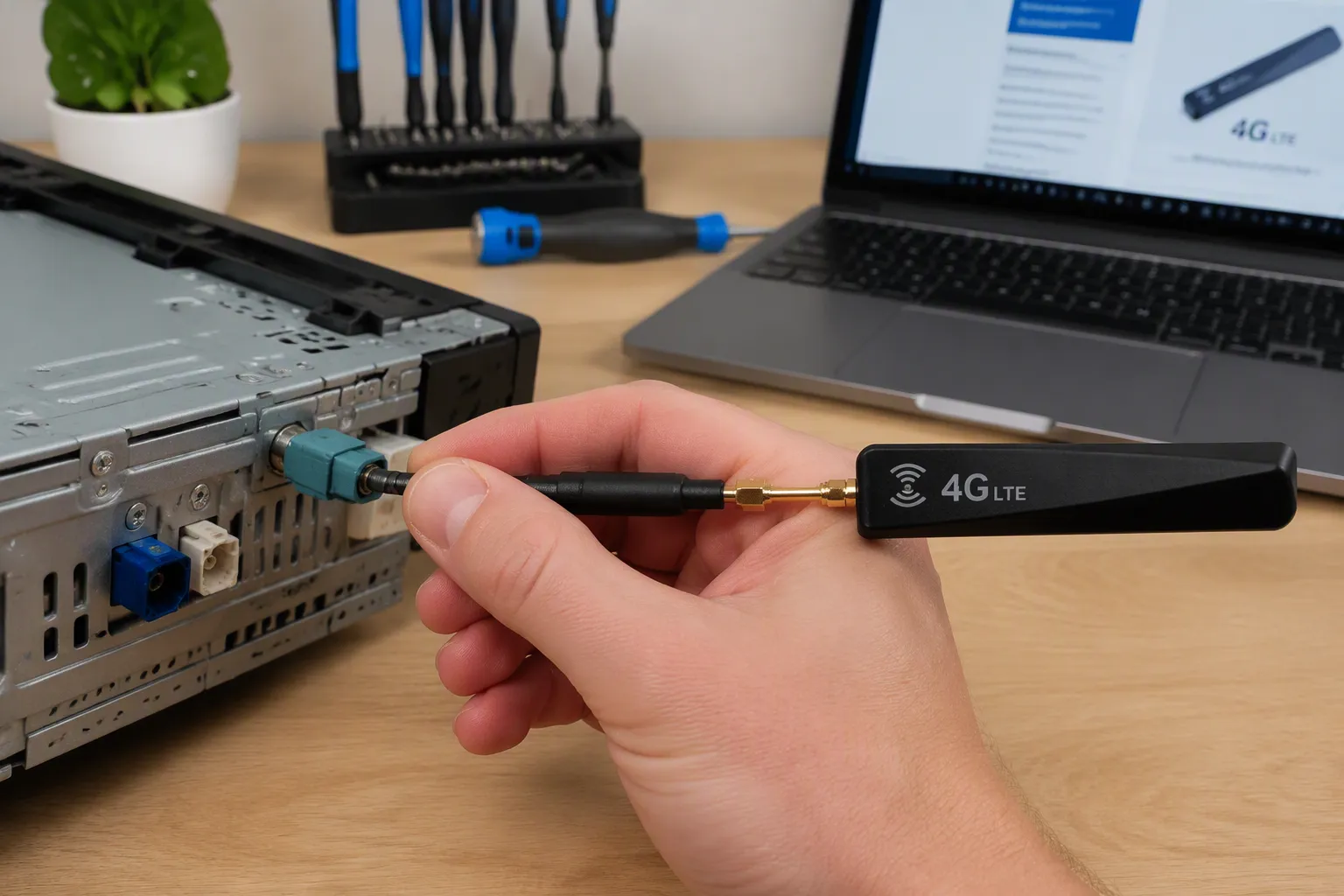
You're upgrading an aftermarket LTE antenna on a vehicle. The telematics module has a FAKRA port. The new part ends in a different fitting. A FAKRA antenna adapter bridges that gap. Before ordering, confirm the coding and gender on the device side, the connector type on the other end, frequency bands, cable length, impedance, and shielding. Shape alone won't guarantee compatibility. A FAKRA to SMA adapter fits many builds. Two short cable runs with proper shielding often beat one long run. Check your module part number first. Get these details wrong, and the parts won't mate. Ask for a drawing or sample photo when you're unsure.
Key Takeaways
Identify the FAKRA port on your module. Check the code, color, and gender.
Match the connector on your LTE antenna. Note the type and gender.
Confirm frequency bands, 50-ohm impedance, and cable length. Keep cables short.
Choose a FAKRA to SMA adapter or a custom cable. A custom cable reduces signal loss.
Use a checklist before ordering. Verify part numbers and photos to avoid mistakes.
Why Aftermarket LTE Antennas Need a FAKRA Antenna Adapter
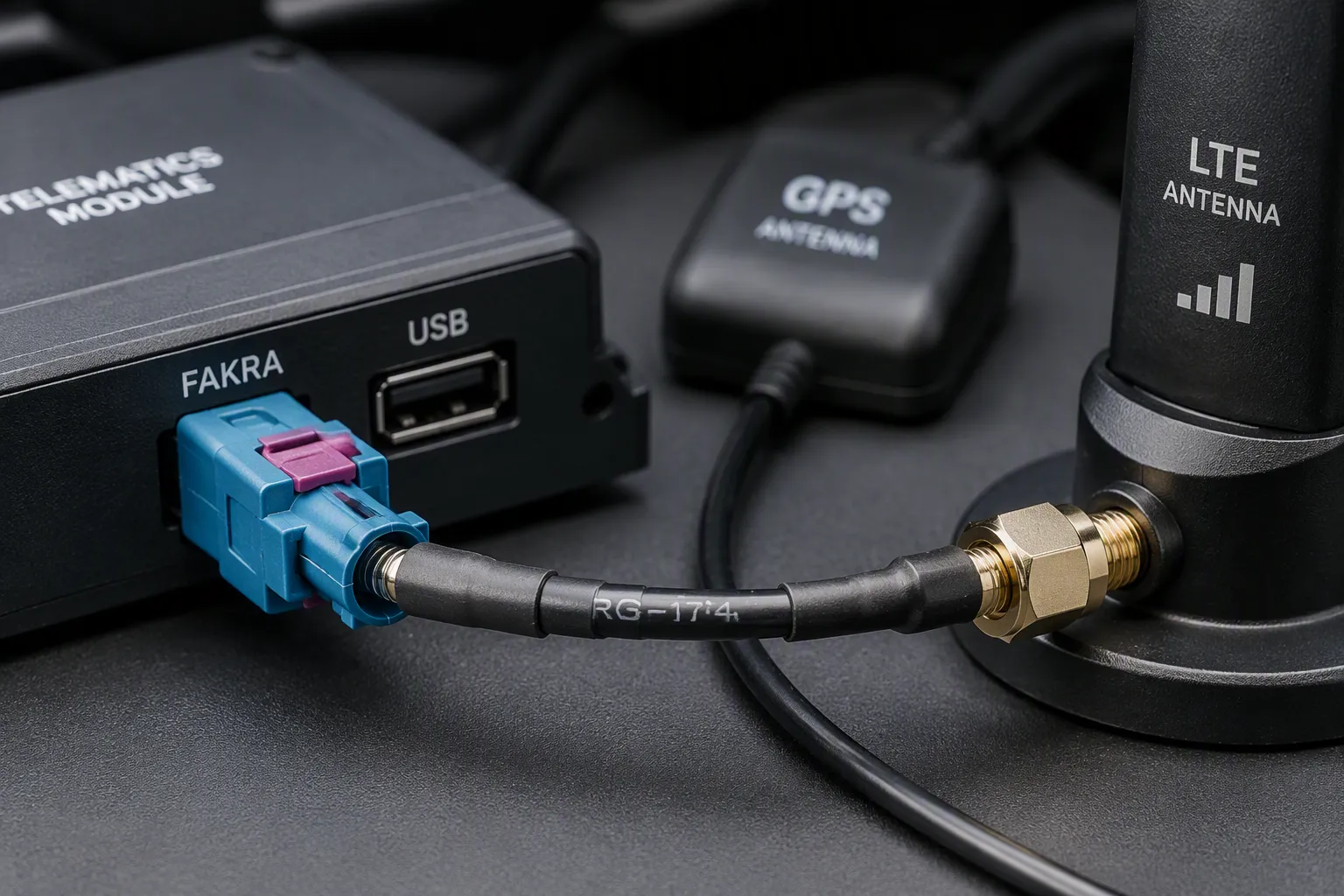
TL;DR: You need a FAKRA to SMA adapter or custom cable when your device has a FAKRA port and your LTE antenna uses SMA or another connector. Confirm FAKRA code, gender, antenna-side connector type, frequency bands, cable length, and impedance before ordering.
Automotive manufacturers designed FAKRA as a 50 Ω impedance connector system for vehicle use. You will find these connectors in GPS, GNSS, AM/FM, LTE/5G, telematics, and infotainment systems. The locking mechanism and color coding prevent mismating during assembly. Aftermarket LTE antennas often use different connectors. You might see SMA, SMB, TS9, CRC9, FME, or other RF connector types depending on the brand and target market.
This mismatch creates a practical problem. Your telematics module has a FAKRA port. Your new antenna ends in SMA. They will not mate without help. That is where a FAKRA antenna adapter becomes necessary.
Do not confuse FAKRA 50 Ω impedance RF connectors with HSD 100 Ω impedance differential connectors. They serve different purposes. FAKRA handles single-ended RF signals for antennas and communications. HSD carries high-speed differential data. Mixing them up leads to ordering the wrong part.
FAKRA vs. SMA, SMB, TS9, and Other Connectors
Each connector type has its own role in the RF ecosystem. A FAKRA coaxial connector uses a plastic housing with a locking latch. This design keeps the connection secure in vibrating vehicles. The color coding system helps installers match the right connector to the right port.
SMA connectors use threaded coupling. They work well in stationary equipment and test setups. SMB connectors use a snap-on design for quick mating. TS9 and CRC9 connectors appear on many cellular modems and routers. FME connectors show up on some antenna bases and extension cables.
A Reddit user upgrading a Fiat Bravo's infotainment system described the exact problem: "According to the seller, I can not reuse the existing GPS antenna. It seems there are two antenna connectors (FAKRA type) on the back of the original head unit. The new system has SMA type antenna connectors. It seems to me that a simple adapter should do the trick."
This scenario plays out daily in aftermarket installations. Google Trends data shows search interest for "Fakra Connector Type A Cable for Cars" remained consistently high and peaked in early 2026. Type A connectors dominate aftermarket head unit and antenna installations. This sustained interest signals rising demand for FAKRA-to-SMA adaptation.
When an Adapter Is Required vs. a Custom Cable
You need an adapter when your existing cable or antenna has the wrong connector for your device. A FAKRA antenna adapter lets you bridge two different connector systems without replacing the whole cable. This approach works well for short runs and simple installations.
A custom cable makes more sense in other situations. Long cable runs with multiple adapters add connection points. Each connection point introduces potential signal loss. A one-piece automotive FAKRA cable assembly reduces these points and improves reliability.
Consider your installation environment. Tight spaces behind a head unit leave little room for bulky adapter combinations. A custom cable with the right connectors on each end fits better. You also get better control over cable length, shielding, and impedance matching.
Check the FAKRA antenna adapters category for options that match your specific connector needs. The right choice depends on your device, your antenna, and your installation constraints.
Step 1: Identify the FAKRA Port on the Module
Now you know why an adapter is needed. Your next step is to identify the FAKRA port on the module. This port defines the connector shape your adapter or cable must match. You need to check three things: the FAKRA code, the color, and the gender. Getting these right ensures a secure connection.
Check FAKRA Code, Color, and Gender
FAKRA connectors use a mechanical keying system and color coding to prevent mismating. For example, a violet port usually means GPS, and a white port often means cellular. But the color assignments vary between vehicle brands and generations. One reference lists blue for GPS, while another lists violet. So do not rely on color alone.
You also need to check the mechanical code. Each FAKRA connector has a unique plastic key that fits only the matching port. There are 14 standard codes (A through N) plus a universal Z code that mates with any port. The universal option is only for test setups, not production. Gender matters too. Most module-side ports are female (jack) with a hole for the center pin. A male port has a pin. Look at the port face to confirm.
Practical tip: Take a photo of the port and its surroundings. Compare it with manufacturer drawings or known good samples. This eliminates guesswork.
Confirm the Mating Device and Part Number
Color and keying help, but they are not enough for a guaranteed match. Always verify by part number, drawing, or sample. Look for a sticker or laser etching on the module. Write down the part number. Then check it against the device manufacturer's documentation.
If your module uses mini fakra connectors, the same process applies. To install mini fakra correctly, identify the code and color first. Mini fakra connectors follow the same color scheme but in a smaller housing. Their keying is also unique per application.
A quick photo of the port and its surroundings helps when you contact support. Include the part number and any markings on the cable. This information lets a supplier confirm compatibility before you order a cable or adapter. Do not assume that a blue port always means GPS. Different automakers use different conventions. The only safe path is to verify against a known reference.
Once you identify the port, you can move to the next step: checking the antenna side.
Step 2: Check the LTE Antenna Connector Type
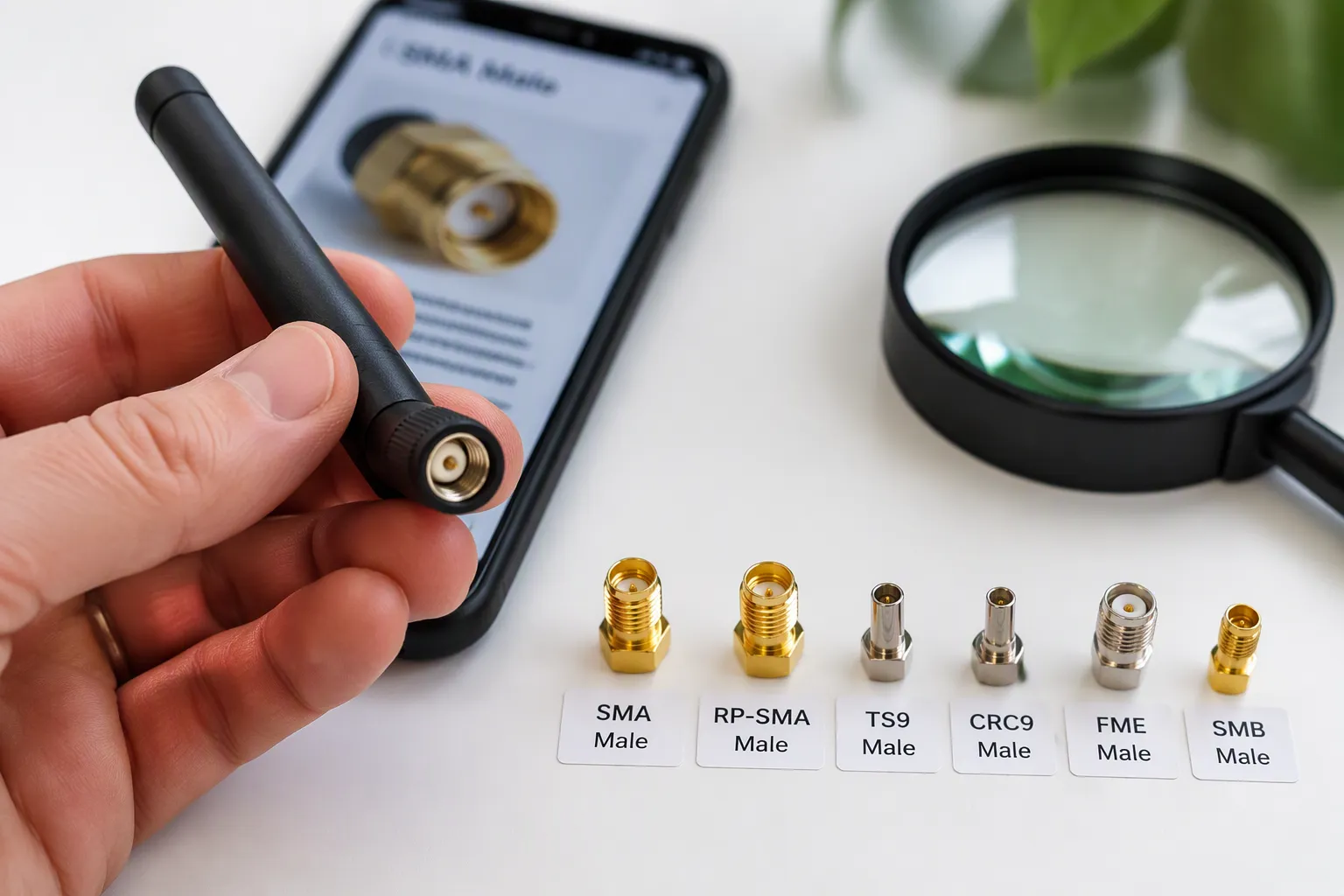
You already identified the port on your module. Now shift your focus to the antenna side. The connector on your aftermarket LTE antenna determines what you need on the other end of your adapter. Getting this right prevents ordering the wrong part. Many antennas use SMA connectors. Some use TS9 or CRC9. Others use FME or SMB. Each type has a specific shape and gender. You must match both to your adapter. A quick photo of both sides saves time later.
Match the Antenna-Side Connector and Gender
Start by checking the antenna connector. Is it male or female? A male connector has a center pin. A female connector has a center hole. This gender must match the adapter's antenna-side port.
SMA connectors come in two varieties. Standard SMA has a male pin and female threads. RP-SMA (reverse polarity) swaps the center contact. The pin moves to the female side. This confuses many installers. Check the center contact to tell them apart.
TS9 and CRC9 look similar. They both use a snap-on design. TS9 works on many cellular routers and modems. CRC9 appears on some mobile broadband devices. Confirm the exact type by comparison. FME connectors use threaded coupling. SMB connectors snap into place. Each feels different during mating.
Take a photo of your antenna connector. Compare it to known images or send it to a supplier. This small step saves time and frustration. Write down your observations before moving to the table.
Connector Matching Table: SMA, RP-SMA, TS9, CRC9, FME, SMB
The table below shows common antenna connectors and their possible solutions. Use it as a quick reference.
Antenna Connector | Typical Use | Possible Solution | What to Confirm |
|---|---|---|---|
SMA | External antenna, test equipment, aftermarket head unit | Standard SMA adapter | Standard or reverse polarity? Gender of center pin |
RP-SMA | WiFi antenna, some cellular antennas | Reverse polarity adapter | Center pin is on the female side |
TS9 | Cellular router, mobile hotspot, USB modem | TS9 adapter | Snap-on design; confirm locking mechanism |
CRC9 | Mobile broadband, older cellular devices | CRC9 adapter | Similar to TS9 but different key |
FME | Base station antenna, extension cable | FME adapter | Threaded coupling; confirm thread size |
SMB | Internal antenna, small module connection | SMB adapter | Snap-on design; lower mating force |
Each row points you toward a possible solution. Confirm your specific parts by drawing or sample. For many installers, a fakra to sma adapter bridges the gap between the module and an aftermarket SMA antenna.
If you need a different combination, check the cable connector category for other options. A fakra-to-sma conversion works for many setups. Your antenna might need a different solution. The fakra connector on your module needs to match the adapter side exactly.
Now consider cable length at the same time. A short cable with proper shielding beats a long run with multiple adapters. Some installations use a mini fakra to sma configuration for compact spaces. Mini fakra connectors save room behind tight head units. If you have a compact module, check what small connectors fit better.
Your RF signal path depends on connector quality and cable integrity. Each adapter adds a potential loss point. Keep the connection path simple. Good cable choice preserves your RF performance.
Compatibility between your module and antenna depends on matching all these factors. Take the time to verify before ordering.
Step 3: Confirm Frequency, Impedance, and Cable Length
LTE/5G Bands, 50-Ohm Impedance, and Shielding
Your antenna and cable must handle the same frequency bands as your module. LTE and 5G systems operate across many bands. A mismatch here weakens your signal. Check your module's spec sheet for its supported bands. Then confirm your antenna covers those same bands. Most aftermarket LTE antennas list their range on the label or datasheet.
Impedance matters just as much. FAKRA is a 50 ohm impedance system. Your antenna, cable, and adapter must all match that 50 ohm impedance. A mismatch causes signal reflections. Those reflections waste power and reduce range. Shielding also plays a role. Poor shielding lets outside RF noise into your signal path. That noise degrades call quality and data speed. Look for cables with foil and braid shielding for automotive use.
Watch this: Longer cable runs and poor shielding increase signal loss. Keep your cable as short as your installation allows.
FAKRA to SMA Adapter vs. Custom FAKRA Cable Assembly
You have two main paths for connecting your antenna. The first is a fakra to sma adapter. This option works well when your antenna already has an sma connector and your cable run is short. The adapter adds one connection point. That point can introduce a small amount of loss. For many installations, this trade-off is fine.
The second path is a custom automotive fakra cable assembly. This one-piece cable has the right connector on each end. It removes extra connection points. That means less loss and better reliability. A custom cable also gives you control over length, shielding, and cable type. If your installation has tight spaces or long runs, this option often performs better.
You might also see mini fakra connectors in compact modules. A mini fakra ↔ sma cable solves that fit problem. For standard builds, a fakra to sma cable works well. Check the FAKRA coaxial cable category for ready-made options. If you need a custom length or connector combo, reach out through the Contact page. Your compatibility check should cover frequency, impedance, and cable length before you order.
Buyer Checklist and Common Adapter Mistakes
Even with careful planning, small errors can derail your installation. Knowing common pitfalls helps you avoid wasted time and wrong parts. Below are the mistakes we see most often, followed by a checklist to use before you order.
Common Mistakes When Connecting LTE Antennas
One frequent mistake is relying only on color coding. FAKRA connector colors vary between car brands and years. A blue port may mean GPS on one vehicle and cellular on another. You must verify by part number or drawing.
Another error is ignoring gender. These ports are usually female, but some are male. A quick look at the center contact tells you. If you see a pin, it is male. If you see a hole, it is female.
Assuming shape alone is enough also causes problems. These connectors have different mechanical keying codes. Two ports may look the same but have different notches. They will not mate without the right code.
Using too many adapters adds connection points. Each point can reduce RF signal quality. For long runs, a direct cable assembly connects better than a stack of adapters.
Finally, mismatched impedance hurts performance. Cellular systems use 50 ohm impedance. Your cable, antenna, and adapter must all match that. A 75 ohm cable will cause signal loss.
If your module uses mini fakra connectors, check the smaller housing size. The same color coding rules apply.
Checklist for Ordering a FAKRA Antenna Adapter
When you order a fakra to sma adapter, use this list to confirm every detail.
FAKRA code and color
FAKRA gender (male or female)
Connector type and gender on the antenna side (e.g., male with pin)
Cable length (measure your path)
Cable type (e.g., RG174, RG58)
Impedance (must be 50 ohm impedance)
Shielding requirement (foil and braid recommended)
LTE and 5G frequency bands your device supports
Device or module model number
Installation location (e.g., behind head unit, under seat)
Drawing, sample photo, or part number for reference
Quantity needed
Check the port on your module visually. Understand your RF requirements. Minimize RF path loss. Verify compatibility before ordering.
Taking a photo of both the module port and your antenna connector saves time. Send that along with your checklist to your supplier. Include the cable details in your photo. A simple review upfront prevents costly returns.
You now have a clear path for your next install. Start by identifying the FAKRA code and gender on your module. Then check the connector on your antenna side. Confirm frequency, impedance, and cable length before you order. From there, pick a FAKRA to SMA adapter or a custom FAKRA cable assembly that fits your build.
Remember that connector shape alone won't guarantee a match. Verify compatibility with a drawing, sample, photo, or part number. Mini fakra connectors follow the same rule.
Need help with your LTE setup? Contact LEADSIGN with your photos, drawings, part numbers, or cable requirements. The team supports FAKRA antenna adapter and custom cable assembly orders.
FAQ
Can I connect an LTE antenna to a FAKRA port?
Yes, you can. You need the right adapter or cable assembly to bridge the two connector types. Check the fakra code and gender on your module first. Then match the connector on your antenna side. A custom cable with the correct ends on both sides often works better than stacking adapters.
What adapter do I need for a FAKRA LTE antenna connection?
It depends on your antenna connector. Most setups use a fakra to sma adapter. Some antennas use TS9, CRC9, or SMB. Confirm the fakra code, gender, and your antenna connector type before ordering. A supplier can verify compatibility when you send photos or part numbers.
Is FAKRA the same as SMA?
No, they are different connector systems. FAKRA uses a plastic housing with a locking latch for automotive use. SMA uses threaded coupling. Both work at 50 ohm impedance. You cannot mate them directly. You need an adapter or a cable with the right connector on each end.
Does cable length affect LTE antenna performance?
Yes, it does. Longer cable runs increase signal loss. Each connection point adds more loss. Keep your cable as short as your installation allows. Use cable with good shielding to protect your signal from outside noise. A one-piece cable assembly reduces connection points and helps performance.
See Also
Why Using A Fakra Antenna Adapter Matters For Your Setup
A Complete Guide To Understanding Fakra To SMA Connectors
Why GPS Antennas With Fakra Connectors Are Essential Today