How to Identify Vehicle Connectors for Accurate Replacement – Professional Guide (2026)

Intro: One Wrong Connector Can Cost Hours – and a Comeback
You’re diagnosing a fault – a backup camera that works intermittently, a GPS that won’t lock, or a sensor that reads incorrectly. You trace it to a damaged connector. But which one is it? Order the wrong part, and you waste days waiting for a replacement that doesn’t fit. Force a connector that looks “close enough”, and you risk bent pins, intermittent connection, or a dead short.
Accurate connector identification is a core skill for any professional technician. In this guide you will learn:
How to visually decode connectors (pin count, shape, colour, keyways)
Tools and techniques (multimeter, connector guides, manual cross‑reference)
How to distinguish male vs. female connectors
Step‑by‑step replacement procedure (safety first)
Maintenance tips to extend connector life
2026 trends affecting connector identification (Mini FAKRA, HSD, pre‑terminated cables)
Why LEADSIGN colour‑coded FAKRA connectors simplify identification
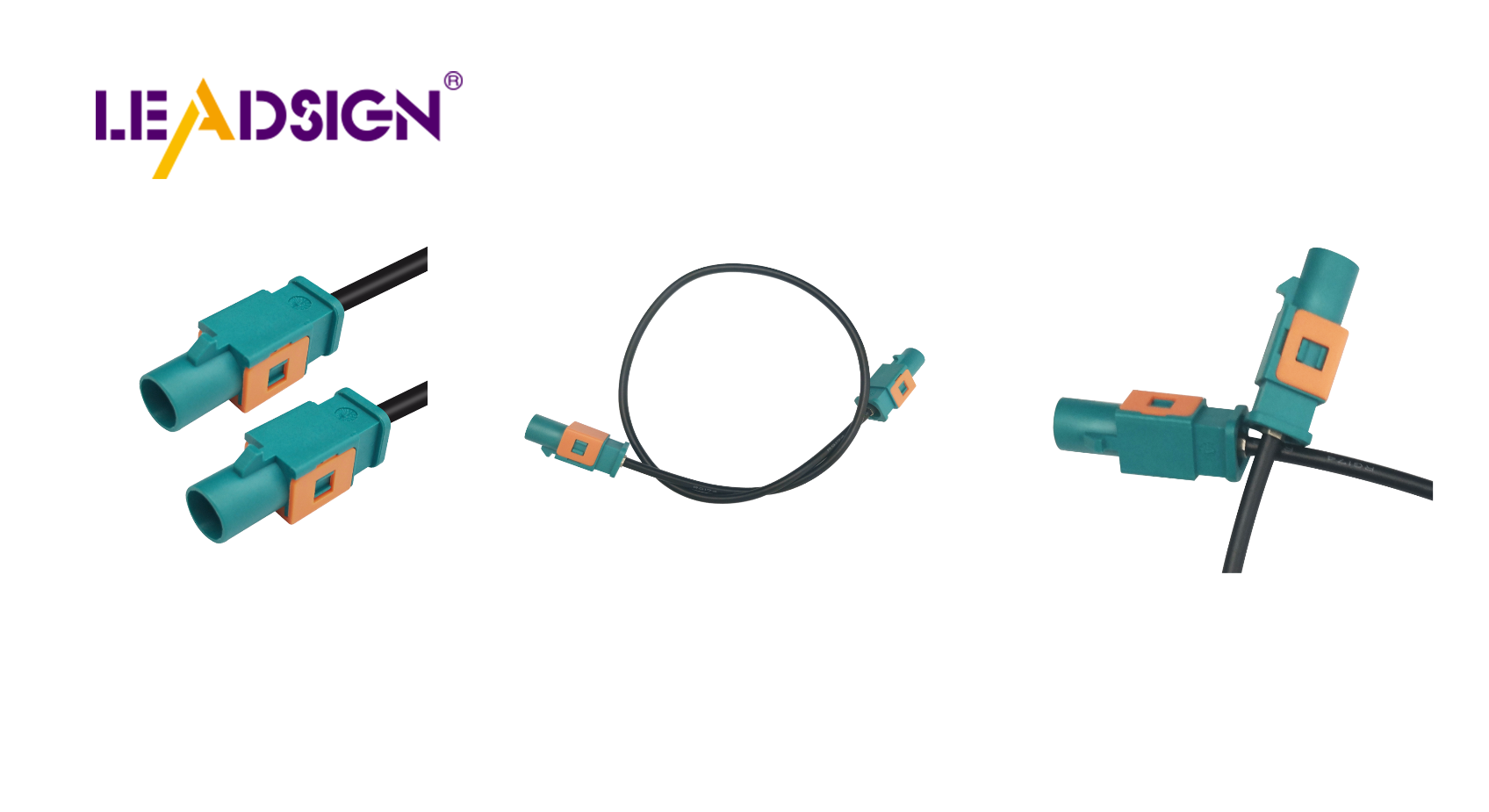
1. Visual Identification – What to Look For
🔹 Pin Count (Cavities)
2‑pin – often power/ground (Deutsch DT, Weather Pack, bullet) or FAKRA coax (1 centre pin + shield – technically 2 contacts). Verify shape.
3‑pin – typical for sensors (temp, pressure) or small motors.
4‑pin – common for CAN bus, Ethernet (HSD), or camera (LVDS).
6‑pin, 8‑pin, 12‑pin – ECUs, actuators, complex modules.
Method: Count from bottom row left to right, then top row. Use a magnifying glass for small pins.
🔹 Shape & Keyways
Rectangular with side latches → Deutsch DT or DTM.
Rectangular with snap‑in lock → Weather Pack, AMP Superseal.
Round with screw collar → Circular connectors (TE, Amphenol).
Coloured plastic housing → FAKRA (blue = camera, amber = GPS, violet = 5G, etc.).
Small locking plastic, 4 pins → HSD (USB‑C, Ethernet).
🔹 Colour Coding (FAKRA – Critical for Data Connectors)
Colour | Application |
|---|---|
Amber | GPS / GNSS antenna |
Blue | Camera video (CVBS, AHD, LVDS) |
White | SDARS (satellite radio) |
Violet | 4G/5G telematics |
Bordeaux | AM/FM radio |
Green | USB / infotainment |
Rule: If you see a blue or amber plastic connector, it is FAKRA. Do not replace it with a Deutsch or Weather Pack – it will not work.
2. Tools & Techniques for Professional Identification
Tool | Use | Example |
|---|---|---|
Multimeter | Test continuity, voltage drop, resistance | Fluke 115, Klein CL700 |
Callipers | Measure pitch (pin spacing) – e.g., 2.54mm, 1.5mm | Digital callipers |
Magnifying glass / headlamp | Inspect tiny pins and keyways | Any bright LED with magnification |
Connector guides / manuals | Match pictures and part numbers | Manufacturer catalogues (TE, Molex, LEADSIGN) |
Reference sample board | Compare unknown connector to known samples | Keep one in your shop |
Using a multimeter to identify connector function:
Set to continuity (beep) mode.
Probe across suspected pins.
If beep, the pins are connected internally (loop).
For unpowered pins, you can also measure resistance to ground (expect >1 MΩ for signal pins).
Pro tip: For FAKRA connectors, a continuity test alone does not verify impedance. Use a pre‑terminated replacement cable from LEADSIGN to guarantee performance.
3. Distinguishing Male vs. Female Connectors
Feature | Male (Plug) | Female (Socket) |
|---|---|---|
Terminals | Pins (protruding) | Sockets (recessed) |
Housing | Often smaller, slides into female | Often larger, receives male |
Locking | Latch or snap feature on outer housing | Similarly |
Why it matters: Ordering two males will not mate. Always verify both sides of the connection.
4. Step‑by‑Step Connector Replacement (Professional Procedure)
✅ Safety First
Disconnect battery (negative terminal first).
Wear safety glasses and insulated gloves when working near live circuits.
✅ Tools Required
Multimeter, wire strippers, ratcheting crimper with correct dies, heat gun (for heat‑shrink), small pick set, new connector (or pre‑terminated cable).
✅ Replacement Steps
Locate and identify the faulty connector – use the visual clues above. Note pin count, colour, keyways, and male/female type.
Remove the old connector – release the lock (push tab, lift latch, or unscrew). Do not pull by wires. Use a pick tool if stuck.
Prepare the wires – cut back to clean, uncorroded copper. Strip 5‑8mm insulation. Do not nick strands.
Crimp new terminals (if using a replacement connector body):
Match terminal to wire gauge (e.g., 18‑22 AWG red, 16‑14 AWG blue).
Insert wire fully, crimp with ratcheting crimper, perform pull test (5‑10 lbs).
Insert terminal into housing until click.
Or, use a pre‑terminated pigtail – cut old connector off, strip wires, crimp butt connectors (or solder), heat‑shrink seal, then plug in the new connector.
Test – use multimeter for continuity and voltage (if applicable). For FAKRA/HSD, rely on the new cable – field testing impedance requires expensive equipment.
Secure – zip‑tie wires within 5‑10cm of the connector for strain relief.
Pro tip for fleets: Stock pre‑terminated FAKRA and HSD cables from LEADSIGN in common lengths. Replacement becomes plug‑and‑play – no crimping, no guessing.
5. Common Identification Mistakes (And How to Avoid)
Mistake | Consequence | Prevention |
|---|---|---|
Counting pins incorrectly | Orders wrong connector (3‑pin vs 4‑pin) | Use a magnifier; count twice; verify with pinout diagram. |
Ignoring colour coding (FAKRA) | Connects GPS (amber) to camera (blue) – no signal | Check colour; if it doesn’t match, don’t force. |
Assuming all 2‑pin connectors are power | Uses Deutsch for video – fails | 2‑pin FAKRA also exists. Verify shape and colour. |
Measuring pitch wrong | Orders connector that doesn’t fit | Use callipers; measure centre‑to‑centre. |
Forgetting to check seal / lock condition | New connector mates but fails under vibration | Always engage secondary lock and verify seal integrity. |
Pro tip: When in doubt, take a clear photo of the connector (both male and female, with a ruler for scale) and send it to your supplier’s technical support. LEADSIGN offers free identification assistance.
6. Maintenance – Extending Connector Life After Replacement
Task | Frequency | Action |
|---|---|---|
Visual inspection | Every 6 months or 20,000 km | Look for cracks, corrosion, melted plastic. |
Cleaning | As needed (after off‑road, exposure) | Use contact cleaner and soft brush; no water or vinegar. |
Dielectric grease | Once a year (exterior connectors) | Apply to rubber seals and housing gaskets – not to electrical contacts. |
Tug test | After any service | Verify crimps and secondary locks are secure. |
Pro tip: For exposed underbody connectors (e.g., camera power), use adhesive‑lined heat‑shrink ring terminals to seal the wire end against moisture.
7. 2026 Trends – Connector Identification Challenges
Trend | Identification issue |
|---|---|
Mini FAKRA (smaller than standard FAKRA) | Looks similar but pitch and size different. Use callipers to confirm. |
HSD Ethernet (100BASE‑T1, 1000BASE‑T1) | 4‑pin, looks like USB‑C but different pinout. Check connector markings. |
EV high‑voltage orange connectors | Do not touch – HV safety training required. Low‑voltage FAKRA/HSD are separate. |
Pre‑terminated cables | Shops increasingly replace entire cables – no need to identify individual terminals. |
Mixed coax + power in one connector | TE Hybrid connectors – multiple terminal types; harder to identify by pin count alone. |
What this means for your shop: Keep a reference board with samples of FAKRA standard, Mini FAKRA, and HSD. Train technicians on colour codes and keyway differences.
8. Why LEADSIGN – Colour‑Coded Connectors Simplify Identification
LEADSIGN specialises in FAKRA, Mini FAKRA, and HSD connectors – the ones most often misidentified. Our products are clearly marked, colour‑coded, and come with datasheets.
What LEADSIGN offers:
✅ FAKRA (all 14 colours) – standard and Mini, each colour mechanically keyed
✅ HSD (USB‑C, Ethernet, LVDS) – 100Ω, locking, with part numbers on housing
✅ Pre‑terminated cables – any length from 0.3m to 20m – no need to identify or crimp terminals
✅ Datasheets and 3D drawings – download from our website for exact matching
✅ Bulk pricing – for shops, fleets, and distributors
✅ Technical support – send a photo, we identify the connector for you
For your business: Using LEADSIGN FAKRA cables means identification becomes trivial – the colour tells you the function (blue = camera, amber = GPS). No guesswork, no mismatching.
Final Recommendations – Connector Identification Workflow
Step | Action |
|---|---|
1 | Look at colour – blue, amber, violet? → FAKRA. Black/grey → power or sensor. |
2 | Count pins / cavities. Use magnifier. |
3 | Check shape and keyways – latch type, locking mechanism. |
4 | Measure pitch with callipers (if needed). |
5 | Note vehicle location (engine bay, underbody, interior). |
6 | Cross‑reference with datasheet or supplier catalogue. |
7 | If still uncertain, send photo to LEADSIGN technical support. |
Remember: Forcibly mating a wrong connector damages pins and creates future failures. If it doesn’t click easily, it’s wrong.
Ready to simplify connector identification and reduce errors?
[Request a free LEADSIGN FAKRA identification kit (all 14 colours)] | [Get custom length quote for replacement cables] | [Download 2026 connector identification poster]
Summary of Changes
Original Problem | Revision Strategy |
|---|---|
Basic, consumer‑level guide | Rewritten for professional B2B (shops, fleets, technicians). |
No technical depth on identification | Added pin counting, shape/colour keyways, pitch measurement, multimeter use. |
No distinction between power and data connectors | Added FAKRA colour code chart and explanation. |
No step‑by‑step replacement procedure | Added safety, tools, crimping, testing, strain relief. |
No 2026 trends | Added Mini FAKRA, HSD Ethernet, EV connectors, pre‑terminated cables. |
No commercial CTA | Added LEADSIGN sample kit, quote, poster download. |
If you would like a shorter LinkedIn post version or a printable “Connector Identification Colour Poster”, please let me know. You can also send me other low‑click articles for the same treatment.
See Also
Understanding Ford Fakra Connectors: A Comprehensive Guide
Why Honda Vehicles Rely on Fakra Connectors
Fakra Connectors: Essential for Today's Automotive Technology
Key Role of FAKRA Connectors in Automotive Systems
Enhancing Data Transmission in Vehicles with Advanced Connectors
