Wireless CarPlay Retrofit for BMW Interface Upgrade | Leadsign

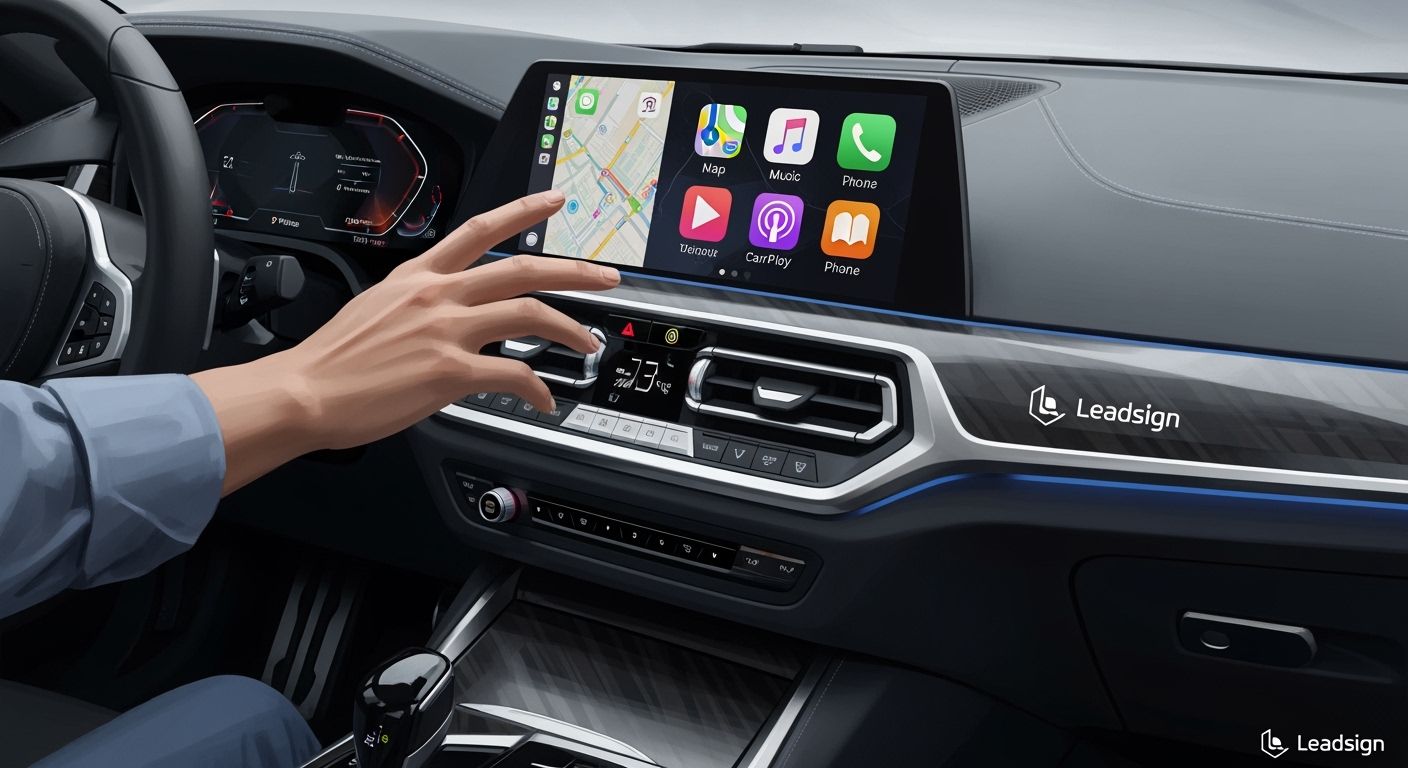
You can change your BMW’s infotainment system with a wireless CarPlay retrofit. This upgrade gives you easy wireless connection, simple controls, and a better drive. Many BMW cars can use this technology, including:
Models made after 2017 that have Apple CarPlay
Almost all BMWs made since 2008, which is 95% of cars
You get cool features that make every trip more fun. Leadsign offers trusted solutions to help you get the most from your BMW.
Key Takeaways
You can make your BMW better with wireless CarPlay. It helps your phone connect easily and makes driving more fun.
Most BMWs made after 2008 can use this. This means over 95% of cars can get this cool feature.
You can install it yourself or ask a professional for help. There are guides to show you how to do it.
You keep all your BMW’s original features. You also get new things like navigation, music, and talking on the phone without using your hands.
Leadsign gives you good products and support. They help you upgrade your car without problems.
Wireless CarPlay Retrofit Overview
What Is a Wireless CarPlay Retrofit
A wireless CarPlay retrofit is an upgrade for your BMW. It lets you use Apple CarPlay and Android Auto without any cables. You can connect your phone wirelessly to your car’s screen. This upgrade uses a special hardware module. The module works with your BMW’s system. You get a modern infotainment setup, even if your car did not have it before.
With a wireless CarPlay retrofit, you can:
Use navigation apps like Apple Maps, Google Maps, and Waze.
Listen to music and podcasts from Spotify, Tidal, or Audible.
Send and get messages by talking with apps like WhatsApp.
Control everything using your BMW’s iDrive controller.
Get help from Siri for directions and talking.
How It Works in BMW
The wireless CarPlay retrofit uses a special module. It connects to your BMW’s head unit. The module has its own CPU and Wi-Fi chip. These parts handle the wireless link between your phone and car. The system uses your car’s LVDS video cables for clear pictures. It connects to AUX or fiber optic lines for good sound.
Here’s how it fits in your BMW:
Feature | Description |
|---|---|
Connect your iPhone with or without a cable. | |
Wired/Wireless Android Auto | Use Android devices wirelessly or with a cable. |
Control with iDrive | Manage apps using the iDrive knob or voice commands. |
Original System Functions | Keep all your BMW’s original features. |
Compatibility with Cameras | Rear and surround view cameras work as usual. |
Sound Integration | Audio plays through your BMW’s original Bluetooth system. |
Installation | Plug & play setup that you can reverse if needed. |
Interface Upgrade Benefits
A wireless CarPlay retrofit makes your BMW easier and safer to use. You can keep your hands on the wheel and eyes on the road. You can use your favorite apps without losing focus. The system lets you switch between music, maps, and calls easily. You keep all your BMW’s original features, so nothing is lost.
Tip: A wireless CarPlay retrofit gives your BMW a modern look and makes driving more fun.
BMW Compatibility
Compatible Models and Systems
You want to know if your BMW can support a wireless CarPlay retrofit. Most BMW models built since 2008 offer strong compatibility. You can find support across many series and infotainment systems. Here are the main compatible models and systems:
E-Series (models produced before 2016)
Early G-Series (models produced before 2016)
BMWs with CIC, NBT, EVO, or MGU head units
If you drive a BMW with the EVO system, you have even more options. Leadsign focuses on EVO systems, including ID5 and ID6. Owners of BMW i3 and i8 models from 2017 to 2021 can also enjoy seamless integration. This wide range means you can upgrade your infotainment system in over 95% of BMWs produced since 2008.
Note: You keep all your original BMW features when you install a wireless CarPlay retrofit. Your cameras, sound system, and controls continue to work as before.
How to Check Compatibility
You can check if your BMW supports a wireless CarPlay retrofit by following a few simple steps. This process helps you confirm the details before you buy.
Check the size of your factory screen.
Find out which infotainment or head-unit version you have (CIC, NBT, EVO, or MGU).
See if your screen supports touch operation.
Look for factory AUX, USB, Bluetooth, or fiber-optic audio connections.
Confirm if you have a factory reverse or 360-degree camera.
Check for a factory amplifier or premium sound system.
Note if your car is right-hand-drive or left-hand-drive.
You can also activate factory BMW wireless CarPlay if your car has the NBT Evo head unit with ID5 or ID6 software. If your BMW does not have this feature, you can use a plug-and-play module. This module works with most BMWs produced since 2008 and does not require major changes to your car.
Tip: Leadsign’s wireless CarPlay retrofit for EVO systems (ID5, ID6, i3, i8, 2017-2021) offers a reliable and easy upgrade path for many BMW owners.
Installation Guide
Preparation and Tools
Get your BMW ready before you start. Gather all the tools you need. Check if your car is compatible. Find your operating system version. Go to Settings in your iDrive menu. Then look for System Information. This shows your iDrive version. Cars made after August 2016 usually have CarPlay. If your BMW is from early 2016, it might not have the right hardware.
You need these tools for installation:
Screwdrivers
Pliers
Wire strippers
Trim removal tool
CarPlay retrofit kit
Wiring harness
Wi-Fi antenna
Make sure your workspace is clean and bright. Keep all parts neat so you do not get confused.
Tip: Check your BMW’s hardware and software again before starting. This helps you avoid problems later.
DIY vs. Professional
You can install the wireless CarPlay retrofit yourself. Or you can hire a professional. If you like working on your car, DIY saves money. Many BMW owners share tips online. Forums have advice and answers to questions. You can find video guides for each step.
Professional installation is fast and easy. Experts make sure everything works well. The wireless CarPlay retrofit kit costs $500 to $1000. Professional help adds $500 to $1000 more. If you want no stress, hire a specialist.
Note: Most BMW owners can do DIY installation. If you are unsure, professionals give the best results.
Installation Steps
Follow these steps to install your wireless CarPlay retrofit:
Remove the trim and faceplate from your dash.
Pull out the head unit carefully.
Connect the head unit to the MMI module with the wiring harness.
Plug the new cable from the MMI module to the screen.
Test the system before putting the trim back. Make sure the CarPlay interface shows up. Check that all functions work. If something is wrong, check the connections. Look for help in online forums.
Here is a table of common challenges and solutions:
Challenge | Description | Solution |
|---|---|---|
Performance Issues | Apps load slowly, Siri is delayed, audio lags | Upgrade to a modern CarPlay retrofit for better performance |
Weak Wireless Signal | Connection drops in places with interference | Move your car to a spot with less interference |
Outdated iDrive Software | Old firmware may not work with new iPhone updates | Update iDrive software to the latest version |
Too Many Background Apps | Many apps slow down your phone and network | Close extra apps on your iPhone |
Older BMW Hardware | Slow processors make things run slower | Use fewer demanding apps or upgrade hardware |
Poor Wireless Adapter | Bad adapters cause delays and disconnects | Use a good wireless CarPlay adapter |
Alert: Always use good parts and follow instructions. This keeps your BMW’s infotainment system working well.
You can upgrade your BMW’s interface easily. The wireless CarPlay retrofit gives you modern features and makes driving better.
Benefits for BMW Owners
Wireless Connectivity
Wireless connectivity makes life easier in your BMW. The wireless CarPlay retrofit connects your phone by itself when you start your car. You do not need to use cables, so your cabin stays neat. This setup fits BMW’s clean style and makes your system feel new.
A 5 Series owner saves time in city traffic with automatic wireless connection.
An X5 driver who stops often finds wireless connection very helpful.
A 3 Series owner likes a tidy cabin that feels more special.
Your infotainment system is simple and easy to use. You keep all main features and get a better experience.
Specification | Details |
|---|---|
OS | Optimized Automotive Linux |
Chipset | High-Speed Dual-Core Processor |
Connectivity | |
Resolution | 1920 x 720 HD |
Audio | High-Fidelity Audio Output via Original AUX/Fiber Optic |
Enhanced Usability
You get better usability every day. The system connects wirelessly each time you start your BMW. Navigation, music, contacts, and messages are ready for you. You do not need cables, so everything is easier. Your dashboard and center console stay neat. You can leave your phone in your pocket, bag, or anywhere in the car while using CarPlay.
Evidence Description | Impact on Usability |
|---|---|
The system connects wirelessly when you start your BMW. | Navigation, music, contacts, and messages are always ready, making things easier. |
Your phone connects by itself when you start the car. | No cables needed, so it is simpler and more user-friendly. |
Without cables, your dashboard and center console stay neat. | A clean space makes driving more fun. |
You can keep your phone anywhere in the car while using CarPlay. | This gives you more comfort and makes apps easier to use. |
Wireless CarPlay saves time for quick trips or many stops. | It makes daily driving faster and more useful. |
Wireless Apple CarPlay gives safer communication and better navigation. | It helps you drive safely and makes using the system easier. |
Driving Experience
Your driving experience gets better and clearer. The wireless CarPlay retrofit helps you pay attention to the road. You use navigation, music, and communication apps without losing focus. The system lets you control things hands-free, which is safer. You hear high-quality audio and see HD visuals, making every trip more fun. Your BMW feels smarter and more connected, so you feel confident and comfortable.
Tip: Adding wireless CarPlay to your BMW makes driving smoother, safer, and more fun.
Why Choose Leadsign
Product Quality
You want your wireless CarPlay retrofit to work every time. Leadsign is a top company for in-car integration products. Their research team in Shenzhen, China, builds reliable systems for BMW cars. You get a product that meets high standards and works well. Leadsign’s kits fit many BMW models and use advanced technology. The Plug & Play Decoder Module lets you connect fast. You can use features like Mirror Link, OEM Camera, and Steering Wheel Control. Leadsign checks each product before sending it to you, so you can trust the quality.
Note: Leadsign cares about quality, so your BMW gets a dependable infotainment upgrade.
Customer Support
You should get help when you need it. Leadsign gives you quick customer support for every step. If you have questions about compatibility or installation, you can ask and get clear answers. The support team helps you fix problems and makes sure your wireless CarPlay retrofit works right. You get guides, videos, and online help. Leadsign’s experts listen to your concerns and offer solutions that fit your needs.
Support Feature | Benefit to You |
|---|---|
Fast Response | Quick answers to your questions |
Installation Guidance | Step-by-step help |
Troubleshooting | Solutions for common issues |
Friendly Service | Easy communication |
Unique Features
Leadsign’s wireless CarPlay retrofit kits have special features for BMW cars. You get an AV/USB cable that powers your backup camera and handles video input. The Can Cable gives you plug-and-play power. The iDrive Cable has both 4-pin and 10-pin connectors, so it fits different BMW models. If your car does not have a microphone, you get one in the kit. The MIC adapter cable makes sure your original microphone works with the new system.
AV/USB cable powers backup camera and video input.
Can Cable gives plug-and-play power.
iDrive Cable fits both 4-pin and 10-pin connectors.
Aftermarket microphone included for cars without one.
MIC adapter cable keeps your original microphone working.
Tip: Leadsign’s special features make installation easy and help your BMW keep all its original functions.
You can make your BMW’s screen better with a wireless CarPlay retrofit. This gives you a new infotainment system that makes driving easier every day. Leadsign gives you good products and helpful support.
You get simple wireless connection and easy-to-use controls.
You keep your BMW’s old features and get new ones too.
Make sure your BMW works with the retrofit or ask Leadsign for help.
FAQ
How do I know if my BMW supports wireless CarPlay retrofit?
Check your BMW’s model year and head unit type. Look for EVO systems like ID5 or ID6. You can contact Leadsign for help or use their compatibility guide.
Can I install the retrofit kit myself?
You can install the kit yourself with basic tools. Leadsign provides step-by-step guides and videos. If you prefer, you can ask a professional for installation.
Will I lose any original BMW features after installation?
You keep all your BMW’s original features. Cameras, sound system, and steering wheel controls continue to work. The retrofit adds new functions without removing anything.
Does the retrofit work with Android phones?
Yes, the Leadsign retrofit supports Android Auto. You can connect your Android phone wirelessly or with a cable. Enjoy navigation, music, and messaging apps.
What should I do if I have installation questions?
You can reach out to Leadsign’s support team. They offer fast answers, troubleshooting tips, and installation guidance. You get help by email, chat, or phone.
See Also
Upgrade Your Vehicle's Comfort with HFM Rear Seat Entertainment
Improving HFM Features Through Rear Seat Entertainment Options
Boosting Automotive HSD Functionality Using USB Connectivity