Ensuring Longevity of Vehicle Connectors with Proper Maintenance

Intro: A 5 Connector Can Take Down a 5,000 System
Vehicle connectors are the critical links between your car’s electrical components – engine control units, airbags, lights, sensors, and cameras. A corroded, loose, or poorly installed connector can cause intermittent failures, flickering lights, or even complete system shutdown.
For repair shops and fleet managers, proper maintenance of connectors is one of the most cost‑effective ways to reduce callbacks and extend vehicle life. In this guide, you will learn:
Common connector problems (corrosion, looseness, heat damage)
How to inspect, clean, and protect connectors
Proper installation techniques for OEM and aftermarket connectors
Selection criteria for durable, application‑matched connectors
2026 trends affecting connector longevity
Why LEADSIGN pre‑terminated FAKRA/HSD cables reduce maintenance headaches
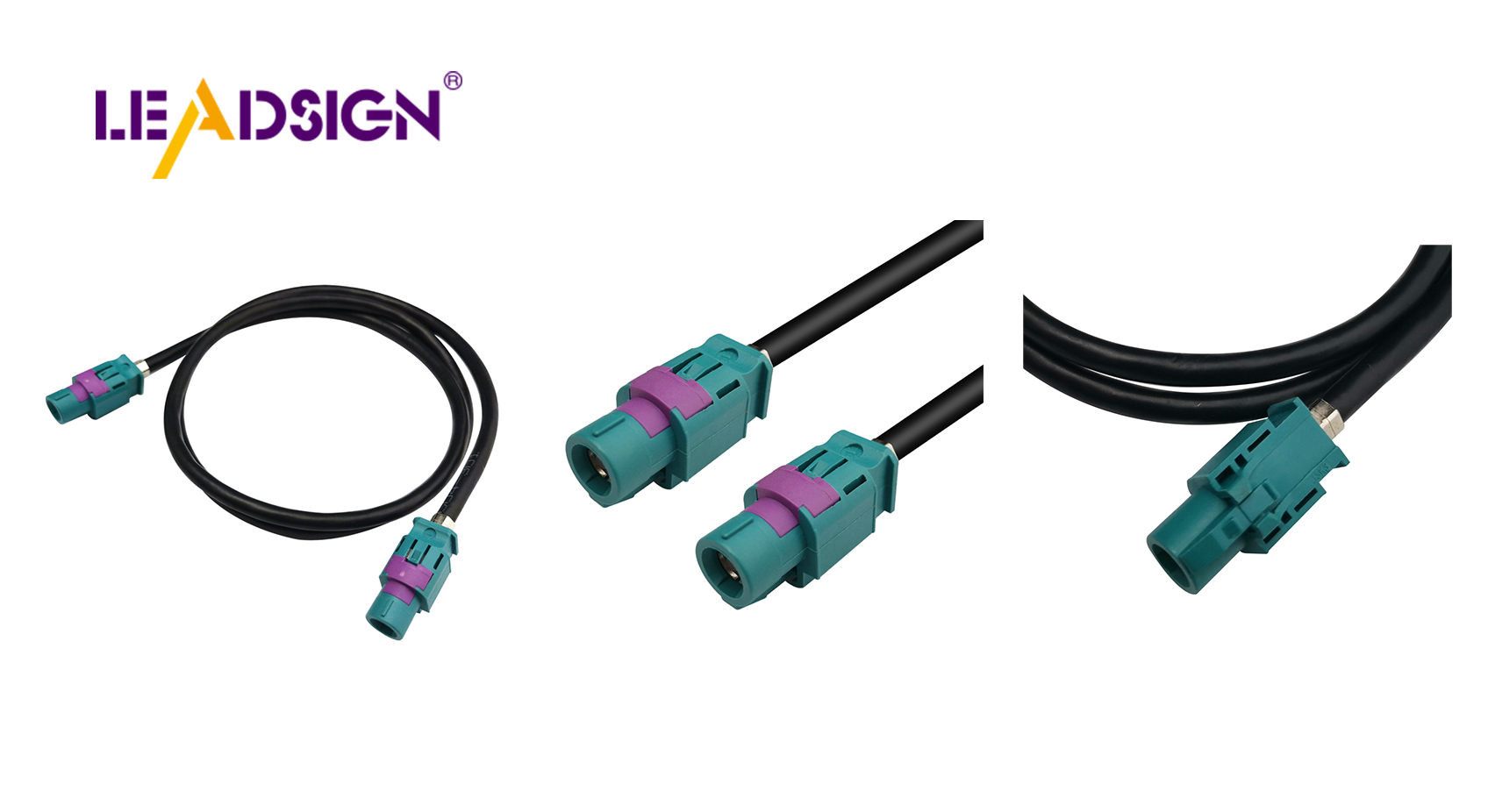
1. Understanding Vehicle Connectors – Types & Functions
Connector Family | Typical use | Sealed? | Vibration rating | Notes |
|---|---|---|---|---|
Crimp (butt, bullet, spade) | Power, ground, speakers | No (interior) / Yes (heat‑shrink) | Moderate | Most common; requires correct tool |
Deutsch DT | Engine bay, sensors, heavy‑duty | Yes (IP67/IP68) | Excellent | High vibration resistance |
Weather Pack | Exterior lights, trailer wiring | Yes (IP67) | Good | Cost‑effective sealed option |
FAKRA (coaxial) | Camera video, GPS, 4G/5G antenna | Optional (IP67) | Good | Colour‑coded (blue=camera, amber=GPS) |
HSD (USB‑C, Ethernet) | CarPlay, ADAS, diagnostics | Optional | Good | 100Ω differential, locking |
Molex MX150 | Body electronics, low current | Yes (IP67) | Moderate | Compact, sealed |
Key insight: Using an unsealed connector in an underbody or engine bay location guarantees failure within months. Always match the connector to the environment.
2. Common Problems That Shorten Connector Life
Problem | Cause | Symptom | Prevention |
|---|---|---|---|
Corrosion (green/white powder) | Water ingress, salt | High resistance, intermittent signal | Use sealed (IP67) connectors; apply dielectric grease to seals |
Loose connection | Vibration, no secondary lock | Flickering lights, sensor dropouts | Use connectors with CPA (connector position assurance); tug test |
Bent / pushed‑back pin | Forced mismating, poor alignment | No contact, open circuit | Use colour‑coded (FAKRA) or keyed housings – never force |
Melted plastic | Overheating from high resistance or overload | Burnt smell, deformed housing | Check current rating; replace damaged connector and find root cause |
Broken lock / latch | Rough handling, brittle plastic | Connector separates under vibration | Replace housing; do not tape – it will fail |
Pro tip: During inspection, gently wiggle each connector while the circuit is powered (e.g., light on, camera on). If the device flickers, the connector is loose.
3. Proper Maintenance – Inspection, Cleaning & Protection
✅ Inspection Schedule
Every 6 months or 20,000 km: Visual check for cracks, corrosion, melted plastic.
After off‑road use or pressure washing: Inspect underbody connectors for water ingress.
When a system fails (camera, light, sensor): Test connector first – often the problem is not the component.
✅ Cleaning Procedure (for corrosion)
Disconnect battery negative terminal.
Separate connector.
Blow out loose debris with compressed air.
Spray electrical contact cleaner (not brake cleaner, not WD‑40).
Gently brush terminals with a soft brush (toothbrush size).
Blow dry with compressed air.
Apply dielectric grease only to rubber seals and housing gaskets – not to electrical contact surfaces.
Reconnect – push until click, engage secondary lock.
Test operation.
✅ Protection from Environment
Exterior / underbody: Use IP67 or IP69K sealed connectors (Deutsch, Weather Pack, sealed FAKRA).
Engine bay: Use high‑temp rated connectors (-40°C to +125°C).
Data cables (FAKRA/HSD): Keep away from high‑current wires (20 cm minimum separation) to avoid EMI.
Apply dielectric grease to seals at every service – prevents moisture ingress.
4. Proper Installation – Ensuring Long Life from Day One
🔹 Prepare Wires & Connectors
Strip insulation with proper wire stripper – do not nick strands.
Strip only the required length (typically 5‑8 mm).
Select correct terminal for wire gauge (red=22‑18 AWG, blue=16‑14 AWG, yellow=12‑10 AWG).
🔹 Crimp Correctly
Use ratcheting crimper with correct die for terminal family.
Insert wire fully, crimp until ratchet releases.
Pull test – wire should not come out with 5‑10 lbs force.
🔹 Insert Terminals & Secure
Push terminal into housing until click.
Engage secondary lock (if present).
Add strain relief – zip‑tie wire within 50 mm of connector back.
🔹 Mate Connectors
Align keyways or colour code.
Push until audible click and secondary lock engages.
Tug on connector body (not wires) to confirm retention.
🔹 Test
Use multimeter for continuity, voltage drop (<0.2V for power circuits).
For FAKRA/HSD, trust pre‑terminated cables – field testing impedance requires expensive gear.
5. Selecting the Right Connector – Fit, Ratings & Environment
Criterion | What to look for | Why |
|---|---|---|
Current rating | Match circuit load (e.g., 10A for lights, 3A for sensors) | Prevents overheating. |
Voltage rating | ≥ 60V DC | Avoids arcing. |
Temperature | -40°C to +125°C for engine bay | Prevents housing embrittlement or softening. |
Sealing (IP) | IP67 (temporary immersion) or IP69K (pressure wash) | Keeps out water, salt, mud. |
Vibration | Secondary lock / CPA, USCAR‑2 rated | No loosening on rough roads. |
Material | Copper alloy terminals (tin or gold plated) | Corrosion resistance, low resistance. |
For data lines (camera, GPS, USB): Use FAKRA (50Ω) or HSD (100Ω) – not general‑purpose power connectors.
6. 2026 Trends – What’s Changing for Connector Longevity
Trend | Implication |
|---|---|
4K cameras on trucks & buses | Mini FAKRA connectors are smaller – more fragile. Handle with care; use pre‑terminated cables. |
5G telematics | Mini FAKRA (violet) requires low‑loss coax; any corrosion at connector kills performance. |
EV / hybrid | High‑voltage (orange) connectors – do not touch. Low‑voltage FAKRA/HSD must be double‑shielded to resist EMI. |
Pre‑terminated cables | Shops moving to LEADSIGN pre‑terminated FAKRA/HSD – eliminates field‑crimp failures, extends connector life. |
Longer vehicle life | Connectors must survive 15+ years. Invest in sealed, gold‑plated terminals. |
7. Why LEADSIGN – Pre‑Terminated FAKRA/HSD Cables Simplify Maintenance
Many connector failures come from field‑crimped data connectors. LEADSIGN pre‑terminated cables eliminate this variable and extend service life.
What LEADSIGN offers:
✅ FAKRA (standard & Mini) – all 14 colours, 50Ω, up to 20 GHz, IP67 optional
✅ HSD (USB‑C, Ethernet, LVDS) – 100Ω, locking, up to 5 Gbps
✅ Pre‑terminated cables – any length 0.3m – 20m, no field crimping
✅ Factory‑tested – impedance, continuity, VSWR
✅ Low‑loss, double‑shielded – for long runs and EV environments
✅ Bulk pricing – for shops, fleets, distributors
For your business: Instead of cleaning or repairing a corroded FAKRA connector, simply replace the entire LEADSIGN pre‑terminated cable – faster, more reliable, and no callback.
Final Recommendations – Connector Longevity Checklist
Action | Frequency |
|---|---|
Visual inspection (cracks, corrosion, melted plastic) | Every 6 months / 20,000 km |
Clean connectors with contact cleaner; apply dielectric grease to seals | As needed (or once a year) |
Perform tug test on critical circuits (battery, ECU, camera) | Every service |
Replace any connector with bent pins, broken lock, or deep corrosion | Immediately |
For high‑speed data (FAKRA/HSD), use pre‑terminated LEADSIGN cables | Always – no field crimping |
Keep spare connectors in dry, labelled storage | Ongoing |
Remember: A well‑maintained connector outlasts the vehicle. A neglected connector will fail and cost you a callback.
Ready to improve connector longevity in your fleet or shop?
See Also
Boosting Data Transfer: Significance of Fast Automotive Connectors
Improving Vehicle Data Flow: Cutting-Edge Connectors and Wires
Increasing Performance Using HFM Connectors in Vehicles
Significance of Fakra Connectors in Today's Automotive Technology
