Practical Tips to Prolong the Life of Auto Electrical Connectors Plugs – Professional B2B Guide (2026)

Intro: Reliable Connectors Are the Key to Long‑Term Vehicle Performance
Automotive electrical connectors are the unsung heroes of every vehicle’s electrical system. They connect everything from audio systems and sensors to safety features like airbags and ABS. However, corrosion, loose connections, and faulty wiring can lead to intermittent failures and costly repairs. Regular maintenance not only prevents these problems but also extends the life of your connectors, ensuring your vehicles remain reliable for years. For repair shops and fleet managers, a simple inspection and cleaning routine can save thousands in callbacks.
This guide provides practical, step‑by‑step tips for maintaining automotive electrical connectors – from regular checks and cleaning to environmental protection and proper storage.
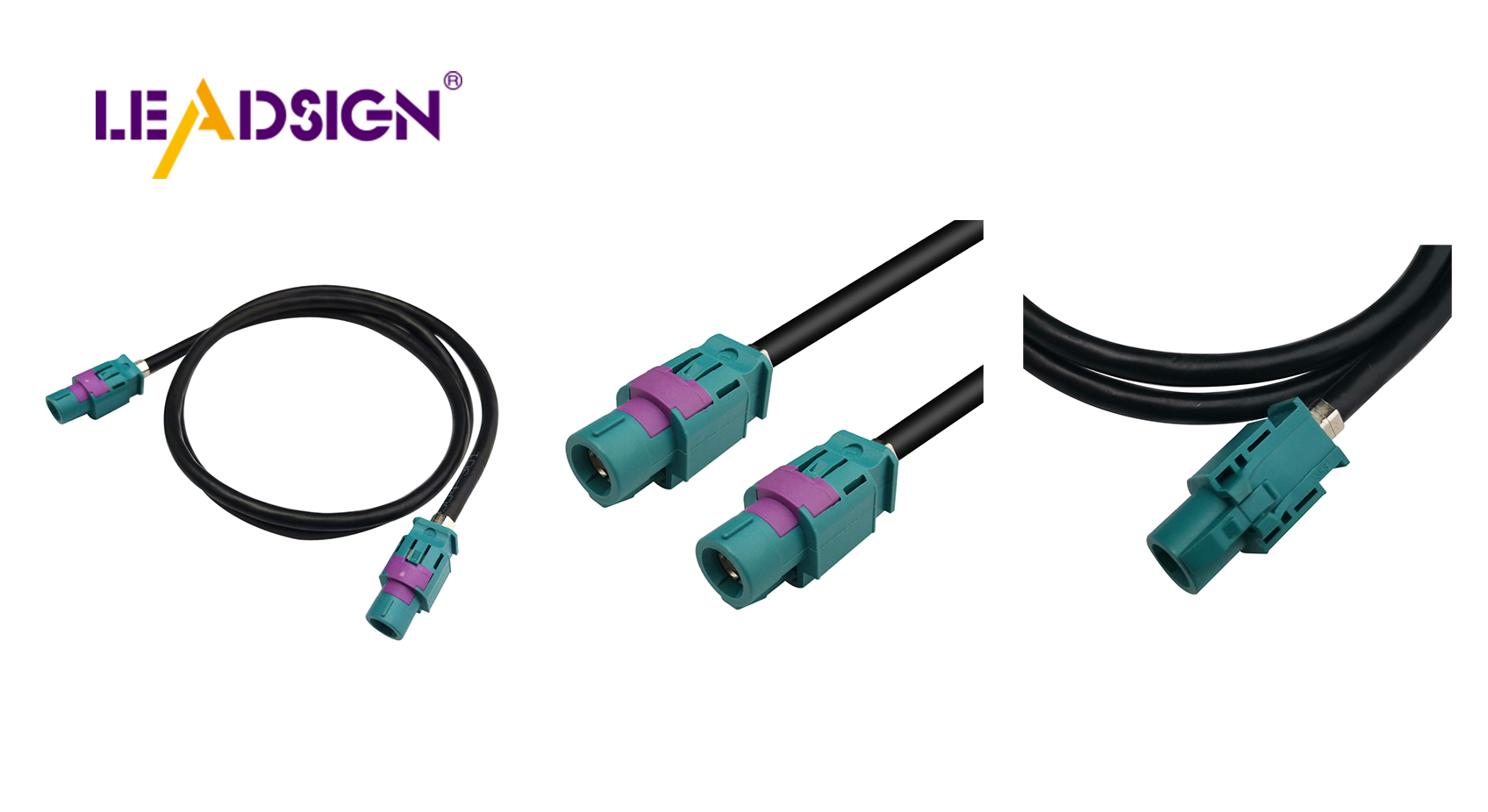
1. Regular Checks – The First Line of Defence
Perform a thorough inspection every 6 months or 20,000 km (more often for off‑road or high‑vibration vehicles).
Check | What to look for | Action |
|---|---|---|
Visual inspection | Cracks, discolouration, green/white powder (corrosion), bent pins | Replace damaged connectors immediately |
Electrical test | Use a multimeter – continuity (beep) and voltage drop (<0.2V) | Clean or replace if readings out of spec |
Mechanical test | Gently tug wires – they should not move; lock should click | Re‑crimp or replace loose terminals |
Pro tip: Keep a log of inspection dates and findings – fleets with scheduled connector checks have lower electrical failure rates.
2. Easy Ways to Clean Car Connectors – Professional Procedure
✅ Tools You’ll Need
Electrical contact cleaner (plastic‑safe, e.g., CRC QD, DeoxIT)
Soft brush (toothbrush size)
Compressed air (can or regulated shop air)
Dielectric grease (silicone‑based)
Emery board / fine sandpaper (for light oxidation on large terminals)
✅ Step‑by‑Step Cleaning
Disconnect battery (negative first).
Separate connector halves – use a pick tool to release locks.
Remove loose debris with compressed air or dry brush.
Spray contact cleaner on terminals and inside housing.
Gently brush terminals to remove oxidation.
Blow dry with compressed air – no residue left.
Apply dielectric grease – only to rubber seals and housing gaskets, not to electrical contact surfaces.
Reconnect – push until audible click; engage secondary lock if present.
Test – operate the circuit (light, sensor, camera) to confirm.
❌ Cleaning Mistakes to Avoid
Do not use water, WD‑40, brake cleaner, vinegar, or baking soda – they damage plastic or leave conductive residue.
Avoid steel wool or abrasive tools – they scratch terminals.
Do not force connectors apart – use proper tools.
3. Protecting Connectors from the Environment
Threat | Protection method |
|---|---|
Water / moisture / salt | Use sealed (IP67/IP69K) connectors; apply dielectric grease to seals; add drip loops in wiring. |
Heat / UV (sunlight) | Use high‑temp plastics (PPA, PBT) and UV‑resistant materials; avoid PVC for engine bay. |
Dirt / dust | Use dust caps on disconnected connectors; keep underbody connectors sealed. |
For exterior or underbody connectors: Replace unsealed connectors with sealed (IP67) versions as part of routine maintenance – it prevents corrosion‑related failures.
4. Proper Handling and Storage – Extend Connector Life
🔹 Safe Handling Practices
Use the right tools – crimpers, depinning tools, pick sets – not makeshift pliers or screwdrivers.
Do not reuse single‑use connectors (e.g., some crimp terminals) – they lose retention force.
Strip wires correctly – no nicked strands; 5‑8 mm strip length.
Do not over‑tighten – follow torque specs; cracked housing is permanent damage.
🔹 Storage Best Practices (for spare connectors)
Keep in dry, labelled containers – use parts organizers with compartments.
Add silica gel packs to absorb moisture in humid environments.
Do not stack heavy items on top – crush damage.
Protect open connectors with dust caps or anti‑static bags.
🔹 Reducing Stress on Wires and Connectors
Use strain relief – zip‑tie wires within 5‑10 cm of the connector back.
Avoid sharp bends – minimum bend radius 5× cable diameter.
Secure harnesses every 15‑25 cm – prevent vibration and chafing.
5. Using Protective Products – Dielectric Grease and Rust‑Resistant Materials
✅ Why Use Dielectric Grease?
Prevents moisture ingress – forms a water‑tight barrier on rubber seals.
Stops seal hardening – keeps grommets flexible.
Reduces corrosion – blocks air and salt from metal terminals.
Application: Squeeze a small amount into the seal area before mating – never on electrical contacts.
✅ Corrosion‑Resistant Materials – What to Look For
Component | Recommended material |
|---|---|
Insulation / housing | PA66, PBT, ABS, PC (polycarbonate) |
Terminals | Brass (tin‑plated), phosphor bronze, beryllium copper, copper‑nickel‑silicon |
Seals | Silicone rubber |
Pro tip: When replacing connectors, choose gold‑plated terminals for low‑voltage signal lines (FAKRA, HSD, sensor lines) – they resist oxidation better than tin.
6. 2026 Trends – Connector Maintenance in Modern Vehicles
Trend | Implication |
|---|---|
4K cameras and 5G telematics | Data connectors (FAKRA, HSD) are more sensitive – use pre‑terminated cables, never field clean centre pins. |
EV / hybrid | High‑voltage (orange) connectors – do not touch. Low‑voltage data lines need extra EMI shielding. |
Pre‑terminated cables | Shops use LEADSIGN plug‑and‑play FAKRA/HSD cables – no field crimping, no cleaning of internal contacts needed. |
Longer vehicle life | Connectors must survive 15+ years – sealed, corrosion‑resistant types are mandatory. |
7. Why LEADSIGN – Simplify Maintenance with Pre‑Terminated Data Cables
Many connector maintenance problems come from field‑crimped FAKRA or HSD cables. LEADSIGN pre‑terminated cables eliminate this variable.
What LEADSIGN offers for 2026:
✅ FAKRA (standard & Mini) – all 14 colours, 50Ω, up to 20 GHz, IP67 optional
✅ HSD (USB‑C, Ethernet, LVDS) – 100Ω, locking, up to 5 Gbps
✅ Pre‑terminated cables – any length 0.3m – 20m, no field crimping
✅ Low‑loss, double‑shielded coax – for long runs and EV environments
✅ Bulk pricing – for shops, fleets, and distributors
For your business: Instead of cleaning a corroded FAKRA connector, simply replace the entire pre‑terminated LEADSIGN cable – faster, more reliable, and no callback.
Final Recommendations – Connector Maintenance Checklist
Task | Frequency | Action |
|---|---|---|
Visual inspection | Every 6 months | Look for cracks, corrosion, melted plastic, loose locks. |
Electrical test (continuity, voltage drop) | Every 6 months | Use multimeter; replace if out of spec. |
Clean with contact cleaner | Annually or after water exposure | Spray, brush, blow dry. |
Apply dielectric grease to seals | Annually | Squeeze small amount – not on contacts. |
Replace damaged connectors | Immediately | Any crack, deep corrosion, or bent pin. |
For FAKRA/HSD data lines | As needed | Replace pre‑terminated LEADSIGN cable. |
Remember: A 10‑minute connector inspection today can prevent a 1‑hour diagnostic and a costly callback tomorrow.
Ready to simplify your connector maintenance with pre‑terminated data cables?
[Request a free LEADSIGN FAKRA/HSD sample kit] | [Get bulk pricing]
See Also
Boosting Automotive Performance Using HFM Connectors Effectively
Enhancing Data Flow in Vehicles with Superior Connectors
Utilizing Mini FAKRA Connectors for Space Optimization in Vehicles
Improving Vehicle Communication with High-Speed Connector Technology
