Best Practices for Maintaining Car Harness Connectors – Professional B2B Guide (2026)

Intro: Over 700 Connectors – One Neglected Connection Can Cost Thousands
Modern vehicles contain more than 700 electrical connectors – in the engine bay, underbody, doors, dashboard, and safety systems. A single corroded, loose, or damaged connector can cause intermittent sensor failures, flickering lights, or even airbag malfunctions. For repair shops and fleet managers, preventive connector maintenance is one of the most cost‑effective ways to reduce callbacks and extend vehicle life.
In this guide, you will learn:
Common connector problems (corrosion, looseness, heat/vibration damage, water/dirt ingress)
Essential maintenance tips (inspection, cleaning, grease, weatherproofing, cable routing)
Step‑by‑step repair procedures (diagnose, clean or replace, re‑crimp/solder, reassemble, test)
2026 trends affecting connector reliability
Why LEADSIGN pre‑terminated FAKRA/HSD cables simplify maintenance for data lines
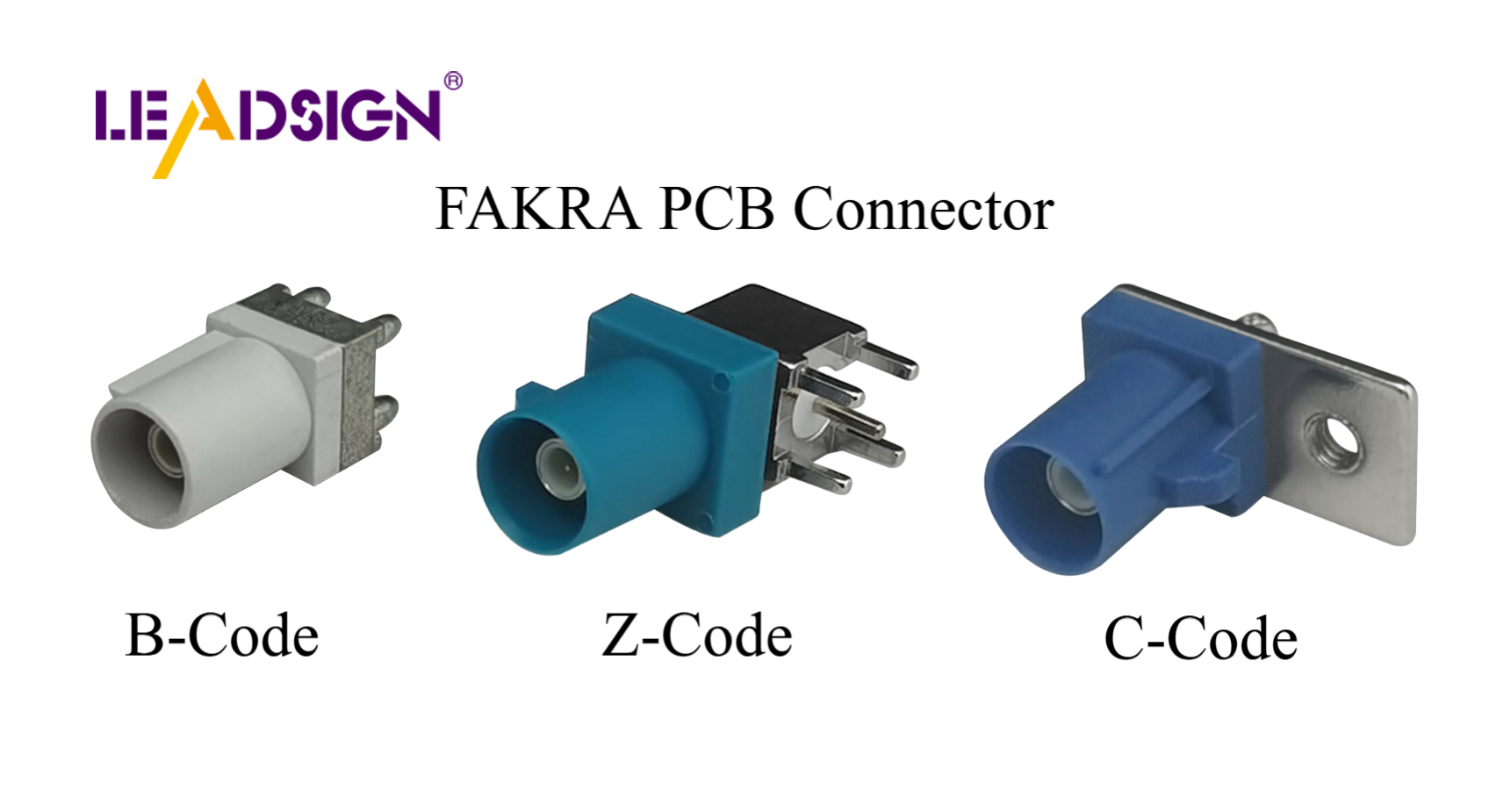
1. Common Problems with Car Harness Connectors
Problem | Cause | Symptoms | Prevention |
|---|---|---|---|
Corrosion (green/white powder) | Water ingress, road salt, unsealed connectors | Intermittent signal, high resistance, eventual open circuit | Use sealed (IP67) connectors; apply dielectric grease to seals |
Loose or broken connection | Vibration, no secondary lock, poor crimp | Flickering lights, sensor dropouts, intermittent operation | Use connectors with CPA; perform pull test after crimping |
Heat damage | Engine bay high temperatures, overload | Melted plastic, discoloured housing | Use high‑temp rated connectors (-40°C to +125°C) |
Vibration fatigue | Constant shaking on rough roads | Terminal fretting, intermittent connection | Choose connectors with secondary lock and vibration rating (USCAR‑2) |
Water / dirt ingress | Unsealed connector in underbody or exterior | Corrosion, short circuits, complete failure | Use IP67/IP69K sealed connectors; apply dielectric grease |
Pro tip: During inspection, wiggle each connector while observing the system (e.g., light, sensor). If the behaviour changes, the connector is loose or corroded.
2. Essential Maintenance Tips
✅ Regular Inspection (Every 6 months or 20,000 km)
Check | What to look for | Tool |
|---|---|---|
Visual | Cracks, discolouration, green/white powder on terminals | Magnifying glass, bright light |
Cleanliness | Dirt, grease, or debris in housing | Compressed air, soft brush |
Resistance | High resistance across closed contacts | Multimeter (expect <0.2Ω for power, <10Ω for signal) |
Connection force | Smooth engagement / disengagement; should click | Manual feel |
Function test | Operate circuit (light, camera, sensor) | None |
✅ Cleaning Connectors – Professional Procedure
Tool: Electrical contact cleaner (plastic‑safe), soft brush, compressed air.
Steps:
Disconnect battery (negative first).
Separate connector halves.
Blow out loose debris with compressed air.
Spray contact cleaner on terminals and housing.
Gently brush terminals.
Blow dry with compressed air.
Do not use water, WD‑40, brake cleaner, or vinegar.
✅ Apply Dielectric Grease – To Seals Only
Where: Rubber wire seals, housing gaskets.
Where NOT: Electrical contact surfaces (grease insulates).
Benefit: Prevents moisture ingress, stops seal hardening, reduces corrosion.
✅ Use Weatherproof Connectors for Harsh Environments
Location | Minimum IP rating | Example connector families |
|---|---|---|
Engine bay | IP67 | Deutsch DT, Weather Pack, sealed FAKRA |
Underbody | IP67 | Sealed butt (heat‑shrink), Deutsch DT |
Exterior lights | IP67 | Weather Pack, AMP Superseal |
Interior (dry) | Unsealed | Blade, spade, bullet, unsealed Molex |
✅ Route Cables Correctly
Use cable ties every 15‑25 cm – not too tight.
Keep away from sharp edges, moving parts, and hot surfaces (exhaust, turbo).
Use grommets where wires pass through metal.
Leave a service loop (5‑10 cm) near connectors for strain relief.
3. Step‑by‑Step Repair Guide
🔹 Tools Needed
Tool | Purpose |
|---|---|
Multimeter | Continuity, resistance, voltage drop |
Magnifying glass | Inspect small pins |
Contact cleaner | Remove dirt and light corrosion |
Ratcheting crimper | Re‑crimp terminals |
Soldering iron & rosin solder | For low‑vibration interior repairs |
Heat gun | Shrink heat‑shrink tubing |
Depinning tool | Remove terminals from housing |
🔹 Step 1: Diagnose the Issue
Identify which system is affected (e.g., left headlight not working).
Visually inspect connector for damage, corrosion, or loose lock.
Use multimeter:
Continuity: From wire end to end – should beep.
Voltage drop: Operate circuit – should be <0.2V.
Resistance to ground: >1 MΩ (no short).
🔹 Step 2: Clean or Replace Corroded Pins / Terminals
Light corrosion: Spray contact cleaner, brush, blow dry.
Heavy corrosion: Remove terminal using depinning tool. Clean with contact cleaner. If pitted, replace terminal.
For FAKRA/HSD data connectors: Do not attempt to clean internal contacts – replace entire pre‑terminated cable (LEADSIGN).
🔹 Step 3: Re‑crimp or Solder Damaged Wires
Method | Best for | Technique |
|---|---|---|
Crimp | High‑vibration, engine bay, power circuits | Use ratcheting crimper with correct die; pull test (5‑10 lbs). |
Solder | Low‑vibration interior, signal wires | Heat wire and terminal evenly, flow solder, cool naturally. Cover with heat‑shrink. |
🔹 Step 4: Reassemble & Test
Insert terminals into housing until click.
Engage secondary lock / CPA.
Apply dielectric grease to seals.
Mate connector – confirm audible click.
Test circuit with multimeter and by operating the device.
4. 2026 Trends – What’s Changing in Connector Maintenance
Trend | Maintenance implication |
|---|---|
4K cameras on trucks & vans | Mini FAKRA connectors are smaller and more fragile – inspect carefully; replace pre‑terminated cables, do not clean internally. |
5G telematics | Antenna cables (Mini FAKRA violet) are low‑loss; any corrosion kills signal – replace rather than clean. |
EV / hybrid | High‑voltage (orange) connectors – do not touch. Low‑voltage data lines need double‑shielded FAKRA/HSD; maintain separation. |
Pre‑terminated cables | Shops increasingly replace whole cables instead of repairing connectors – faster, more reliable, no crimping errors. |
Longer vehicle life | Connectors must survive 15+ years – use sealed, corrosion‑resistant types. |
5. Why LEADSIGN – Pre‑Terminated FAKRA/HSD Cables Simplify Maintenance
Many connector maintenance problems come from field‑crimped data connectors. LEADSIGN pre‑terminated cables eliminate this variable.
What LEADSIGN offers:
✅ FAKRA (standard & Mini) – all 14 colours, 50Ω, up to 20 GHz, IP67 optional
✅ HSD (USB‑C, Ethernet, LVDS) – 100Ω, locking, up to 5 Gbps
✅ Pre‑terminated cables – any length 0.3m – 20m, no field crimping
✅ Low‑loss, double‑shielded coax – for long runs and EV environments
✅ Bulk pricing – for shops, fleets, and distributors
For your business: Instead of cleaning a corroded FAKRA connector, simply replace the entire pre‑terminated LEADSIGN cable – faster, more reliable, and no callback.
Final Recommendations – Maintenance Checklist
Task | Frequency |
|---|---|
Visual inspection (cracks, corrosion, loose locks) | Every 6 months / 20,000 km |
Clean with contact cleaner; apply dielectric grease to seals | Annually or after water exposure |
Perform tug test on critical connectors (battery, camera, ECU) | Every service |
Replace any connector with bent pins, broken lock, or deep corrosion | Immediately |
For FAKRA/HSD data lines, use pre‑terminated LEADSIGN cables | Always – no field repair |
Remember: A 10‑minute connector inspection can prevent a 1‑hour diagnostic and a costly callback.
Ready to simplify your connector maintenance with pre‑terminated data cables?
See Also
Enhancing Automotive Performance Through HFM Connector Usage
Why FAKRA Connectors Are Essential for Automotive Use
Significance of Fakra Connectors Within Automotive Sector
