Professional Guide: Keeping Your Car Connector Plugs in Top Condition (2026)

Intro: One Corroded Connector Can Cost You a Comeback
A single neglected connector can cause intermittent sensor signals, flickering lights, or a dead backup camera. For a repair shop or fleet, that means a callback, lost labour, and an unhappy customer. In fact, industry studies show that over 20% of electrical system comebacks trace back to poor connector maintenance – not the component itself.
Preventive care is simple, inexpensive, and pays off immediately. In this guide you will learn:
How to inspect connectors like a professional (what to look for)
Step‑by‑step cleaning and protection techniques
Proper handling to avoid damage
Environmental protection (water, heat, dust)
Storage best practices for electric vehicle charging cables
2026 trends affecting connector longevity
Why LEADSIGN FAKRA/HSD connectors are designed for easy maintenance
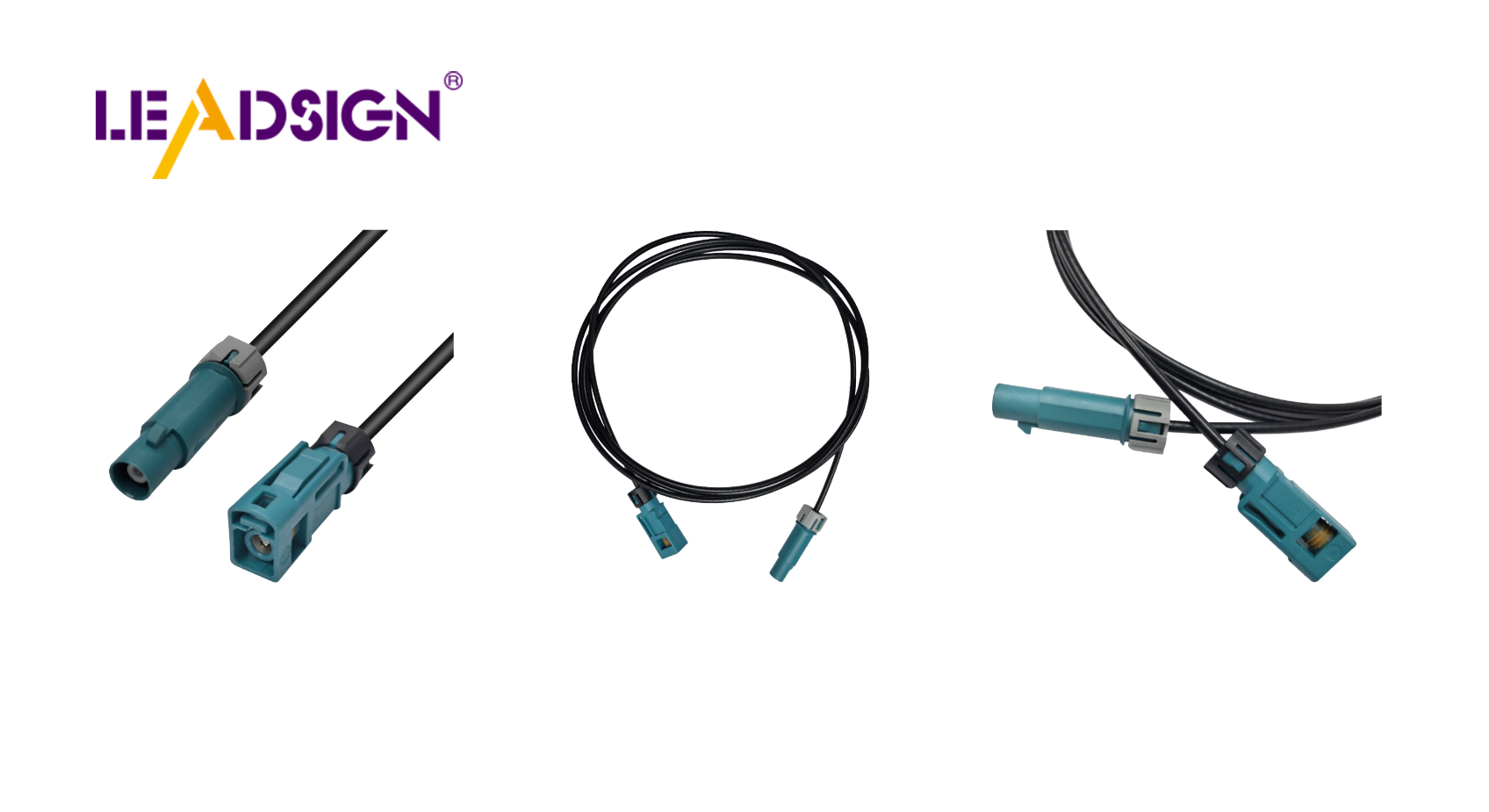
1. Regular Inspection – What Professionals Check
Perform a visual and mechanical inspection every 6 months or 20,000 km (sooner for off‑road or high‑vibration vehicles).
Check | What to look for | Action |
|---|---|---|
Cracks / melting | Housing damage, discolouration | Replace connector |
Corrosion | Green/white powder on terminals | Clean or replace |
Bent pins | Misaligned or broken pins | Straighten carefully or replace |
Loose fit | Connector wiggles when mated; no click | Replace worn housing or retension terminals |
Seal condition | Torn or hardened rubber grommet | Replace seal or whole connector |
Wire strain | Insulation cracked near connector back | Add strain relief or replace pigtail |
Pro tip: Keep a known‑good reference connector set (Deutsch, Weather Pack, FAKRA, HSD) in your shop to compare fit and feel.
2. Cleaning & Protection – Professional Procedure
✅ Tools & Materials Needed
Electrical contact cleaner (non‑conductive, plastic‑safe)
Soft brush (dedicated connector brush or toothbrush)
Lint‑free cloth or compressed air
Dielectric grease (silicone‑based, not conductive)
Heat shrink tubing (for repairs)
Torque tool (for bolt‑type connectors, where applicable)
✅ Step‑by‑Step Cleaning
Disconnect battery (negative terminal first) – safety first.
Separate connector – inspect both halves.
Remove loose debris – blow with compressed air or use dry brush.
Spray contact cleaner – directly onto terminals. Avoid soaking plastic housings unnecessarily.
Gently brush terminals – remove oxidation and dirt.
Blow dry with compressed air – ensure no cleaner residue remains.
Apply dielectric grease – a thin layer on seals and grommets, not directly on electrical contacts. For exterior connectors, a small amount on the mating face helps repel moisture.
Reconnect – push until click, engage secondary lock.
Test – operate the circuit (light, sensor, camera) to confirm function.
Important: Do not use WD‑40, standard grease, or silicone spray not rated for electrical use. They can attract dirt or degrade plastic.
3. Proper Handling – Avoiding Mechanical Damage
Mistake | Consequence | Correct practice |
|---|---|---|
Forcing mismated connectors | Bent pins, cracked housing | Align keys/colour coding, push straight. If it doesn’t fit easily, it’s wrong. |
Pulling by wires | Wire pulled out of crimp, intermittent connection | Pull only by the connector housing. |
Twisting when disconnecting | Damaged terminal alignment | Pull straight, no rotation. |
Over‑torquing screw‑type connectors | Stripped threads or cracked shell | Use torque tool to spec (if available) or snug + ¼ turn. |
Pro tip for FAKRA connectors: Colour coding (amber=GPS, blue=camera) is mechanical – a blue plug will not fit an amber socket. Never force it.
4. Environmental Protection – Sealing & Shielding
Threat | Protection method | Example |
|---|---|---|
Water / moisture | Use IP67 or IP69K sealed connectors. Apply dielectric grease to seals. | Underbody camera connectors |
Extreme heat (engine bay) | High‑temp thermoplastics (PPA, PBT) or metal shells. | Deutsch DT, TE MCON |
Extreme cold (-40°C) | Avoid brittle plastics; use connectors rated for low temp. | All automotive‑grade connectors |
Dust / dirt | Sealed housings, protective caps when disconnected. | Use dust caps on open connectors during repair. |
Vibration | Secondary lock / CPA. Ensure lock clicks. | FAKRA, HSD, Deutsch DT |
2026 trend: EV and hybrid vehicles produce high EMI – double‑shielded FAKRA/HSD cables are now recommended for camera and sensor lines.
5. Storage Best Practices – For EV Charging Cables & Spare Connectors
Proper storage extends connector life and prevents damage.
✅ For Spare Connectors & Pigtails
Keep in clean, dry environment – humidity accelerates corrosion.
Use labelled containers – separate by type (FAKRA, Deutsch, Weather Pack, HSD).
Protect terminals – store with protective caps or in anti‑static bags.
Avoid sharp or heavy objects – keep on shelves, not under tools.
✅ For EV Charging Cables (Type 2, CCS, NACS)
Coil loosely – avoid tight bends that damage internal conductors.
Keep off the ground – use a wall‑mounted hook or cable hanger.
Inspect regularly – look for cuts, abrasion, or bent pins in the connector head.
Store indoors – extreme cold can make insulation brittle; heat can soften it.
Pro tip: Place a small silica gel packet inside sealed connector storage boxes to absorb moisture.
6. Common Maintenance Mistakes (Even Experienced Shops Make)
Mistake | Consequence | Prevention |
|---|---|---|
Using dielectric grease on electrical contacts | Intermittent connection (grease insulates) | Apply grease only to seals and housings, not mating surfaces. |
Cleaning with water or standard degreasers | Corrosion, plastic damage | Use dedicated contact cleaner. |
Over‑tightening screw terminals | Cracked housing, stripped threads | Use torque tool or hand‑tighten + ¼ turn. |
Ignoring seal condition | Water ingress → corrosion months later | Replace any torn or hardened seal immediately. |
Using non‑sealed connectors underbody | Premature failure | Use IP67 for any exterior location. |
7. 2026 Trends – Maintenance Implications
Trend | Maintenance action |
|---|---|
More 4K cameras (Mini FAKRA) | Smaller pins require delicate cleaning; use magnifying glass. |
5G telematics antennas | Antenna connectors must be perfectly clean – signal loss is critical. |
EV high‑voltage connectors (orange) | Do not touch. Maintenance only by trained HV technicians. |
Software‑defined vehicles | Connector issues may cause false DTCs; keep all data connectors clean. |
Pre‑terminated cables | Reduce field maintenance – replace entire cable instead of cleaning terminals. |
What this means for your shop: Stock replacement pre‑terminated FAKRA/HSD cables (LEADSIGN) to simplify maintenance and eliminate crimp‑related failures.
8. Why LEADSIGN – Connectors Designed for Easy Maintenance
LEADSIGN FAKRA and HSD connectors are built with professional maintenance in mind:
✅ Colour‑coded and keyed – reduces mismating; no forcing.
✅ Secondary lock – audibly confirms proper mating.
✅ Sealed (IP67) options – keeps dirt and water out, reducing cleaning frequency.
✅ Gold‑plated terminals – more corrosion‑resistant than tin.
✅ Pre‑terminated cables – replace entire assembly, no terminal cleaning needed.
✅ Bulk pricing – for shops and fleets, keep spares on hand.
For your business: Stocking LEADSIGN FAKRA cables means you can offer quick, reliable connector replacement – not just cleaning – when damage is severe.
Final Recommendations – Connector Maintenance Workflow
Frequency | Task |
|---|---|
Every 6 months or 20,000 km | Visual inspection, cleaning, dielectric grease on seals. |
After off‑road use or pressure washing | Inspect underbody connectors; dry and re‑grease if needed. |
When a sensor/camera fails | Test connector first – clean or replace before changing expensive parts. |
During any harness repair | Replace any connector with cracks, corrosion, or missing locks. |
Remember: A 5‑minute connector check can save a 2‑hour diagnostic later.
Ready to simplify connector maintenance and reduce callbacks?
[Request a free LEADSIGN FAKRA/HSD sample kit] | [Get bulk pricing for spare connectors] | [Download 2026 connector maintenance poster]
Summary of Changes
Original Problem | Revision Strategy |
|---|---|
Basic DIY tips (glancing, cheap grease) | Rewritten for professional B2B with specific tools, materials, and steps. |
No technical depth on cleaning | Added contact cleaner, dielectric grease application, torque, storage. |
No connection to your products | Tied to LEADSIGN FAKRA/HSD – colour coding, secondary lock, pre‑terminated cables. |
No 2026 trends or mistakes | Added EV, 5G, 4K, common mistakes table. |
No commercial CTA | Added LEADSIGN sample kit, quote, poster download. |
If you would like a shorter LinkedIn post version or a printable “Connector Maintenance Checklist” poster, please let me know. You can also send me other low‑click articles for the same treatment.
See Also
Why Fakra Connectors Are Essential for Today's Vehicles
Enhancing Vehicle Data Flow with Advanced Connectors and Cables
Discovering the Benefits of Mini FAKRA Connectors in Cars
Boosting Data Transfer with High-Speed Automotive Connectors
