How to Identify Automotive Wiring Connector Types – Professional B2B Guide (2026)

Intro: One Mistaken Connector Can Cost Hours and a Comeback
You’re staring at a broken connector on a customer’s vehicle. No part number, no label – just a shape, a few pins, and maybe a colour. You guess, order the wrong part, and waste two days. Or worse, you force a connector that “looks close enough”, damaging pins and creating a future callback.
Accurate connector identification is a core skill for any professional technician. With thousands of connector types on the market, a systematic approach saves time, reduces inventory errors, and prevents mismatched installations. This guide provides a reliable method to identify automotive wiring connectors – from simple power plugs to high‑speed data connectors (FAKRA, HSD).
In this guide, you will learn:
Visual identification methods (shape, size, colour, material)
How to decode pin configurations (pin count, arrangement, pitch)
The difference between power and signal connectors
How to use connector catalogues, manufacturer guides, and online databases
Tips for sourcing quality connectors from reputable suppliers
Why LEADSIGN colour‑coded FAKRA/HSD connectors simplify identification for high‑speed data systems
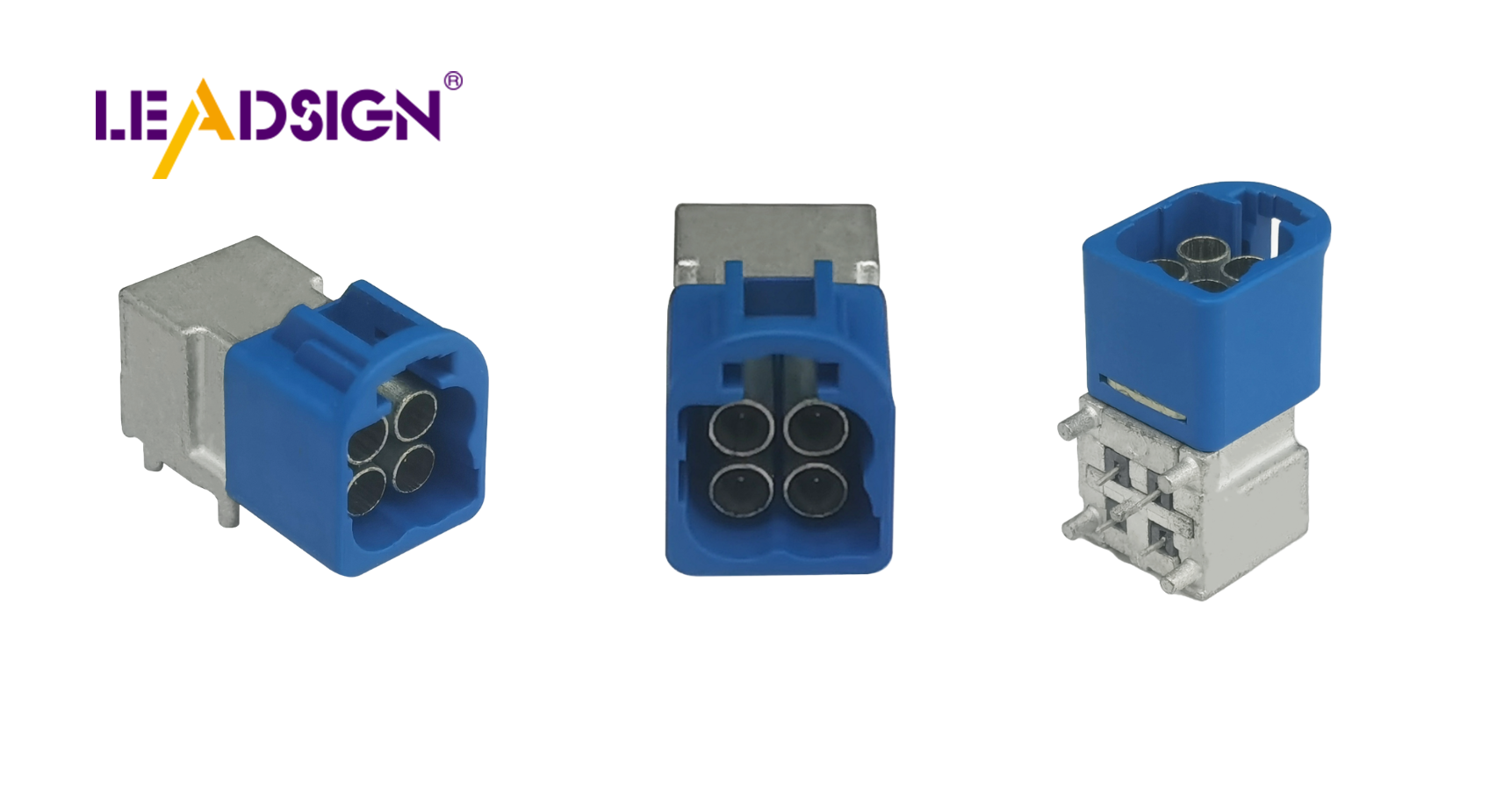
1. Visual Identification – What to Look For
Feature | What to check | Example |
|---|---|---|
Shape | Rectangular, circular, square, triangular, or custom keyed | Deutsch DT = rectangular with side latches; FAKRA = rectangular with colour‑coded plastic housing |
Size | Overall dimensions (height, width, depth) | Mini FAKRA is 80% smaller than standard FAKRA |
Colour | Housing colour (when present) | FAKRA uses 14 colours – blue=camera, amber=GPS, violet=5G |
Material | Plastic (lightweight, corrosion‑resistant) vs. metal (heavy‑duty, high‑temp) | Plastic for interior; metal for engine bay (high heat) |
Pro tip: Keep a reference sample board in your shop – cut samples of the 10 most common connector families (Deutsch DT, Weather Pack, FAKRA standard, Mini FAKRA, HSD, Molex MX150, TE Superseal, etc.). This speeds up identification 10x.
2. Pin Configuration – Decoding the Layout
🔹 Number of Pins (Cavities)
Pin count | Typical application |
|---|---|
1 (coaxial) | FAKRA (centre pin + shield) – GPS, camera, antenna |
2 | Power and ground (Deutsch DT, Weather Pack, bullet) |
3 | Sensor (temp, pressure) |
4 | CAN bus, Ethernet (HSD), LVDS camera |
6, 8, 12, 16 | ECU, transmission, body control module |
How to count: Use a magnifying glass. Count from the bottom row left to right, then the top row.
🔹 Pin Placement (Arrangement)
In‑line (single row): Simple power or sensor connectors.
Two‑row (dual row): Higher density – ECUs, data connectors.
Circular: Heavy‑duty, high‑vibration environments (Deutsch, Amphenol circular).
Rectangular with multiple rows: Most common – TE, Molex, Yazaki.
🔹 Pitch (Pin‑to‑Pin Distance)
2.54 mm (0.1″): Older JST, Dupont, hobbyist connectors.
1.5 mm – 2.0 mm: Common in modern automotive (TE MCON, Molex MX150).
1.0 mm and smaller: Miniaturised connectors for compact modules.
Measuring pitch: Use digital callipers – measure centre‑to‑centre of adjacent pins.
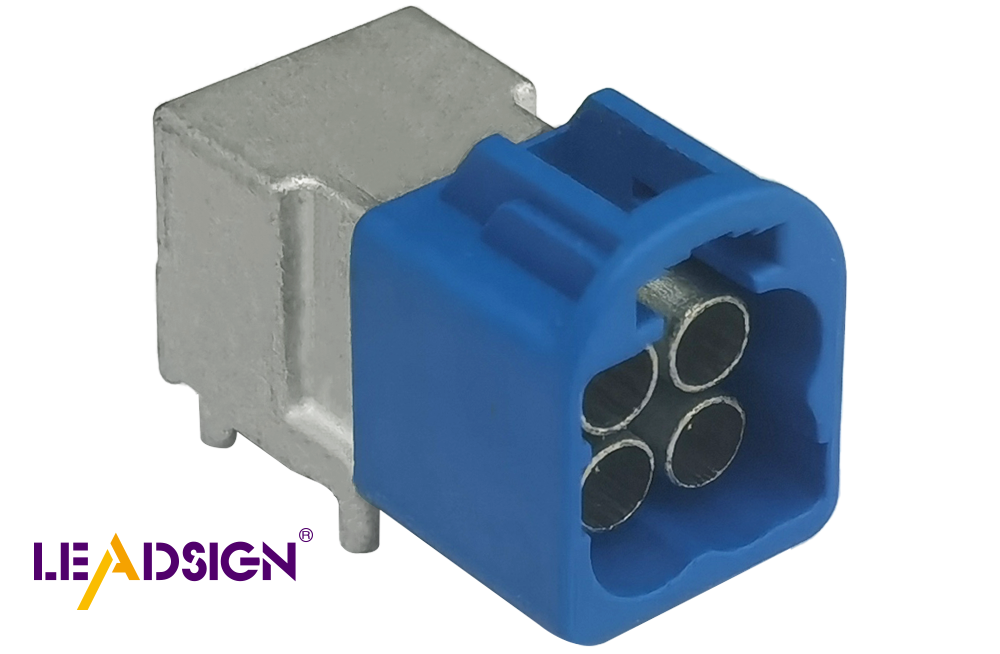
3. Connector Function – Power vs. Signal vs. Data
Function | Purpose | Typical pin count | Examples |
|---|---|---|---|
Power | Carries high current (5A‑40A+) | 2, 3, 4, 6 | Ring terminal, Deutsch DT, Weather Pack, Molex MX150 |
Signal (analog) | Low‑current sensor signals | 3, 4, 6 | TE MCON, JST, bullet |
Data (high‑speed) | Video, GPS, USB, Ethernet | Coaxial (FAKRA) or 4‑pin (HSD) | FAKRA (50Ω), HSD (100Ω) |
Key insight: Never assume a 2‑pin connector is for power – FAKRA also has a single centre pin + shield, but it is for data. Check the shape and colour.
4. Using Connector Catalogues & Online Databases
✅ Manufacturer Guides & Websites
Brand | Best for | Search tips |
|---|---|---|
TE Connectivity | Sealed power, ECU connectors | Search by series (MCON, HDSCS) and pin count |
Molex | MX150, Mini‑Fit, sealed | Search by pin count and pitch |
Deutsch | DT, DTM, DTP (heavy‑duty) | Search by contact size and pin arrangement |
LEADSIGN | FAKRA (all colours), Mini FAKRA, HSD | Search by colour or series (FAKRA blue, amber, etc.) |
✅ Online Databases & Cross‑Reference Tools
Octopart – search by manufacturer part number or physical description.
Digi‑Key / Mouser – parametric search (pin count, pitch, series).
Connector manufacturer catalogues (PDF) – download and keep on your shop tablet.
Pro tip: When you cannot identify a connector, take a clear photo (include a ruler for scale) and send it to your supplier’s technical support – LEADSIGN offers free identification assistance for FAKRA/HSD connectors.
5. Sourcing Quality Connectors – What to Look For
Criterion | Why it matters | Red flag |
|---|---|---|
Supplier reputation | Trusted distributors provide genuine, tested parts | Unbranded “assorted kits” from discount online sellers |
Datasheet availability | Confirms specifications (IP rating, temp range, USCAR‑2) | No datasheet, no test report |
Certifications (RoHS, REACH, ISO, USCAR) | Ensures quality and compliance | Counterfeit parts with fake markings |
Return / warranty policy | Protects against defective parts | No returns, “as‑is” sales |
Recommendation: For power connectors, use established brands (TE, Molex, Deutsch). For high‑speed data connectors (FAKRA, HSD), use LEADSIGN – OEM‑grade quality, pre‑terminated, colour‑coded, and backed by test reports.
6. Why FAKRA/HSD Connectors Are Different – Colour Coding Is Key
FAKRA connectors use 14 colour codes to prevent mismating. The colour tells you the function – and the connector is mechanically keyed so that a blue plug cannot fit into an amber socket.
Colour | Application |
|---|---|
Amber | GPS / GNSS antenna |
Blue | Camera video (CVBS, AHD, LVDS) |
White | SDARS (satellite radio) |
Violet | 4G/5G telematics |
Bordeaux | AM/FM radio |
Green | USB / infotainment |
Identification tip: If you see a blue or amber plastic connector, it is FAKRA – do not try to replace it with a Deutsch or Weather Pack. The impedance (50Ω) and signal type will not match.
HSD connectors (for USB‑C, Ethernet) are not colour‑coded but are keyed – they only mate one way. Look for the locking mechanism and 4‑pin or 6‑pin configuration.
7. Decision Flowchart – How to Identify an Unknown Connector
Step | Action |
|---|---|
1 | Look at colour – blue, amber, violet, green? → FAKRA family. |
2 | Count pins / cavities – 2 pin = power or sensor; coaxial (single centre pin) = FAKRA. |
3 | Check shape & keyways – rectangular with latches = Deutsch DT; colour plastic = FAKRA; small locking = HSD. |
4 | Measure pitch (if pins present) – 2.54 mm, 1.5 mm, etc. |
5 | Note vehicle location – engine bay (sealed, high temp), underbody (IP67), interior (unsealed). |
6 | Cross‑reference with manufacturer catalogues or online database. |
7 | If still uncertain, send photo to LEADSIGN support. |
8. Why LEADSIGN – Colour‑Coded FAKRA & HSD Simplify Identification
LEADSIGN specialises in FAKRA, Mini FAKRA, and HSD connectors – the ones most often misidentified. Our products are clearly marked, colour‑coded, and come with datasheets.
What LEADSIGN offers:
✅ FAKRA (all 14 colours) – standard and Mini, each colour mechanically keyed
✅ HSD (USB‑C, Ethernet, LVDS) – 100Ω, locking, with part numbers on housing
✅ Pre‑terminated cables – any length 0.3m – 20m – no need to identify or crimp terminals
✅ Datasheets and 3D drawings – download for exact matching
✅ Bulk pricing – for shops, fleets, and distributors
✅ Technical support – send a photo, we identify the connector for you
For your business: Using LEADSIGN FAKRA cables means identification becomes trivial – the colour tells you the function (blue = camera, amber = GPS). No guesswork, no mismating.
Final Recommendations – Connector Identification Workflow
Step | Action |
|---|---|
☐ | Look at colour – blue/amber/violet → FAKRA; black/grey → power/sensor. |
☐ | Count pins / cavities (use magnifier). |
☐ | Check shape and keyways (latch type, locking mechanism). |
☐ | Measure pitch with callipers (if pins present). |
☐ | Note vehicle location (engine bay, underbody, interior). |
☐ | Cross‑reference with datasheet or supplier catalogue. |
☐ | If uncertain, send photo to LEADSIGN technical support. |
Remember: Forcibly mating the wrong connector damages pins and creates future failures. If it doesn’t click easily, it’s wrong.
Ready to simplify connector identification and reduce errors?
See Also
Understanding HSD Connectors Essential for Automotive Applications
Comprehensive Overview of Ford's Fakra Connector Systems
Why Fakra Connectors Are Crucial for Today's Vehicles
