Automotive Wire vs Industrial HSD Connectors 2026: Why Mixing Them Up Kills Camera Signals

Intro: Power is not Data – And Confusing Them Costs You Callbacks
Every repair shop and fleet installer knows the basics: red for +12V, black for ground, and a fuse for protection. But when it comes to high‑speed data – think backup camera video, USB‑C for CarPlay, or Ethernet for telematics – the rules change completely.
Using ordinary automotive wire (designed for 12V power) to carry a 6 GHz video signal is like using a garden hose to pump crude oil. It might physically fit, but the performance will be disastrous: image dropouts, GPS lag, and mysterious infotainment resets.
In this guide, you’ll learn:
The fundamental differences between automotive wire (power/analog signals) and industrial‑grade HSD connectors (high‑speed data)
Why 2026 vehicles – especially EVs and ADAS – demand shielding, impedance control, and data‑rated components
How to select the right cable and connector for each job, avoiding the three most expensive mistakes
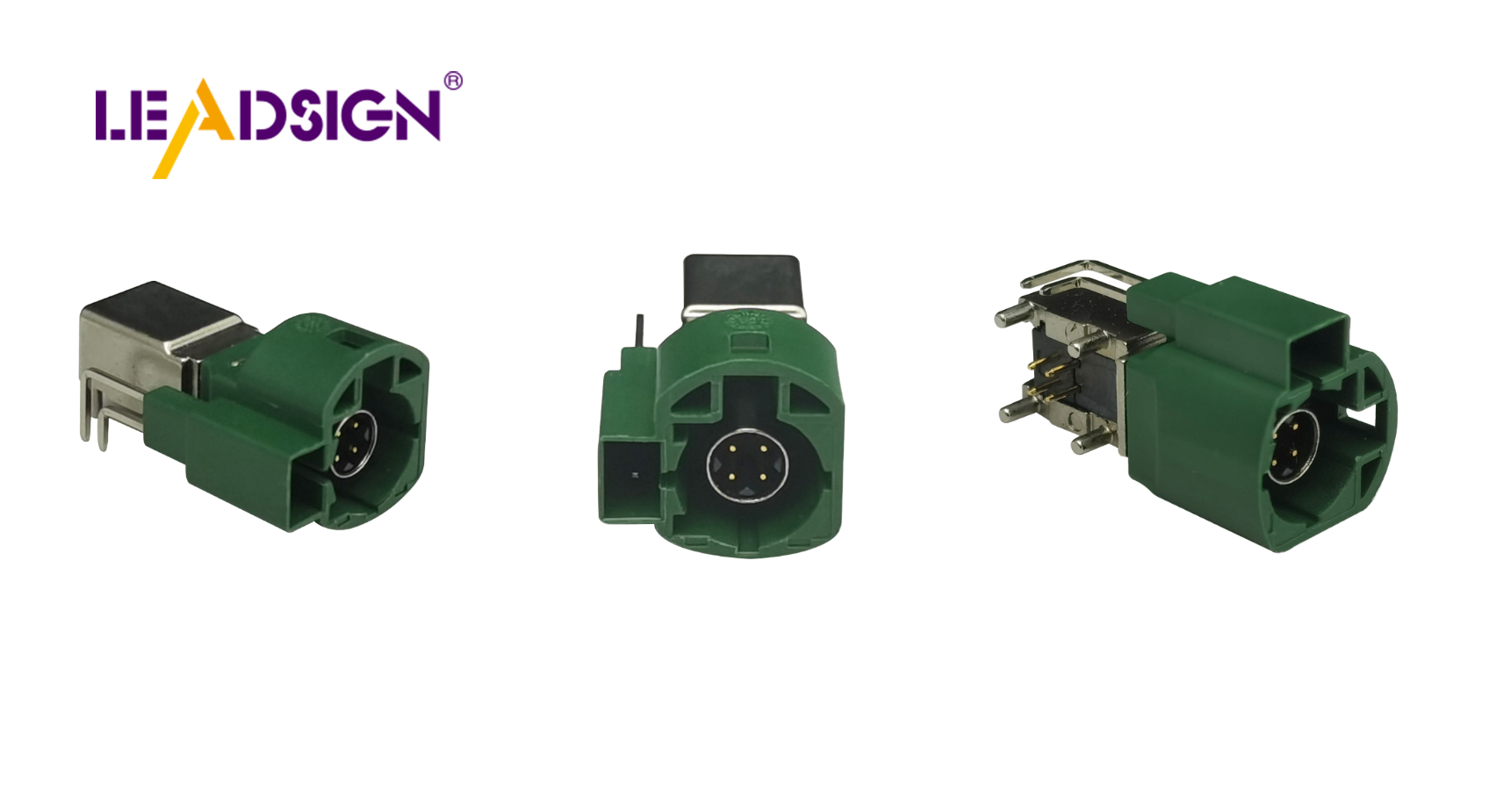
1. Quick Reference: Automotive Wire vs HSD Connectors
Feature | Automotive Wire (e.g., for lights, sensors, power) | Industrial HSD Connector (e.g., FAKRA, USB‑C, Ethernet) |
|---|---|---|
Primary function | Power delivery (12V/24V) and low‑speed analog signals | High‑speed data transmission (up to 20 Gbps) |
Construction | Single conductor or simple twisted pair, basic insulation | Shielded twisted‑pair (quad), foil + braid, impedance controlled |
Impedance | Not specified (irrelevant for DC power) | 50Ω (coaxial) or 100Ω (differential) – critical for signal integrity |
Shielding | None or minimal | Double shielding (foil + braid) to block EMI |
Temperature range | -40°C to +105°C (typical) | -40°C to +105°C (also available) |
Connector types | Blade, bullet, butt, Deutsch, Metri‑Pack | FAKRA, Mini FAKRA, HSD, USB‑C, Ethernet (MATEnet) |
Common applications | Lights, engine sensors, pumps, speakers | Backup cameras, GPS antennas, USB‑C mirroring, ADAS, telematics |
Can they be interchanged? | ❌ No – using power wire for data = signal loss | ❌ No – using data cable for power = overheating (fine for low current, but not designed for it) |
Key takeaway for your business: Your reverse cameras and car multimedia units need HSD‑class cables and connectors (FAKRA, USB‑C HSD). Using ordinary automotive wire for video or USB 3.0 will result in image noise, disconnections, and angry customers.
2. Deep Dive: Automotive Wire – Built for Power, Not Speed
🔹 Material Construction
Conductor: Copper (most common) or aluminium (lightweight). Stranded for flexibility.
Insulation: PVC, XLPE, or silicone – protects against heat, oil, abrasion, and moisture.
🔹 Strengths
Excellent for 12V/24V power distribution (lights, fans, pumps, ECUs).
Handles low‑frequency analog signals (e.g., temperature sensors, fuel level).
Cheap and widely available.
🔹 Weaknesses (for high‑speed data)
No impedance control – signal reflections will corrupt high‑frequency data.
No shielding – susceptible to EMI from alternators, ignition systems, and EV motors.
Untwisted – no common‑mode noise rejection.
✅ Where to use automotive wire in your installations
Power feed to a reverse camera (12V reverse light supply)
Ground wire for the camera or radio
Speaker wires (analog audio, low frequency)
Trigger wires (reverse signal, parking brake, illumination)
Do NOT use automotive wire for:
Camera video signal (use 50Ω coaxial with FAKRA)
USB data lines (use USB‑rated HSD cable)
GPS antenna (use 50Ω coax with FAKRA)
3. Deep Dive: Industrial HSD Connectors – Engineered for Data Integrity
HSD (High‑Speed Data) connectors and cables are designed specifically for differential signalling with controlled impedance and shielding. They are not just “better wires” – they are a different category.
🔹 Key design features
Twisted‑pair quad construction (four wires twisted together) – cancels common‑mode noise.
Foil + braid shielding – blocks external EMI from entering the signal path.
Impedance control – 50Ω for coax (FAKRA) or 100Ω for differential pairs (USB, Ethernet, LVDS).
Secondary locking connectors – prevents vibration loosening.
🔹 Typical standards supported
USB 2.0 / 3.0 / 3.1 (up to 10 Gbps)
Ethernet (100BASE‑T1, 1000BASE‑T1)
LVDS (camera video)
HDMI (Type E automotive)
✅ Where to use HSD connectors in your installations
Reverse camera video → 50Ω FAKRA coaxial cable (pre‑terminated)
360° surround view (LVDS) → 100Ω LVDS HSD cable
CarPlay / Android Auto wired connection → USB‑C HSD cable (locking)
GPS antenna → FAKRA (amber) 50Ω coax
Telematics / 5G antenna → Mini FAKRA or Ethernet HSD
Do NOT use HSD cables for:
High‑power loads (e.g., headlights, fans) – the small conductors will overheat.
Long power runs (voltage drop due to small gauge).
4. 2026 Trends – Why the Line Between “Wire” and “Data Cable” Is Blurring
Trend | Implication |
|---|---|
4K reverse cameras | 4K video requires >6 Gbps – needs Mini FAKRA (20 GHz) or LVDS HSD. Ordinary coax won’t work. |
Wireless CarPlay / Android Auto | Still requires a high‑speed USB‑C connection for diagnostics and charging – must use USB‑rated HSD cable. |
EV proliferation | Strong EMI from motors and inverters makes shielding mandatory. HSD cables with double shielding are now the minimum. |
Fleet telematics | GPS + 4G/5G antennas need low‑loss coax (FAKRA) – not standard automotive wire. |
Modular wiring harnesses | Pre‑terminated HSD assemblies save labour and eliminate field‑crimp errors. |
Pro tip: Stock BOTH types – automotive wire for power and simple signals, and pre‑terminated HSD cables (FAKRA, USB‑C, Ethernet) for data. Trying to save money by substituting one for the other will cost you in callbacks.
5. Three Costly Mistakes – And How to Avoid Them
Mistake | Consequence | Prevention |
|---|---|---|
Using ordinary automotive wire for a backup camera video signal | Flickering image, horizontal bars, intermittent black screen | Always use 50Ω FAKRA coaxial cable – pre‑terminated is best |
Using a FAKRA cable to carry 12V power to the camera | The thin centre conductor may overheat; voltage drop causes camera shutdown | Use separate 18‑22 AWG automotive wire for power, FAKRA only for video |
Crimping your own HSD connectors without a proper tool | Impedance mismatch, high return loss, data errors | Buy pre‑terminated HSD cables from LEADSIGN – no tooling, no guesswork |
Field‑test routine: Before closing up a dashboard, connect the camera and radio with your cable. Wiggle the FAKRA connector – if the image glitches, replace the cable.
6. Decision Matrix – Which Cable for Which Job?
Installation task | Use automotive wire for… | Use HSD / FAKRA cable for… |
|---|---|---|
Reverse camera | Power (12V reverse light) + ground | Video signal (FAKRA coax) |
Car multimedia (double‑DIN) | Power (constant 12V, ACC, ground), speakers | GPS antenna (FAKRA amber), USB‑C wired mirroring (HSD) |
4G/5G telematics antenna | (not needed) | FAKRA or Mini FAKRA (violet/green) |
ADAS radar / camera | Power | Ethernet HSD (100Ω, shielded) |
Lighting (LED bars, headlights) | Automotive wire (14‑18 AWG) | (none) |
Engine sensors (analog) | Automotive wire (twisted pair if needed) | (none – unless digital sensor, then Ethernet) |
Rule of thumb for your shop: If the signal is video, USB, Ethernet, or GPS, use HSD/FAKRA. If it’s power, ground, or a simple switch, use ordinary automotive wire.
7. Why LEADSIGN – Your One‑Stop for Pre‑Terminated HSD & FAKRA Cables
You don’t need to keep expensive crimp tools for FAKRA or HSD connectors. LEADSIGN delivers ready‑to‑install cables in any length – saving you labour and eliminating field‑crimp failures.
What LEADSIGN offers:
✅ FAKRA (standard & Mini) – 50Ω, all 14 colour codes, IP67 sealed optional
✅ HSD USB‑C – locking, 5 Gbps, compatible with CarPlay / Android Auto
✅ Ethernet HSD – 100Ω, for telematics and ADAS
✅ Pre‑terminated coaxial cables – RG‑174, RG‑58, and low‑loss options
✅ Custom lengths – 0.3m to 20m, exactly what you need
✅ 100% tested – continuity, impedance, shielding effectiveness
For your business: When you sell a camera kit, include a LEADSIGN FAKRA cable cut to the exact vehicle length. Your customers get a plug‑and‑play installation – no cutting, no crimping, no signal problems.
Final Recommendations
If you install… | Power part | Data part | Source from |
|---|---|---|---|
Reverse camera | 18 AWG automotive wire (reverse light tap) | FAKRA coax (50Ω, blue) | LEADSIGN for FAKRA |
Car multimedia | 16‑18 AWG automotive wire (constant, ACC, ground) | FAKRA (amber) + USB‑C HSD cable | LEADSIGN for FAKRA & HSD |
GPS antenna | not applicable | FAKRA (amber) 50Ω coax | LEADSIGN |
5G telematics | not applicable | Mini FAKRA (violet) | LEADSIGN |
Why choose LEADSIGN?
✅ Pre‑terminated – no crimping, no skill required
✅ OEM‑grade shielding – works even in EV engine bays
✅ Bulk discounts for shops and distributors
✅ Technical support – we help you select the right cable
See Also
Exploring the Significance of HSD Connectors in Automotive Sector
Understanding the Fundamentals of HSD Connectors in Auto Sector
Benefits of HSD Connectors in Auto Applications
